Experience email the way you want with Mail0 – the first open source email app that puts your privacy and safety first. Join the discord: https://mail0.link/discord
See the code

An Open-Source Gmail Alternative for the Future of Email
Zero is an open-source AI email solution that gives users the power to self-host their own email app while also integrating external services like Gmail and other email providers. Our goal is to modernize and improve emails through AI agents to truly modernize emails.
Most email services today are either closed-source, data-hungry, or too complex to self-host. 0.email is different:
Zero is built with modern and reliable technologies:
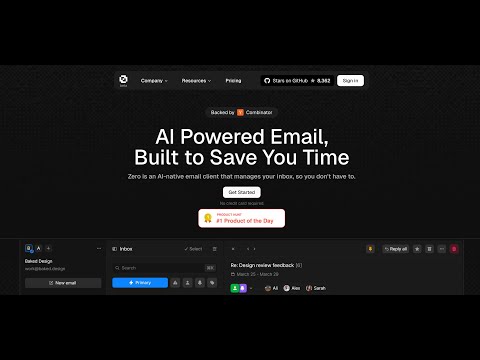
Watch this helpful video tutorial on how to set up Zero locally:
Required Versions:
Before running the application, you'll need to set up services and configure environment variables. For more details on environment variables, see the Environment Variables section.
You can set up Zero in two ways:
Clone and Install
# Clone the repository
git clone https://github.com/Mail-0/Zero.git
cd Zero

# Install dependencies
pnpm install

# Start database locally
pnpm docker:db:up
Set Up Environment
pnpm nizzy env to setup your environment variablespnpm nizzy sync to sync your environment variables and typespnpm docker:db:uppnpm db:pushStart the App
pnpm dev
Open in Browser
Visit http://localhost:3000
Clone and Install
# Clone the repository
git clone https://github.com/Mail-0/Zero.git
cd Zero
Then open the code in devcontainer and install the dependencies:
pnpm install

# Start the database locally
pnpm docker:db:up
Set Up Environment
pnpm nizzy env to setup your environment variablespnpm nizzy sync to sync your environment variables and typespnpm docker:db:uppnpm db:pushStart The App
pnpm dev
Visit http://localhost:3000
Better Auth Setup
Open the .env file and change the BETTER_AUTH_SECRET to a random string. (Use openssl rand -hex 32 to generate a 32 character string)
BETTER_AUTH_SECRET=your_secret_key
Google OAuth Setup (Required for Gmail integration)
Go to Google Cloud Console
Create a new project
Add the following APIs in your Google Cloud Project: People API, Gmail API
Enable the Google OAuth2 API
Create OAuth 2.0 credentials (Web application type)
Add authorized redirect URIs:
http://localhost:8787/api/auth/callback/googlehttps://your-production-url/api/auth/callback/googleAdd to .env:
GOOGLE_CLIENT_ID=your_client_id
GOOGLE_CLIENT_SECRET=your_client_secret
Add yourself as a test user:
Audience[!WARNING] The authorized redirect URIs in Google Cloud Console must match exactly what you configure in the
.env, including the protocol (http/https), domain, and path - these are provided above.
Autumn Setup (Required for some encryption)
Go to Autumn
For Local Use, click onboarding button and generate an Autumn Secret Key
For production, select the production mode from upper left corner and generate and fill the other fields. After that, generate an Autumn Secret Key
Add to .env:
AUTUMN_SECRET_KEY=your_autumn_secret
Twilio Setup (Required for SMS Integration)
Go to the Twilio
Create a Twilio account if you don’t already have one
From the dashboard, locate your:
Add to your .env file:
TWILIO_ACCOUNT_SID=your_account_sid
TWILIO_AUTH_TOKEN=your_auth_token
TWILIO_PHONE_NUMBER=your_twilio_phone_number
Run pnpm nizzy env to setup your environment variables. It will copy the .env.example file to .env and fill in the variables for you.
For local development a connection string example is provided in the .env.example file located in the same folder as the database.
Zero uses PostgreSQL for storing data. Here's how to set it up:
Start the Database
Run this command to start a local PostgreSQL instance:
pnpm docker:db:up
This creates a database with:
zerodotemailpostgrespostgres5432Set Up Database Connection
Make sure your database connection string is in .env file. And you have ran pnpm nizzy sync to sync the latest env.
For local development use:
DATABASE_URL="postgresql://postgres:postgres@localhost:5432/zerodotemail"
Database Commands
Set up database tables:
pnpm db:push
Create migration files (after schema changes):
pnpm db:generate
Apply migrations:
pnpm db:migrate
View database content:
pnpm db:studio
If you run
pnpm devin your terminal, the studio command should be automatically running with the app.
Background: https://x.com/cmdhaus/status/1940886269950902362
We're now storing the user's emails in their Durable Object & an R2 bucket. This allow us to speed things up, a lot.
This also introduces 3 environment variables, DROP_AGENT_TABLES,THREAD_SYNC_MAX_COUNT, THREAD_SYNC_LOOP.
DROP_AGENT_TABLES: should the durable object drop the threads table before starting a sync
THREAD_SYNC_MAX_COUNT: how many threads should we sync? max 500 because it's using the same number for the maxResults number from the driver. i.e 500 results per page.
THREAD_SYNC_LOOP: should make sure to sync all of the items inside a folder? i.e if THREAD_SYNC_MAX_COUNT=500 it will sync 500 threads per request until the folder is fully synced. (should be true in production)
Please refer to the contributing guide.
If you'd like to help with translating Zero to other languages, check out our translation guide.




Curious who makes Zero? Here are our contributors and maintainers
(top 24 of 130)
119 followers · starred Apr 2025
3,018 followers · starred Mar 2025
17,405 followers · starred Feb 2025
496 followers · starred Feb 2025
Experience email the way you want with Mail0 – the first open source email app that puts your privacy and safety first. Join the discord: https://mail0.link/discord
See the code
An Open-Source Gmail Alternative for the Future of Email
Zero is an open-source AI email solution that gives users the power to self-host their own email app while also integrating external services like Gmail and other email providers. Our goal is to modernize and improve emails through AI agents to truly modernize emails.
Most email services today are either closed-source, data-hungry, or too complex to self-host. 0.email is different:
Zero is built with modern and reliable technologies:
Watch this helpful video tutorial on how to set up Zero locally:
Required Versions:
Before running the application, you'll need to set up services and configure environment variables. For more details on environment variables, see the Environment Variables section.
You can set up Zero in two ways:
Clone and Install
# Clone the repository
git clone https://github.com/Mail-0/Zero.git
cd Zero

# Install dependencies
pnpm install

# Start database locally
pnpm docker:db:up
Set Up Environment
pnpm nizzy env to setup your environment variablespnpm nizzy sync to sync your environment variables and typespnpm docker:db:uppnpm db:pushStart the App
pnpm dev
Open in Browser
Visit http://localhost:3000
Clone and Install
# Clone the repository
git clone https://github.com/Mail-0/Zero.git
cd Zero
Then open the code in devcontainer and install the dependencies:
pnpm install

# Start the database locally
pnpm docker:db:up
Set Up Environment
pnpm nizzy env to setup your environment variablespnpm nizzy sync to sync your environment variables and typespnpm docker:db:uppnpm db:pushStart The App
pnpm dev
Visit http://localhost:3000
Better Auth Setup
Open the .env file and change the BETTER_AUTH_SECRET to a random string. (Use openssl rand -hex 32 to generate a 32 character string)
BETTER_AUTH_SECRET=your_secret_key
Google OAuth Setup (Required for Gmail integration)
Go to Google Cloud Console
Create a new project
Add the following APIs in your Google Cloud Project: People API, Gmail API
Enable the Google OAuth2 API
Create OAuth 2.0 credentials (Web application type)
Add authorized redirect URIs:
http://localhost:8787/api/auth/callback/googlehttps://your-production-url/api/auth/callback/googleAdd to .env:
GOOGLE_CLIENT_ID=your_client_id
GOOGLE_CLIENT_SECRET=your_client_secret
Add yourself as a test user:
Audience[!WARNING] The authorized redirect URIs in Google Cloud Console must match exactly what you configure in the
.env, including the protocol (http/https), domain, and path - these are provided above.
Autumn Setup (Required for some encryption)
Go to Autumn
For Local Use, click onboarding button and generate an Autumn Secret Key
For production, select the production mode from upper left corner and generate and fill the other fields. After that, generate an Autumn Secret Key
Add to .env:
AUTUMN_SECRET_KEY=your_autumn_secret
Twilio Setup (Required for SMS Integration)
Go to the Twilio
Create a Twilio account if you don’t already have one
From the dashboard, locate your:
Add to your .env file:
TWILIO_ACCOUNT_SID=your_account_sid
TWILIO_AUTH_TOKEN=your_auth_token
TWILIO_PHONE_NUMBER=your_twilio_phone_number
Run pnpm nizzy env to setup your environment variables. It will copy the .env.example file to .env and fill in the variables for you.
For local development a connection string example is provided in the .env.example file located in the same folder as the database.
Zero uses PostgreSQL for storing data. Here's how to set it up:
Start the Database
Run this command to start a local PostgreSQL instance:
pnpm docker:db:up
This creates a database with:
zerodotemailpostgrespostgres5432Set Up Database Connection
Make sure your database connection string is in .env file. And you have ran pnpm nizzy sync to sync the latest env.
For local development use:
DATABASE_URL="postgresql://postgres:postgres@localhost:5432/zerodotemail"
Database Commands
Set up database tables:
pnpm db:push
Create migration files (after schema changes):
pnpm db:generate
Apply migrations:
pnpm db:migrate
View database content:
pnpm db:studio
If you run
pnpm devin your terminal, the studio command should be automatically running with the app.
Background: https://x.com/cmdhaus/status/1940886269950902362
We're now storing the user's emails in their Durable Object & an R2 bucket. This allow us to speed things up, a lot.
This also introduces 3 environment variables, DROP_AGENT_TABLES,THREAD_SYNC_MAX_COUNT, THREAD_SYNC_LOOP.
DROP_AGENT_TABLES: should the durable object drop the threads table before starting a sync
THREAD_SYNC_MAX_COUNT: how many threads should we sync? max 500 because it's using the same number for the maxResults number from the driver. i.e 500 results per page.
THREAD_SYNC_LOOP: should make sure to sync all of the items inside a folder? i.e if THREAD_SYNC_MAX_COUNT=500 it will sync 500 threads per request until the folder is fully synced. (should be true in production)
Please refer to the contributing guide.
If you'd like to help with translating Zero to other languages, check out our translation guide.
Curious who makes Zero? Here are our contributors and maintainers
(top 24 of 130)
119 followers · starred Apr 2025
3,018 followers · starred Mar 2025
17,405 followers · starred Feb 2025
496 followers · starred Feb 2025



