
README
CHiME-9 Task 1 - MCoRec baseline
Multi-Modal Context-aware Recognition
This repository contains the baseline system for CHiME-9 challenge, Task 1 MCoRec. For information on how to participate in the challenge and how to get the development and evaluation datasets, please refer to the challenge website.
About the Challenge
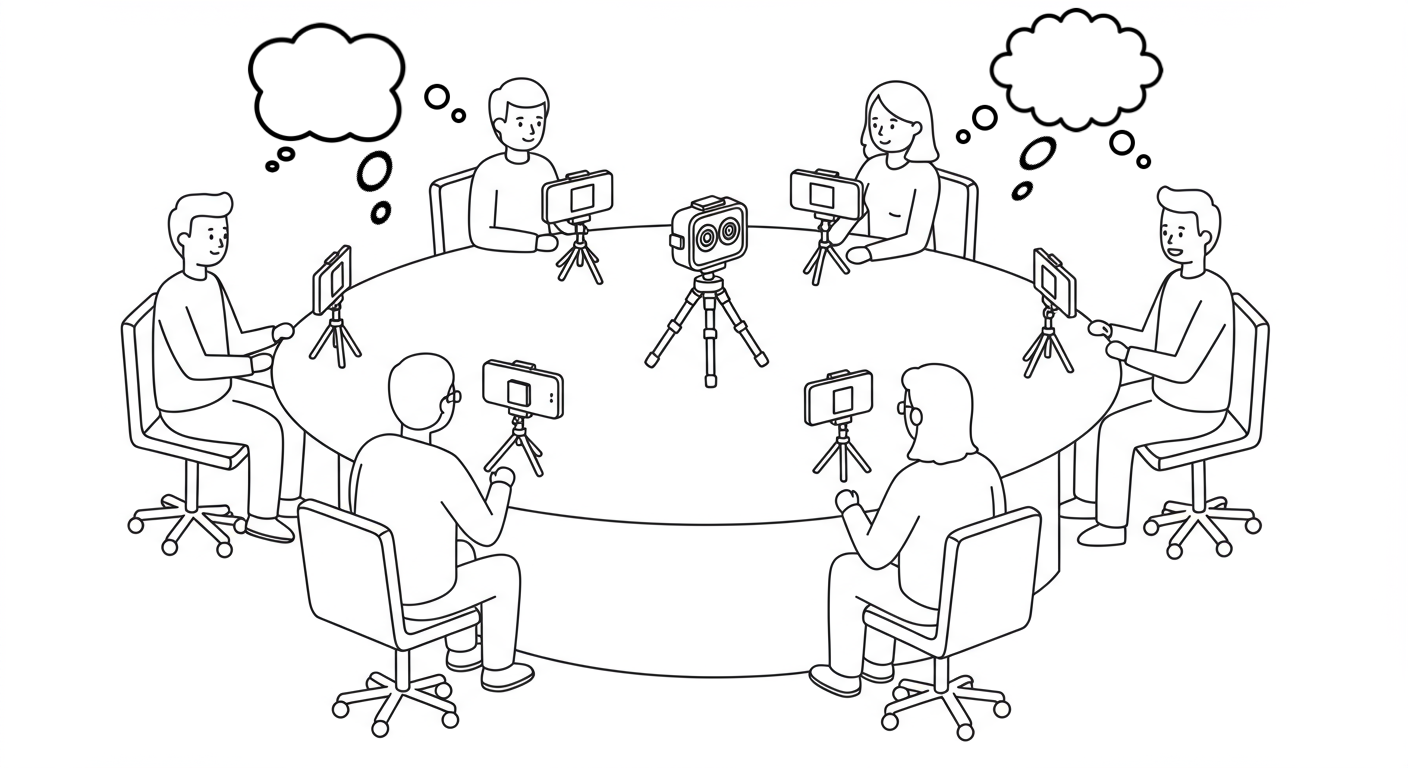
CHiME-9 Task 1: Multi-Modal Context-aware Recognition (MCoRec) addresses the challenging problem of understanding multiple concurrent conversations in a single room environment. The task requires systems to process a single 360° video and audio recording where multiple separate conversations are happening simultaneously, and to both transcribe each speaker's speech and identify which speakers belong to the same conversation.
Key Challenge Features
- Multiple concurrent conversations (up to 4) with up to 8 active speakers
- High speech overlap ratios reaching up to 100% due to simultaneous conversations
- Single 360° camera and microphone capturing all participants from a central viewpoint
- Real, unscripted conversations covering everyday topics
- Combined transcription and clustering challenge requiring both accurate speech recognition and conversation grouping
Evaluation Metrics
Systems are evaluated on three complementary metrics:
- Individual Speaker's WER - Word Error Rate for each speaker's transcription
- Conversation Clustering Performance - Pairwise F1 score for grouping speakers
- Joint ASR-Clustering Error Rate (Primary Metric) - Combined metric weighing both transcription and clustering performance
Challenge's documents
For detailed information about the challenge, please refer to:
- Challenge Overview - Complete challenge description and scenario details
- Data Description - Dataset structure, formats, and download instructions
- Baseline System - Architecture and components of the baseline system
- Challenge Rules - Participation rules, allowed datasets, and evaluation details
Getting Started
Sections
- Installation
- Download MCoRec dataset
- Running the baseline system
- Evaluation
- Finetuning AVSR model
- Results
- FAQ - Frequently Asked Questions
1. Installation
Following this steps:
# Clone the baseline code repo
git clone https://github.com/MCoRec/mcorec_baseline.git
cd mcorec_baseline

# Create Conda environment
conda create --name mcorec python=3.11
conda activate mcorec

# Install FFmpeg, if it's not already installed.
conda install ffmpeg

# Install dependencies
pip install -r requirements.txt

# Download and unzip the pre-trained model
wget https://huggingface.co/MCoRecChallenge/MCoRec-baseline/resolve/main/model-bin.zip
unzip model-bin.zip
2. Download MCoRec dataset
To use the MCoRec dataset, you first need to request access and then download it using your Hugging Face token.
-
Request Access:
- Go to the MCoRec dataset repository on Hugging Face.
- Request access to the dataset. You will need a Hugging Face account.
-
Get Your Hugging Face Token:
If you don't have one, create a Hugging Face User Access Token. Follow the instructions here to obtain your
HF_TOKEN. Make sure it has read permissions. -
Download and Unzip Dataset Files:
It's recommended to download and unzip the data into a
data-bindirectory within yourmcorec_baselineproject folder.
# Navigate to your baseline project directory if you aren't already there
# cd mcorec_baseline

# Create a data directory (if it doesn't exist)
mkdir -p data-bin
cd data-bin

# Export your Hugging Face token (replace 'your_actual_token_here' with your actual token)
export HF_TOKEN=your_actual_token_here

# Download the development set
wget --header="Authorization: Bearer $HF_TOKEN" https://huggingface.co/datasets/MCoRecChallenge/MCoRec/resolve/main/dev_without_central_videos.zip

# Unzip the downloaded files
unzip dev_without_central_videos.zip
3. Running the baseline system
-
The baseline system assumes the following directory layout:
├── data-bin │ ├── dev │ │ ├── session_132 │ │ │ ├── central_video.mp4 │ │ │ ├── labels │ │ │ │ ├── speaker_to_cluster.json │ │ │ │ ├── spk_0.vtt │ │ │ │ ├── spk_1.vtt │ │ │ │ ├── spk_2.vtt │ │ │ │ ├── spk_3.vtt │ │ │ │ ├── spk_4.vtt │ │ │ │ └── spk_5.vtt │ │ │ ├── metadata.json │ │ │ └── speakers │ │ │ ├── spk_0 │ │ │ ├── spk_1 │ │ │ ├── spk_2 │ │ │ ├── spk_3 │ │ │ ├── spk_4 │ │ │ │ └── central_crops │ │ │ │ ├── track_00_asd.json │ │ │ │ ├── track_00_bbox.json │ │ │ │ ├── track_00.json │ │ │ │ ├── track_00_lip.av.mp4 │ │ │ │ ├── track_00.mp4 │ │ │ │ ├── track_01_asd.json │ │ │ │ ├── track_01_bbox.json │ │ │ │ ├── track_01.json │ │ │ │ ├── track_01_lip.av.mp4 │ │ │ │ └── track_01.mp4 │ │ │ └── spk_5 │ │ └── ... │ ├── train │ └── eval ├── model-bin ├── script │ ├── inference.py │ ├── evaluate.py │ ├── asd.py │ ├── lip_crop.py │ └── train.py └── srcdata-bin/: This is where the MCoRec dataset (downloaded in Section 2) should be placed. It's organized into dev, train, and eval subsets. Each session folder (e.g.,session_132) contains the raw and preprocessed data required for inference and evaluation.model-bin/: Contains the pre-trained model components, which were downloaded and unzipped during the Section 1.script/: Contains the main Python scripts for performing tasks such as inference (inference.py), evaluation (evaluate.py), and data preprocessing (asd.py,lip_crop.py).src/: Contains the underlying Python codebase and modules for the MCoRec baseline system. -
Running Inference
The
inference.pyscript processes a session (or multiple sessions) and generates system output.-
Input: The path to a session folder (e.g.,
data-bin/dev/session_132/) or a pattern matching multiple session folders. -
Output: An
outputfolder will be created inside each processed session directory (e.g.,data-bin/dev/session_132/output/). This folder will contain the system's hypotheses, structured similarly to the ground truthlabelsfolder.-
speaker_to_cluster.json: This file maps each speaker ID (e.g., spk_0, spk_1) to a conversation cluster ID. Example:{ "spk_0": 0, "spk_1": 0, "spk_2": 1, "spk_3": 1, "spk_4": 2, "spk_5": 2 } -
spk_0.vtt, spk_1.vtt, ... spk_5.vtt: These are WebVTT (Web Video Text Tracks) files, one for each target speaker in the session (identified as spk_0, spk_1, etc.). Each.vttfile contains the time-stamped transcriptions of the speech for that specific speaker. Example:WEBVTT 00:00:21.039 --> 00:00:23.235 So, What's your favorite superhero? 00:00:25.050 --> 00:00:30.354 Favourite superhero? Oh, DC, DC
-
-
Commands:
# BL1: AV-HuBERT CTC/Attention
python script/inference.py --model_type avsr_cocktail --session_dir data-bin/dev/session_132
# For all dev sessions:
python script/inference.py --model_type avsr_cocktail --session_dir "data-bin/dev/*" \
    --checkpoint_path ./model-bin/avsr_cocktail \
    --beam_size 3 --max_length 15 \
    --output_dir_name output_avsr_cocktail

# BL2: MuAViC-EN with AV-HuBERT Transformer decoder
python script/inference.py --model_type muavic_en --session_dir "data-bin/dev/*" \
    --checkpoint_path nguyenvulebinh/AV-HuBERT-MuAViC-en \
    --max_length 15 \
    --output_dir_name output_muavic_en

# BL3: Auto-AVSR with Conformer CTC/Attention
python script/inference.py --model_type auto_avsr --session_dir "data-bin/dev/*" \
    --checkpoint_path ./model-bin/auto_avsr/avsr_trlrwlrs2lrs3vox2avsp_base.pth \
    --beam_size 3 --max_length 15 \
    --output_dir_name output_auto_avsr

# BL4: AV-HuBERT CTC/Attention (MCoRec fine-tuned)
python script/inference.py --model_type avsr_cocktail --session_dir "data-bin/dev/*" \
    --checkpoint_path ./model-bin/avsr_cocktail_mcorec_finetune \
    --beam_size 3 --max_length 15 \
    --output_dir_name output_avsr_cocktail_finetuned
Available Parameters:
--model_type(required): Choose fromavsr_cocktail(default/recommended),auto_avsr, ormuavic_en--session_dir(required): Path to session folder or pattern with*for multiple sessions--checkpoint_path(optional): Path to custom model checkpoint--cache_dir(optional): Directory to cache models (default:./model-bin)--max_length(optional): Maximum video segment length in seconds (default: 15)--beam_size(optional): Beam search size for decoding (default: 3)--output_dir_name(optional): Name of output directory within each session (default:output)--verbose(optional): Enable detailed output
Note: All pretrained models (BL1 and BL4:
avsr_cocktail, BL3:auto_avsr) should be located in themodel-bin/folder, which was downloaded and unzipped during the Installation section. The BL2 model (nguyenvulebinh/AV-HuBERT-MuAViC-en) will be automatically downloaded from Hugging Face when specified in the checkpoint path. -
Inference time: Processing the complete development video set takes approximately 2 hours on a single NVIDIA Titan RTX 24GB GPU
-
-
Running data preprocessing (Optional)
The MCoRec dataset provided for the challenge typically comes with pre-generated files necessary for the baseline system. Specifically, within each speaker's
central_cropsfolder (e.g.,data-bin/dev/session_132/speakers/spk_4/central_crops/), you will find multiple video tracks (e.g.,track_00.mp4,track_01.mp4). These are 96x96 face crop videos of the target speaker (e.g.,spk_4).For each of these tracks (e.g.,
track_00.mp4), two important processed files are expected by the inference script:track_xx_asd.json: Contains active speaker detection scores for each frame of the corresponding track video. These scores are used to determine when a speaker is talking, allowing the audio-visual speech recognition system to run only during the speaking segments.track_xx_lip.av.mp4: A video similar to the face track, but specifically cropped around the lip region.
The provided dataset should already include these
_asd.jsonand_lip.av.mp4files. The scripts below are available if you wish to understand how they are generated, regenerate them, or process custom data.-
To generate
_asd.json(Active Speaker Detection scores): This script takes a track video as input and outputs a JSON file with frame-wise speaking scores.python script/asd.py --video path_to_the_track_video # Example: !python script/asd.py --video data-bin/dev/session_132/speakers/spk_4/central_crops/track_00.mp4 -
To generate
_lip.av.mp4(Lip Crop video): This script takes a track video as input and outputs a new video cropped to the lip region.python script/lip_crop.py --video path_to_the_track_video # Example: !python script/lip_crop.py --video data-bin/dev/session_132/speakers/spk_4/central_crops/track_00.mp4
You can use the pre-packaged processed data by default or choose to modify/regenerate these files if needed for your experiments.
-
Run Example in Google Colab: Interactive notebook for a step-by-step run-through.
4. Evaluation
The evaluate.py script calculates performance metrics based on the system's output and the ground truth labels.
-
Input: The path to a session folder (which should contain both the
labelsand the system-generatedoutputsubdirectories) or a pattern matching multiple session folders. -
Output: Evaluation metrics.
- Conversation clustering F1 score
- Speaker's WER
- Speaker's clustering F1 score
- Speaker's Joint ASR-Clustering Error Rate: 0.5 * WER + 0.5 * (1 - f1_score)
-
Commands:
# Evaluating single session
python script/evaluate.py --session_dir path_to_session_folder
# Example: python script/evaluate.py --session_dir data-bin/dev/session_132

# Output:
# Evaluating 1 sessions
# Evaluating session session_132
# Conversation clustering F1 score: 1.0
# Speaker to WER: {'spk_0': 0.4405, 'spk_1': 0.6137, 'spk_2': 0.5257, 'spk_3': 0.5556, 'spk_4': 0.7073, 'spk_5': 0.7102}
# Speaker clustering F1 score: {'spk_0': 1.0, 'spk_1': 1.0, 'spk_2': 1.0, 'spk_3': 1.0, 'spk_4': 1.0, 'spk_5': 1.0}
# Joint ASR-Clustering Error Rate: {'spk_0': 0.22025, 'spk_1': 0.30685, 'spk_2': 0.26285, 'spk_3': 0.2778, 'spk_4': 0.35365, 'spk_5': 0.3551}
# Average Conversation Clustering F1 score: 1.0
# Average Speaker WER: 0.5922
# Average Joint ASR-Clustering Error Rate: 0.2961


# Evaluating all sessions
python script/evaluate.py --session_dir "path_to_set_folder/*"
# Example: python script/evaluate.py --session_dir "data-bin/dev/*"

# Using custom directory names
python script/evaluate.py --session_dir "data-bin/dev/*" --output_dir_name output --label_dir_name labels
Available Parameters:
--session_dir(required): Path to session folder or pattern with*for multiple sessions--output_dir_name(optional): Name of output directory within each session (default:output)--label_dir_name(optional): Name of label directory within each session (default:labels)
5. Finetuning AVSR model
We provided the training script to optimize AV-HuBERT CTC/Attention architecture. Details of the model are presented in the Cocktail-Party Audio-Visual Speech Recognition paper.
Model Architecture
- Encoder: Pre-trained AV-HuBERT large model (
nguyenvulebinh/avhubert_encoder_large_noise_pt_noise_ft_433h) - Decoder: Transformer decoder with CTC/Attention joint training
- Tokenization: SentencePiece unigram tokenizer with 5000 vocabulary units
- Input: Video frames are cropped to the mouth region of interest using a 96 × 96 bounding box, while the audio is sampled at a 16 kHz rate
Training Data
The model is trained on multiple large-scale datasets that have been preprocessed and are ready for the training pipeline. All datasets are hosted on Hugging Face at nguyenvulebinh/AVYT and include:
| Dataset | Size |
|---|---|
| LRS2 | ~145k samples |
| VoxCeleb2 | ~540k samples |
| AVYT | ~717k samples |
| AVYT-mix | ~483k samples |
The information about these datasets can be found in the Cocktail-Party Audio-Visual Speech Recognition paper.
In addition to the above datasets, we also provide MCoRec train/valid processed data in the same format as the datasets above, which contains mouth ROI crop video and audio. The dataset contains 89.3k training segments and 3.98k validation segments.
Dataset Features:
- Preprocessed: All audio-visual data is pre-processed and ready for direct input to the training pipeline
- Multi-modal: Each sample contains synchronized audio and video (mouth crop) data
- Labeled: Text transcriptions for supervised learning
The training pipeline automatically handles dataset loading and loads data in streaming mode. However, to make training faster and more stable, it's recommended to download all datasets before running the training pipeline. The storage needed to save all datasets is approximately 1.46 TB.
Training Process
The training script is available at script/train.py.
Multi-GPU Distributed Training:
# Set environment variables for distributed training
export NCCL_DEBUG=WARN
export OMP_NUM_THREADS=1
export CUDA_VISIBLE_DEVICES=0,1,2,3

# Run with torchrun for multi-GPU training (using default parameters)
torchrun --nproc_per_node 4 script/train.py

# Run with custom parameters
torchrun --nproc_per_node 4 script/train.py \
    --streaming_dataset \
    --include_mcorec \
    --batch_size 6 \
    --max_steps 400000 \
    --gradient_accumulation_steps 2 \
    --save_steps 2000 \
    --eval_steps 2000 \
    --learning_rate 1e-4 \
    --warmup_steps 4000 \
    --checkpoint_name mcorec_finetuning \
    --model_name_or_path ./model-bin/avsr_cocktail \
    --output_dir ./model-bin
Model Output:
The trained model will be saved by default in model-bin/{checkpoint_name}/ (default: model-bin/mcorec_finetuning/).
Configuration Options
You can customize training parameters using command line arguments:
Dataset Options:
--streaming_dataset: Use streaming mode for datasets (default: False)--include_mcorec: Include MCoRec dataset in training (default: False)
Note: If you enable
--include_mcorec, you must first:
- Login to Hugging Face Hub:
huggingface-cli login- Ensure your account has access to the MCoRec dataset
- See Section 2: Download MCoRec dataset for details on requesting access to the MCoRec dataset repository
Training Parameters:
--batch_size: Batch size per device (default: 6)--max_steps: Total training steps (default: 400000)--learning_rate: Initial learning rate (default: 1e-4)--warmup_steps: Learning rate warmup steps (default: 4000)--gradient_accumulation_steps: Gradient accumulation (default: 2)
Checkpoint and Logging:
--save_steps: Checkpoint saving frequency (default: 2000)--eval_steps: Evaluation frequency (default: 2000)--log_interval: Logging frequency (default: 25)--checkpoint_name: Name for the checkpoint directory (default: "mcorec_finetuning")--resume_from_checkpoint: Resume training from last checkpoint (default: False)
Model and Output:
--model_name_or_path: Path to pretrained model (default: "./model-bin/avsr_cocktail")--output_dir: Output directory for checkpoints (default: "./model-bin")--report_to: Logging backend, "wandb" or "none" (default: "none")
Hardware Requirements:
- GPU Memory: The default training configuration is designed to fit within 24GB GPU memory
- Training Time: With 2x NVIDIA Titan RTX 24GB GPUs, training takes approximately 56 hours per epoch
- Convergence: 200,000 steps (total batch size 24) is typically sufficient for model convergence
6. Results
The results for the baseline systems on the development subset are shown below. All systems share the same core components and configuration settings, with the only difference being the AVSR (Audio-Visual Speech Recognition) model architecture used.
Shared Components and Settings
All baseline systems use identical default settings and components:
- Video Segmentation: Maximum length of video segments is 15 seconds
- Beam Search: Beam size of 3 for decoding
- Conversation Clustering: Time-based conversation clustering approach
- Preprocessing Pipeline: Same Active Speaker Detection, Face Landmark Detection, Mouth Cropping, and Video Chunking components
For detailed information about these shared components, please refer to the Baseline System documentation.
AVSR Model Variations
The baseline systems differ only in their AVSR model architecture:
-
BL1: Uses AV-HuBERT CTC/Attention architecture
--model_type avsr_cocktail--checkpoint_path ./model-bin/avsr_cocktail
-
BL2: Uses MuAViC-EN with AV-HuBERT Transformer decoder architecture
--model_type muavic_en--checkpoint_path nguyenvulebinh/AV-HuBERT-MuAViC-en
-
BL3: Uses Auto-AVSR with Conformer CTC/Attention architecture
--model_type auto_avsr--checkpoint_path ./model-bin/auto_avsr/avsr_trlrwlrs2lrs3vox2avsp_base.pth
-
BL4: Uses AV-HuBERT CTC/Attention architecture
--model_type avsr_cocktail--checkpoint_path ./model-bin/avsr_cocktail_mcorec_finetune
Performance Results
| System | AVSR Model | MCoRec finetuned | Conversation Clustering | Conversation Clustering F1 Score | Speaker WER | Joint ASR-Clustering Error Rate |
|---|---|---|---|---|---|---|
| BL1 | AV-HuBERT CTC/Attention | No | Time-based | 0.8153 | 0.5536 | 0.3821 |
| BL2 | Muavic-EN | No | Time-based | 0.8153 | 0.7180 | 0.4643 |
| BL3 | Auto-AVSR | No | Time-based | 0.8153 | 0.8315 | 0.5211 |
| BL4 | AV-HuBERT CTC/Attention | Yes | Time-based | 0.8153 | 0.4990 | 0.3548 |
7. FAQ - Frequently Asked Questions
Q: What are the minimum system requirements? A:
- OS: Linux (Ubuntu 18.04+)
- Python: 3.11 (recommended) or higher
- GPU: NVIDIA GPU with CUDA 12+ and at least 24GB VRAM
- RAM: 64GB+ recommended for training
- Storage: 100GB free space (2TB+ if downloading all training datasets)
Q: I'm getting "CUDA out of memory" errors during inference. How can I fix this? A: The baseline models are optimized to work well with 24GB GPU memory. However, when using custom models or in certain configurations, you might encounter CUDA out-of-memory errors. Here are solutions to reduce memory consumption:
-
Reduce video segment length (most effective):
# Default max_length is 15 seconds, try reducing it python script/inference.py --model_type avsr_cocktail --session_dir data-bin/dev/session_132 --max_length 10 # For severe memory constraints, try even smaller segments python script/inference.py --model_type avsr_cocktail --session_dir data-bin/dev/session_132 --max_length 5 -
Reduce beam size:
python script/inference.py --model_type avsr_cocktail --session_dir data-bin/dev/session_132 --beam_size 1
Acknowledgement
This repository is built using the auto_avsr, espnet, and avhubert repositories.
License
MCoRec is CC-BY-NC licensed, as found in the LICENSE file.
Similar repos



Languages
Python
99.9%
README
CHiME-9 Task 1 - MCoRec baseline
Multi-Modal Context-aware Recognition
This repository contains the baseline system for CHiME-9 challenge, Task 1 MCoRec. For information on how to participate in the challenge and how to get the development and evaluation datasets, please refer to the challenge website.
About the Challenge
CHiME-9 Task 1: Multi-Modal Context-aware Recognition (MCoRec) addresses the challenging problem of understanding multiple concurrent conversations in a single room environment. The task requires systems to process a single 360° video and audio recording where multiple separate conversations are happening simultaneously, and to both transcribe each speaker's speech and identify which speakers belong to the same conversation.
Key Challenge Features
- Multiple concurrent conversations (up to 4) with up to 8 active speakers
- High speech overlap ratios reaching up to 100% due to simultaneous conversations
- Single 360° camera and microphone capturing all participants from a central viewpoint
- Real, unscripted conversations covering everyday topics
- Combined transcription and clustering challenge requiring both accurate speech recognition and conversation grouping
Evaluation Metrics
Systems are evaluated on three complementary metrics:
- Individual Speaker's WER - Word Error Rate for each speaker's transcription
- Conversation Clustering Performance - Pairwise F1 score for grouping speakers
- Joint ASR-Clustering Error Rate (Primary Metric) - Combined metric weighing both transcription and clustering performance
Challenge's documents
For detailed information about the challenge, please refer to:
- Challenge Overview - Complete challenge description and scenario details
- Data Description - Dataset structure, formats, and download instructions
- Baseline System - Architecture and components of the baseline system
- Challenge Rules - Participation rules, allowed datasets, and evaluation details
Getting Started
Sections
- Installation
- Download MCoRec dataset
- Running the baseline system
- Evaluation
- Finetuning AVSR model
- Results
- FAQ - Frequently Asked Questions
1. Installation
Following this steps:
# Clone the baseline code repo
git clone https://github.com/MCoRec/mcorec_baseline.git
cd mcorec_baseline

# Create Conda environment
conda create --name mcorec python=3.11
conda activate mcorec

# Install FFmpeg, if it's not already installed.
conda install ffmpeg

# Install dependencies
pip install -r requirements.txt

# Download and unzip the pre-trained model
wget https://huggingface.co/MCoRecChallenge/MCoRec-baseline/resolve/main/model-bin.zip
unzip model-bin.zip
2. Download MCoRec dataset
To use the MCoRec dataset, you first need to request access and then download it using your Hugging Face token.
-
Request Access:
- Go to the MCoRec dataset repository on Hugging Face.
- Request access to the dataset. You will need a Hugging Face account.
-
Get Your Hugging Face Token:
If you don't have one, create a Hugging Face User Access Token. Follow the instructions here to obtain your
HF_TOKEN. Make sure it has read permissions. -
Download and Unzip Dataset Files:
It's recommended to download and unzip the data into a
data-bindirectory within yourmcorec_baselineproject folder.
# Navigate to your baseline project directory if you aren't already there
# cd mcorec_baseline

# Create a data directory (if it doesn't exist)
mkdir -p data-bin
cd data-bin

# Export your Hugging Face token (replace 'your_actual_token_here' with your actual token)
export HF_TOKEN=your_actual_token_here

# Download the development set
wget --header="Authorization: Bearer $HF_TOKEN" https://huggingface.co/datasets/MCoRecChallenge/MCoRec/resolve/main/dev_without_central_videos.zip

# Unzip the downloaded files
unzip dev_without_central_videos.zip
3. Running the baseline system
-
The baseline system assumes the following directory layout:
├── data-bin │ ├── dev │ │ ├── session_132 │ │ │ ├── central_video.mp4 │ │ │ ├── labels │ │ │ │ ├── speaker_to_cluster.json │ │ │ │ ├── spk_0.vtt │ │ │ │ ├── spk_1.vtt │ │ │ │ ├── spk_2.vtt │ │ │ │ ├── spk_3.vtt │ │ │ │ ├── spk_4.vtt │ │ │ │ └── spk_5.vtt │ │ │ ├── metadata.json │ │ │ └── speakers │ │ │ ├── spk_0 │ │ │ ├── spk_1 │ │ │ ├── spk_2 │ │ │ ├── spk_3 │ │ │ ├── spk_4 │ │ │ │ └── central_crops │ │ │ │ ├── track_00_asd.json │ │ │ │ ├── track_00_bbox.json │ │ │ │ ├── track_00.json │ │ │ │ ├── track_00_lip.av.mp4 │ │ │ │ ├── track_00.mp4 │ │ │ │ ├── track_01_asd.json │ │ │ │ ├── track_01_bbox.json │ │ │ │ ├── track_01.json │ │ │ │ ├── track_01_lip.av.mp4 │ │ │ │ └── track_01.mp4 │ │ │ └── spk_5 │ │ └── ... │ ├── train │ └── eval ├── model-bin ├── script │ ├── inference.py │ ├── evaluate.py │ ├── asd.py │ ├── lip_crop.py │ └── train.py └── srcdata-bin/: This is where the MCoRec dataset (downloaded in Section 2) should be placed. It's organized into dev, train, and eval subsets. Each session folder (e.g.,session_132) contains the raw and preprocessed data required for inference and evaluation.model-bin/: Contains the pre-trained model components, which were downloaded and unzipped during the Section 1.script/: Contains the main Python scripts for performing tasks such as inference (inference.py), evaluation (evaluate.py), and data preprocessing (asd.py,lip_crop.py).src/: Contains the underlying Python codebase and modules for the MCoRec baseline system. -
Running Inference
The
inference.pyscript processes a session (or multiple sessions) and generates system output.-
Input: The path to a session folder (e.g.,
data-bin/dev/session_132/) or a pattern matching multiple session folders. -
Output: An
outputfolder will be created inside each processed session directory (e.g.,data-bin/dev/session_132/output/). This folder will contain the system's hypotheses, structured similarly to the ground truthlabelsfolder.-
speaker_to_cluster.json: This file maps each speaker ID (e.g., spk_0, spk_1) to a conversation cluster ID. Example:{ "spk_0": 0, "spk_1": 0, "spk_2": 1, "spk_3": 1, "spk_4": 2, "spk_5": 2 } -
spk_0.vtt, spk_1.vtt, ... spk_5.vtt: These are WebVTT (Web Video Text Tracks) files, one for each target speaker in the session (identified as spk_0, spk_1, etc.). Each.vttfile contains the time-stamped transcriptions of the speech for that specific speaker. Example:WEBVTT 00:00:21.039 --> 00:00:23.235 So, What's your favorite superhero? 00:00:25.050 --> 00:00:30.354 Favourite superhero? Oh, DC, DC
-
-
Commands:
# BL1: AV-HuBERT CTC/Attention
python script/inference.py --model_type avsr_cocktail --session_dir data-bin/dev/session_132
# For all dev sessions:
python script/inference.py --model_type avsr_cocktail --session_dir "data-bin/dev/*" \
    --checkpoint_path ./model-bin/avsr_cocktail \
    --beam_size 3 --max_length 15 \
    --output_dir_name output_avsr_cocktail

# BL2: MuAViC-EN with AV-HuBERT Transformer decoder
python script/inference.py --model_type muavic_en --session_dir "data-bin/dev/*" \
    --checkpoint_path nguyenvulebinh/AV-HuBERT-MuAViC-en \
    --max_length 15 \
    --output_dir_name output_muavic_en

# BL3: Auto-AVSR with Conformer CTC/Attention
python script/inference.py --model_type auto_avsr --session_dir "data-bin/dev/*" \
    --checkpoint_path ./model-bin/auto_avsr/avsr_trlrwlrs2lrs3vox2avsp_base.pth \
    --beam_size 3 --max_length 15 \
    --output_dir_name output_auto_avsr

# BL4: AV-HuBERT CTC/Attention (MCoRec fine-tuned)
python script/inference.py --model_type avsr_cocktail --session_dir "data-bin/dev/*" \
    --checkpoint_path ./model-bin/avsr_cocktail_mcorec_finetune \
    --beam_size 3 --max_length 15 \
    --output_dir_name output_avsr_cocktail_finetuned
Available Parameters:
--model_type(required): Choose fromavsr_cocktail(default/recommended),auto_avsr, ormuavic_en--session_dir(required): Path to session folder or pattern with*for multiple sessions--checkpoint_path(optional): Path to custom model checkpoint--cache_dir(optional): Directory to cache models (default:./model-bin)--max_length(optional): Maximum video segment length in seconds (default: 15)--beam_size(optional): Beam search size for decoding (default: 3)--output_dir_name(optional): Name of output directory within each session (default:output)--verbose(optional): Enable detailed output
Note: All pretrained models (BL1 and BL4:
avsr_cocktail, BL3:auto_avsr) should be located in themodel-bin/folder, which was downloaded and unzipped during the Installation section. The BL2 model (nguyenvulebinh/AV-HuBERT-MuAViC-en) will be automatically downloaded from Hugging Face when specified in the checkpoint path. -
Inference time: Processing the complete development video set takes approximately 2 hours on a single NVIDIA Titan RTX 24GB GPU
-
-
Running data preprocessing (Optional)
The MCoRec dataset provided for the challenge typically comes with pre-generated files necessary for the baseline system. Specifically, within each speaker's
central_cropsfolder (e.g.,data-bin/dev/session_132/speakers/spk_4/central_crops/), you will find multiple video tracks (e.g.,track_00.mp4,track_01.mp4). These are 96x96 face crop videos of the target speaker (e.g.,spk_4).For each of these tracks (e.g.,
track_00.mp4), two important processed files are expected by the inference script:track_xx_asd.json: Contains active speaker detection scores for each frame of the corresponding track video. These scores are used to determine when a speaker is talking, allowing the audio-visual speech recognition system to run only during the speaking segments.track_xx_lip.av.mp4: A video similar to the face track, but specifically cropped around the lip region.
The provided dataset should already include these
_asd.jsonand_lip.av.mp4files. The scripts below are available if you wish to understand how they are generated, regenerate them, or process custom data.-
To generate
_asd.json(Active Speaker Detection scores): This script takes a track video as input and outputs a JSON file with frame-wise speaking scores.python script/asd.py --video path_to_the_track_video # Example: !python script/asd.py --video data-bin/dev/session_132/speakers/spk_4/central_crops/track_00.mp4 -
To generate
_lip.av.mp4(Lip Crop video): This script takes a track video as input and outputs a new video cropped to the lip region.python script/lip_crop.py --video path_to_the_track_video # Example: !python script/lip_crop.py --video data-bin/dev/session_132/speakers/spk_4/central_crops/track_00.mp4
You can use the pre-packaged processed data by default or choose to modify/regenerate these files if needed for your experiments.
-
Run Example in Google Colab: Interactive notebook for a step-by-step run-through.
4. Evaluation
The evaluate.py script calculates performance metrics based on the system's output and the ground truth labels.
-
Input: The path to a session folder (which should contain both the
labelsand the system-generatedoutputsubdirectories) or a pattern matching multiple session folders. -
Output: Evaluation metrics.
- Conversation clustering F1 score
- Speaker's WER
- Speaker's clustering F1 score
- Speaker's Joint ASR-Clustering Error Rate: 0.5 * WER + 0.5 * (1 - f1_score)
-
Commands:
# Evaluating single session
python script/evaluate.py --session_dir path_to_session_folder
# Example: python script/evaluate.py --session_dir data-bin/dev/session_132

# Output:
# Evaluating 1 sessions
# Evaluating session session_132
# Conversation clustering F1 score: 1.0
# Speaker to WER: {'spk_0': 0.4405, 'spk_1': 0.6137, 'spk_2': 0.5257, 'spk_3': 0.5556, 'spk_4': 0.7073, 'spk_5': 0.7102}
# Speaker clustering F1 score: {'spk_0': 1.0, 'spk_1': 1.0, 'spk_2': 1.0, 'spk_3': 1.0, 'spk_4': 1.0, 'spk_5': 1.0}
# Joint ASR-Clustering Error Rate: {'spk_0': 0.22025, 'spk_1': 0.30685, 'spk_2': 0.26285, 'spk_3': 0.2778, 'spk_4': 0.35365, 'spk_5': 0.3551}
# Average Conversation Clustering F1 score: 1.0
# Average Speaker WER: 0.5922
# Average Joint ASR-Clustering Error Rate: 0.2961


# Evaluating all sessions
python script/evaluate.py --session_dir "path_to_set_folder/*"
# Example: python script/evaluate.py --session_dir "data-bin/dev/*"

# Using custom directory names
python script/evaluate.py --session_dir "data-bin/dev/*" --output_dir_name output --label_dir_name labels
Available Parameters:
--session_dir(required): Path to session folder or pattern with*for multiple sessions--output_dir_name(optional): Name of output directory within each session (default:output)--label_dir_name(optional): Name of label directory within each session (default:labels)
5. Finetuning AVSR model
We provided the training script to optimize AV-HuBERT CTC/Attention architecture. Details of the model are presented in the Cocktail-Party Audio-Visual Speech Recognition paper.
Model Architecture
- Encoder: Pre-trained AV-HuBERT large model (
nguyenvulebinh/avhubert_encoder_large_noise_pt_noise_ft_433h) - Decoder: Transformer decoder with CTC/Attention joint training
- Tokenization: SentencePiece unigram tokenizer with 5000 vocabulary units
- Input: Video frames are cropped to the mouth region of interest using a 96 × 96 bounding box, while the audio is sampled at a 16 kHz rate
Training Data
The model is trained on multiple large-scale datasets that have been preprocessed and are ready for the training pipeline. All datasets are hosted on Hugging Face at nguyenvulebinh/AVYT and include:
| Dataset | Size |
|---|---|
| LRS2 | ~145k samples |
| VoxCeleb2 | ~540k samples |
| AVYT | ~717k samples |
| AVYT-mix | ~483k samples |
The information about these datasets can be found in the Cocktail-Party Audio-Visual Speech Recognition paper.
In addition to the above datasets, we also provide MCoRec train/valid processed data in the same format as the datasets above, which contains mouth ROI crop video and audio. The dataset contains 89.3k training segments and 3.98k validation segments.
Dataset Features:
- Preprocessed: All audio-visual data is pre-processed and ready for direct input to the training pipeline
- Multi-modal: Each sample contains synchronized audio and video (mouth crop) data
- Labeled: Text transcriptions for supervised learning
The training pipeline automatically handles dataset loading and loads data in streaming mode. However, to make training faster and more stable, it's recommended to download all datasets before running the training pipeline. The storage needed to save all datasets is approximately 1.46 TB.
Training Process
The training script is available at script/train.py.
Multi-GPU Distributed Training:
# Set environment variables for distributed training
export NCCL_DEBUG=WARN
export OMP_NUM_THREADS=1
export CUDA_VISIBLE_DEVICES=0,1,2,3

# Run with torchrun for multi-GPU training (using default parameters)
torchrun --nproc_per_node 4 script/train.py

# Run with custom parameters
torchrun --nproc_per_node 4 script/train.py \
    --streaming_dataset \
    --include_mcorec \
    --batch_size 6 \
    --max_steps 400000 \
    --gradient_accumulation_steps 2 \
    --save_steps 2000 \
    --eval_steps 2000 \
    --learning_rate 1e-4 \
    --warmup_steps 4000 \
    --checkpoint_name mcorec_finetuning \
    --model_name_or_path ./model-bin/avsr_cocktail \
    --output_dir ./model-bin
Model Output:
The trained model will be saved by default in model-bin/{checkpoint_name}/ (default: model-bin/mcorec_finetuning/).
Configuration Options
You can customize training parameters using command line arguments:
Dataset Options:
--streaming_dataset: Use streaming mode for datasets (default: False)--include_mcorec: Include MCoRec dataset in training (default: False)
Note: If you enable
--include_mcorec, you must first:
- Login to Hugging Face Hub:
huggingface-cli login- Ensure your account has access to the MCoRec dataset
- See Section 2: Download MCoRec dataset for details on requesting access to the MCoRec dataset repository
Training Parameters:
--batch_size: Batch size per device (default: 6)--max_steps: Total training steps (default: 400000)--learning_rate: Initial learning rate (default: 1e-4)--warmup_steps: Learning rate warmup steps (default: 4000)--gradient_accumulation_steps: Gradient accumulation (default: 2)
Checkpoint and Logging:
--save_steps: Checkpoint saving frequency (default: 2000)--eval_steps: Evaluation frequency (default: 2000)--log_interval: Logging frequency (default: 25)--checkpoint_name: Name for the checkpoint directory (default: "mcorec_finetuning")--resume_from_checkpoint: Resume training from last checkpoint (default: False)
Model and Output:
--model_name_or_path: Path to pretrained model (default: "./model-bin/avsr_cocktail")--output_dir: Output directory for checkpoints (default: "./model-bin")--report_to: Logging backend, "wandb" or "none" (default: "none")
Hardware Requirements:
- GPU Memory: The default training configuration is designed to fit within 24GB GPU memory
- Training Time: With 2x NVIDIA Titan RTX 24GB GPUs, training takes approximately 56 hours per epoch
- Convergence: 200,000 steps (total batch size 24) is typically sufficient for model convergence
6. Results
The results for the baseline systems on the development subset are shown below. All systems share the same core components and configuration settings, with the only difference being the AVSR (Audio-Visual Speech Recognition) model architecture used.
Shared Components and Settings
All baseline systems use identical default settings and components:
- Video Segmentation: Maximum length of video segments is 15 seconds
- Beam Search: Beam size of 3 for decoding
- Conversation Clustering: Time-based conversation clustering approach
- Preprocessing Pipeline: Same Active Speaker Detection, Face Landmark Detection, Mouth Cropping, and Video Chunking components
For detailed information about these shared components, please refer to the Baseline System documentation.
AVSR Model Variations
The baseline systems differ only in their AVSR model architecture:
-
BL1: Uses AV-HuBERT CTC/Attention architecture
--model_type avsr_cocktail--checkpoint_path ./model-bin/avsr_cocktail
-
BL2: Uses MuAViC-EN with AV-HuBERT Transformer decoder architecture
--model_type muavic_en--checkpoint_path nguyenvulebinh/AV-HuBERT-MuAViC-en
-
BL3: Uses Auto-AVSR with Conformer CTC/Attention architecture
--model_type auto_avsr--checkpoint_path ./model-bin/auto_avsr/avsr_trlrwlrs2lrs3vox2avsp_base.pth
-
BL4: Uses AV-HuBERT CTC/Attention architecture
--model_type avsr_cocktail--checkpoint_path ./model-bin/avsr_cocktail_mcorec_finetune
Performance Results
| System | AVSR Model | MCoRec finetuned | Conversation Clustering | Conversation Clustering F1 Score | Speaker WER | Joint ASR-Clustering Error Rate |
|---|---|---|---|---|---|---|
| BL1 | AV-HuBERT CTC/Attention | No | Time-based | 0.8153 | 0.5536 | 0.3821 |
| BL2 | Muavic-EN | No | Time-based | 0.8153 | 0.7180 | 0.4643 |
| BL3 | Auto-AVSR | No | Time-based | 0.8153 | 0.8315 | 0.5211 |
| BL4 | AV-HuBERT CTC/Attention | Yes | Time-based | 0.8153 | 0.4990 | 0.3548 |
7. FAQ - Frequently Asked Questions
Q: What are the minimum system requirements? A:
- OS: Linux (Ubuntu 18.04+)
- Python: 3.11 (recommended) or higher
- GPU: NVIDIA GPU with CUDA 12+ and at least 24GB VRAM
- RAM: 64GB+ recommended for training
- Storage: 100GB free space (2TB+ if downloading all training datasets)
Q: I'm getting "CUDA out of memory" errors during inference. How can I fix this? A: The baseline models are optimized to work well with 24GB GPU memory. However, when using custom models or in certain configurations, you might encounter CUDA out-of-memory errors. Here are solutions to reduce memory consumption:
-
Reduce video segment length (most effective):
# Default max_length is 15 seconds, try reducing it python script/inference.py --model_type avsr_cocktail --session_dir data-bin/dev/session_132 --max_length 10 # For severe memory constraints, try even smaller segments python script/inference.py --model_type avsr_cocktail --session_dir data-bin/dev/session_132 --max_length 5 -
Reduce beam size:
python script/inference.py --model_type avsr_cocktail --session_dir data-bin/dev/session_132 --beam_size 1
Acknowledgement
This repository is built using the auto_avsr, espnet, and avhubert repositories.
License
MCoRec is CC-BY-NC licensed, as found in the LICENSE file.
Similar repos
Languages
Python
99.9%