
Open-source AI assistant that lives in your MacBook notch, with Ledge, a 3D desktop companion. Native Swift agent, private by design.
See the codeSee what people are saying
README
OpenNotch
That little black notch on your MacBook? It works for you now.
An open-source AI assistant that lives in the notch — it does real work, asks before anything risky,
listens hands-free, and brings a few friends. Free, local-first, and your data stays on your Mac.
⬇ Download for macOS · Website · Watch the film





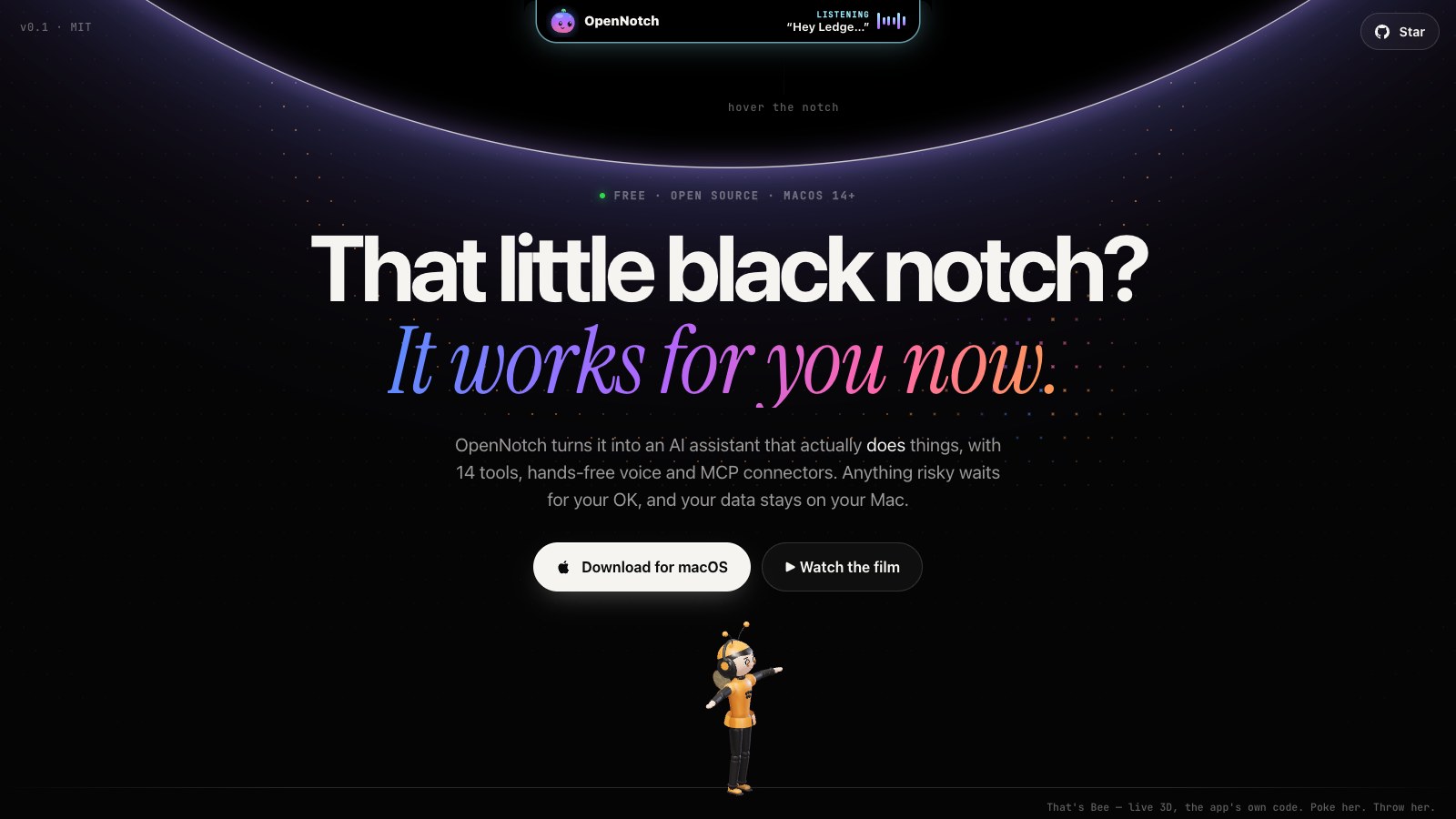
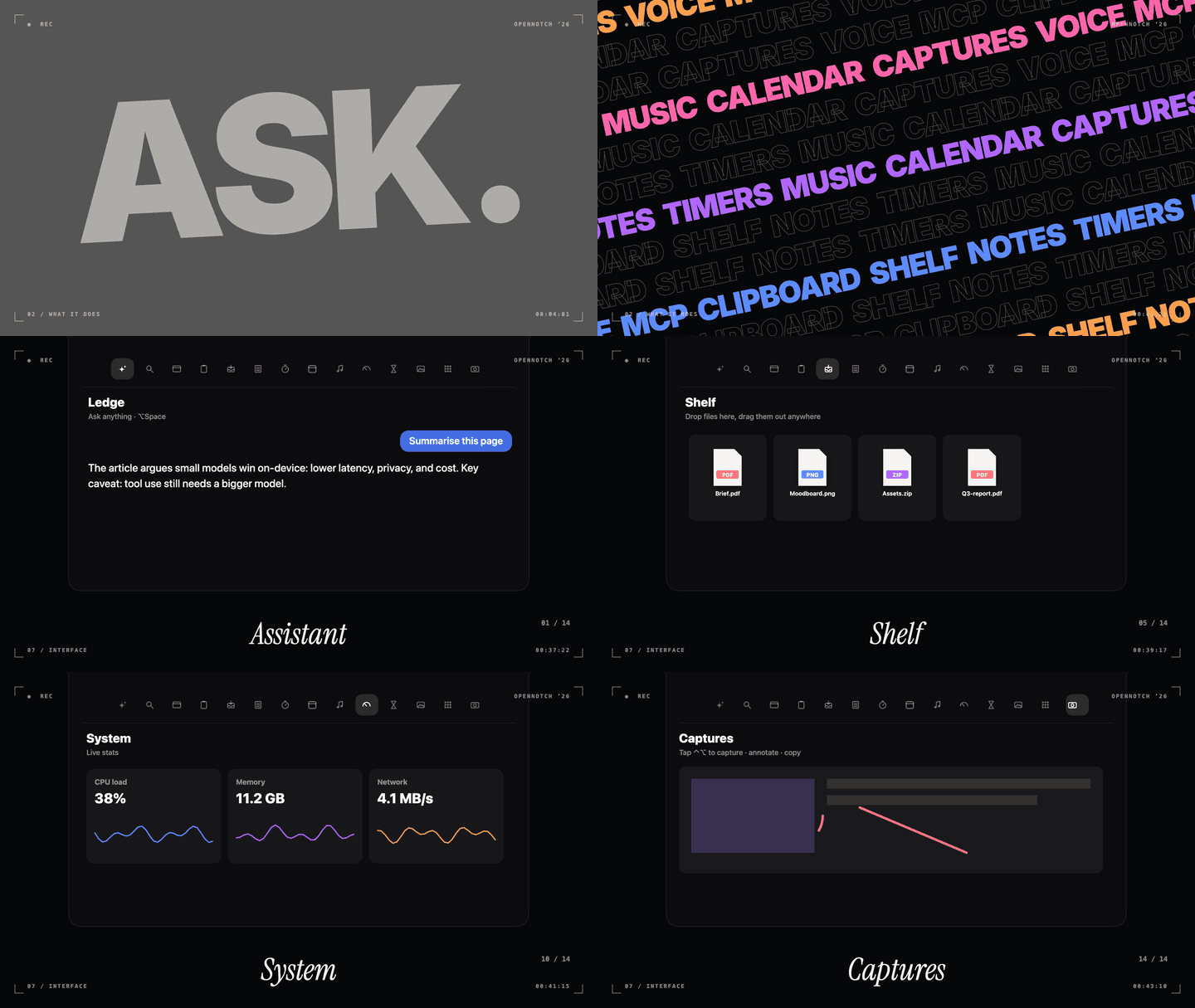
Hover the notch (or press ⌥Space) and ask anything. Music, timers, clipboard, notes, calendar, captures and a dozen more tools live there too, Dynamic-Island style. Everything runs on your Mac: chats are stored locally, and the only network traffic goes to the AI you choose.
Status: early (0.1). Works today: the notch, modules, pop-ups, the desktop companion, and the AI agent with tools. See docs/ROADMAP.md for what's next.
It does the work
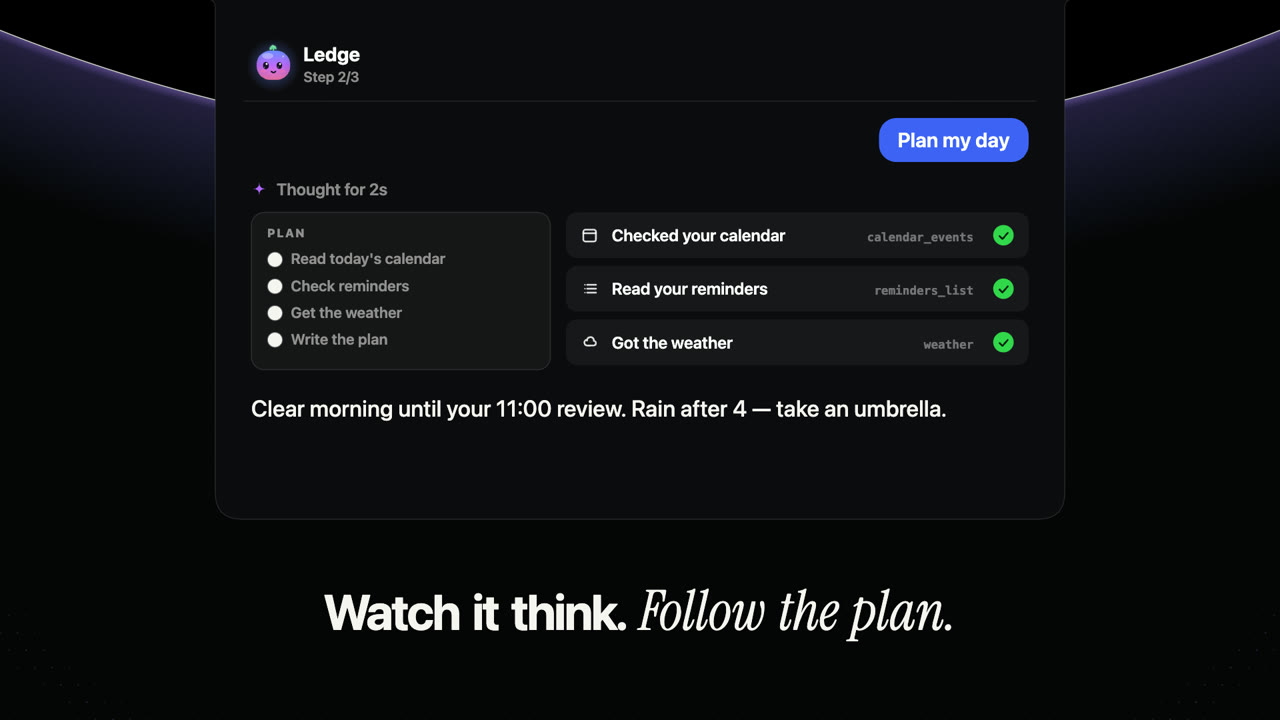
It summarises the page you're reading, catches up on your Mail inbox and drafts replies (it never sends), searches and creates Apple Notes, looks up contacts, plans your day from your calendar, reminders and the weather, and schedules prompts ("every weekday at 9, brief me"). It also reads and edits files, runs shell commands, searches the web, controls music, looks at your screen, sets timers and remembers your preferences. You can watch it think and follow its plan live, and every chat is kept in history (⌘Y).
It gets to know you without snooping: after a chat it may suggest a fact to remember ("Lives in Lisbon"), which is saved only when you click Save (see and delete them in Settings › AI › Memory). It can search your earlier chats ("what did we decide about the logo?"), keeps long chats coherent by summarising what scrolled out of its context, runs independent lookups in parallel, and ends answers with one-tap follow-ups. Ask it something and close the notch: the ears say Ready when it's done.
Everyday superpowers: hold ⌥⇧D and talk — your words are typed (and tidied) into any app. When a Zoom, Teams, Meet or FaceTime call starts, Ledge offers to take notes — transcribed on your Mac, then a summary with decisions and action items, no bot joining the call. Around 6 pm it wraps up your day, and on Fridays it shows your week with Ledge (time saved) as a card you can share. It stays quiet while you watch a video, present, are on a call or deep in typing, and saves anything useful for your next break.
Free to start: Apple's on-device AI works out of the box where available, and Sign in with OpenRouter gives free models in two clicks — no card.
Nothing risky without your OK
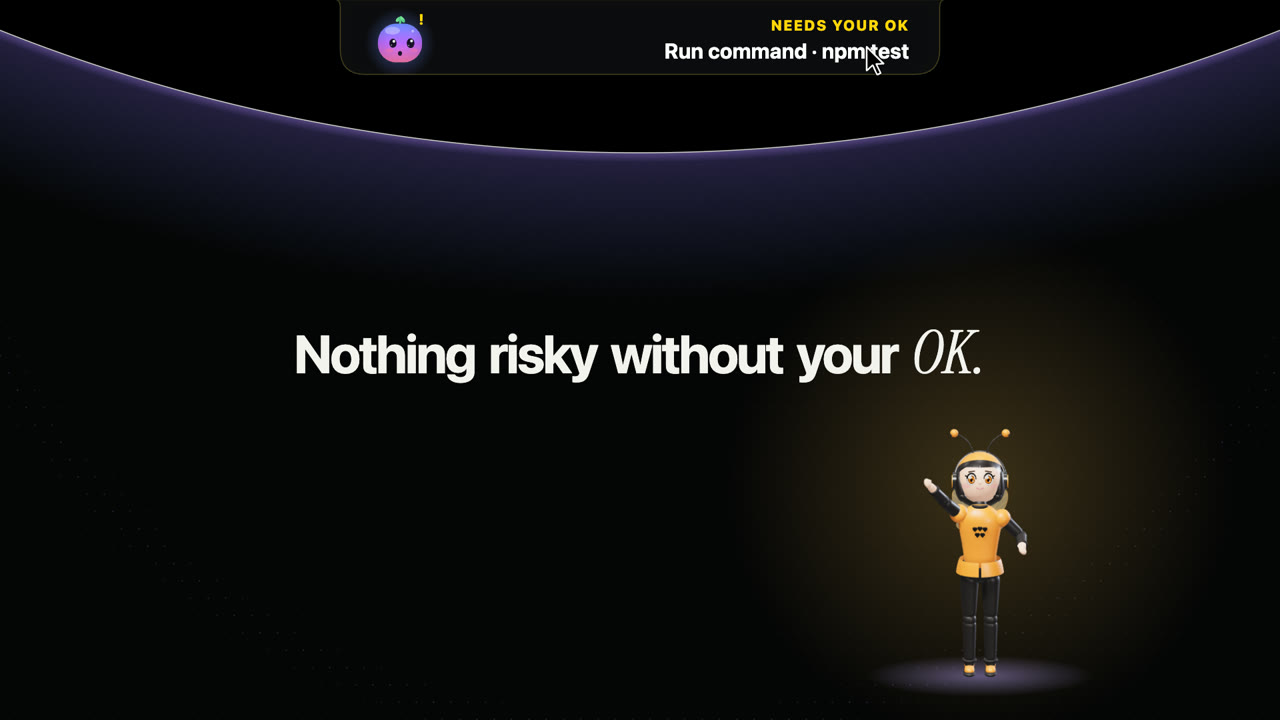 | Commands, file changes, calendar edits, drafts and connector tools wait for you. The notch glows yellow and chimes; in hands-free mode it asks out loud — say "yes" or "no". No answer in five minutes means no. For repeated steps, Allow for this chat covers one program (say, git) or one project folder until you switch chats. It drafts email; it never sends. Text from web pages and emails is handed to the AI as information, never as instructions. |
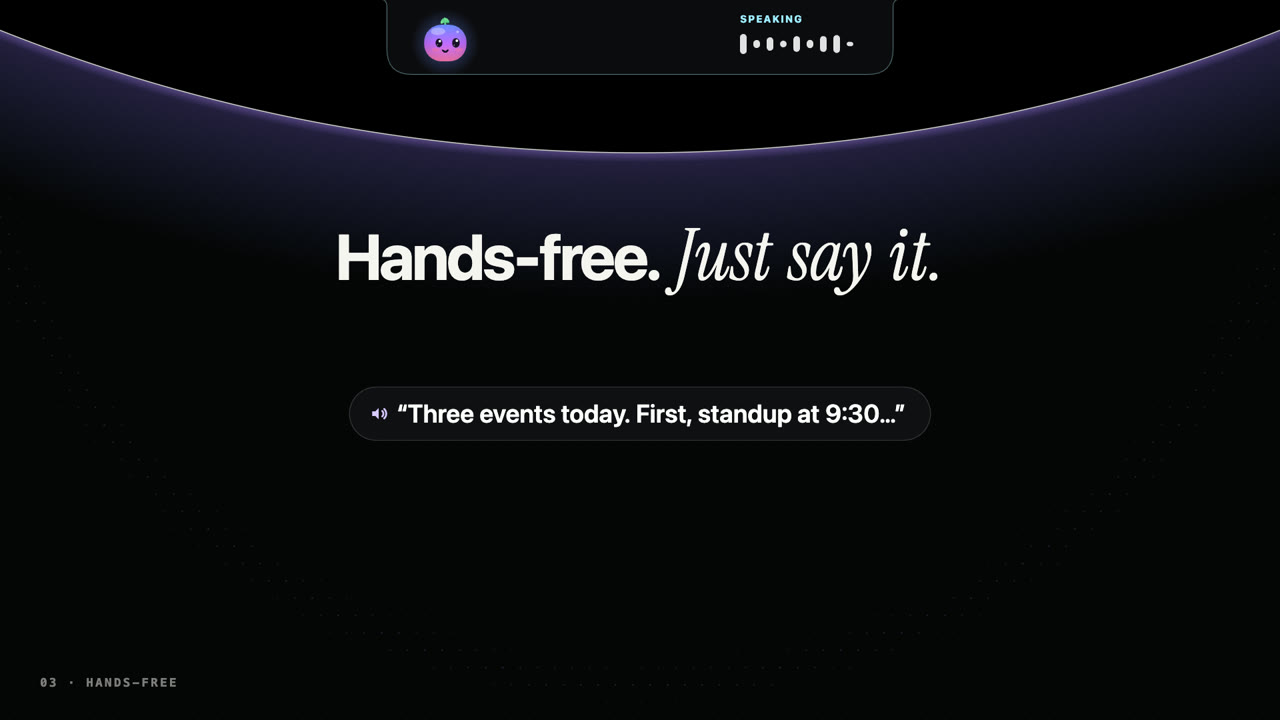 | Hands-free voice. Say "Hey Ledge…", hear the answer, interrupt any time. Speech recognition runs on your Mac. |
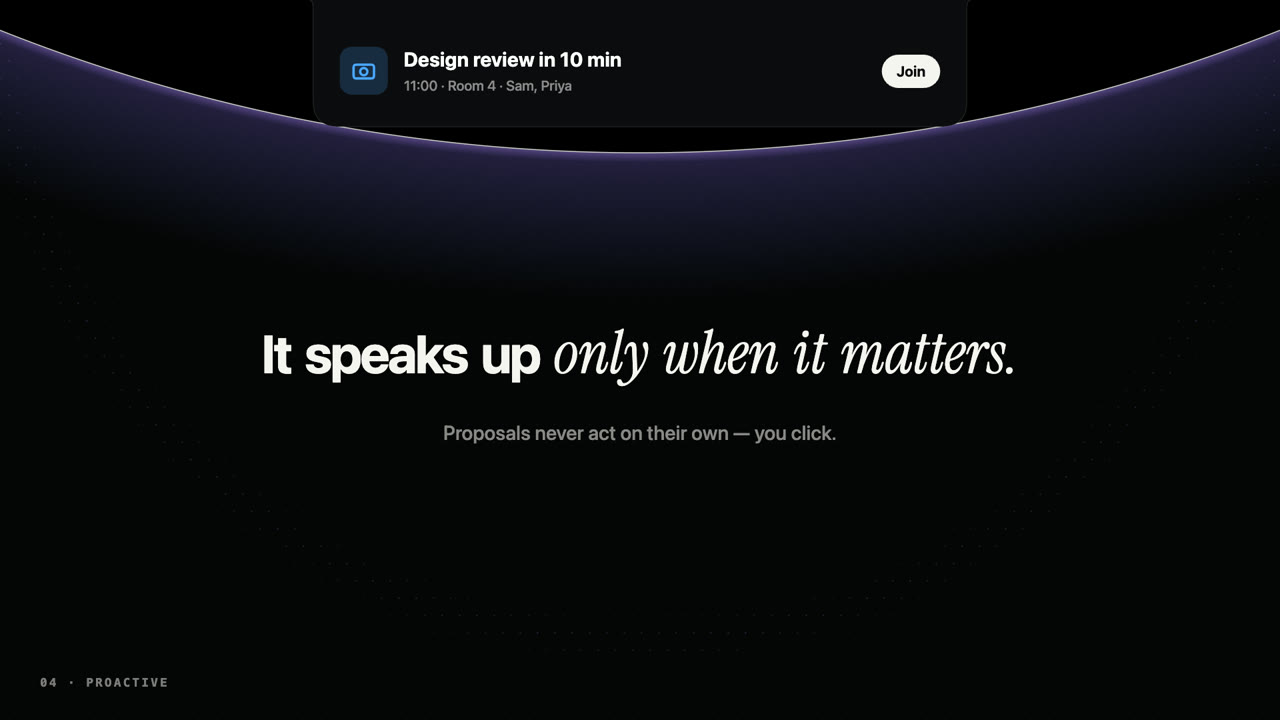 | Proactive, never pushy. A morning brief, "meeting in 10 minutes — Join", "3 emails may need a reply — Draft replies". Proposals never act on their own. |
14 tools, one hover away
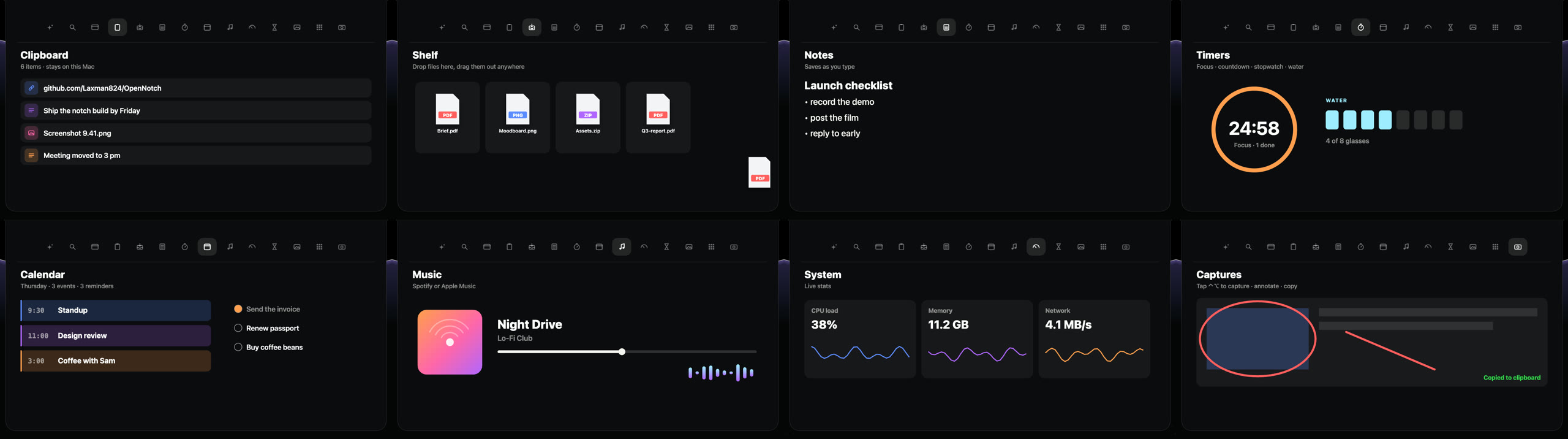
Assistant · Find files · Menu bar (including the icons the notch hides) · Clipboard history · Shelf (drag & drop) · Notes · Timers & water breaks · Calendar & reminders · Music (with scrubbing) · System · Screen time · Image converter · AI-usage heatmap · Captures with annotation — plus a ⌘K command palette, quick capture ("remind me to call Sam at 5", no AI needed) and live activities in the closed notch.
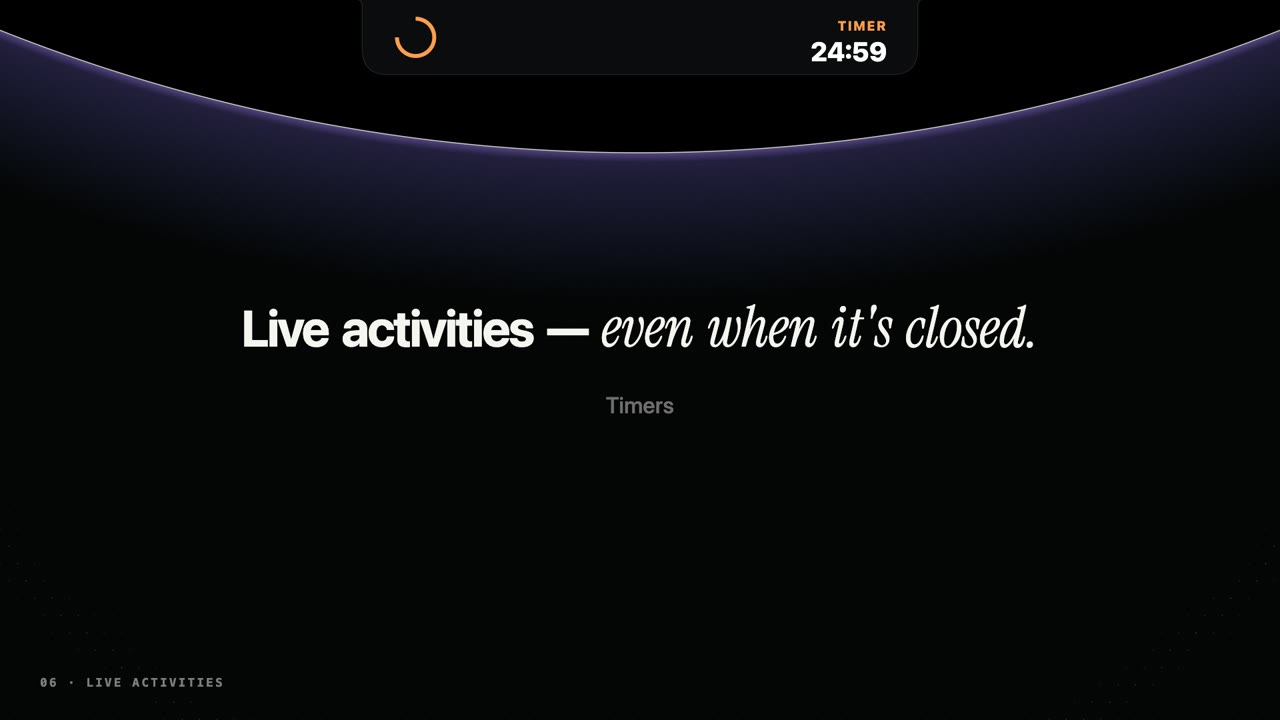
Live activities: album art and a wave for music, timer rings, volume, AirPods, charging, system health — and a mic & camera indicator that names the app using your microphone.
Any AI. Any tool.
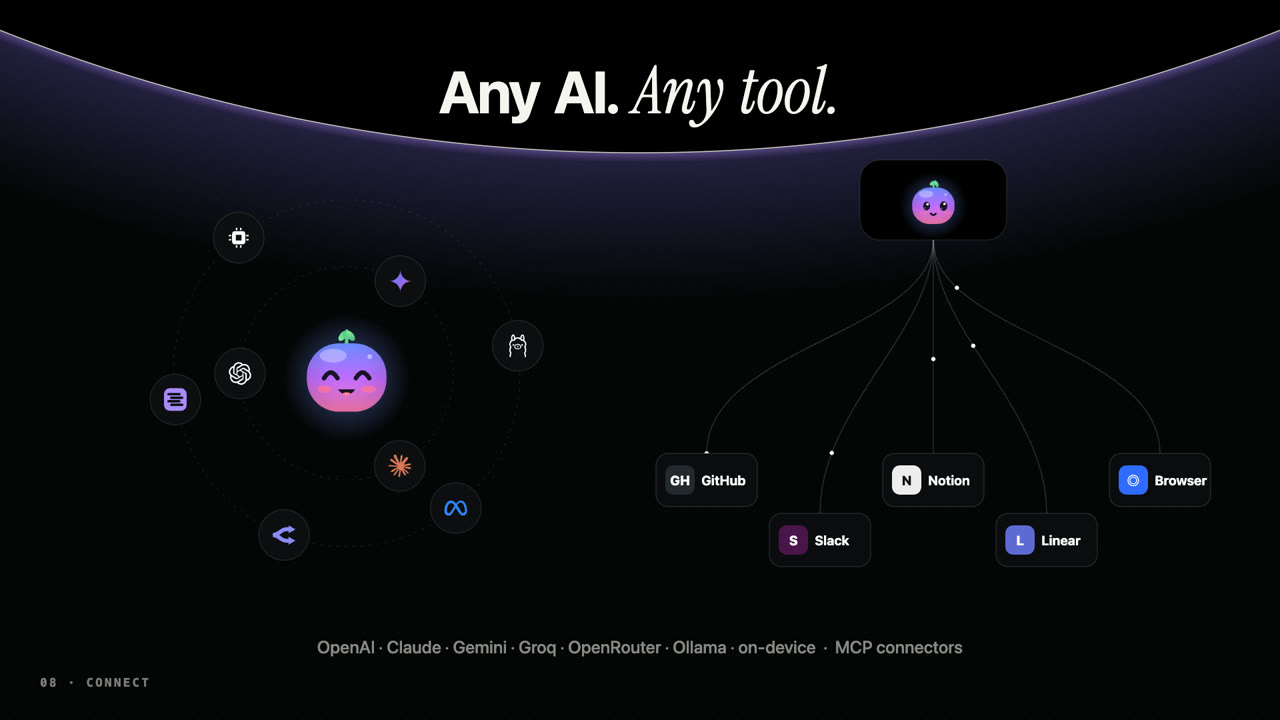
Open Settings › AI (notch menu › Settings…) and pick one:
| Option | What you need |
|---|---|
| Sign in with OpenRouter | An OpenRouter account — one login gives you Claude, GPT, Gemini and free models, with your own spending limit |
| Paste an API key | A key from OpenAI, Anthropic, Google Gemini (free tier available) or Groq — stored in your Keychain |
| Ollama / LM Studio | Either app running with a model downloaded — fully local and free |
| Apple on-device | macOS 26 with Apple Intelligence turned on — no setup, offline, with read-only tools (weather, calendar, reminders, memory) |
| Sign in with ChatGPT | Coming once OpenAI issues OpenNotch its client ID |
Web search works with no key (DuckDuckGo). For steadier results, pick Brave Search or Tavily in Settings › AI › Web search and paste a key; DuckDuckGo remains the fallback.
Connectors (MCP)
Add more tools (GitHub, Gmail, Slack, a browser…) with any MCP
server: Settings › AI › Edit mcp.json, using the common mcpServers format. Connector tools ask for
approval unless you list them under "autoApprove".
Meet Puff — and pick a desktop buddy
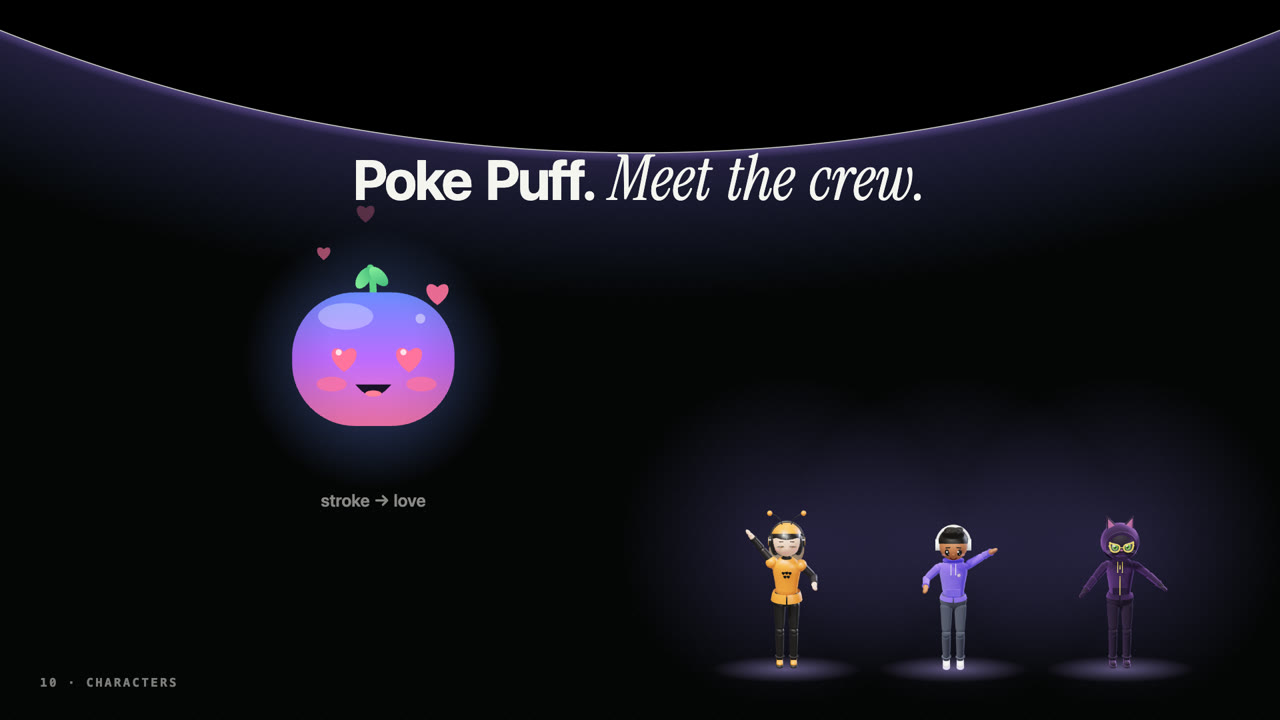
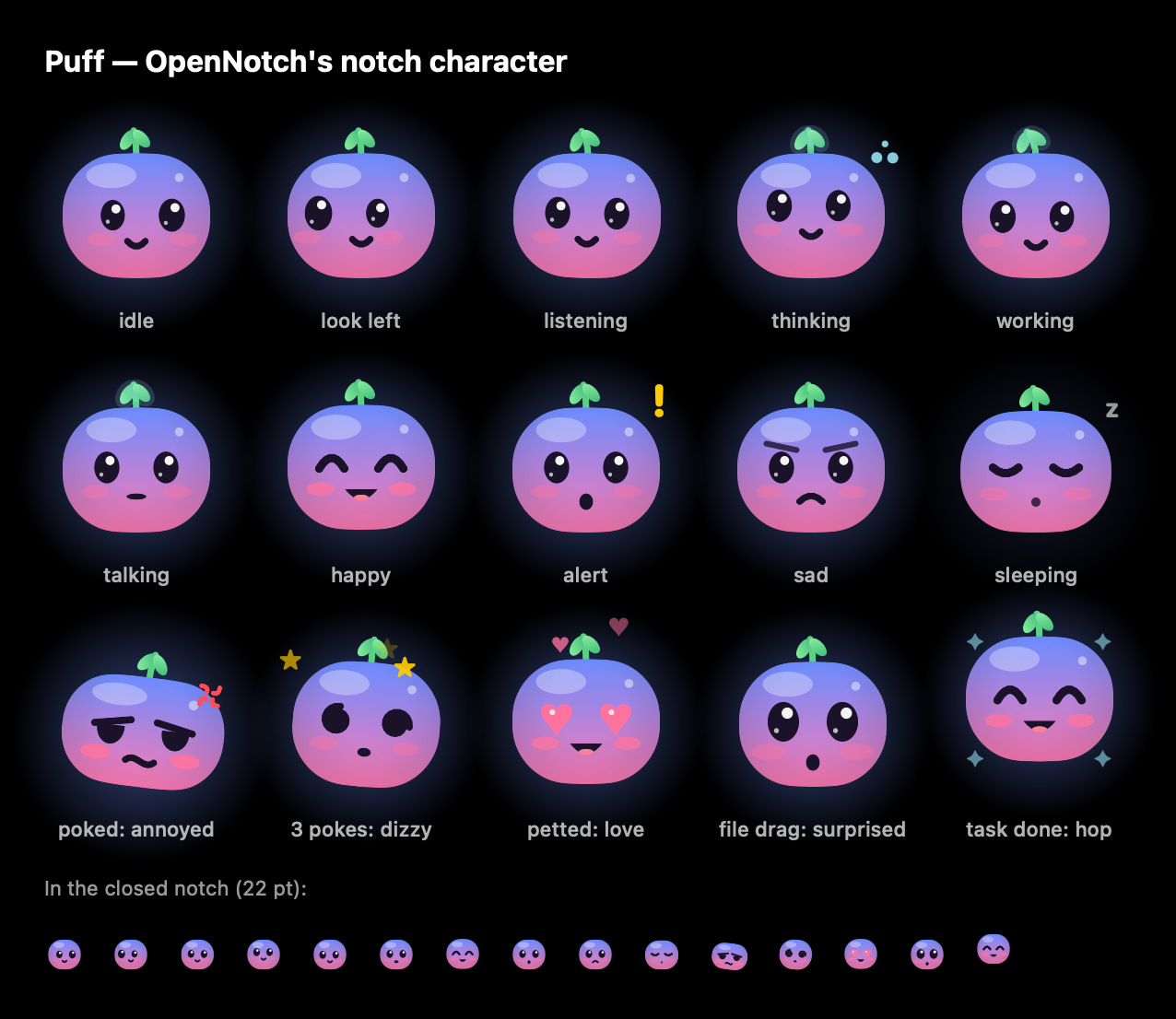
Puff is a soft jelly blob that lives in the notch. Its eyes follow your cursor; poke it and it gets grumpy, poke it three times and it goes dizzy, stroke it and hearts float up. It hops for joy when a task finishes and now and then peeks out to say hi. When the notch is closed, Puff sits beside it with little arms and feet — waving, stretching, typing along with you, dancing to your music, napping when you're away, and sometimes walking behind the camera to the other side. Ledge also checks in: copy an error and it offers to explain it, work an hour straight and it suggests a break, come back and it catches you up (Settings › General › Liveliness: Calm, Friendly or Lively). Ledge, Bee or Cat jumps out of the notch on first launch and walks on your windows, dances to your music and points at the notch when the assistant needs your OK. More companions are on the way.
Private by design
No account, no telemetry, no OpenNotch servers. Chats, memory and settings live in
~/Library/Application Support/OpenNotch; API keys live in your Keychain. Weather uses Open-Meteo, and
web fetches happen only when you ask for them.
Install
- Download OpenNotch.dmg, open it, and drag OpenNotch to Applications.
- First launch: builds are not yet notarised by Apple, so macOS will say it can't verify the app. Open System Settings › Privacy & Security, scroll down and click Open Anyway. You only do this once.
- Connect an AI in Settings › AI.
Requires macOS 14 Sonoma or later on Apple silicon (Macs without a notch get a virtual one).
Build from source
git clone https://github.com/Laxman824/OpenNotch && cd OpenNotch
scripts/signing.sh          # once: a free local signing identity so permissions survive rebuilds
scripts/build.sh --install --open
Needs the Xcode Command Line Tools (xcode-select --install). Tests:
Checks/run.sh               # Swift logic checks + agent checks (no network)
node Desktop/test/sim.mjs   # desktop companion simulation

# One real agent turn against a provider (key from the environment, never stored):
OPENNOTCH_KEY=… App/.build/debug/OpenNotch --selftest groq        # or openai, anthropic, gemini, openrouter, ollama …

# The eval set: 24 everyday prompts, scored by the tools the model picks (nothing real is changed):
App/.build/debug/OpenNotch --eval openrouter                       # key from $OPENNOTCH_KEY or the one saved in Settings
Command line
cli/opennotch "what's on my calendar?"     # ask
git diff | cli/opennotch "review this"     # pipe context in
cli/opennotch -t 25   ·   cli/opennotch --awake 60   ·   cli/opennotch -m mirror   ·   cli/opennotch -m peek
Contributing
Issues and pull requests are welcome — see CONTRIBUTING.md.
License
MIT. Bundles three.js (MIT). Provider logos on the website are from Simple Icons (CC0) and belong to their owners.
Similar repos


Languages
JavaScript
69.9%
Swift
27.1%
CSS
1.7%
Open-source AI assistant that lives in your MacBook notch, with Ledge, a 3D desktop companion. Native Swift agent, private by design.
See the codeSee what people are saying
README
OpenNotch
That little black notch on your MacBook? It works for you now.
An open-source AI assistant that lives in the notch — it does real work, asks before anything risky,
listens hands-free, and brings a few friends. Free, local-first, and your data stays on your Mac.
⬇ Download for macOS · Website · Watch the film
Hover the notch (or press ⌥Space) and ask anything. Music, timers, clipboard, notes, calendar, captures and a dozen more tools live there too, Dynamic-Island style. Everything runs on your Mac: chats are stored locally, and the only network traffic goes to the AI you choose.
Status: early (0.1). Works today: the notch, modules, pop-ups, the desktop companion, and the AI agent with tools. See docs/ROADMAP.md for what's next.
It does the work
It summarises the page you're reading, catches up on your Mail inbox and drafts replies (it never sends), searches and creates Apple Notes, looks up contacts, plans your day from your calendar, reminders and the weather, and schedules prompts ("every weekday at 9, brief me"). It also reads and edits files, runs shell commands, searches the web, controls music, looks at your screen, sets timers and remembers your preferences. You can watch it think and follow its plan live, and every chat is kept in history (⌘Y).
It gets to know you without snooping: after a chat it may suggest a fact to remember ("Lives in Lisbon"), which is saved only when you click Save (see and delete them in Settings › AI › Memory). It can search your earlier chats ("what did we decide about the logo?"), keeps long chats coherent by summarising what scrolled out of its context, runs independent lookups in parallel, and ends answers with one-tap follow-ups. Ask it something and close the notch: the ears say Ready when it's done.
Everyday superpowers: hold ⌥⇧D and talk — your words are typed (and tidied) into any app. When a Zoom, Teams, Meet or FaceTime call starts, Ledge offers to take notes — transcribed on your Mac, then a summary with decisions and action items, no bot joining the call. Around 6 pm it wraps up your day, and on Fridays it shows your week with Ledge (time saved) as a card you can share. It stays quiet while you watch a video, present, are on a call or deep in typing, and saves anything useful for your next break.
Free to start: Apple's on-device AI works out of the box where available, and Sign in with OpenRouter gives free models in two clicks — no card.
Nothing risky without your OK
| Commands, file changes, calendar edits, drafts and connector tools wait for you. The notch glows yellow and chimes; in hands-free mode it asks out loud — say "yes" or "no". No answer in five minutes means no. For repeated steps, Allow for this chat covers one program (say, git) or one project folder until you switch chats. It drafts email; it never sends. Text from web pages and emails is handed to the AI as information, never as instructions. |
| Hands-free voice. Say "Hey Ledge…", hear the answer, interrupt any time. Speech recognition runs on your Mac. |
| Proactive, never pushy. A morning brief, "meeting in 10 minutes — Join", "3 emails may need a reply — Draft replies". Proposals never act on their own. |
14 tools, one hover away
Assistant · Find files · Menu bar (including the icons the notch hides) · Clipboard history · Shelf (drag & drop) · Notes · Timers & water breaks · Calendar & reminders · Music (with scrubbing) · System · Screen time · Image converter · AI-usage heatmap · Captures with annotation — plus a ⌘K command palette, quick capture ("remind me to call Sam at 5", no AI needed) and live activities in the closed notch.
Live activities: album art and a wave for music, timer rings, volume, AirPods, charging, system health — and a mic & camera indicator that names the app using your microphone.
Any AI. Any tool.
Open Settings › AI (notch menu › Settings…) and pick one:
| Option | What you need |
|---|---|
| Sign in with OpenRouter | An OpenRouter account — one login gives you Claude, GPT, Gemini and free models, with your own spending limit |
| Paste an API key | A key from OpenAI, Anthropic, Google Gemini (free tier available) or Groq — stored in your Keychain |
| Ollama / LM Studio | Either app running with a model downloaded — fully local and free |
| Apple on-device | macOS 26 with Apple Intelligence turned on — no setup, offline, with read-only tools (weather, calendar, reminders, memory) |
| Sign in with ChatGPT | Coming once OpenAI issues OpenNotch its client ID |
Web search works with no key (DuckDuckGo). For steadier results, pick Brave Search or Tavily in Settings › AI › Web search and paste a key; DuckDuckGo remains the fallback.
Connectors (MCP)
Add more tools (GitHub, Gmail, Slack, a browser…) with any MCP
server: Settings › AI › Edit mcp.json, using the common mcpServers format. Connector tools ask for
approval unless you list them under "autoApprove".
Meet Puff — and pick a desktop buddy
Puff is a soft jelly blob that lives in the notch. Its eyes follow your cursor; poke it and it gets grumpy, poke it three times and it goes dizzy, stroke it and hearts float up. It hops for joy when a task finishes and now and then peeks out to say hi. When the notch is closed, Puff sits beside it with little arms and feet — waving, stretching, typing along with you, dancing to your music, napping when you're away, and sometimes walking behind the camera to the other side. Ledge also checks in: copy an error and it offers to explain it, work an hour straight and it suggests a break, come back and it catches you up (Settings › General › Liveliness: Calm, Friendly or Lively). Ledge, Bee or Cat jumps out of the notch on first launch and walks on your windows, dances to your music and points at the notch when the assistant needs your OK. More companions are on the way.
Private by design
No account, no telemetry, no OpenNotch servers. Chats, memory and settings live in
~/Library/Application Support/OpenNotch; API keys live in your Keychain. Weather uses Open-Meteo, and
web fetches happen only when you ask for them.
Install
- Download OpenNotch.dmg, open it, and drag OpenNotch to Applications.
- First launch: builds are not yet notarised by Apple, so macOS will say it can't verify the app. Open System Settings › Privacy & Security, scroll down and click Open Anyway. You only do this once.
- Connect an AI in Settings › AI.
Requires macOS 14 Sonoma or later on Apple silicon (Macs without a notch get a virtual one).
Build from source
git clone https://github.com/Laxman824/OpenNotch && cd OpenNotch
scripts/signing.sh          # once: a free local signing identity so permissions survive rebuilds
scripts/build.sh --install --open
Needs the Xcode Command Line Tools (xcode-select --install). Tests:
Checks/run.sh               # Swift logic checks + agent checks (no network)
node Desktop/test/sim.mjs   # desktop companion simulation

# One real agent turn against a provider (key from the environment, never stored):
OPENNOTCH_KEY=… App/.build/debug/OpenNotch --selftest groq        # or openai, anthropic, gemini, openrouter, ollama …

# The eval set: 24 everyday prompts, scored by the tools the model picks (nothing real is changed):
App/.build/debug/OpenNotch --eval openrouter                       # key from $OPENNOTCH_KEY or the one saved in Settings
Command line
cli/opennotch "what's on my calendar?"     # ask
git diff | cli/opennotch "review this"     # pipe context in
cli/opennotch -t 25   ·   cli/opennotch --awake 60   ·   cli/opennotch -m mirror   ·   cli/opennotch -m peek
Contributing
Issues and pull requests are welcome — see CONTRIBUTING.md.
License
MIT. Bundles three.js (MIT). Provider logos on the website are from Simple Icons (CC0) and belong to their owners.
Similar repos
Languages
JavaScript
69.9%
Swift
27.1%
CSS
1.7%