[!WARNING] If you want to continue using this repository, please do not update to macOS 15.4 Beta 1 or later versions.
Apple has updated the implementation of eligibilityd, which causes the override file solution used by this repository to become unavailable.
For more details, see #73
This repository only supports macOS 15.0 - 15.3.1.
This project aims to achieve permanent use of Xcode LLM / Apple Intelligence / iPhone Mirroring on any Mac without disabling System Integrity Protection (SIP) or only disabling it once.
[!NOTE] Xcode LLM is only supported on macOS 15.0+
Apple Intelligence is only supported on macOS 15.1+
XcodeLLM, Apple Intelligence and ChatGPT integration have been tested normally on Mac mini (M4 Pro, 2024) + macOS 15.2.
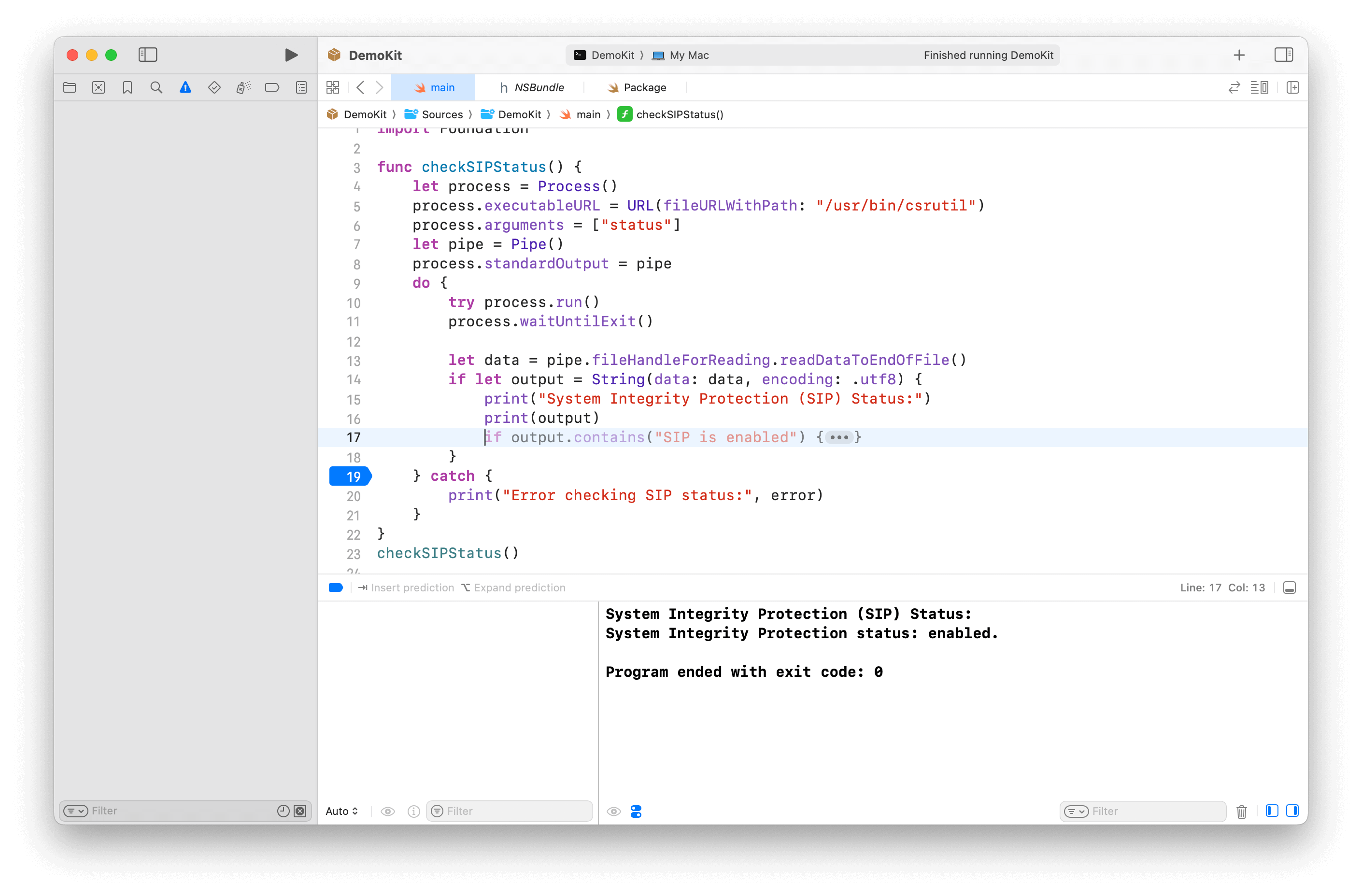
this project is for learning and research purposes only.
If you choose to use this project, you do so at your own risk and are responsible for compliance with any applicable laws.
The author of this project is not responsible for any consequences that may arise from your use of this project.
Need one time SIP disable + "amfi_get_out_of_my_way=1" set boot-args in during the script.
[!TIP] If you have issue on how to disable SIP or set boot-args, see Manual Execution section for more detail.
# For XcodeLLM
curl -L https://raw.githubusercontent.com/Kyle-Ye/XcodeLLMEligible/release/0.2/scripts/override.sh | bash -s -- install util xcodellm
# For Apple Intelligence
curl -L https://raw.githubusercontent.com/Kyle-Ye/XcodeLLMEligible/release/0.2/scripts/override.sh | bash -s -- install util greymatter
# For Cleanup
curl -L https://raw.githubusercontent.com/Kyle-Ye/XcodeLLMEligible/release/0.2/scripts/override.sh | bash -s -- install util strontium
# For iPhone Mirroring
curl -L https://raw.githubusercontent.com/Kyle-Ye/XcodeLLMEligible/release/0.2/scripts/override.sh | bash -s -- install util iron
Do not require disable SIP at all.
# For XcodeLLM
curl -L https://raw.githubusercontent.com/Kyle-Ye/XcodeLLMEligible/release/0.2/scripts/override.sh | bash -s -- install override xcodellm
# For Apple Intelligence
curl -L https://raw.githubusercontent.com/Kyle-Ye/XcodeLLMEligible/release/0.2/scripts/override.sh | bash -s -- install override greymatter
# For Apple Intelligence + Cleanup
curl -L https://raw.githubusercontent.com/Kyle-Ye/XcodeLLMEligible/release/0.2/scripts/override.sh | bash -s -- install override greymatter+strontium
# For XcodeLLM + Apple Intelligence + Cleanup
curl -L https://raw.githubusercontent.com/Kyle-Ye/XcodeLLMEligible/release/0.2/scripts/override.sh | bash -s -- install override xcodellm+greymatter+strontium
# For iPhone Mirroring
curl -L https://raw.githubusercontent.com/Kyle-Ye/XcodeLLMEligible/release/0.2/scripts/override.sh | bash -s -- install override iron
[!NOTE] The override file method is mutually exclusive.
This repository only provides separate override files for Xcode LLM and Apple Intelligence.
If you want to override multi key, please use util tool method and export the override file for your future use.
# For XcodeLLM:
curl -L https://raw.githubusercontent.com/Kyle-Ye/XcodeLLMEligible/release/0.2/scripts/override.sh | bash -s -- uninstall util xcodellm
# For Apple Intelligence
curl -L https://raw.githubusercontent.com/Kyle-Ye/XcodeLLMEligible/release/0.2/scripts/override.sh | bash -s -- uninstall util greymatter
# For Clenaup
curl -L https://raw.githubusercontent.com/Kyle-Ye/XcodeLLMEligible/release/0.2/scripts/override.sh | bash -s -- uninstall util strontium
# For iPhone Mirroring
curl -L https://raw.githubusercontent.com/Kyle-Ye/XcodeLLMEligible/release/0.2/scripts/override.sh | bash -s -- uninstall util iron
# For XcodeLLM:
curl -L https://raw.githubusercontent.com/Kyle-Ye/XcodeLLMEligible/release/0.2/scripts/override.sh | bash -s -- uninstall override xcodellm
# For Apple Intelligence
curl -L https://raw.githubusercontent.com/Kyle-Ye/XcodeLLMEligible/release/0.2/scripts/override.sh | bash -s -- uninstall override greymatter
# For Apple Intelligence + Cleanup
curl -L https://raw.githubusercontent.com/Kyle-Ye/XcodeLLMEligible/release/0.2/scripts/override.sh | bash -s -- uninstall override greymatter+strontium
# For XcodeLLM + Apple Intelligence + Cleanup
curl -L https://raw.githubusercontent.com/Kyle-Ye/XcodeLLMEligible/release/0.2/scripts/override.sh | bash -s -- uninstall override xcodellm+greymatter+strontium
# For iPhone Mirroring
curl -L https://raw.githubusercontent.com/Kyle-Ye/XcodeLLMEligible/release/0.2/scripts/override.sh | bash -s -- uninstall override iron
Disable SIP in recovery mode with csrutil disable
Add boot argument by sudo nvram boot-args="amfi_get_out_of_my_way=1" and reboot
Download eligibility_util from the release page and add executable permission.
The following command example assumes the downloaded file is in the
~/Downloadsfolder.
chmod +x ~/Downloads/eligibility_util
cd ~/Downloads
# For XcodeLLM (macOS 15.0+ required)
./eligibility_util forceDomainAnswer --domain-name OS_ELIGIBILITY_DOMAIN_XCODE_LLM --answer 4
# For Apple Intelligence (macOS 15.1+ required)
./eligibility_util forceDomainAnswer --domain-name OS_ELIGIBILITY_DOMAIN_GREYMATTER --answer 4
# For Cleanup (macOS 15.1 Beta 3+ required)
./eligibility_util forceDomainAnswer --domain-name OS_ELIGIBILITY_DOMAIN_STRONTIUM --answer 4
# For iPhone Mirroring (macOS 15.0+ required)
./eligibility_util forceDomainAnswer --domain-name OS_ELIGIBILITY_DOMAIN_IRON --answer 4
Enable SIP in recovery mode with csrutil enable and reboot.
Remove boot argument by sudo nvram -d boot-args
Read Disabling and Enabling System Integrity Protection if you are unfamiliar with SIP operation.
You can only set boot-args in recovery mode or normal mode with SIP disabled.
After setting boot-args, remember to reboot to make the change take effect.
[!TIP]
For more technical detail, see Kyle-Ye/eligibility
No SIP disabled needed in total.
*.eligibility_overrides.data file from the release page and rename it to eligibility_overrides.dataFor Xcode LLM, download xcodellm.eligibility_overrides.data
For Apple Intelligence, download greymatter.eligibility_overrides.data
eligibilityd under /private/var/root/Library/Daemon\ ContainersList all container uuid by the following command:
sudo ls /private/var/root/Library/Daemon\ Containers
Data/Library/Caches/NeverRestore/ folder of the corresponding Deamon container. If you are not sure which one is the correct container directory for eligibilityd, you can try it one by one or add the downloaded files to all Deamon containers.sudo mkdir /private/var/root/Library/Daemon\ Containers/<UUID>/Data/Library/Caches/NeverRestore
sudo cp eligibility_overrides.data /private/var/root/Library/Daemon\ Containers/<UUID>/Data/Library/Caches/NeverRestore/
eligibilityd servicesudo pkill -9 eligibilityd
sudo launchctl kickstart -k system/com.apple.eligibilityd
[!TIP] The difference of eligibility_util and eligibility_util_sip is that the former is for SIP disabled environment and the latter is for SIP enabled environment.
zsh: no such file or directory: ./eligibility_util
Please make sure the current working directory contains the eligibility_util file.
zsh: permission denied: ./eligibility_util
Please make sure you have added the executable permission to the eligibility_util file via chmod +x ./eligibility_util.(Check step 3 in Manual Execution)
>[1] 61672 killed ./eligibility_util
Please make sure you have disabled SIP and set the boot-args correctly. (Check step 1 and 2 in Manual Execution)
curl -L https://raw.githubusercontent.com/Kyle-Ye/XcodeLLMEligible/release/0.2/scripts/override.sh | bash -s -- doctor
If you are unable to access the Daemon Container related folders, please check if the terminal app you are using has full disk access permission.
Path: Settings.app > Security & Privacy > Full Disk Access -> Add your terminal app to the list and enable it.
./eligibility_util_sip getDomainAnswer --domain-name OS_ELIGIBILITY_DOMAIN_XCODE_LLM
See detail for #4
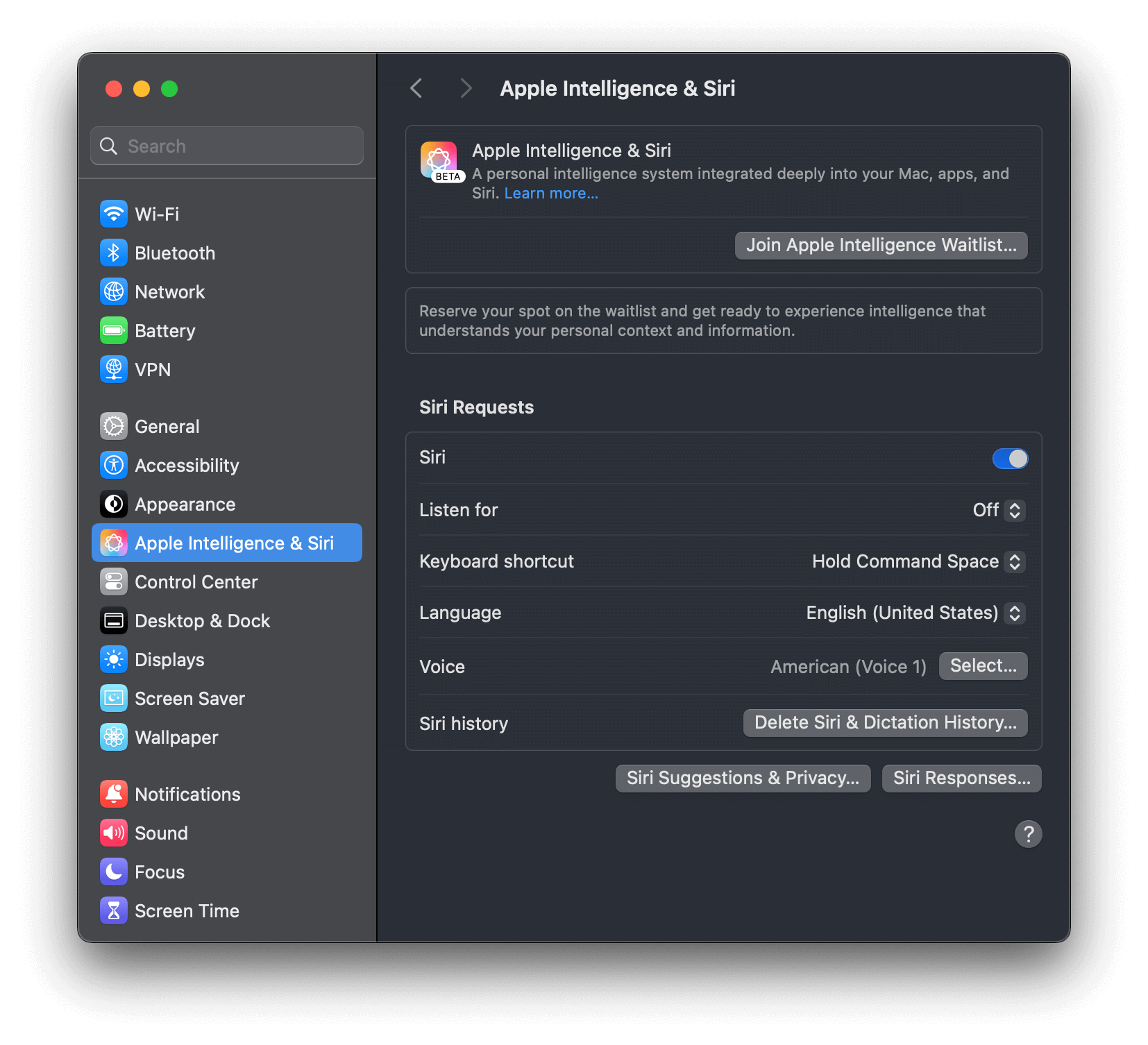
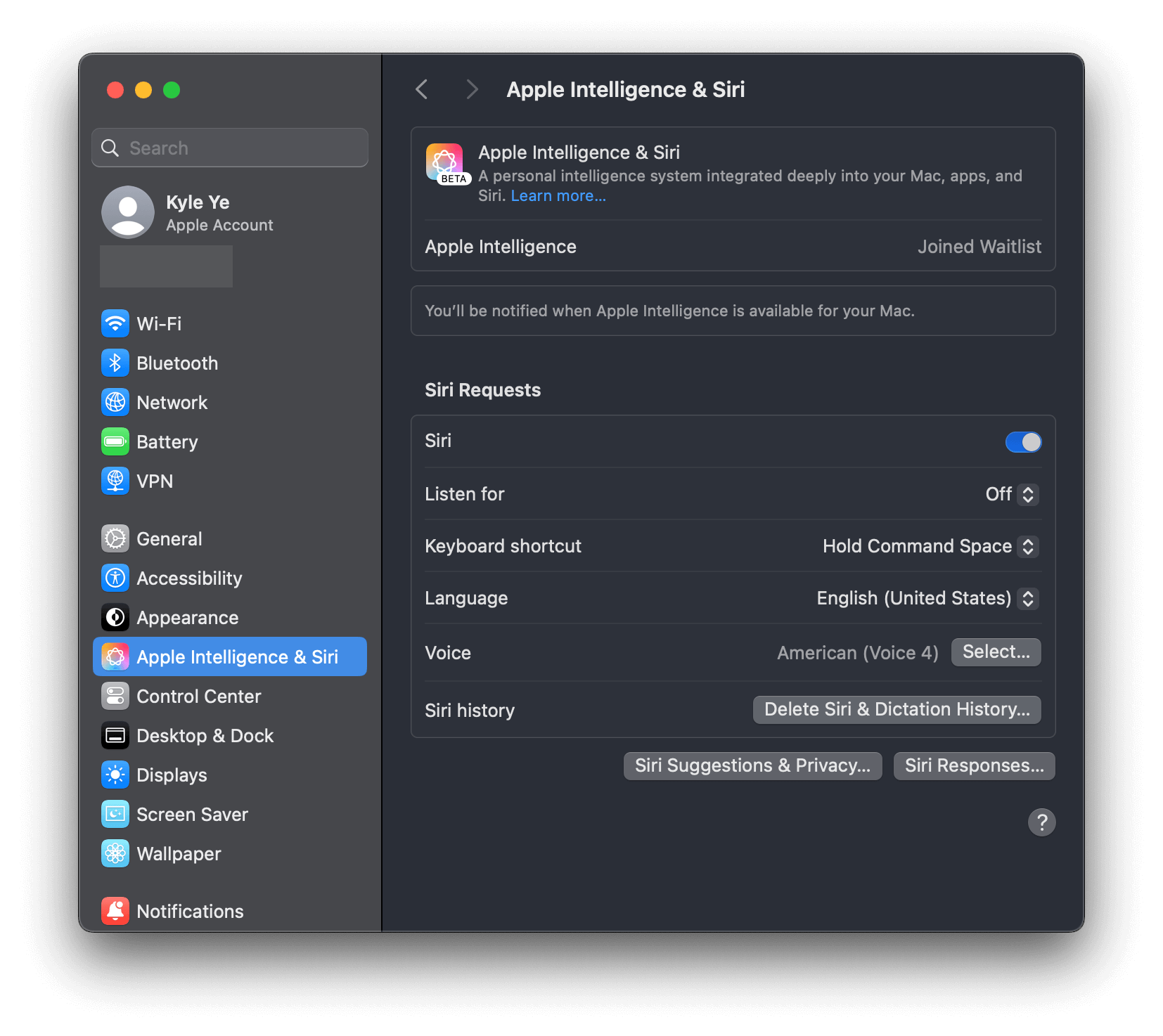
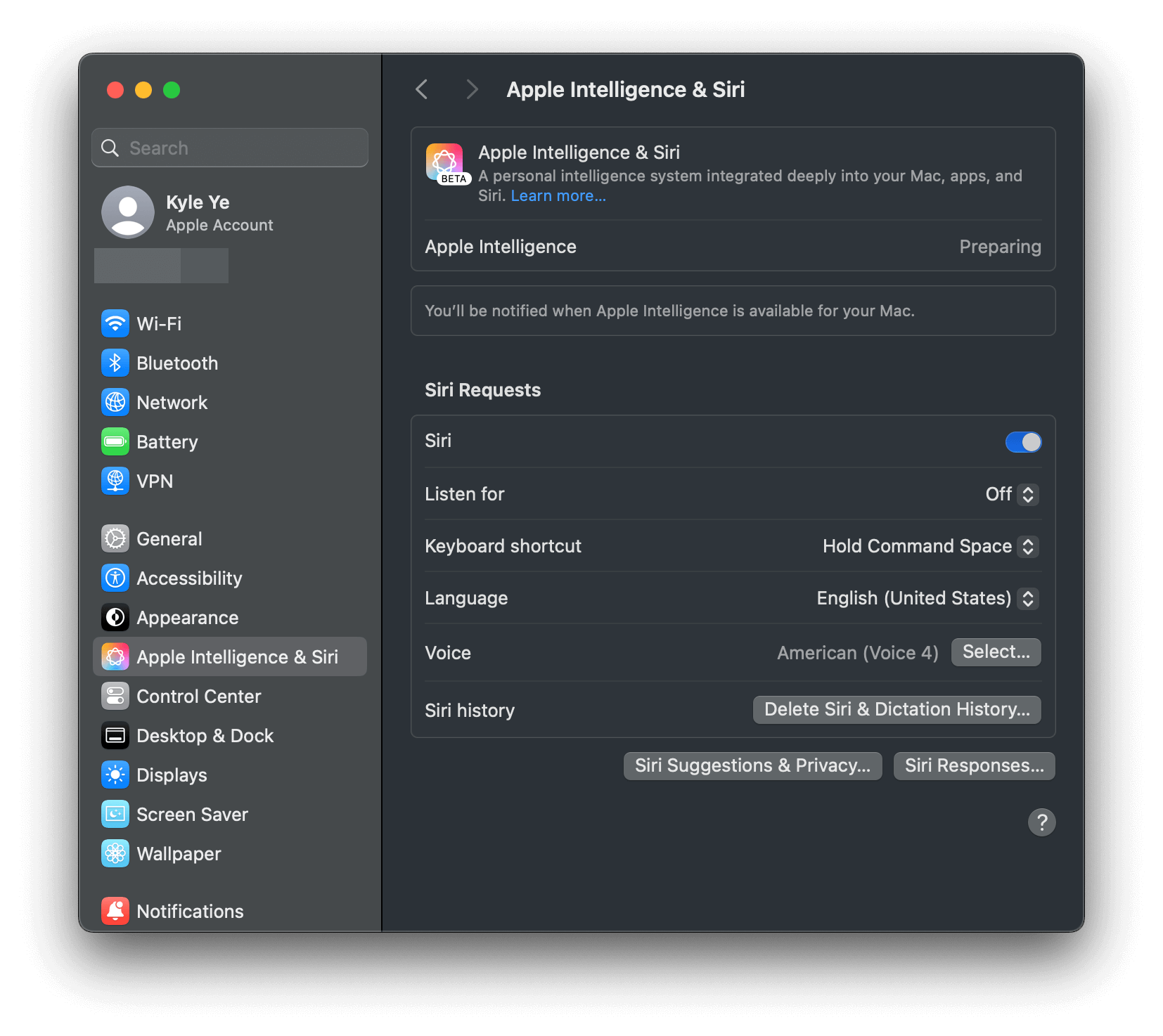
[!IMPORTANT] Suggestions:
- Log in with a US Apple ID
- Set Region to United States and English as the primary language
- Set English (United States) as your Siri language
./eligibility_util_sip getDomainAnswer --domain-name OS_ELIGIBILITY_DOMAIN_GREYMATTER
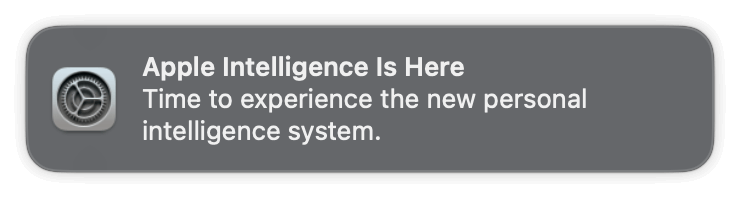
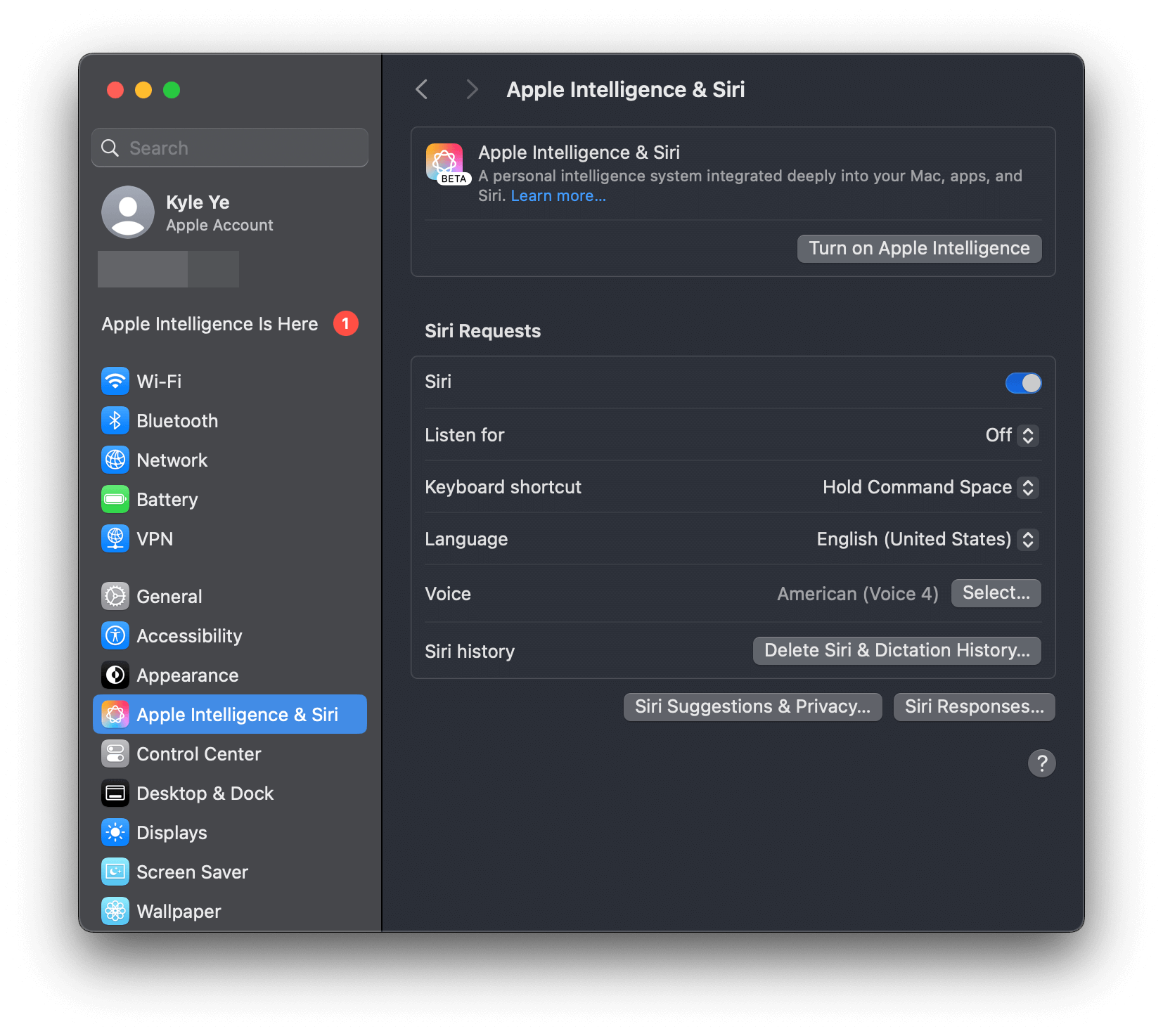
Probably yes. Eligibility Override does not require you to execute the steps again after an OS update.
But Apple may change the Eligibility mechanism in the future, so it is not guaranteed to work after an OS update.
Apple Intelligence is only available on macOS 15.1 and later.
ChatGPT integration is only available on macOS 15.2 and later.
Siri's search engine is determined by your region language settings and network environment. Please refer to other resources on the internet for appropriate network proxy configuration.
eg. https://github.com/VirgilClyne/iRingo
Try disable and delete AssetsV2 folder after SIP disabled, then re-enable SIP.
# Disable SIP (Run on RecoveryOS mode)
csrutil disable
csrutil authenticated-root disable
# Reboot into normal macOS
# Turn off Apple Intelligence in settings
# Run on normal macOS
sudo rm -rf /System/Library/AssetsV2/*
# Enable SIP (Run on RecoveryOS mode)
csrutil enable
csrutil authenticated-root enable
# Turn on Apple Intelligence in settings to download it again (com.apple.MobileAsset.UAF.FM.GenerativeModels)
See #62.
It is probably caused by network issues. If you are in an unsupported area, please make sure that you use a global network proxy or other means to access the service.
[!NOTE] It is not enough to proxy the network traffic of the Web alone. Please proxy at the OS or local network (router) level.
You can verify it by directly launching your terminal and running
ping google.comorcurl cip.ccto check if your proxy is working or not. (Warning:cip.ccis a third-party service. Please use it at your own discretion.)See #60 for more details.
https://gist.github.com/Kyle-Ye/4ad1aa92df3a31bd812487af65e16947
https://gist.github.com/unixzii/6f25be1842399022e16ad6477a304286
MIT. See LICENSE file.
9,435 followers · starred Jan 2025
57 followers · starred Jul 2024
664 followers · starred Feb 2025
842 followers · starred Jul 2024
[!WARNING] If you want to continue using this repository, please do not update to macOS 15.4 Beta 1 or later versions.
Apple has updated the implementation of eligibilityd, which causes the override file solution used by this repository to become unavailable.
For more details, see #73
This repository only supports macOS 15.0 - 15.3.1.
This project aims to achieve permanent use of Xcode LLM / Apple Intelligence / iPhone Mirroring on any Mac without disabling System Integrity Protection (SIP) or only disabling it once.
[!NOTE] Xcode LLM is only supported on macOS 15.0+
Apple Intelligence is only supported on macOS 15.1+
XcodeLLM, Apple Intelligence and ChatGPT integration have been tested normally on Mac mini (M4 Pro, 2024) + macOS 15.2.
this project is for learning and research purposes only.
If you choose to use this project, you do so at your own risk and are responsible for compliance with any applicable laws.
The author of this project is not responsible for any consequences that may arise from your use of this project.
Need one time SIP disable + "amfi_get_out_of_my_way=1" set boot-args in during the script.
[!TIP] If you have issue on how to disable SIP or set boot-args, see Manual Execution section for more detail.
# For XcodeLLM
curl -L https://raw.githubusercontent.com/Kyle-Ye/XcodeLLMEligible/release/0.2/scripts/override.sh | bash -s -- install util xcodellm
# For Apple Intelligence
curl -L https://raw.githubusercontent.com/Kyle-Ye/XcodeLLMEligible/release/0.2/scripts/override.sh | bash -s -- install util greymatter
# For Cleanup
curl -L https://raw.githubusercontent.com/Kyle-Ye/XcodeLLMEligible/release/0.2/scripts/override.sh | bash -s -- install util strontium
# For iPhone Mirroring
curl -L https://raw.githubusercontent.com/Kyle-Ye/XcodeLLMEligible/release/0.2/scripts/override.sh | bash -s -- install util iron
Do not require disable SIP at all.
# For XcodeLLM
curl -L https://raw.githubusercontent.com/Kyle-Ye/XcodeLLMEligible/release/0.2/scripts/override.sh | bash -s -- install override xcodellm
# For Apple Intelligence
curl -L https://raw.githubusercontent.com/Kyle-Ye/XcodeLLMEligible/release/0.2/scripts/override.sh | bash -s -- install override greymatter
# For Apple Intelligence + Cleanup
curl -L https://raw.githubusercontent.com/Kyle-Ye/XcodeLLMEligible/release/0.2/scripts/override.sh | bash -s -- install override greymatter+strontium
# For XcodeLLM + Apple Intelligence + Cleanup
curl -L https://raw.githubusercontent.com/Kyle-Ye/XcodeLLMEligible/release/0.2/scripts/override.sh | bash -s -- install override xcodellm+greymatter+strontium
# For iPhone Mirroring
curl -L https://raw.githubusercontent.com/Kyle-Ye/XcodeLLMEligible/release/0.2/scripts/override.sh | bash -s -- install override iron
[!NOTE] The override file method is mutually exclusive.
This repository only provides separate override files for Xcode LLM and Apple Intelligence.
If you want to override multi key, please use util tool method and export the override file for your future use.
# For XcodeLLM:
curl -L https://raw.githubusercontent.com/Kyle-Ye/XcodeLLMEligible/release/0.2/scripts/override.sh | bash -s -- uninstall util xcodellm
# For Apple Intelligence
curl -L https://raw.githubusercontent.com/Kyle-Ye/XcodeLLMEligible/release/0.2/scripts/override.sh | bash -s -- uninstall util greymatter
# For Clenaup
curl -L https://raw.githubusercontent.com/Kyle-Ye/XcodeLLMEligible/release/0.2/scripts/override.sh | bash -s -- uninstall util strontium
# For iPhone Mirroring
curl -L https://raw.githubusercontent.com/Kyle-Ye/XcodeLLMEligible/release/0.2/scripts/override.sh | bash -s -- uninstall util iron
# For XcodeLLM:
curl -L https://raw.githubusercontent.com/Kyle-Ye/XcodeLLMEligible/release/0.2/scripts/override.sh | bash -s -- uninstall override xcodellm
# For Apple Intelligence
curl -L https://raw.githubusercontent.com/Kyle-Ye/XcodeLLMEligible/release/0.2/scripts/override.sh | bash -s -- uninstall override greymatter
# For Apple Intelligence + Cleanup
curl -L https://raw.githubusercontent.com/Kyle-Ye/XcodeLLMEligible/release/0.2/scripts/override.sh | bash -s -- uninstall override greymatter+strontium
# For XcodeLLM + Apple Intelligence + Cleanup
curl -L https://raw.githubusercontent.com/Kyle-Ye/XcodeLLMEligible/release/0.2/scripts/override.sh | bash -s -- uninstall override xcodellm+greymatter+strontium
# For iPhone Mirroring
curl -L https://raw.githubusercontent.com/Kyle-Ye/XcodeLLMEligible/release/0.2/scripts/override.sh | bash -s -- uninstall override iron
Disable SIP in recovery mode with csrutil disable
Add boot argument by sudo nvram boot-args="amfi_get_out_of_my_way=1" and reboot
Download eligibility_util from the release page and add executable permission.
The following command example assumes the downloaded file is in the
~/Downloadsfolder.
chmod +x ~/Downloads/eligibility_util
cd ~/Downloads
# For XcodeLLM (macOS 15.0+ required)
./eligibility_util forceDomainAnswer --domain-name OS_ELIGIBILITY_DOMAIN_XCODE_LLM --answer 4
# For Apple Intelligence (macOS 15.1+ required)
./eligibility_util forceDomainAnswer --domain-name OS_ELIGIBILITY_DOMAIN_GREYMATTER --answer 4
# For Cleanup (macOS 15.1 Beta 3+ required)
./eligibility_util forceDomainAnswer --domain-name OS_ELIGIBILITY_DOMAIN_STRONTIUM --answer 4
# For iPhone Mirroring (macOS 15.0+ required)
./eligibility_util forceDomainAnswer --domain-name OS_ELIGIBILITY_DOMAIN_IRON --answer 4
Enable SIP in recovery mode with csrutil enable and reboot.
Remove boot argument by sudo nvram -d boot-args
Read Disabling and Enabling System Integrity Protection if you are unfamiliar with SIP operation.
You can only set boot-args in recovery mode or normal mode with SIP disabled.
After setting boot-args, remember to reboot to make the change take effect.
[!TIP]
For more technical detail, see Kyle-Ye/eligibility
No SIP disabled needed in total.
*.eligibility_overrides.data file from the release page and rename it to eligibility_overrides.dataFor Xcode LLM, download xcodellm.eligibility_overrides.data
For Apple Intelligence, download greymatter.eligibility_overrides.data
eligibilityd under /private/var/root/Library/Daemon\ ContainersList all container uuid by the following command:
sudo ls /private/var/root/Library/Daemon\ Containers
Data/Library/Caches/NeverRestore/ folder of the corresponding Deamon container. If you are not sure which one is the correct container directory for eligibilityd, you can try it one by one or add the downloaded files to all Deamon containers.sudo mkdir /private/var/root/Library/Daemon\ Containers/<UUID>/Data/Library/Caches/NeverRestore
sudo cp eligibility_overrides.data /private/var/root/Library/Daemon\ Containers/<UUID>/Data/Library/Caches/NeverRestore/
eligibilityd servicesudo pkill -9 eligibilityd
sudo launchctl kickstart -k system/com.apple.eligibilityd
[!TIP] The difference of eligibility_util and eligibility_util_sip is that the former is for SIP disabled environment and the latter is for SIP enabled environment.
zsh: no such file or directory: ./eligibility_util
Please make sure the current working directory contains the eligibility_util file.
zsh: permission denied: ./eligibility_util
Please make sure you have added the executable permission to the eligibility_util file via chmod +x ./eligibility_util.(Check step 3 in Manual Execution)
>[1] 61672 killed ./eligibility_util
Please make sure you have disabled SIP and set the boot-args correctly. (Check step 1 and 2 in Manual Execution)
curl -L https://raw.githubusercontent.com/Kyle-Ye/XcodeLLMEligible/release/0.2/scripts/override.sh | bash -s -- doctor
If you are unable to access the Daemon Container related folders, please check if the terminal app you are using has full disk access permission.
Path: Settings.app > Security & Privacy > Full Disk Access -> Add your terminal app to the list and enable it.
./eligibility_util_sip getDomainAnswer --domain-name OS_ELIGIBILITY_DOMAIN_XCODE_LLM
See detail for #4
[!IMPORTANT] Suggestions:
- Log in with a US Apple ID
- Set Region to United States and English as the primary language
- Set English (United States) as your Siri language
./eligibility_util_sip getDomainAnswer --domain-name OS_ELIGIBILITY_DOMAIN_GREYMATTER
Probably yes. Eligibility Override does not require you to execute the steps again after an OS update.
But Apple may change the Eligibility mechanism in the future, so it is not guaranteed to work after an OS update.
Apple Intelligence is only available on macOS 15.1 and later.
ChatGPT integration is only available on macOS 15.2 and later.
Siri's search engine is determined by your region language settings and network environment. Please refer to other resources on the internet for appropriate network proxy configuration.
eg. https://github.com/VirgilClyne/iRingo
Try disable and delete AssetsV2 folder after SIP disabled, then re-enable SIP.
# Disable SIP (Run on RecoveryOS mode)
csrutil disable
csrutil authenticated-root disable
# Reboot into normal macOS
# Turn off Apple Intelligence in settings
# Run on normal macOS
sudo rm -rf /System/Library/AssetsV2/*
# Enable SIP (Run on RecoveryOS mode)
csrutil enable
csrutil authenticated-root enable
# Turn on Apple Intelligence in settings to download it again (com.apple.MobileAsset.UAF.FM.GenerativeModels)
See #62.
It is probably caused by network issues. If you are in an unsupported area, please make sure that you use a global network proxy or other means to access the service.
[!NOTE] It is not enough to proxy the network traffic of the Web alone. Please proxy at the OS or local network (router) level.
You can verify it by directly launching your terminal and running
ping google.comorcurl cip.ccto check if your proxy is working or not. (Warning:cip.ccis a third-party service. Please use it at your own discretion.)See #60 for more details.
https://gist.github.com/Kyle-Ye/4ad1aa92df3a31bd812487af65e16947
https://gist.github.com/unixzii/6f25be1842399022e16ad6477a304286
MIT. See LICENSE file.
9,435 followers · starred Jan 2025
57 followers · starred Jul 2024
664 followers · starred Feb 2025
842 followers · starred Jul 2024



