
CSV Translation Tool | AI-assisted web app for semi-automatic translation of text datasets
TypeScript
3
798 commits
updated Dec 16, 2025
README
🌍 Semi-Automatic AI-Powered CSV Translation Tool
A web-based platform for semi-automatic CSV translation powered by AI (MarianMT) and enhanced with human validation.

📑 Table of Contents
- Features
- Screenshots
- Tech Stack
- Architecture
- Quick Start
- Documentation
- Linting & Formatting
- Testing
- Contact
✨ Features
| Category | Description |
|---|---|
| 📁 File Handling | Upload CSV files, select rows/columns, validate content |
| 🤖 Smart Translation | AI-based translation (MarianMT via Rust), error highlighting, Redis caching |
| 🔐 Authentication | JWT/OAuth2 login, MongoDB-based session persistence |
| ⬇️ Export | Download translated CSV files |
🖼️ Screenshots
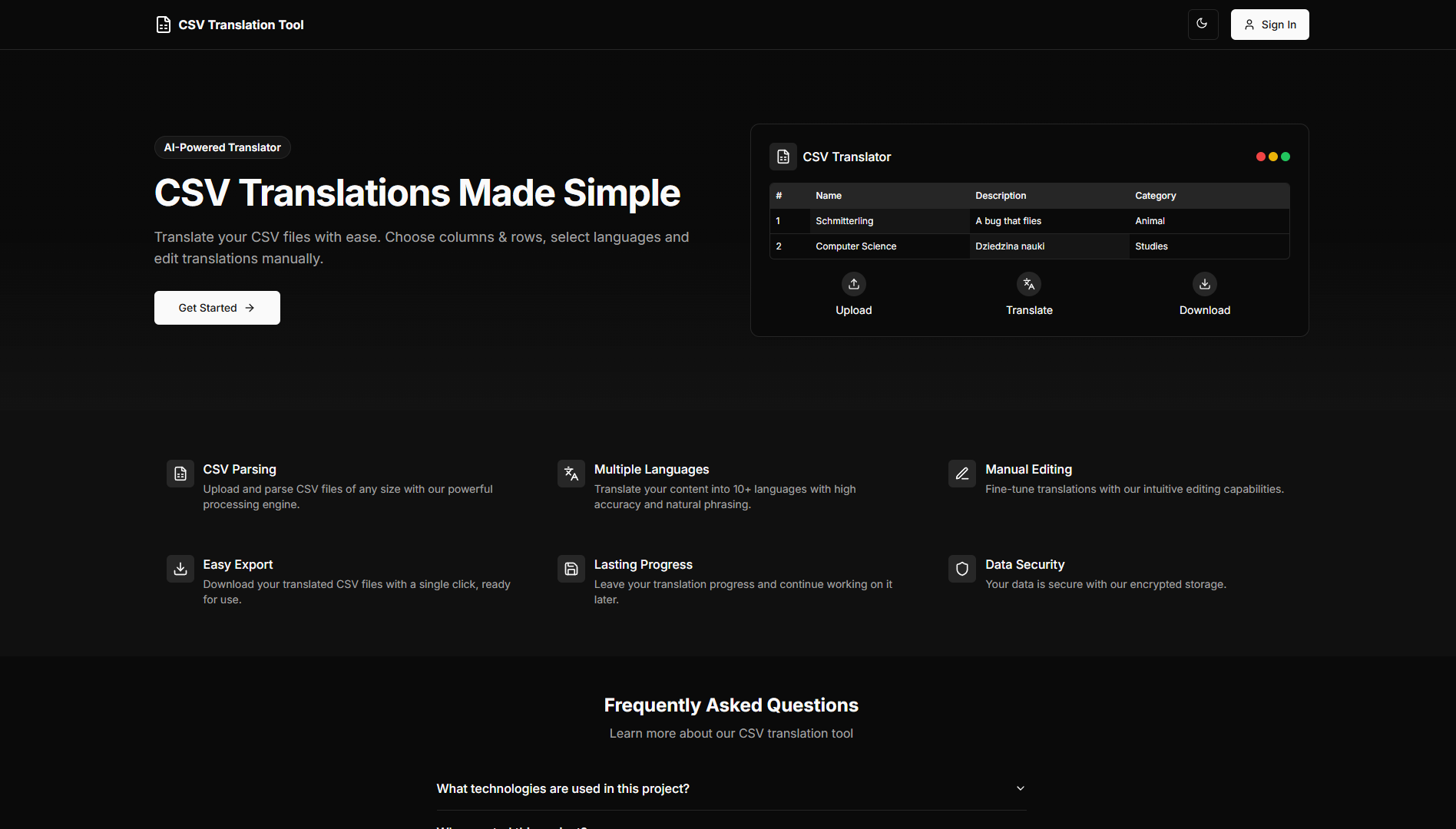
Home Page
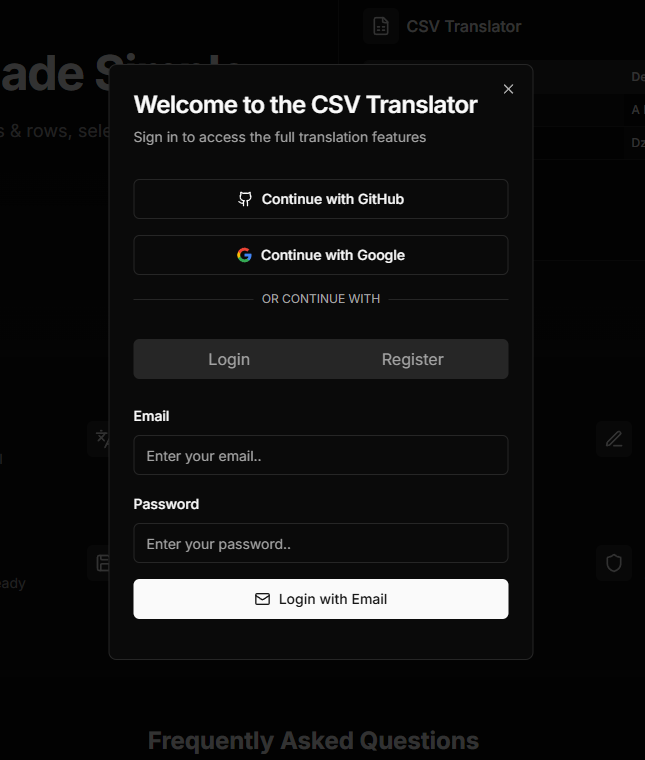
Sign Dialog
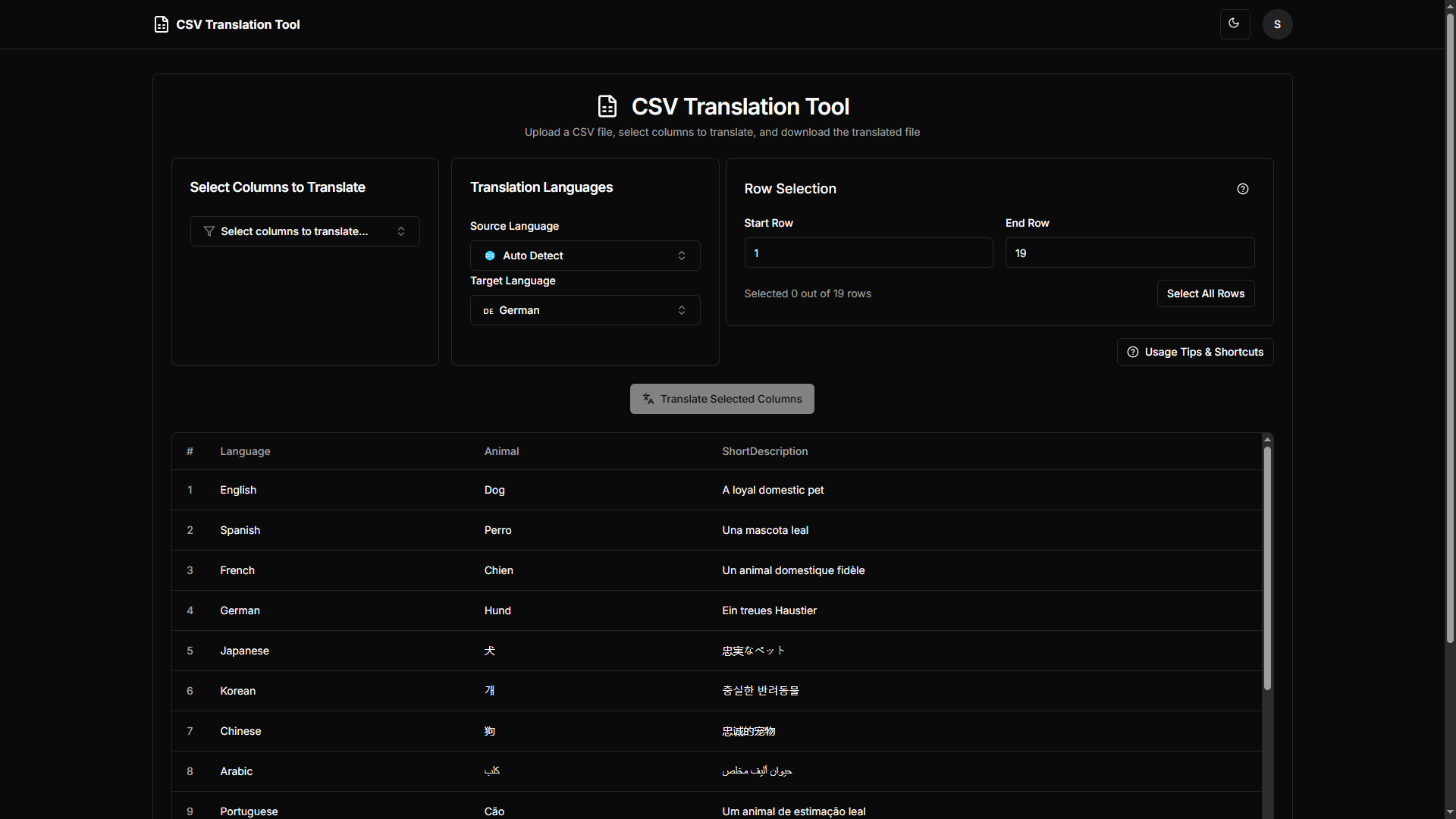
Dashboard Page
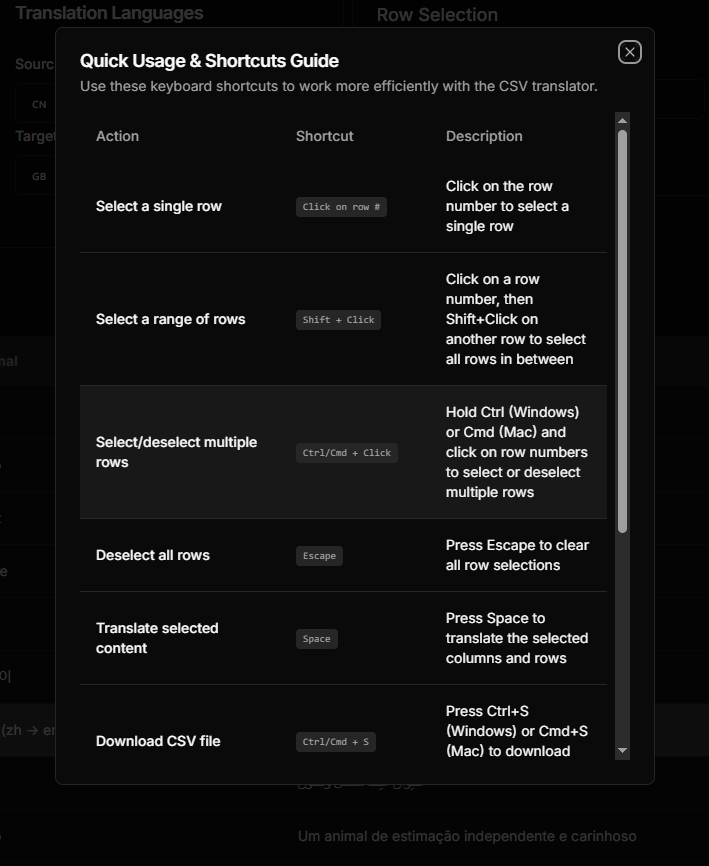
Tips Dialog
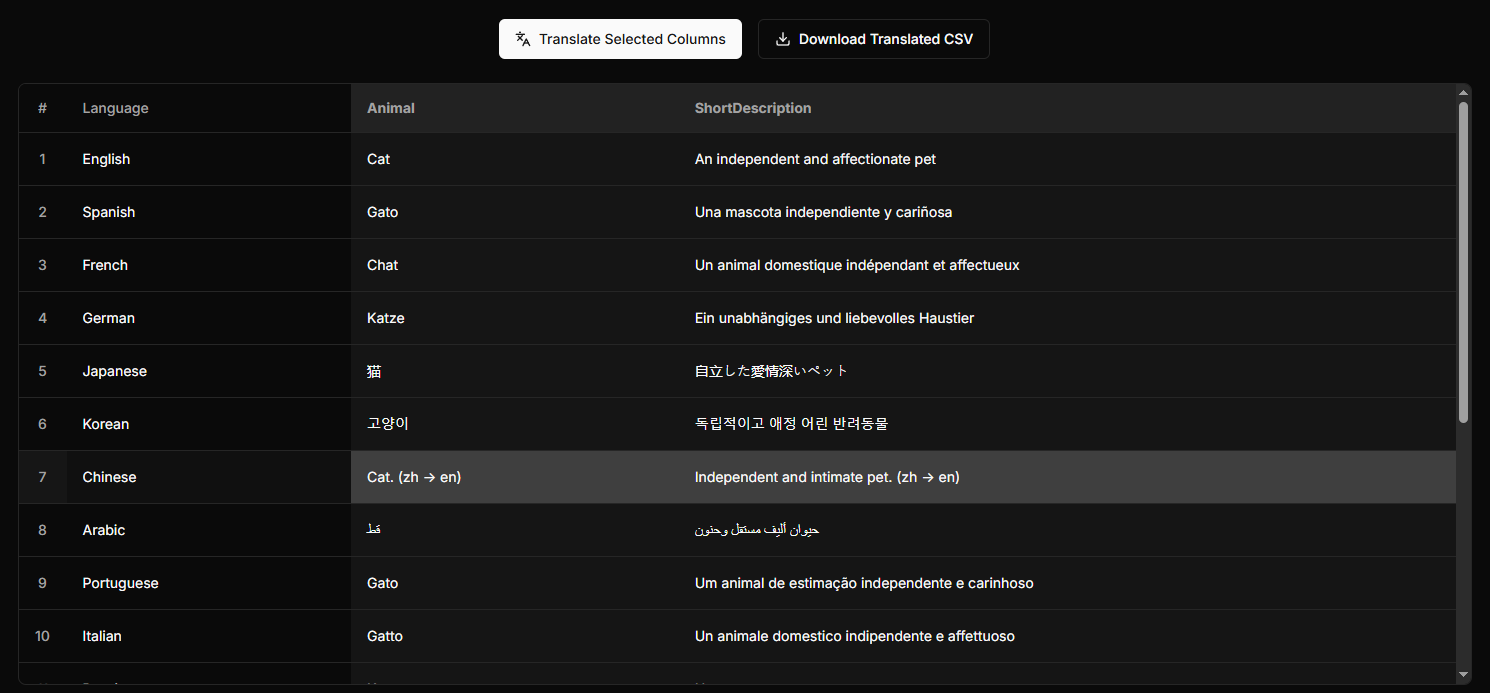
Translation Example
🛠️ Tech Stack
| Layer | Technologies |
|---|---|
| Frontend | Next.js, React, TypeScript, Tailwind CSS, shadcn/ui |
| Backend | Django, Django REST Framework, Python, JWT, OAuth2 |
| AI/ML | Rust, PyO3, MarianMT, Hugging Face |
| Data | MongoDB, Redis |
| Infrastructure | Docker, GitHub Actions, Postman |
🧱 Architecture
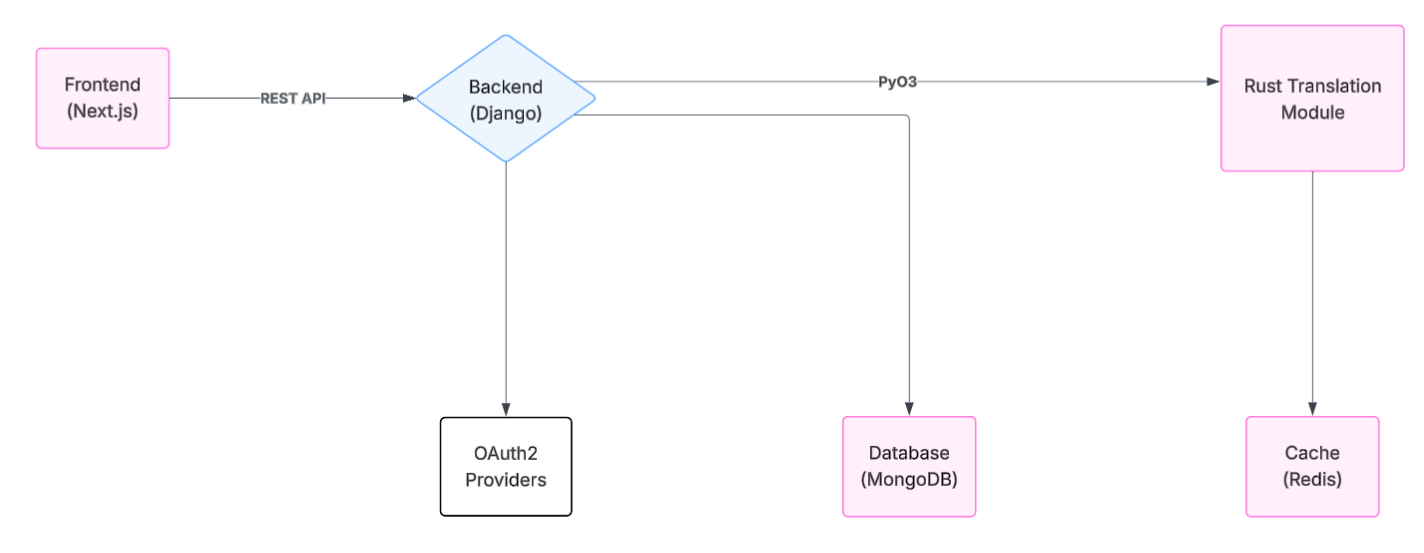
System architecture of the CSV Translation Tool
🚀 Quick Start
Prerequisites
- Python 3.12
- Docker
- Rust
- Node.js (16+)
- npm (bundled with Node.js)
Setup Instructions
-
Clone the repository
git clone https://github.com/Kerciu/csv-translation-tool.git cd csv-translation-tool -
Ensure Docker Desktop is running
-
Build and run the application
docker-compose build docker-compose up -
Access the app Navigate to http://localhost:3000 Use
test_data/example.csvto try it out!
📚 Documentation
🧠 General Overview
- Project documentation available here
🧪 API Documentation
- Swagger available at http://127.0.0.1:8000/swagger/ (when app is running)
🛠️ Building with Sphinx (Python)
-
Install development dependencies
pip install -r requirements-dev.txt -
Generate HTML docs From inside
server/docs:Linux:
make html xdg-open build/html/index.htmlWindows:
.\make.bat html
Start-Process .\build\html\index.html
🧹 Linting & Formatting
Tools Used
- Python:
black,isort,flake8 - React:
ESLint,Prettier - Rust:
clippy,rustfmt - Pre-commit: For unified code quality enforcement
How to Run
Python + React
pip install -r requirements-dev.txt
pre-commit install
pre-commit run --all-files
Rust
cd model
cargo fmt
cargo clippy
🧪 Testing
Python
-
Run the app:
docker-compose up -
Open shell inside the backend container:
docker exec -it translator-server bash -
Run tests:
python manage.py test
Rust
-
Navigate to model directory:
cd model -
Ensure Redis is running on port
6379, then:cargo test
📬 Contact
For questions, feedback, or collaboration:
Authors
Contributors

630 commits

168 commits
Similar repos


Languages
TypeScript
59.6%
Python
27.4%
Rust
10.8%
CSS
1.2%
CSV Translation Tool | AI-assisted web app for semi-automatic translation of text datasets
TypeScript
3
798 commits
updated Dec 16, 2025
README
🌍 Semi-Automatic AI-Powered CSV Translation Tool
A web-based platform for semi-automatic CSV translation powered by AI (MarianMT) and enhanced with human validation.
📑 Table of Contents
- Features
- Screenshots
- Tech Stack
- Architecture
- Quick Start
- Documentation
- Linting & Formatting
- Testing
- Contact
✨ Features
| Category | Description |
|---|---|
| 📁 File Handling | Upload CSV files, select rows/columns, validate content |
| 🤖 Smart Translation | AI-based translation (MarianMT via Rust), error highlighting, Redis caching |
| 🔐 Authentication | JWT/OAuth2 login, MongoDB-based session persistence |
| ⬇️ Export | Download translated CSV files |
🖼️ Screenshots
Home Page
Sign Dialog
Dashboard Page
Tips Dialog
Translation Example
🛠️ Tech Stack
| Layer | Technologies |
|---|---|
| Frontend | Next.js, React, TypeScript, Tailwind CSS, shadcn/ui |
| Backend | Django, Django REST Framework, Python, JWT, OAuth2 |
| AI/ML | Rust, PyO3, MarianMT, Hugging Face |
| Data | MongoDB, Redis |
| Infrastructure | Docker, GitHub Actions, Postman |
🧱 Architecture
System architecture of the CSV Translation Tool
🚀 Quick Start
Prerequisites
- Python 3.12
- Docker
- Rust
- Node.js (16+)
- npm (bundled with Node.js)
Setup Instructions
-
Clone the repository
git clone https://github.com/Kerciu/csv-translation-tool.git cd csv-translation-tool -
Ensure Docker Desktop is running
-
Build and run the application
docker-compose build docker-compose up -
Access the app Navigate to http://localhost:3000 Use
test_data/example.csvto try it out!
📚 Documentation
🧠 General Overview
- Project documentation available here
🧪 API Documentation
- Swagger available at http://127.0.0.1:8000/swagger/ (when app is running)
🛠️ Building with Sphinx (Python)
-
Install development dependencies
pip install -r requirements-dev.txt -
Generate HTML docs From inside
server/docs:Linux:
make html xdg-open build/html/index.htmlWindows:
.\make.bat html
Start-Process .\build\html\index.html
🧹 Linting & Formatting
Tools Used
- Python:
black,isort,flake8 - React:
ESLint,Prettier - Rust:
clippy,rustfmt - Pre-commit: For unified code quality enforcement
How to Run
Python + React
pip install -r requirements-dev.txt
pre-commit install
pre-commit run --all-files
Rust
cd model
cargo fmt
cargo clippy
🧪 Testing
Python
-
Run the app:
docker-compose up -
Open shell inside the backend container:
docker exec -it translator-server bash -
Run tests:
python manage.py test
Rust
-
Navigate to model directory:
cd model -
Ensure Redis is running on port
6379, then:cargo test
📬 Contact
For questions, feedback, or collaboration:
Authors
Similar repos
Contributors
630 commits
168 commits
Languages
TypeScript
59.6%
Python
27.4%
Rust
10.8%
CSS
1.2%