Translate documents, recreate layouts, convert PDF to Word, PaddleOCR, Image to Word., Table to Word
Python
6
28 commits
updated Dec 6, 2024
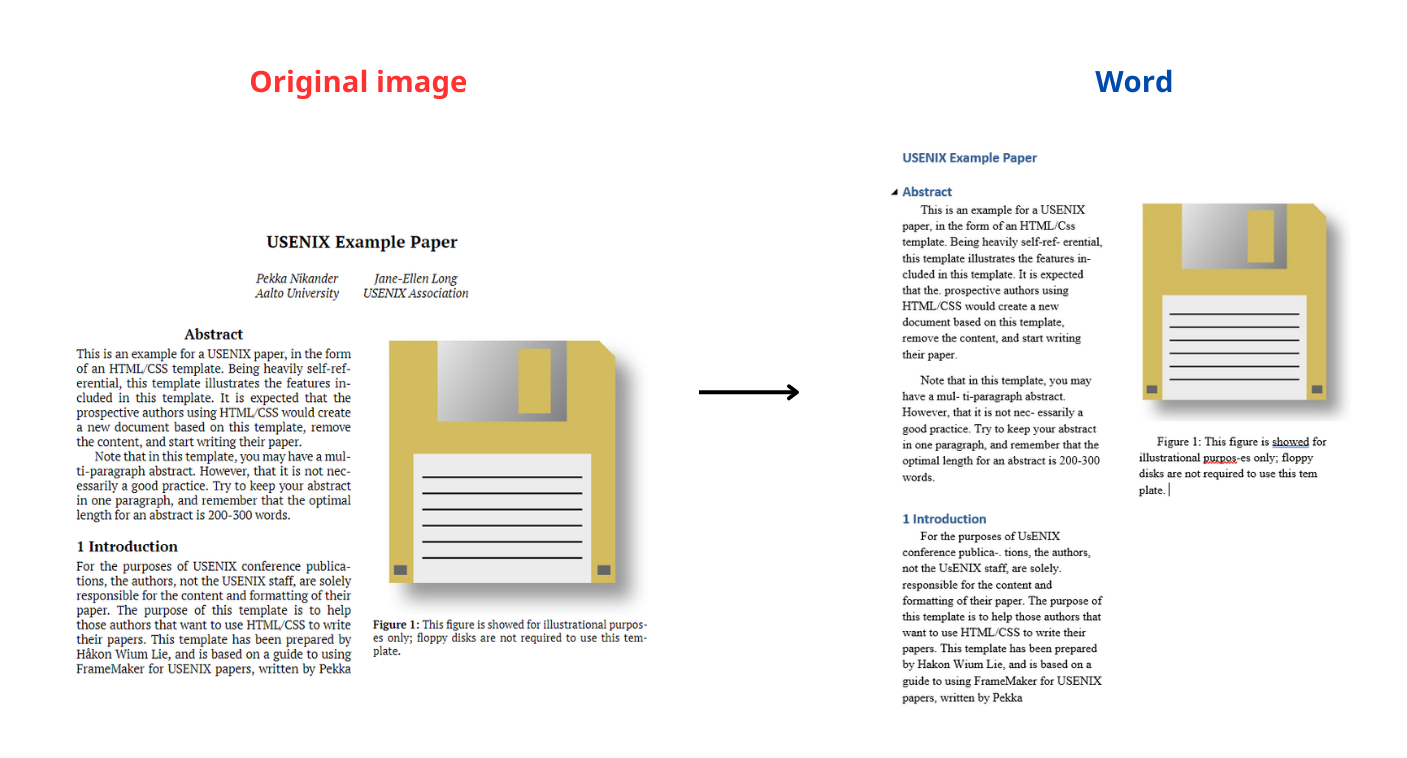
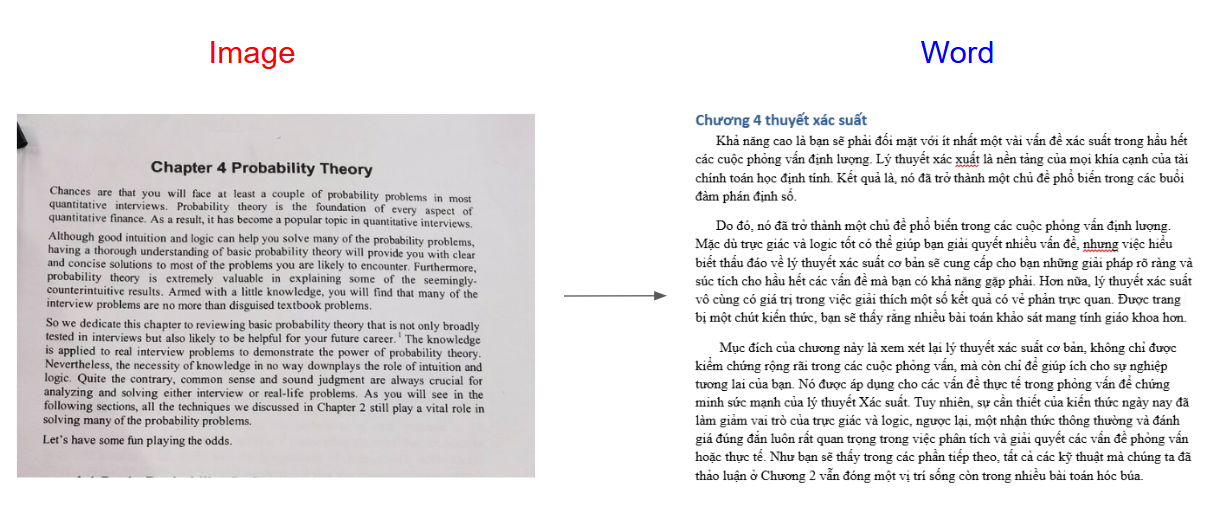
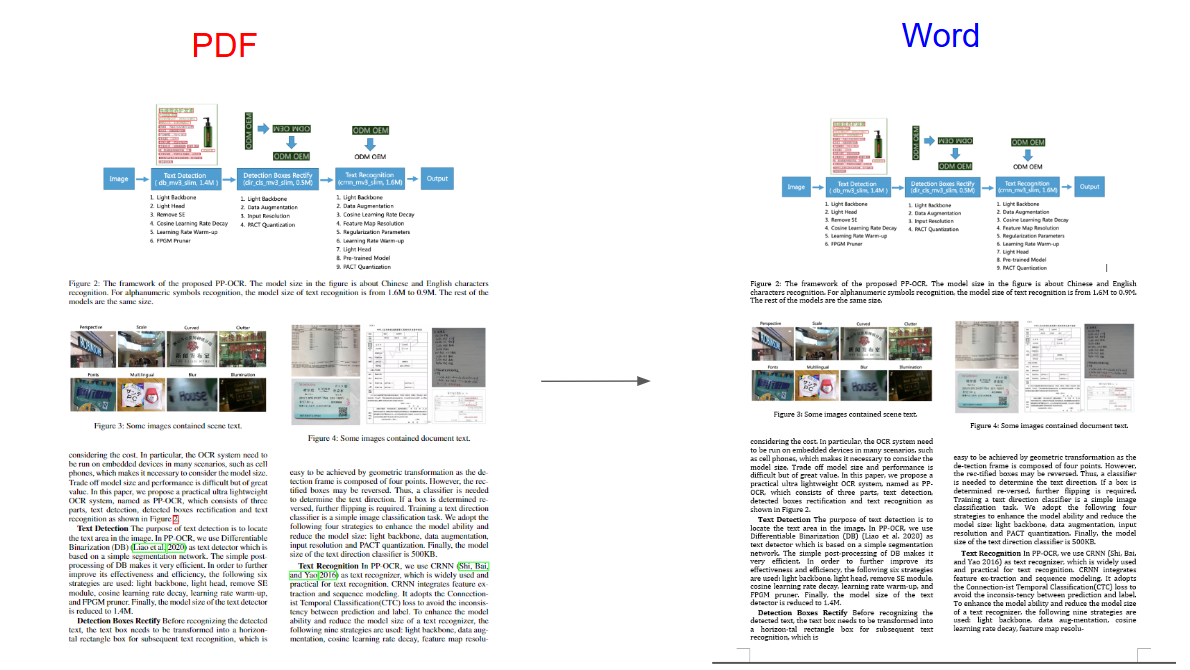
Translate documents, recreate layouts, convert PDF to Word, PaddleOCR, Image to Word.
Related Projects:
Recognition-table-with-table-transformer: A system combining Table Transformer and vietOCR for accurate table structure and Vietnamese character recognition from images.
Vietnamese_OCR_documents: Converts text from images or PDF scans into digital format, streamlining Vietnamese text processing and information management.
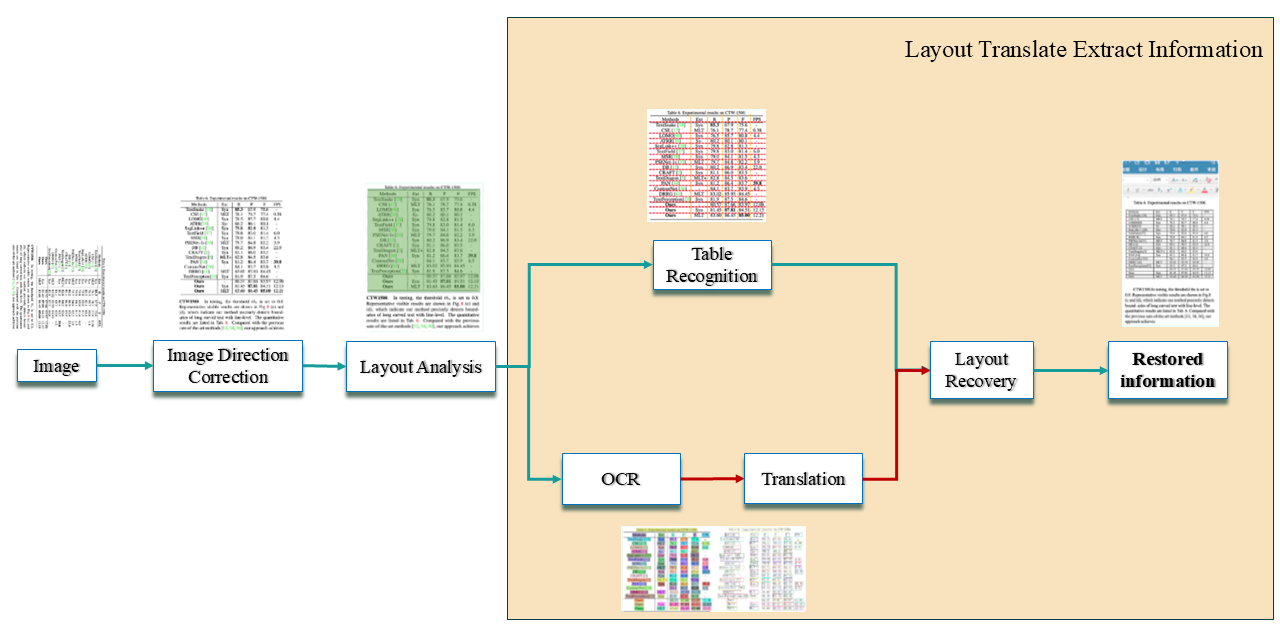
This diagram introduces the Layout Translation Extraction process we developed based on PaddleOCR, from image correction to information reconstruction. You can read the docs here to see differences
git clone https://github.com/KaiKenju/TransLayoutDocs.git
conda create -n <env_name> python=3.10
conda activate <env_name>
cd TransLayoutDocs
pip install -r requirements.txt
python main.py
python predict_pdf.py --image_dir=inputs\pdf\2009.09941v3.pdf --recovery=True --use_pdf2docx_api=True --output=./outputs/
python img2docx.py --input=./inputs/imgs/check2.png --output=./detail_img --lang=vi --device=cpu
Usage: python img2docx.py --input=./inputs/imgs/chap4.png --output=./detail_img --lang=vi --device=cpu

  --input              Input img . Default: inputs
  --output             Output folder. Default: detail_img
  --lang               Languague to translate. Default: vi
  --device             Cpu or cuda. Default: cpu
Special thanks to all the developers who have contributed to TransLayoutDocs!
Translate documents, recreate layouts, convert PDF to Word, PaddleOCR, Image to Word., Table to Word
Python
6
28 commits
updated Dec 6, 2024
Translate documents, recreate layouts, convert PDF to Word, PaddleOCR, Image to Word.
Related Projects:
Recognition-table-with-table-transformer: A system combining Table Transformer and vietOCR for accurate table structure and Vietnamese character recognition from images.
Vietnamese_OCR_documents: Converts text from images or PDF scans into digital format, streamlining Vietnamese text processing and information management.
This diagram introduces the Layout Translation Extraction process we developed based on PaddleOCR, from image correction to information reconstruction. You can read the docs here to see differences
git clone https://github.com/KaiKenju/TransLayoutDocs.git
conda create -n <env_name> python=3.10
conda activate <env_name>
cd TransLayoutDocs
pip install -r requirements.txt
python main.py
python predict_pdf.py --image_dir=inputs\pdf\2009.09941v3.pdf --recovery=True --use_pdf2docx_api=True --output=./outputs/
python img2docx.py --input=./inputs/imgs/check2.png --output=./detail_img --lang=vi --device=cpu
Usage: python img2docx.py --input=./inputs/imgs/chap4.png --output=./detail_img --lang=vi --device=cpu

  --input              Input img . Default: inputs
  --output             Output folder. Default: detail_img
  --lang               Languague to translate. Default: vi
  --device             Cpu or cuda. Default: cpu
Special thanks to all the developers who have contributed to TransLayoutDocs!