
Let Claude Code drive your real, logged-in Chrome. MV3 extension + zero-dep MCP server, jev-style element-table perception over CDP. The agent is the policy: no second model, no API keys.
JavaScript
0
11 commits
updated Sep 21, 2026
See what people are saying (1)
README
 JevBridge



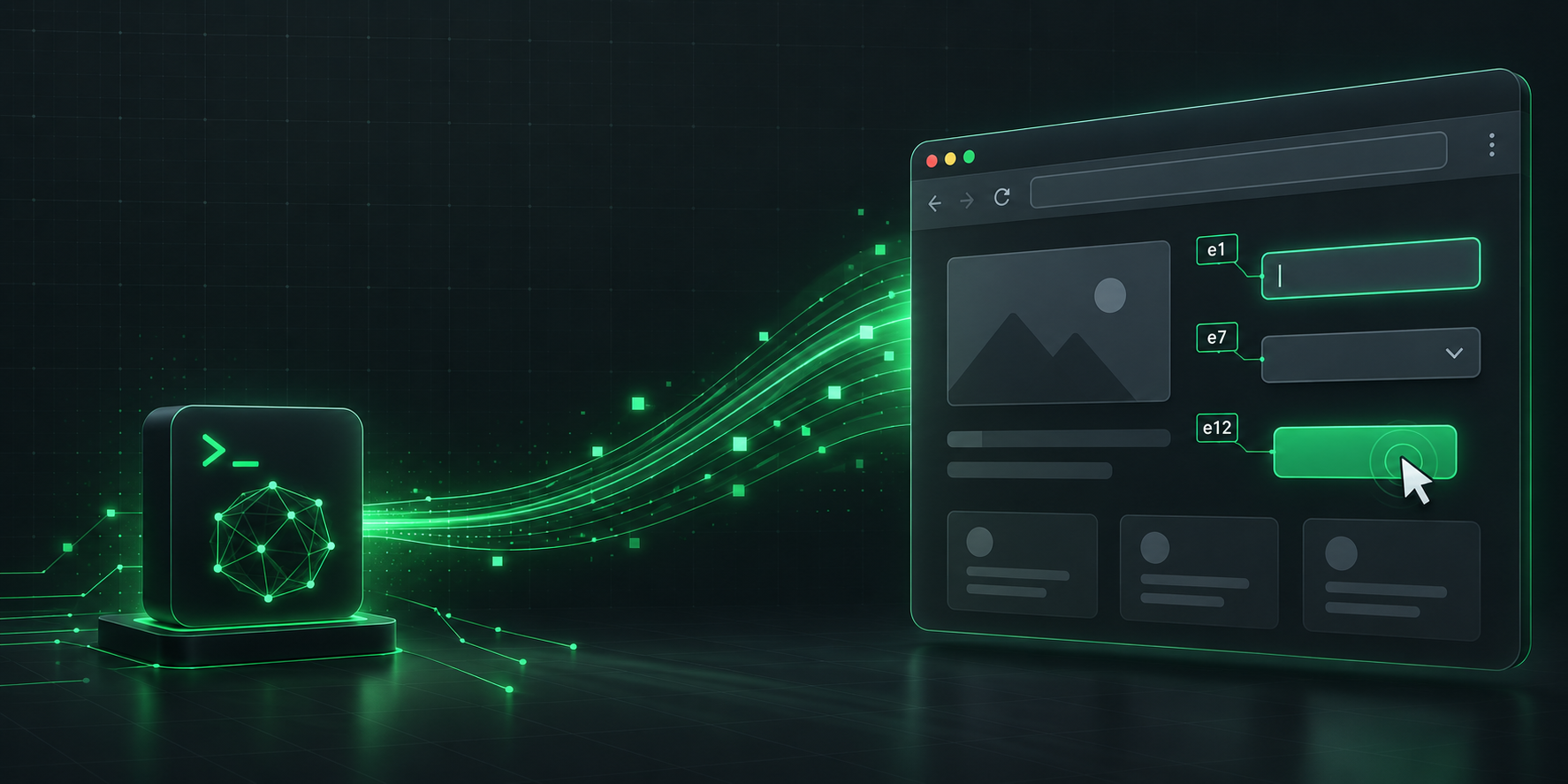
Let Claude Code drive your real, logged-in Chrome — the way the Claude-in-Chrome extension does, but open source and yours.
JevBridge pairs a tiny MCP server with a Chrome MV3 extension. The extension uses
Chrome's built-in chrome.debugger (CDP) to read and act on your actual tabs — your
profile, your logins, your open pages — with no remote-debug port and no relaunch. The
page is read as a compact, numbered element table (jev-style), not screenshots.
The calling agent (Claude) is the policy. There is no second model and no API key. Page snapshots flow up to Claude as ordinary tool results; nothing is sent to any third party.
Claude Code ──stdio(MCP)──▶ mcp/server.mjs ──ws://127.0.0.1:10577──▶ Chrome extension ──CDP──▶ your tabs
Why this instead of the alternatives
| Claude-in-Chrome | jev launch/attach | JevBridge | |
|---|---|---|---|
| Runs in your real logged-in Chrome | ✅ | ❌ (own profile / debug port) | ✅ (chrome.debugger, no port) |
| Decision model | Claude | jev's model (paid, per-click) | Claude (you), no key |
| Perception | screenshots + DOM | element table | element table |
| Open source / self-owned | ❌ | partial | ✅ MIT |
| Page data to a third party | no | yes (to the model API) | no |
Install (developer / unpacked)
-
Load the extension
- Chrome →
chrome://extensions→ toggle Developer mode (top right). - Load unpacked → select the
extension/folder. - Copy the extension's ID (shown on its card).
- Open its Details → Extension options to confirm the bridge port (default
10577).
- Chrome →
-
Register the MCP server with Claude Code (user scope):
claude mcp add --scope user jevbridge -- node /ABS/PATH/jevbridge/mcp/server.mjs(Optional:
--env JEVBRIDGE_PORT=10577to change the port; set the same in the extension options.) -
Restart Claude Code so the new tools load. The extension badge turns green (●) when it reaches the bridge.
Tools
browser_status— connection + attached-tab diagnostics (call this first if something's off).browser_tabs— list open tabs (id,title,url,active).browser_navigate—{ url, tabId? }→ element table after load.browser_observe—{ tabId? }→ the element table.browser_read—{ tabId?, max_chars? }→ the page's readable text (prose/articles).browser_act—{ ops: [...], tabId? }→ runs ops, returns a fresh table.browser_assert—{ contains? | url_includes? | ref_visible?, tabId? }→ pass/fail.
Ops for browser_act:
{op:"click",ref:"e12"}, {op:"click_text",text:"Built with Claude"} (for custom widgets/menus
the element table can't reference), {op:"type",ref:"e7",text:"..."}, {op:"select",ref:"e8",value:"..."},
{op:"key",key:"Enter"}, {op:"scroll",dy:600}, {op:"wait",ms:500}.
Element table line: e12 btn "Sign in" · e7 inp "Email" ▸ "current value" ·
e9 chk✓ "Remember me" · ⊘ = disabled · (off-screen) = outside the viewport.
Refs (e12) stay stable across observations of the same page.
Notes & limits
- Attaching the debugger shows Chrome's "JevBridge is debugging this browser" banner — expected.
- One debugger client per tab: a tab with DevTools open (or driven by another extension) can't be attached; switch tabs or close DevTools.
chrome://, the Web Store, and other browser pages can't be driven.- No cross-origin iframe traversal, canvas, or file uploads yet.
- The bridge binds to
127.0.0.1only.
Security
The extension holds the debugger permission — the power to read and act on the pages you
drive via the Chrome DevTools Protocol. It requests no broad host permission (the debugger
API does not need one for regular tabs). That is the same capability class as any real-browser
agent; use it deliberately.
Everything here is auditable: the MCP server is one zero-dependency file (mcp/server.mjs),
the extension is plain JS under extension/.
Contributing
Contributions are welcome. See CONTRIBUTING.md for the dev setup, how to run the tests, and the PR process. By participating you agree to the Code of Conduct.
Security
The extension holds powerful permissions, so security reports matter. Please do not open a public issue for vulnerabilities — see SECURITY.md for private reporting.
Support
Questions or trouble? See SUPPORT.md.
License
MIT © jevbridge contributors.
Contributors

11 commits
Similar repos


Languages
JavaScript
96.5%
HTML
3.5%
Let Claude Code drive your real, logged-in Chrome. MV3 extension + zero-dep MCP server, jev-style element-table perception over CDP. The agent is the policy: no second model, no API keys.
JavaScript
0
11 commits
updated Sep 21, 2026
See what people are saying (1)
README
JevBridge
Let Claude Code drive your real, logged-in Chrome — the way the Claude-in-Chrome extension does, but open source and yours.
JevBridge pairs a tiny MCP server with a Chrome MV3 extension. The extension uses
Chrome's built-in chrome.debugger (CDP) to read and act on your actual tabs — your
profile, your logins, your open pages — with no remote-debug port and no relaunch. The
page is read as a compact, numbered element table (jev-style), not screenshots.
The calling agent (Claude) is the policy. There is no second model and no API key. Page snapshots flow up to Claude as ordinary tool results; nothing is sent to any third party.
Claude Code ──stdio(MCP)──▶ mcp/server.mjs ──ws://127.0.0.1:10577──▶ Chrome extension ──CDP──▶ your tabs
Why this instead of the alternatives
| Claude-in-Chrome | jev launch/attach | JevBridge | |
|---|---|---|---|
| Runs in your real logged-in Chrome | ✅ | ❌ (own profile / debug port) | ✅ (chrome.debugger, no port) |
| Decision model | Claude | jev's model (paid, per-click) | Claude (you), no key |
| Perception | screenshots + DOM | element table | element table |
| Open source / self-owned | ❌ | partial | ✅ MIT |
| Page data to a third party | no | yes (to the model API) | no |
Install (developer / unpacked)
-
Load the extension
- Chrome →
chrome://extensions→ toggle Developer mode (top right). - Load unpacked → select the
extension/folder. - Copy the extension's ID (shown on its card).
- Open its Details → Extension options to confirm the bridge port (default
10577).
- Chrome →
-
Register the MCP server with Claude Code (user scope):
claude mcp add --scope user jevbridge -- node /ABS/PATH/jevbridge/mcp/server.mjs(Optional:
--env JEVBRIDGE_PORT=10577to change the port; set the same in the extension options.) -
Restart Claude Code so the new tools load. The extension badge turns green (●) when it reaches the bridge.
Tools
browser_status— connection + attached-tab diagnostics (call this first if something's off).browser_tabs— list open tabs (id,title,url,active).browser_navigate—{ url, tabId? }→ element table after load.browser_observe—{ tabId? }→ the element table.browser_read—{ tabId?, max_chars? }→ the page's readable text (prose/articles).browser_act—{ ops: [...], tabId? }→ runs ops, returns a fresh table.browser_assert—{ contains? | url_includes? | ref_visible?, tabId? }→ pass/fail.
Ops for browser_act:
{op:"click",ref:"e12"}, {op:"click_text",text:"Built with Claude"} (for custom widgets/menus
the element table can't reference), {op:"type",ref:"e7",text:"..."}, {op:"select",ref:"e8",value:"..."},
{op:"key",key:"Enter"}, {op:"scroll",dy:600}, {op:"wait",ms:500}.
Element table line: e12 btn "Sign in" · e7 inp "Email" ▸ "current value" ·
e9 chk✓ "Remember me" · ⊘ = disabled · (off-screen) = outside the viewport.
Refs (e12) stay stable across observations of the same page.
Notes & limits
- Attaching the debugger shows Chrome's "JevBridge is debugging this browser" banner — expected.
- One debugger client per tab: a tab with DevTools open (or driven by another extension) can't be attached; switch tabs or close DevTools.
chrome://, the Web Store, and other browser pages can't be driven.- No cross-origin iframe traversal, canvas, or file uploads yet.
- The bridge binds to
127.0.0.1only.
Security
The extension holds the debugger permission — the power to read and act on the pages you
drive via the Chrome DevTools Protocol. It requests no broad host permission (the debugger
API does not need one for regular tabs). That is the same capability class as any real-browser
agent; use it deliberately.
Everything here is auditable: the MCP server is one zero-dependency file (mcp/server.mjs),
the extension is plain JS under extension/.
Contributing
Contributions are welcome. See CONTRIBUTING.md for the dev setup, how to run the tests, and the PR process. By participating you agree to the Code of Conduct.
Security
The extension holds powerful permissions, so security reports matter. Please do not open a public issue for vulnerabilities — see SECURITY.md for private reporting.
Support
Questions or trouble? See SUPPORT.md.
License
MIT © jevbridge contributors.
Similar repos
Contributors
11 commits
Languages
JavaScript
96.5%
HTML
3.5%