
Repo for "LoLCATs: On Low-Rank Linearizing of Large Language Models"
Python
262
158 commits
updated Jan 31, 2025
README
LoLCATs

Paper | Blog Part 1 | Blog Part 2
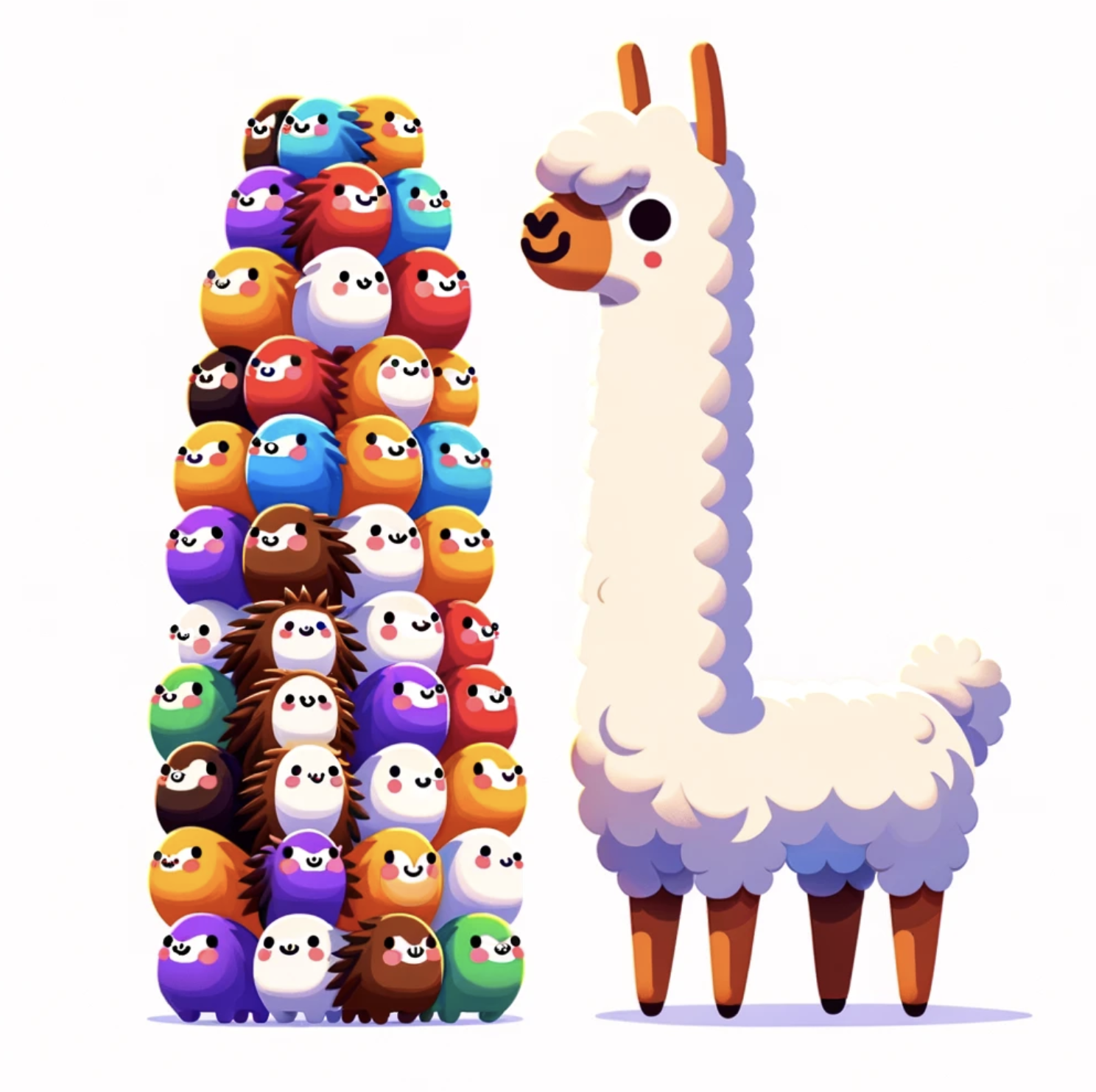
We're excited to share LoLCATs, a new method to convert existing Transformers like Llamas & Mistrals into state-of-the-art subquadratic LLMs.
LoLCATs does two things:
- Attention Transfer: We replace the softmax attentions of an existing Transformer with linear attention analogs, but first train these linear layers to approximate their softmax counterparts
- Low-rank Linearizing: Then, we can simply adjust for any approximation errors & recover quality with low-rank adaptation
We find this "Low-rank Linear Conversion via Attention Transfer" (hence, LoLCATs) results in "linearizing" LLMs with state-of-the-art quality and training efficiency (taking a couple hours on one 40GB A100 to create subquadratic Llama 3 8B and Mistral 7B LLMs).
With this repo, we hope you can too!
In this README:
- Getting started with dependencies, installation, and experiment configs
- Sample commands for 7B+ LLMs (e.g., Mistral-7B-v0.1, Llama-3-8B, Llama-3.1-8B; anything you can run on a single GPU)
In the lolcats-scaled branch, we provide details for larger 70B and 405B LLMs.
Getting started
Use the model in Hugging Face Space
A demo is hosted as a Hugging Face Space. You can try the model out here.
Setup dependencies
Please see environment.yaml for dependencies and adjust PyTorch CUDA version if needed. We can set them up with conda:
conda env create -f environment.yaml
conda activate lolcats-env
Experiment and model configs
We organize things under experiment and model config files (.yaml) in ./configs.
- Files under
./configs/experiments/determine dataset and training hyperparameters (for training attentions, for low-rank adaptation). - Files under
./configs/models/determine model setup (pretrained LLM, linear attention architecture)
For models, our scripts should automatically download the models from Hugging Face, but you should change the cache_dir to reflect where you want to save the weights.
For example:
pretrained_config:
  pretrained_model_name_or_path: "mistralai/Mistral-7B-v0.1"
  cache_dir: "/models/mistral-7b-v0.1" # change this
  return_dict: true
  quantization: false
  device_map: auto
  low_cpu_mem_usage: true
  torch_dtype: bfloat16
  rope_theta: 10000.0
  attn_implementation: flash_attention_2  # set to eager if you also want to compute attention weights
Additional dependencies
Flash Attention 2 install
To do attention transfer, we train linear attentions by first computing softmax attention outputs as ``ground-truth'' targets to match. To compute these outputs with Flash Attention 2 (FA2), we recommend following Tri's default instructions here.
Copying those instructions here: (1) Have packaging installed (pip install packaging). (2) Have ninja installed and working correctly (ninja --version then echo $? should return exit code 0). Otherwise reinstall with pip uninstall -y ninja && pip install ninja. (3) Install FA2 with
pip install flash-attn --no-build-isolation
Causal linear attention CUDA kernel
We support a faster causal linear attention with the CUDA kernel from https://github.com/idiap/fast-transformers/tree/master, citing:
@inproceedings{katharopoulos_et_al_2020,
    author = {Katharopoulos, A. and Vyas, A. and Pappas, N. and Fleuret, F.},
    title = {Transformers are RNNs: Fast Autoregressive Transformers with Linear Attention},
    booktitle = {Proceedings of the International Conference on Machine Learning (ICML)},
    year = {2020}
}

@article{vyas_et_al_2020,
    author={Vyas, A. and Katharopoulos, A. and Fleuret, F.},
    title={Fast Transformers with Clustered Attention},
    booktitle = {Proceedings of the International Conference on Neural Information Processing Systems (NeurIPS)},
    year={2020}
}
To build the kernel (causal_dot_product), first modify the GPU setup and C++ versions in ./csrc/setup.py to match that of your system.
Then, activate the conda environment (conda activate lolcats), navigate to ./csrc/, and run python setup.py install within ./csrc/, i.e.,
conda activate lolcats
cd ./csrc/
python setup.py install
ThunderKittens linear attention + sliding window kernel
We also implemented a fused linear attention + sliding window kernel with the ThunderKittens CUDA framework.
For the linearizng layer, see ./src/model/linear_attention/linear_window_attention_tk_gen.py
You can install the kernel and benchmark 8B models (LoLCATS linearized and Llama Transformer) with and without our ThunderKittens CUDA kernel using the details in this README.md. Our 8B model will auto-download from our HuggingFace checkpoint.
More!
We're also very excited to integrate additional developments like Songlin and friends' flash-linear-attention.
Sample commands
For any of these commands, you may need to provide a Hugging Face token to download model checkpoints. Simply add the --huggingface_token <your-token-here> argument to any script below.
Linearizing 7B+ models

Any of the below commands will convert a 7B Mistral or Llama LLM into a subquadratic attention instruction-following variant. Despite only using LoRA and training on these 50K instruction-tuning samples, we're able to ``unlock'' a good amount of the base model performance when measured on LM Eval tasks.
See configs/model/ for model configs used in the below commands, and configs/experiments/ for attention transfer and finetuning configs.
We support linearizing various LLMs with various linear attention feature maps (Transformer-to-RNN (T2R), Hedgehog), and architectures (standard linear attention, the LoLCATs linear + sliding window setup). In general, we tried to make things easily extendable, so if you want to linearize a new LLM with some new architecture, it's as simple as changing a config line or adding a single module.
Please find some sample scripts below, linearizing with a cleaned up version of the Alpaca dataset.
Mistral-7B-v0.1, Hedgehog Feature Map, LoLCATs Linear + Sliding Window Attention
python distill_llama.py --model_config distill_mistral_7b_lk_smd_wtk64_fd64_w01 \
--distill_config distill_alpaca_clean_xent0_mse1000_lr1e-2 \
--finetune_config finetune_lora_qkvo_alpaca_clean \
--eval_config eval_alpaca_clean \
--lk_zero_init \
--verbose --seed 0 --replicate 0 \
--huggingface_token hf_<insert your token here>
Mistral-7B-v0.1, Hedgehog Feature Map, Standard Linear Attention
python distill_llama.py --model_config distill_mistral_7b_lk_smd_fd64 \
--distill_config distill_alpaca_clean_xent0_mse1000_lr1e-2 \
--finetune_config finetune_lora_qkvo_alpaca_clean \
--eval_config eval_alpaca_clean \
--lk_zero_init \
--verbose --seed 0 --replicate 0 \
--huggingface_token hf_<insert your token here>
Mistral-7B-v0.1, T2R Feature Map, Standard Linear Attention
python distill_llama.py --model_config distill_mistral_7b_lk_smd_wtk64_fd64_w01 \
--distill_config distill_mistral_7b_lk_t2r \
--finetune_config finetune_lora_qkvo_alpaca_clean \
--eval_config eval_alpaca_clean \
--lk_zero_init \
--verbose --seed 0 --replicate 0 \
--huggingface_token hf_<insert your token here>
Llama 3 8B, Hedgehog Feature Map, LoLCATs Linear + Sliding Window Attention
python distill_llama.py --model_config distill_llama3_8b_lk_smd_wtk64_fd64_w01 \
--distill_config distill_alpaca_clean_xent0_mse1000_lr1e-2 \
--finetune_config finetune_lora_qkvo_alpaca_clean \
--eval_config eval_alpaca_clean \
--lk_zero_init \
--verbose --seed 0 --replicate 0 \
--huggingface_token hf_<insert your token here>
Llama 3 8B, Hedgehog Feature Map, Standard Linear Attention
python distill_llama.py --model_config distill_llama3_8b_lk_smd_fd64 \
--distill_config distill_alpaca_clean_xent0_mse1000_lr1e-2 \
--finetune_config finetune_lora_qkvo_alpaca_clean \
--eval_config eval_alpaca_clean \
--lk_zero_init \
--verbose --seed 0 --replicate 0 \
--huggingface_token hf_<insert your token here>
Llama 3 8B, T2R Feature Map, Standard Linear Attention
python distill_llama.py --model_config distill_llama3_8b_lk_t2r \
--distill_config distill_alpaca_clean_xent0_mse1000_lr1e-2 \
--finetune_config finetune_lora_qkvo_alpaca_clean \
--eval_config eval_alpaca_clean \
--lk_zero_init \
--verbose --seed 0 --replicate 0 \
--huggingface_token hf_<insert your token here>
Llama 3.1 8B, Hedgehog Feature Map, LoLCATs Linear + Sliding Window Attention
python distill_llama.py --model_config distill_llama3_1_8b_lk_smd_wtk64_fd64_w01 \
--distill_config distill_alpaca_clean_xent0_mse1000_lr1e-2 \
--finetune_config finetune_lora_qkvo_alpaca_clean \
--eval_config eval_alpaca_clean \
--lk_zero_init \
--verbose --seed 0 --replicate 0 \
--huggingface_token hf_<insert your token here>
Llama 3.1 8B, Hedgehog Feature Map, Standard Linear Attention
python distill_llama.py --model_config distill_llama3_1_8b_lk_smd_fd64 \
--distill_config distill_alpaca_clean_xent0_mse1000_lr1e-2 \
--finetune_config finetune_lora_qkvo_alpaca_clean \
--eval_config eval_alpaca_clean \
--lk_zero_init \
--verbose --seed 0 --replicate 0 \
--huggingface_token hf_<insert your token here>
Llama 3.1 8B, T2R Feature Map, Standard Linear Attention
python distill_llama.py --model_config distill_llama3_1_8b_lk_t2r \
--distill_config distill_alpaca_clean_xent0_mse1000_lr1e-2 \
--finetune_config finetune_lora_qkvo_alpaca_clean \
--eval_config eval_alpaca_clean \
--lk_zero_init \
--verbose --seed 0 --replicate 0 \
--huggingface_token hf_<insert your token here>
Demoing linear attention 7B+ models
Trained from distill_llama.py
The above scripts will save two checkpoints: (1) for the learned attention feature maps (denoted by a _distill suffix), (2) for the LoRA finetuning weights (denoted by a _ft suffix).
For example (what the filepaths might look like):
- Trained linear attention feature maps:
./checkpoints/distill_llama3_1_8b_lk_smd_wtk64_fd64_w01/dl-d=distill_alpaca_clean_xent0_mse1000_lr1e-2-m=distill_llama3_1_8b_lk_smd_wtk64_fd64_w01-f=finetune_lora_qkvo_alpaca_clean-s=0-se=0-re=0-lzi=1_distill.pt
- Trained attention LoRA weights:
./checkpoints/distill_llama3_1_8b_lk_smd_wtk64_fd64_w01/dl-d=distill_alpaca_clean_xent0_mse1000_lr1e-2-m=distill_llama3_1_8b_lk_smd_wtk64_fd64_w01-f=finetune_lora_qkvo_alpaca_clean-s=0-se=0-re=0-lzi=1-bs=1-gas=8-nte=2-ms=-1-se=0-re=0_ft.pt
To chat with these models, you can run a demo script like so (albeit with slower PyTorch implementations):
python -Wignore demo_lolcats_llm.py \
--attn_mlp_checkpoint_path './checkpoints/distill_llama3_1_8b_lk_smd_wtk64_fd64_w01/dl-d=distill_alpaca_clean_xent0_mse1000_lr1e-2-m=distill_llama3_1_8b_lk_smd_wtk64_fd64_w01-f=finetune_lora_qkvo_alpaca_clean-s=0-se=0-re=0-lzi=1_distill.pt' \
--finetune_checkpoint_path './checkpoints/distill_llama3_1_8b_lk_smd_wtk64_fd64_w01/dl-d=distill_alpaca_clean_xent0_mse1000_lr1e-2-m=distill_llama3_1_8b_lk_smd_wtk64_fd64_w01-f=finetune_lora_qkvo_alpaca_clean-s=0-se=0-re=0-lzi=1-bs=1-gas=8-nte=2-ms=-1-se=0-re=0_ft.pt' \
--num_generations 1 --benchmark
Hugging Face checkpoints
We also provide some sample checkpoints on HuggingFace.
Use the commands provided at demos/demo_8b.sh to run inference with our LoLCATS - Llama 3.1 8B checkpoint, which will be downloaded from HuggingFace. The downloaded checkpoints require under <1GB, and are inserted into your local Meta Llama 3.1 model in 16-bit precision -- please ensure you have downloaded the base model and specify your path to it in the configs in demo_8b.sh. To run the demo:
cd lolcats/
bash demos/demo_8b.sh
LM Evaluation Harness Evaluation
To evaluate linearized models from these checkpoints, we similarly speciy these --attn_mlp_checkpoint_path and --finetune_checkpoint_path args. Please see ./lm_eval_harness/README.md for more sample LM Eval scripts. Two such examples:
python lm_eval_harness/eval_lm_harness.py \
--model_type lolcats_ckpt \
--attn_mlp_checkpoint_path './checkpoints/distill_mistral_7b_lk_smd_wtk64_fd64_w01/dl-d=distill_alpaca_clean_xent0_mse1000_lr1e-2-m=distill_mistral_7b_lk_smd_wtk64_fd64_w01-f=finetune_long_lora_qkvo_alpaca_clean-s=0-gas=8-nte=2-se=0-re=614-scl=1024-lzi=1_distill.pt' \
--finetune_checkpoint_path './checkpoints/distill_mistral_7b_lk_smd_wtk64_fd64_w01/dl-d=dacxmldm7lswfwfllqac082061_lzi=1_distill1d-m=distill_mistral_7b_lk_smd_wtk64_fd64_w01-f=finetune_lora_qkvo_alpaca_clean-s=0-gas=8-nte=2-se=0-re=614-scl=1024-lzi=1-gas=8-nte=2-se=0-re=614_ft.pt' \
--task piqa --num_shots 0  --no_cache --verbose
python lm_eval_harness/eval_lm_harness.py \
--model_type lolcats_ckpt \
--attn_mlp_checkpoint_path './checkpoints/distill_llama3_8b_lk_smd_wtk64_fd64_w01/dl-d=distill_alpaca_clean_xent0_mse1000_lr1e-2-m=distill_llama3_8b_lk_smd_wtk64_fd64_w01-f=finetune_lora_qkvo_alpaca_clean-s=0-se=0-re=12-lzi=1_distill.pt' \
--finetune_checkpoint_path './checkpoints/distill_llama3_8b_lk_smd_wtk64_fd64_w01/dl-d=distill_alpaca_clean_xent0_mse1000_lr1e-2-m=distill_llama3_8b_lk_smd_wtk64_fd64_w01-f=finetune_lora_qkvo_alpaca_clean-s=0-se=0-re=12-lzi=1-bs=1-gas=8-nte=2-se=0-re=12_ft.pt' \
--task piqa --num_shots 0  --no_cache --verbose
python lm_eval_harness/eval_lm_harness.py \
--model_type lolcats_ckpt \
--attn_mlp_checkpoint_path './checkpoints/distill_llama3_1_8b_lk_smd_wtk64_fd64_w01/dl-d=distill_alpaca_clean_xent0_mse1000_lr1e-2-m=distill_llama3_1_8b_lk_smd_wtk64_fd64_w01-f=finetune_lora_qkvo_alpaca_clean-s=0-se=0-re=420-lzi=1_distill.pt' \
--finetune_checkpoint_path './checkpoints/distill_llama3_1_8b_lk_smd_wtk64_fd64_w01/dl-d=distill_alpaca_clean_xent0_mse1000_lr1e-2-m=distill_llama3_1_8b_lk_smd_wtk64_fd64_w01-f=finetune_lora_qkvo_alpaca_clean-s=0-se=0-re=420-lzi=1-bs=1-gas=8-nte=2-ms=-1-se=0-re=420_ft.pt' \
--task piqa --num_shots 0  --no_cache --verbose
To setup the evaluations, we clone the Language Model Evaluation Harness from here to a separate directory (e.g., outside the lolcats directory).
- Note we use the
b281b09branch following Hugging Face's Open LLM Leaderboard.
We then point to this path in ./lm_eval_harness/eval_lm_harness.py, e.g.
LM_EVALUATION_HARNESS_PATH = '/juice2/scr2/mzhang/projects/lm-evaluation-harness' # Change this to where you clone LM eval harness from
Linearizing 70B models and up
We also support linearizing larger LLMs (Llama 3.1 70B, Llama 3.1 405B), building on the great llama-recipes repository.
Please see the lolcats-scaled branch for more!
GPU Memory Training Requirements
See https://huggingface.co/blog/llama31#training-memory-requirements
Setup Debugging
Hugging Face datasets errors
If you come across an error like the following:
  File "/root/miniconda3/envs/hedgehog/lib/python3.12/site-packages/fsspec/spec.py", line 606, in glob
    pattern = glob_translate(path + ("/" if ends_with_sep else ""))
              ^^^^^^^^^^^^^^^^^^^^^^^^^^^^^^^^^^^^^^^^^^^^^^^^^^^^^
  File "/root/miniconda3/envs/hedgehog/lib/python3.12/site-packages/fsspec/utils.py", line 734, in glob_translate
    raise ValueError(
ValueError: Invalid pattern: '**' can only be an entire path component
Try reinstalling the Hugging Face datasets package with the version specified, e.g., via pip install datasets==2.15.0.
Sometimes setting up the virtual environment from environment.yaml results in datasets==2.11.0 being installed instead.
Similarly, you may need to run the following installs:
pip install nltk
pip install rouge-score
causal_dot_product kernel installation
If running python setup.py install in ./csrc/ fails, try making sure your environment's CUDA version matches that of your system. In our case, specifying
- pytorch-cuda=12.1
in environment.yaml for a system with CUDA 12.2 worked.
Also, consider checking that your CUDA install is accessible, e.g., by adding the following to your .bashrc:
export CUDA_HOME=/usr/local/cuda-12.2/
export PATH=${CUDA_HOME}/bin:${PATH}
export LD_LIBRARY_PATH=${CUDA_HOME}/lib64:$LD_LIBRARY_PATH
Contributors


Similar repos


Languages
Python
79.4%
Cuda
19.4%
C++
1.2%
Repo for "LoLCATs: On Low-Rank Linearizing of Large Language Models"
Python
262
158 commits
updated Jan 31, 2025
README
LoLCATs
Paper | Blog Part 1 | Blog Part 2
We're excited to share LoLCATs, a new method to convert existing Transformers like Llamas & Mistrals into state-of-the-art subquadratic LLMs.
LoLCATs does two things:
- Attention Transfer: We replace the softmax attentions of an existing Transformer with linear attention analogs, but first train these linear layers to approximate their softmax counterparts
- Low-rank Linearizing: Then, we can simply adjust for any approximation errors & recover quality with low-rank adaptation
We find this "Low-rank Linear Conversion via Attention Transfer" (hence, LoLCATs) results in "linearizing" LLMs with state-of-the-art quality and training efficiency (taking a couple hours on one 40GB A100 to create subquadratic Llama 3 8B and Mistral 7B LLMs).
With this repo, we hope you can too!
In this README:
- Getting started with dependencies, installation, and experiment configs
- Sample commands for 7B+ LLMs (e.g., Mistral-7B-v0.1, Llama-3-8B, Llama-3.1-8B; anything you can run on a single GPU)
In the lolcats-scaled branch, we provide details for larger 70B and 405B LLMs.
Getting started
Use the model in Hugging Face Space
A demo is hosted as a Hugging Face Space. You can try the model out here.
Setup dependencies
Please see environment.yaml for dependencies and adjust PyTorch CUDA version if needed. We can set them up with conda:
conda env create -f environment.yaml
conda activate lolcats-env
Experiment and model configs
We organize things under experiment and model config files (.yaml) in ./configs.
- Files under
./configs/experiments/determine dataset and training hyperparameters (for training attentions, for low-rank adaptation). - Files under
./configs/models/determine model setup (pretrained LLM, linear attention architecture)
For models, our scripts should automatically download the models from Hugging Face, but you should change the cache_dir to reflect where you want to save the weights.
For example:
pretrained_config:
  pretrained_model_name_or_path: "mistralai/Mistral-7B-v0.1"
  cache_dir: "/models/mistral-7b-v0.1" # change this
  return_dict: true
  quantization: false
  device_map: auto
  low_cpu_mem_usage: true
  torch_dtype: bfloat16
  rope_theta: 10000.0
  attn_implementation: flash_attention_2  # set to eager if you also want to compute attention weights
Additional dependencies
Flash Attention 2 install
To do attention transfer, we train linear attentions by first computing softmax attention outputs as ``ground-truth'' targets to match. To compute these outputs with Flash Attention 2 (FA2), we recommend following Tri's default instructions here.
Copying those instructions here: (1) Have packaging installed (pip install packaging). (2) Have ninja installed and working correctly (ninja --version then echo $? should return exit code 0). Otherwise reinstall with pip uninstall -y ninja && pip install ninja. (3) Install FA2 with
pip install flash-attn --no-build-isolation
Causal linear attention CUDA kernel
We support a faster causal linear attention with the CUDA kernel from https://github.com/idiap/fast-transformers/tree/master, citing:
@inproceedings{katharopoulos_et_al_2020,
    author = {Katharopoulos, A. and Vyas, A. and Pappas, N. and Fleuret, F.},
    title = {Transformers are RNNs: Fast Autoregressive Transformers with Linear Attention},
    booktitle = {Proceedings of the International Conference on Machine Learning (ICML)},
    year = {2020}
}

@article{vyas_et_al_2020,
    author={Vyas, A. and Katharopoulos, A. and Fleuret, F.},
    title={Fast Transformers with Clustered Attention},
    booktitle = {Proceedings of the International Conference on Neural Information Processing Systems (NeurIPS)},
    year={2020}
}
To build the kernel (causal_dot_product), first modify the GPU setup and C++ versions in ./csrc/setup.py to match that of your system.
Then, activate the conda environment (conda activate lolcats), navigate to ./csrc/, and run python setup.py install within ./csrc/, i.e.,
conda activate lolcats
cd ./csrc/
python setup.py install
ThunderKittens linear attention + sliding window kernel
We also implemented a fused linear attention + sliding window kernel with the ThunderKittens CUDA framework.
For the linearizng layer, see ./src/model/linear_attention/linear_window_attention_tk_gen.py
You can install the kernel and benchmark 8B models (LoLCATS linearized and Llama Transformer) with and without our ThunderKittens CUDA kernel using the details in this README.md. Our 8B model will auto-download from our HuggingFace checkpoint.
More!
We're also very excited to integrate additional developments like Songlin and friends' flash-linear-attention.
Sample commands
For any of these commands, you may need to provide a Hugging Face token to download model checkpoints. Simply add the --huggingface_token <your-token-here> argument to any script below.
Linearizing 7B+ models
Any of the below commands will convert a 7B Mistral or Llama LLM into a subquadratic attention instruction-following variant. Despite only using LoRA and training on these 50K instruction-tuning samples, we're able to ``unlock'' a good amount of the base model performance when measured on LM Eval tasks.
See configs/model/ for model configs used in the below commands, and configs/experiments/ for attention transfer and finetuning configs.
We support linearizing various LLMs with various linear attention feature maps (Transformer-to-RNN (T2R), Hedgehog), and architectures (standard linear attention, the LoLCATs linear + sliding window setup). In general, we tried to make things easily extendable, so if you want to linearize a new LLM with some new architecture, it's as simple as changing a config line or adding a single module.
Please find some sample scripts below, linearizing with a cleaned up version of the Alpaca dataset.
Mistral-7B-v0.1, Hedgehog Feature Map, LoLCATs Linear + Sliding Window Attention
python distill_llama.py --model_config distill_mistral_7b_lk_smd_wtk64_fd64_w01 \
--distill_config distill_alpaca_clean_xent0_mse1000_lr1e-2 \
--finetune_config finetune_lora_qkvo_alpaca_clean \
--eval_config eval_alpaca_clean \
--lk_zero_init \
--verbose --seed 0 --replicate 0 \
--huggingface_token hf_<insert your token here>
Mistral-7B-v0.1, Hedgehog Feature Map, Standard Linear Attention
python distill_llama.py --model_config distill_mistral_7b_lk_smd_fd64 \
--distill_config distill_alpaca_clean_xent0_mse1000_lr1e-2 \
--finetune_config finetune_lora_qkvo_alpaca_clean \
--eval_config eval_alpaca_clean \
--lk_zero_init \
--verbose --seed 0 --replicate 0 \
--huggingface_token hf_<insert your token here>
Mistral-7B-v0.1, T2R Feature Map, Standard Linear Attention
python distill_llama.py --model_config distill_mistral_7b_lk_smd_wtk64_fd64_w01 \
--distill_config distill_mistral_7b_lk_t2r \
--finetune_config finetune_lora_qkvo_alpaca_clean \
--eval_config eval_alpaca_clean \
--lk_zero_init \
--verbose --seed 0 --replicate 0 \
--huggingface_token hf_<insert your token here>
Llama 3 8B, Hedgehog Feature Map, LoLCATs Linear + Sliding Window Attention
python distill_llama.py --model_config distill_llama3_8b_lk_smd_wtk64_fd64_w01 \
--distill_config distill_alpaca_clean_xent0_mse1000_lr1e-2 \
--finetune_config finetune_lora_qkvo_alpaca_clean \
--eval_config eval_alpaca_clean \
--lk_zero_init \
--verbose --seed 0 --replicate 0 \
--huggingface_token hf_<insert your token here>
Llama 3 8B, Hedgehog Feature Map, Standard Linear Attention
python distill_llama.py --model_config distill_llama3_8b_lk_smd_fd64 \
--distill_config distill_alpaca_clean_xent0_mse1000_lr1e-2 \
--finetune_config finetune_lora_qkvo_alpaca_clean \
--eval_config eval_alpaca_clean \
--lk_zero_init \
--verbose --seed 0 --replicate 0 \
--huggingface_token hf_<insert your token here>
Llama 3 8B, T2R Feature Map, Standard Linear Attention
python distill_llama.py --model_config distill_llama3_8b_lk_t2r \
--distill_config distill_alpaca_clean_xent0_mse1000_lr1e-2 \
--finetune_config finetune_lora_qkvo_alpaca_clean \
--eval_config eval_alpaca_clean \
--lk_zero_init \
--verbose --seed 0 --replicate 0 \
--huggingface_token hf_<insert your token here>
Llama 3.1 8B, Hedgehog Feature Map, LoLCATs Linear + Sliding Window Attention
python distill_llama.py --model_config distill_llama3_1_8b_lk_smd_wtk64_fd64_w01 \
--distill_config distill_alpaca_clean_xent0_mse1000_lr1e-2 \
--finetune_config finetune_lora_qkvo_alpaca_clean \
--eval_config eval_alpaca_clean \
--lk_zero_init \
--verbose --seed 0 --replicate 0 \
--huggingface_token hf_<insert your token here>
Llama 3.1 8B, Hedgehog Feature Map, Standard Linear Attention
python distill_llama.py --model_config distill_llama3_1_8b_lk_smd_fd64 \
--distill_config distill_alpaca_clean_xent0_mse1000_lr1e-2 \
--finetune_config finetune_lora_qkvo_alpaca_clean \
--eval_config eval_alpaca_clean \
--lk_zero_init \
--verbose --seed 0 --replicate 0 \
--huggingface_token hf_<insert your token here>
Llama 3.1 8B, T2R Feature Map, Standard Linear Attention
python distill_llama.py --model_config distill_llama3_1_8b_lk_t2r \
--distill_config distill_alpaca_clean_xent0_mse1000_lr1e-2 \
--finetune_config finetune_lora_qkvo_alpaca_clean \
--eval_config eval_alpaca_clean \
--lk_zero_init \
--verbose --seed 0 --replicate 0 \
--huggingface_token hf_<insert your token here>
Demoing linear attention 7B+ models
Trained from distill_llama.py
The above scripts will save two checkpoints: (1) for the learned attention feature maps (denoted by a _distill suffix), (2) for the LoRA finetuning weights (denoted by a _ft suffix).
For example (what the filepaths might look like):
- Trained linear attention feature maps:
./checkpoints/distill_llama3_1_8b_lk_smd_wtk64_fd64_w01/dl-d=distill_alpaca_clean_xent0_mse1000_lr1e-2-m=distill_llama3_1_8b_lk_smd_wtk64_fd64_w01-f=finetune_lora_qkvo_alpaca_clean-s=0-se=0-re=0-lzi=1_distill.pt
- Trained attention LoRA weights:
./checkpoints/distill_llama3_1_8b_lk_smd_wtk64_fd64_w01/dl-d=distill_alpaca_clean_xent0_mse1000_lr1e-2-m=distill_llama3_1_8b_lk_smd_wtk64_fd64_w01-f=finetune_lora_qkvo_alpaca_clean-s=0-se=0-re=0-lzi=1-bs=1-gas=8-nte=2-ms=-1-se=0-re=0_ft.pt
To chat with these models, you can run a demo script like so (albeit with slower PyTorch implementations):
python -Wignore demo_lolcats_llm.py \
--attn_mlp_checkpoint_path './checkpoints/distill_llama3_1_8b_lk_smd_wtk64_fd64_w01/dl-d=distill_alpaca_clean_xent0_mse1000_lr1e-2-m=distill_llama3_1_8b_lk_smd_wtk64_fd64_w01-f=finetune_lora_qkvo_alpaca_clean-s=0-se=0-re=0-lzi=1_distill.pt' \
--finetune_checkpoint_path './checkpoints/distill_llama3_1_8b_lk_smd_wtk64_fd64_w01/dl-d=distill_alpaca_clean_xent0_mse1000_lr1e-2-m=distill_llama3_1_8b_lk_smd_wtk64_fd64_w01-f=finetune_lora_qkvo_alpaca_clean-s=0-se=0-re=0-lzi=1-bs=1-gas=8-nte=2-ms=-1-se=0-re=0_ft.pt' \
--num_generations 1 --benchmark
Hugging Face checkpoints
We also provide some sample checkpoints on HuggingFace.
Use the commands provided at demos/demo_8b.sh to run inference with our LoLCATS - Llama 3.1 8B checkpoint, which will be downloaded from HuggingFace. The downloaded checkpoints require under <1GB, and are inserted into your local Meta Llama 3.1 model in 16-bit precision -- please ensure you have downloaded the base model and specify your path to it in the configs in demo_8b.sh. To run the demo:
cd lolcats/
bash demos/demo_8b.sh
LM Evaluation Harness Evaluation
To evaluate linearized models from these checkpoints, we similarly speciy these --attn_mlp_checkpoint_path and --finetune_checkpoint_path args. Please see ./lm_eval_harness/README.md for more sample LM Eval scripts. Two such examples:
python lm_eval_harness/eval_lm_harness.py \
--model_type lolcats_ckpt \
--attn_mlp_checkpoint_path './checkpoints/distill_mistral_7b_lk_smd_wtk64_fd64_w01/dl-d=distill_alpaca_clean_xent0_mse1000_lr1e-2-m=distill_mistral_7b_lk_smd_wtk64_fd64_w01-f=finetune_long_lora_qkvo_alpaca_clean-s=0-gas=8-nte=2-se=0-re=614-scl=1024-lzi=1_distill.pt' \
--finetune_checkpoint_path './checkpoints/distill_mistral_7b_lk_smd_wtk64_fd64_w01/dl-d=dacxmldm7lswfwfllqac082061_lzi=1_distill1d-m=distill_mistral_7b_lk_smd_wtk64_fd64_w01-f=finetune_lora_qkvo_alpaca_clean-s=0-gas=8-nte=2-se=0-re=614-scl=1024-lzi=1-gas=8-nte=2-se=0-re=614_ft.pt' \
--task piqa --num_shots 0  --no_cache --verbose
python lm_eval_harness/eval_lm_harness.py \
--model_type lolcats_ckpt \
--attn_mlp_checkpoint_path './checkpoints/distill_llama3_8b_lk_smd_wtk64_fd64_w01/dl-d=distill_alpaca_clean_xent0_mse1000_lr1e-2-m=distill_llama3_8b_lk_smd_wtk64_fd64_w01-f=finetune_lora_qkvo_alpaca_clean-s=0-se=0-re=12-lzi=1_distill.pt' \
--finetune_checkpoint_path './checkpoints/distill_llama3_8b_lk_smd_wtk64_fd64_w01/dl-d=distill_alpaca_clean_xent0_mse1000_lr1e-2-m=distill_llama3_8b_lk_smd_wtk64_fd64_w01-f=finetune_lora_qkvo_alpaca_clean-s=0-se=0-re=12-lzi=1-bs=1-gas=8-nte=2-se=0-re=12_ft.pt' \
--task piqa --num_shots 0  --no_cache --verbose
python lm_eval_harness/eval_lm_harness.py \
--model_type lolcats_ckpt \
--attn_mlp_checkpoint_path './checkpoints/distill_llama3_1_8b_lk_smd_wtk64_fd64_w01/dl-d=distill_alpaca_clean_xent0_mse1000_lr1e-2-m=distill_llama3_1_8b_lk_smd_wtk64_fd64_w01-f=finetune_lora_qkvo_alpaca_clean-s=0-se=0-re=420-lzi=1_distill.pt' \
--finetune_checkpoint_path './checkpoints/distill_llama3_1_8b_lk_smd_wtk64_fd64_w01/dl-d=distill_alpaca_clean_xent0_mse1000_lr1e-2-m=distill_llama3_1_8b_lk_smd_wtk64_fd64_w01-f=finetune_lora_qkvo_alpaca_clean-s=0-se=0-re=420-lzi=1-bs=1-gas=8-nte=2-ms=-1-se=0-re=420_ft.pt' \
--task piqa --num_shots 0  --no_cache --verbose
To setup the evaluations, we clone the Language Model Evaluation Harness from here to a separate directory (e.g., outside the lolcats directory).
- Note we use the
b281b09branch following Hugging Face's Open LLM Leaderboard.
We then point to this path in ./lm_eval_harness/eval_lm_harness.py, e.g.
LM_EVALUATION_HARNESS_PATH = '/juice2/scr2/mzhang/projects/lm-evaluation-harness' # Change this to where you clone LM eval harness from
Linearizing 70B models and up
We also support linearizing larger LLMs (Llama 3.1 70B, Llama 3.1 405B), building on the great llama-recipes repository.
Please see the lolcats-scaled branch for more!
GPU Memory Training Requirements
See https://huggingface.co/blog/llama31#training-memory-requirements
Setup Debugging
Hugging Face datasets errors
If you come across an error like the following:
  File "/root/miniconda3/envs/hedgehog/lib/python3.12/site-packages/fsspec/spec.py", line 606, in glob
    pattern = glob_translate(path + ("/" if ends_with_sep else ""))
              ^^^^^^^^^^^^^^^^^^^^^^^^^^^^^^^^^^^^^^^^^^^^^^^^^^^^^
  File "/root/miniconda3/envs/hedgehog/lib/python3.12/site-packages/fsspec/utils.py", line 734, in glob_translate
    raise ValueError(
ValueError: Invalid pattern: '**' can only be an entire path component
Try reinstalling the Hugging Face datasets package with the version specified, e.g., via pip install datasets==2.15.0.
Sometimes setting up the virtual environment from environment.yaml results in datasets==2.11.0 being installed instead.
Similarly, you may need to run the following installs:
pip install nltk
pip install rouge-score
causal_dot_product kernel installation
If running python setup.py install in ./csrc/ fails, try making sure your environment's CUDA version matches that of your system. In our case, specifying
- pytorch-cuda=12.1
in environment.yaml for a system with CUDA 12.2 worked.
Also, consider checking that your CUDA install is accessible, e.g., by adding the following to your .bashrc:
export CUDA_HOME=/usr/local/cuda-12.2/
export PATH=${CUDA_HOME}/bin:${PATH}
export LD_LIBRARY_PATH=${CUDA_HOME}/lib64:$LD_LIBRARY_PATH
Similar repos
Contributors
Languages
Python
79.4%
Cuda
19.4%
C++
1.2%