A privacy-first, open-source home assistant
See the code





Try It • Getting Started • Contribute • Contributors • License
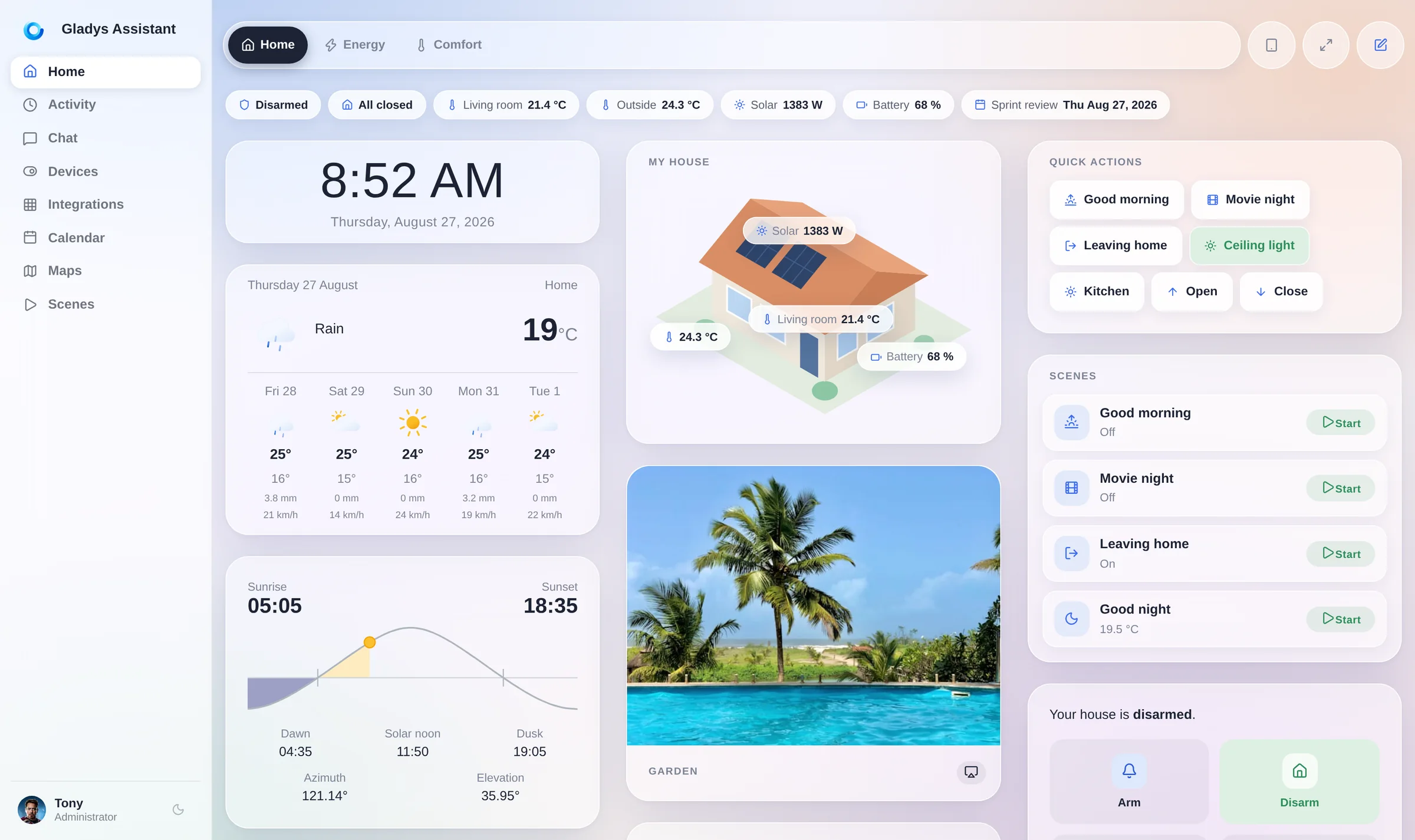
Spin up a local Gladys Assistant instance in seconds using Docker:
sudo docker run -d \
  --log-driver json-file \
  --log-opt max-size=10m \
  --cgroupns=host \
  --restart=always \
  --privileged \
  --network=host \
  --name gladys \
  -e NODE_ENV=production \
  -e SERVER_PORT=80 \
  -e TZ=Europe/Paris \
  -e SQLITE_FILE_PATH=/var/lib/gladysassistant/gladys-production.db \
  -v /var/run/docker.sock:/var/run/docker.sock \
  -v /var/lib/gladysassistant:/var/lib/gladysassistant \
  -v /dev:/dev \
  -v /run/udev:/run/udev:ro \
  -v /run/dbus:/run/dbus:ro \
  gladysassistant/gladys:v5
Prefer using Docker Compose? Check out our Docker Compose installation guide.
To install Gladys Assistant on your smart home setup, head over to our official website for a step-by-step guide.
Whether you're installing on a mini-PC, a NAS or a Raspberry Pi, we've got you covered with clear instructions tailored to your setup.
We welcome contributions of all kinds — code, documentation, translations, or feature ideas.
Gladys is built by an open-source community, and you can be a part of it!
Follow the guide that matches your system to get started:
Once your environment is ready, dive into our contributing guide to understand the project structure, how to build features, and how to open a pull request.
We use AI extensively to build Gladys ourselves, and we're very favorable to AI-assisted contributions. Read the AI-assisted development section of our contributing guide, and point your agent to AGENTS.md: it contains everything needed to work on this codebase.
A huge thank you to all our amazing contributors! 💜
Gladys wouldn't be where it is today without your help.
Thanks goes to these wonderful people 👏
This project follows the all-contributors specification. Contributions of any kind welcome!
Read Contributing.md if you want to help us on Gladys Assistant.
This project is licensed under the Apache 2.0 License. See the LICENSE file for details.
© 2014–present Gladys Assistant.
1,270 followers · starred Aug 2018
2,277 followers · starred Apr 2022
1,792 followers · starred Jul 2020
1,727 followers · starred May 2021
A privacy-first, open-source home assistant
See the code
Try It • Getting Started • Contribute • Contributors • License
Spin up a local Gladys Assistant instance in seconds using Docker:
sudo docker run -d \
  --log-driver json-file \
  --log-opt max-size=10m \
  --cgroupns=host \
  --restart=always \
  --privileged \
  --network=host \
  --name gladys \
  -e NODE_ENV=production \
  -e SERVER_PORT=80 \
  -e TZ=Europe/Paris \
  -e SQLITE_FILE_PATH=/var/lib/gladysassistant/gladys-production.db \
  -v /var/run/docker.sock:/var/run/docker.sock \
  -v /var/lib/gladysassistant:/var/lib/gladysassistant \
  -v /dev:/dev \
  -v /run/udev:/run/udev:ro \
  -v /run/dbus:/run/dbus:ro \
  gladysassistant/gladys:v5
Prefer using Docker Compose? Check out our Docker Compose installation guide.
To install Gladys Assistant on your smart home setup, head over to our official website for a step-by-step guide.
Whether you're installing on a mini-PC, a NAS or a Raspberry Pi, we've got you covered with clear instructions tailored to your setup.
We welcome contributions of all kinds — code, documentation, translations, or feature ideas.
Gladys is built by an open-source community, and you can be a part of it!
Follow the guide that matches your system to get started:
Once your environment is ready, dive into our contributing guide to understand the project structure, how to build features, and how to open a pull request.
We use AI extensively to build Gladys ourselves, and we're very favorable to AI-assisted contributions. Read the AI-assisted development section of our contributing guide, and point your agent to AGENTS.md: it contains everything needed to work on this codebase.
A huge thank you to all our amazing contributors! 💜
Gladys wouldn't be where it is today without your help.
Thanks goes to these wonderful people 👏
This project follows the all-contributors specification. Contributions of any kind welcome!
Read Contributing.md if you want to help us on Gladys Assistant.
This project is licensed under the Apache 2.0 License. See the LICENSE file for details.
© 2014–present Gladys Assistant.
1,270 followers · starred Aug 2018
2,277 followers · starred Apr 2022
1,792 followers · starred Jul 2020
1,727 followers · starred May 2021