
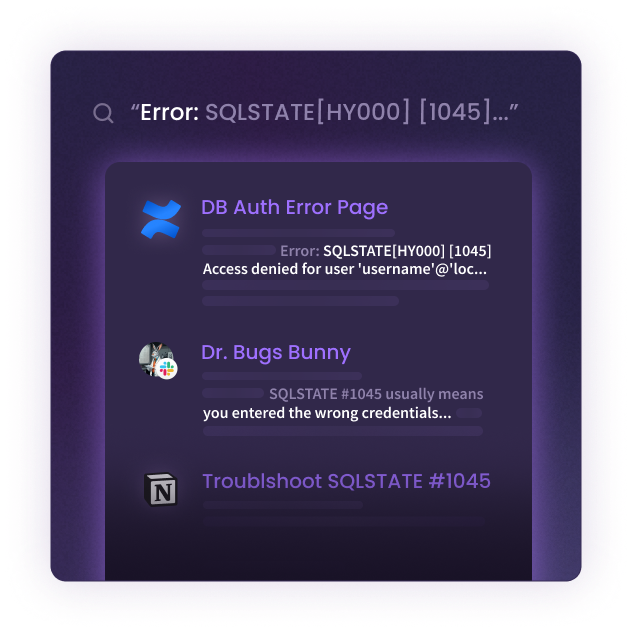
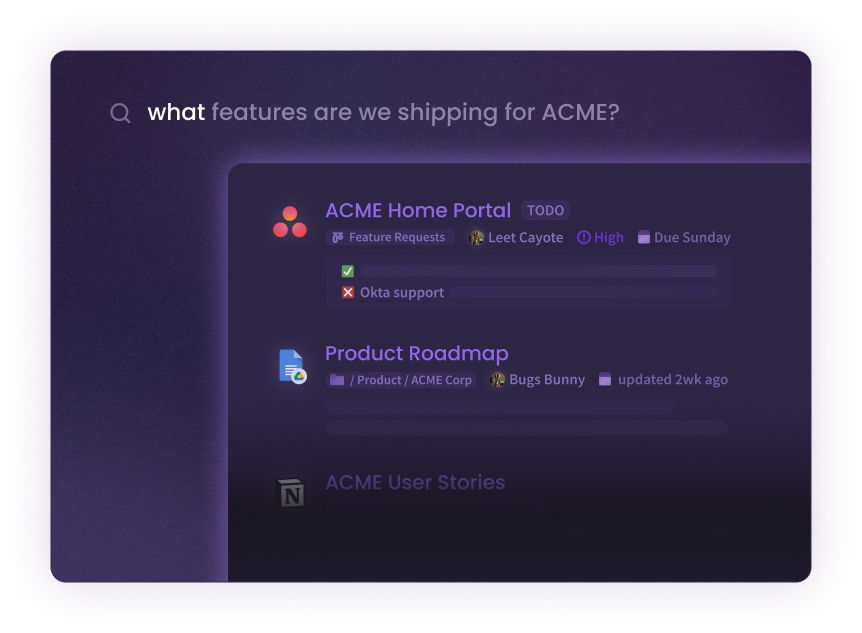
 Find any conversation, doc, or internal page in seconds ⏲️⚡️
Join 100+ devs by hosting your own gerev instance, become a hero within your org! 💪
🙏 - by the community
See the full guide at ADDING-A-DATA-SOURCE.md.
Enables searching using natural language. such as "How to do X", "how to connect to Y", "Do we support Z"
Install nvidia container toolkit on the host machine.
distribution=$(. /etc/os-release;echo $ID$VERSION_ID) \
   && curl -s -L https://nvidia.github.io/nvidia-docker/gpgkey | sudo apt-key add - \
   && curl -s -L https://nvidia.github.io/nvidia-docker/$distribution/nvidia-docker.list | sudo tee /etc/apt/sources.list.d/nvidia-docker.list

sudo apt-get update

sudo apt-get install -y nvidia-docker2

sudo systemctl restart docker
Then run the docker container like so:
docker run --gpus all --name=gerev -p 80:80 -v ~/.gerev/storage:/opt/storage gerev/gerev
docker run --name=gerev -p 80:80 -v ~/.gerev/storage:/opt/storage gerev/gerev
add -d if you want to detach the container.
See ADDING-A-DATA-SOURCE.md in the Setup development environment section.

Built by the community 💜
Made with contributors-img.
3,935 followers · starred Apr 2025
392 followers · starred Mar 2023
246 followers · starred Apr 2023
521 followers · starred Apr 2026
Find any conversation, doc, or internal page in seconds ⏲️⚡️
Join 100+ devs by hosting your own gerev instance, become a hero within your org! 💪
🙏 - by the community
See the full guide at ADDING-A-DATA-SOURCE.md.
Enables searching using natural language. such as "How to do X", "how to connect to Y", "Do we support Z"
Install nvidia container toolkit on the host machine.
distribution=$(. /etc/os-release;echo $ID$VERSION_ID) \
   && curl -s -L https://nvidia.github.io/nvidia-docker/gpgkey | sudo apt-key add - \
   && curl -s -L https://nvidia.github.io/nvidia-docker/$distribution/nvidia-docker.list | sudo tee /etc/apt/sources.list.d/nvidia-docker.list

sudo apt-get update

sudo apt-get install -y nvidia-docker2

sudo systemctl restart docker
Then run the docker container like so:
docker run --gpus all --name=gerev -p 80:80 -v ~/.gerev/storage:/opt/storage gerev/gerev
docker run --name=gerev -p 80:80 -v ~/.gerev/storage:/opt/storage gerev/gerev
add -d if you want to detach the container.
See ADDING-A-DATA-SOURCE.md in the Setup development environment section.
Built by the community 💜
Made with contributors-img.
3,935 followers · starred Apr 2025
392 followers · starred Mar 2023
246 followers · starred Apr 2023
521 followers · starred Apr 2026



