
Pure Python, GUI-focused home automation/consumer grade SCADA
Python
73
311 commits
updated Sep 29, 2026
README
Kaithem Automation



Amidst the mists and fiercest frosts,
with stoutest wrists and loudest boasts,
He thrusts his fists against the posts,
And still insists he sees the ghosts.
Kaithem is Linux home/commercial automation server written in pure Python(3.10 and up). Resource usage is low enough to run well on the Raspberry Pi from an SD card
You automate things by directly writing python and HTML via a web IDE, or by using the built-in Chandler module, which is a full web-based lighting aud audio control board with a visual programming language.
Screenshots 🏕️
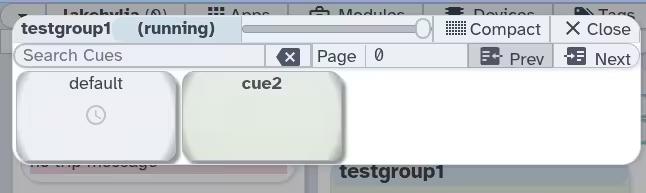
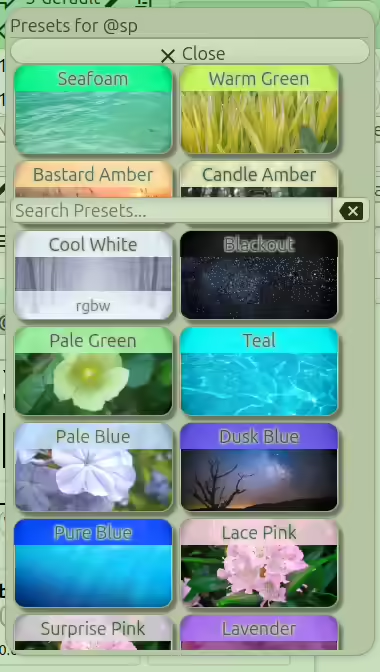
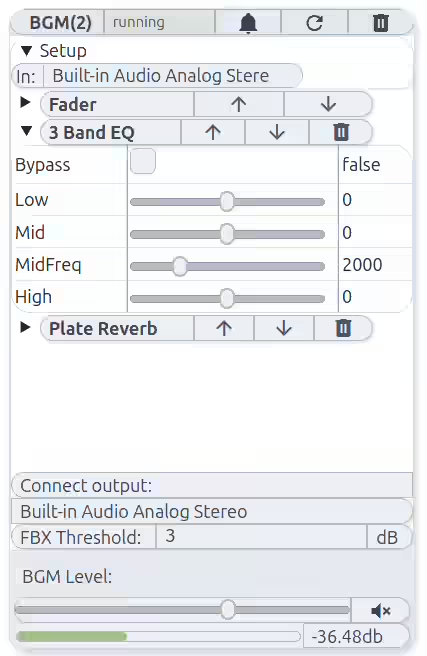
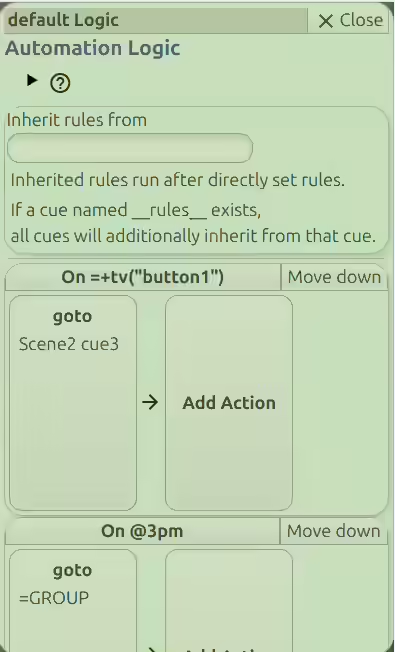
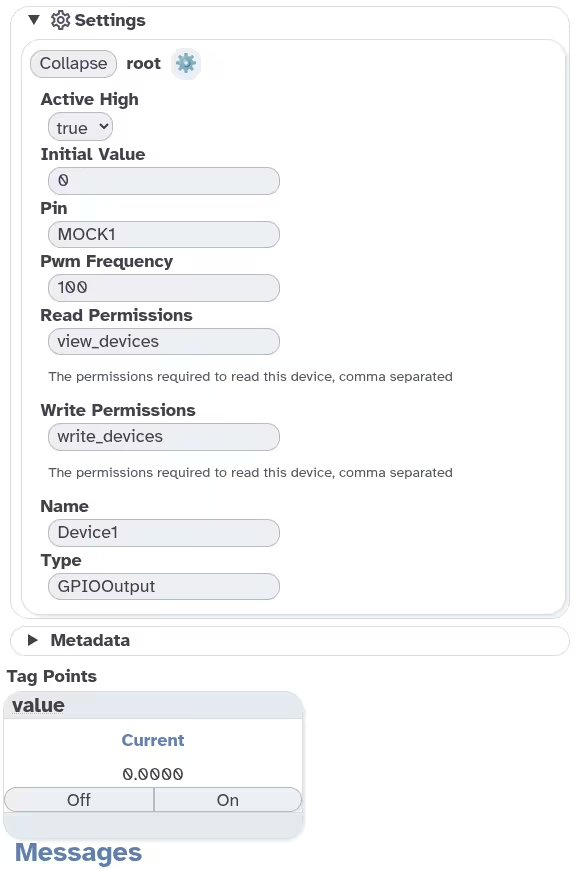
See the barrel.css demo for more themes
Try it out in a Docker sandbox
With Docker's sandboxing, you won't be able to access any hardware, but you can check out the UI, and if you want to set it up for real, see the kaithem-scripts repo and the docker instructions.
You might see some warnings on the command line about the hardware it can't access, but it should eventually load.
--set-admin-password is NOT meant for normal use, and will always set the password to test-admin-password, it only exists for demos.
mkdir -p kaithem-test && docker run --rm -v ./kaithem-test:/app-home/ -p 8002:8002 -u "$(id -u):$(id -g)" -e USER=$(id -un) -e LOGNAME=$(id -un) cooperskeep/kaithem:0.97.0 --set-admin-password test-admin-password
UV Installation 🌲
The careful text-books measure
(Let all who build beware!)
The load, the shock, the pressure
Material can bear.
Assuming you're on Debian or similar and have uv installed, you can run it directly from UV tool.
See Install dependencies and Runtime dependencies
# See links for the list of apt packages you'll need
sudo apt install ......

uv tool install --force kaithem

# Start it
kaithem
System Configuration 🛠️
So, when the buckled girder
Lets down the grinding span,
The blame of loss, or murder,
Is laid upon the man.
Not on the Stuff — the Man!
For real use, see the Docker install instructions in the scripts repo! (https://github.com/EternityForest/kaithem-scripts/blob/main/docker/README.md)
Recent Changes 🕗

Good men, the last wave by, crying how bright
Their frail deeds might have danced in a green bay,
Rage, rage against the dying of the light.
(See Full Changelog)
Similar repos


Languages
Python
59.7%
TypeScript
12.0%
Vue
9.7%
HTML
9.1%
CSS
4.1%
JavaScript
3.7%
Pure Python, GUI-focused home automation/consumer grade SCADA
Python
73
311 commits
updated Sep 29, 2026
README
Kaithem Automation
Amidst the mists and fiercest frosts,
with stoutest wrists and loudest boasts,
He thrusts his fists against the posts,
And still insists he sees the ghosts.
Kaithem is Linux home/commercial automation server written in pure Python(3.10 and up). Resource usage is low enough to run well on the Raspberry Pi from an SD card
You automate things by directly writing python and HTML via a web IDE, or by using the built-in Chandler module, which is a full web-based lighting aud audio control board with a visual programming language.
Screenshots 🏕️
See the barrel.css demo for more themes
Try it out in a Docker sandbox
With Docker's sandboxing, you won't be able to access any hardware, but you can check out the UI, and if you want to set it up for real, see the kaithem-scripts repo and the docker instructions.
You might see some warnings on the command line about the hardware it can't access, but it should eventually load.
--set-admin-password is NOT meant for normal use, and will always set the password to test-admin-password, it only exists for demos.
mkdir -p kaithem-test && docker run --rm -v ./kaithem-test:/app-home/ -p 8002:8002 -u "$(id -u):$(id -g)" -e USER=$(id -un) -e LOGNAME=$(id -un) cooperskeep/kaithem:0.97.0 --set-admin-password test-admin-password
UV Installation 🌲
The careful text-books measure
(Let all who build beware!)
The load, the shock, the pressure
Material can bear.
Assuming you're on Debian or similar and have uv installed, you can run it directly from UV tool.
See Install dependencies and Runtime dependencies
# See links for the list of apt packages you'll need
sudo apt install ......

uv tool install --force kaithem

# Start it
kaithem
System Configuration 🛠️
So, when the buckled girder
Lets down the grinding span,
The blame of loss, or murder,
Is laid upon the man.
Not on the Stuff — the Man!
For real use, see the Docker install instructions in the scripts repo! (https://github.com/EternityForest/kaithem-scripts/blob/main/docker/README.md)
Recent Changes 🕗
Good men, the last wave by, crying how bright
Their frail deeds might have danced in a green bay,
Rage, rage against the dying of the light.
(See Full Changelog)
Similar repos
Languages
Python
59.7%
TypeScript
12.0%
Vue
9.7%
HTML
9.1%
CSS
4.1%
JavaScript
3.7%