🔆 an open source syntax highlighter written in pure javascript
See the code
Quickstart | Documentation | Languages | Themes | Website
EnlighterJS, an open source syntax highlighter written in pure javascript
Using it can be as simple as adding a single script and style to your website, choosing the elements you wish to highlight, and EnlighterJS takes care of the rest.
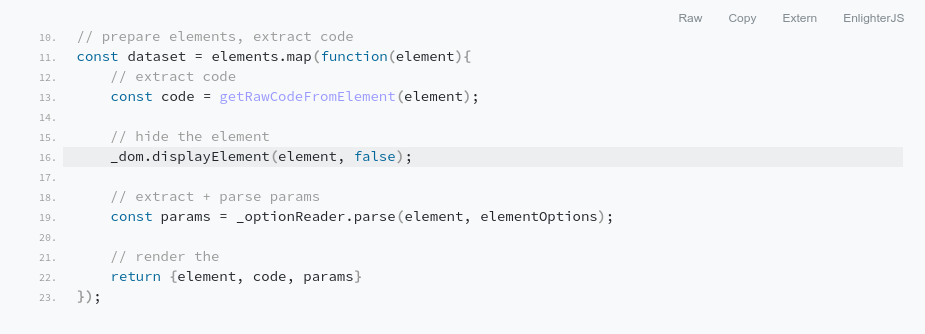
45KB JS (all languages) + 10KB CSS (single theme; all themes 60KB)dist/ directory to your public html locationpre tags with data-enlighter-language attribute)This is a minimalistic example how to highlight sourcecode with EnlighterJS. The working example (valid js+css paths) is available within the example directory.
<!DOCTYPE html>
<html lang="en">
<head>
    <meta charset="utf-8" />
    <meta name="viewport" content="width=device-width, initial-scale=1" />
    <title>EnlighterJS Test</title>

    <!-- EnlighterJS Resources !-->
    <link rel="stylesheet" href="enlighterjs.min.css" />
</head>
<body>

    <main>
        <p>Lorem ipsum dolor sit amet, consetetur sadipscing elitr, sed diam nonumy eirmod tempor invidunt ut labore
            et dolore <code>window.addEvent('domready', async (a,b) => {});</code> magna aliquyam erat.
        </p>

        <!-- Code to hghlight !-->
        <pre data-enlighter-language="less">
// buttons used in codegroups + toolbar
.enlighter-btn{
    display: inline-block;
    margin: 0px 5px 0px 5px;
    padding: 3px 5px 3px 5px;
    border: solid 1px #333333;
    background-color: #f0f0f0;
    cursor: pointer;
}

// buttons
.enlighter-btn-raw{
    background-image: data-uri('icons/enlighter_code.svg');
}

.enlighter-btn-window{
    background-image: data-uri('icons/enlighter_rawcode.svg');
}

.enlighter-btn-website{
    background-image: data-uri('icons/enlighter_icon_white.svg');
}
        </pre>

    </main>

    <script type="text/javascript" src="enlighterjs.min.js"></script>
    <script type="text/javascript">
        // INIT CODE - simple page-wide initialization based on css selectors
        // - highlight all pre + code tags (CSS3 selectors)
        // - use javascript as default language
        // - use theme "enlighter" as default theme
        // - replace tabs with 2 spaces
        EnlighterJS.init('pre', 'code', {
                language : 'javascript',
                theme: 'enlighter',
                indent : 2
        });
    </script>
</body>
</html>
EnlighterJS is OpenSource and managed on GitHub - if you like, you're welcome to contribute! To simplify the release and quality control process, please follow these remarks:
src/ or examples/ directory. Otherwise your request will be rejectedEnlighterJS is OpenSource and licensed under the Terms of Mozilla Public License 2.0. You're welcome to contribute
Overall
Maintained
Code review
npm
Latest release
Releases this year
182 followers · starred Jul 2019
152 followers · starred Mar 2021
31 followers · starred Jan 2025
46 followers · starred Mar 2021
🔆 an open source syntax highlighter written in pure javascript
See the code
Quickstart | Documentation | Languages | Themes | Website
EnlighterJS, an open source syntax highlighter written in pure javascript
Using it can be as simple as adding a single script and style to your website, choosing the elements you wish to highlight, and EnlighterJS takes care of the rest.
45KB JS (all languages) + 10KB CSS (single theme; all themes 60KB)dist/ directory to your public html locationpre tags with data-enlighter-language attribute)This is a minimalistic example how to highlight sourcecode with EnlighterJS. The working example (valid js+css paths) is available within the example directory.
<!DOCTYPE html>
<html lang="en">
<head>
    <meta charset="utf-8" />
    <meta name="viewport" content="width=device-width, initial-scale=1" />
    <title>EnlighterJS Test</title>

    <!-- EnlighterJS Resources !-->
    <link rel="stylesheet" href="enlighterjs.min.css" />
</head>
<body>

    <main>
        <p>Lorem ipsum dolor sit amet, consetetur sadipscing elitr, sed diam nonumy eirmod tempor invidunt ut labore
            et dolore <code>window.addEvent('domready', async (a,b) => {});</code> magna aliquyam erat.
        </p>

        <!-- Code to hghlight !-->
        <pre data-enlighter-language="less">
// buttons used in codegroups + toolbar
.enlighter-btn{
    display: inline-block;
    margin: 0px 5px 0px 5px;
    padding: 3px 5px 3px 5px;
    border: solid 1px #333333;
    background-color: #f0f0f0;
    cursor: pointer;
}

// buttons
.enlighter-btn-raw{
    background-image: data-uri('icons/enlighter_code.svg');
}

.enlighter-btn-window{
    background-image: data-uri('icons/enlighter_rawcode.svg');
}

.enlighter-btn-website{
    background-image: data-uri('icons/enlighter_icon_white.svg');
}
        </pre>

    </main>

    <script type="text/javascript" src="enlighterjs.min.js"></script>
    <script type="text/javascript">
        // INIT CODE - simple page-wide initialization based on css selectors
        // - highlight all pre + code tags (CSS3 selectors)
        // - use javascript as default language
        // - use theme "enlighter" as default theme
        // - replace tabs with 2 spaces
        EnlighterJS.init('pre', 'code', {
                language : 'javascript',
                theme: 'enlighter',
                indent : 2
        });
    </script>
</body>
</html>
EnlighterJS is OpenSource and managed on GitHub - if you like, you're welcome to contribute! To simplify the release and quality control process, please follow these remarks:
src/ or examples/ directory. Otherwise your request will be rejectedEnlighterJS is OpenSource and licensed under the Terms of Mozilla Public License 2.0. You're welcome to contribute
Overall
Maintained
Code review
npm
Latest release
Releases this year
182 followers · starred Jul 2019
152 followers · starred Mar 2021
31 followers · starred Jan 2025
46 followers · starred Mar 2021



