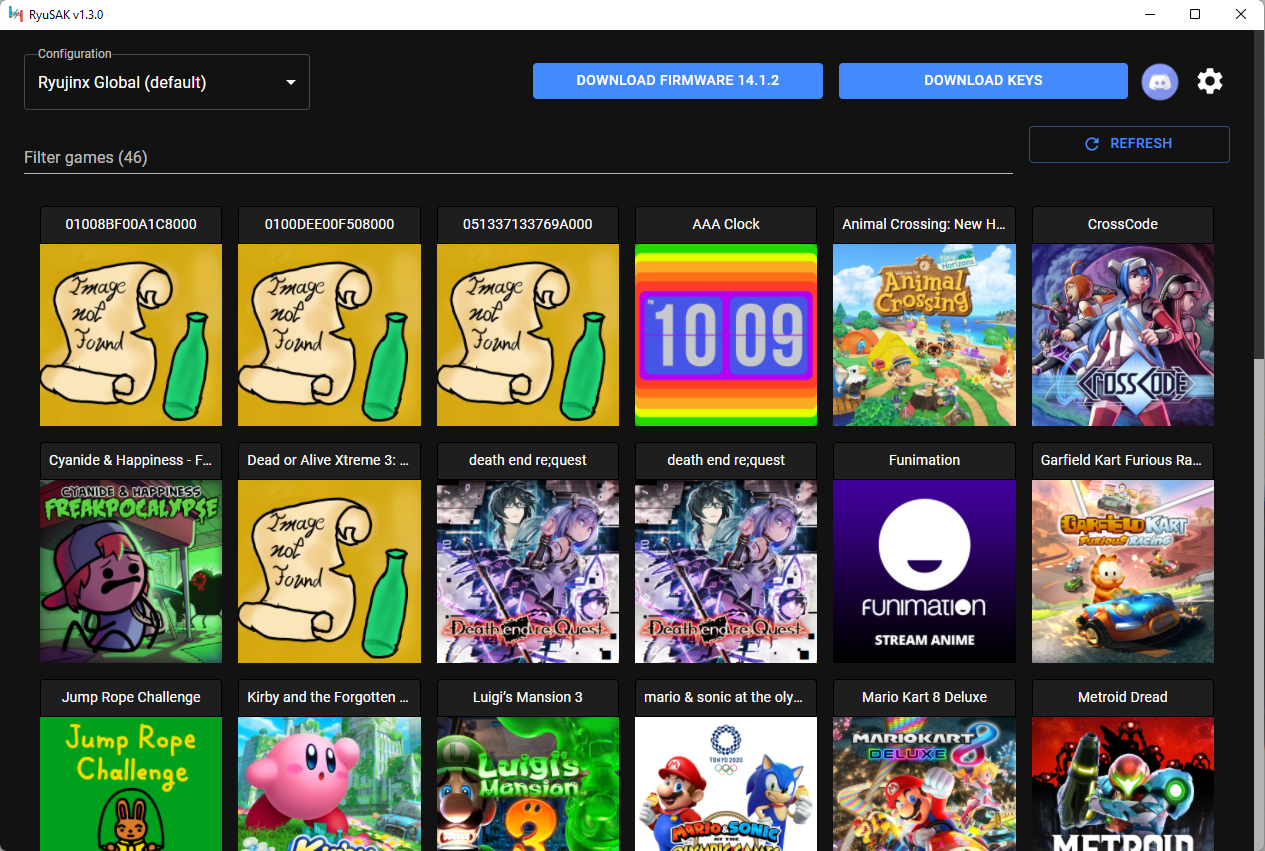
Just go to the releases page and download the latest build for your OS. The Windows build also comes with an auto update feature.
Download the RyuSAK-X.Y.Z.Setup.exe file, then install it by running the installer
Download the RyuSAK-win32-x64-X.Y.Z.zip file, then unzip it to your chosen location
Download the RyuSAK-X.Y.Z-arm64.dmg file, then install it by opening the file and draging the RyuSAK icon into the Applications folder
Download the RyuSAK-darwin-arm64-X.Y.Z.zip file, then unzip it to your chosen location
Install the ryusak package with your favorite AUR helper.
NOTE: This package is maintained by a third-party
Download the ryusak_X.Y.Z_amd64.deb file, then install it with sudo dpkg -i ./ryusak_X.Y.Z_amd64.deb
Download the RyuSAK-X.Y.Z-1.x86_64.rpm file, then install it with sudo rpm -i /RyuSAK-X.Y.Z-1.x86_64.rpm
Download the RyuSAK-linux-x64-X.Y.Z.zip file, then unzip it to your chosen location
Ryujinx.exe is located) to manage different builds (such as mainline, portable, LDN, etc.)Requirements:
Install dependencies: npm install --include=dev
Run local build: npm start
2,154 followers · starred May 2023
55 followers · starred Sep 2024
102 followers · starred Nov 2022
13 followers · starred Mar 2023
Just go to the releases page and download the latest build for your OS. The Windows build also comes with an auto update feature.
Download the RyuSAK-X.Y.Z.Setup.exe file, then install it by running the installer
Download the RyuSAK-win32-x64-X.Y.Z.zip file, then unzip it to your chosen location
Download the RyuSAK-X.Y.Z-arm64.dmg file, then install it by opening the file and draging the RyuSAK icon into the Applications folder
Download the RyuSAK-darwin-arm64-X.Y.Z.zip file, then unzip it to your chosen location
Install the ryusak package with your favorite AUR helper.
NOTE: This package is maintained by a third-party
Download the ryusak_X.Y.Z_amd64.deb file, then install it with sudo dpkg -i ./ryusak_X.Y.Z_amd64.deb
Download the RyuSAK-X.Y.Z-1.x86_64.rpm file, then install it with sudo rpm -i /RyuSAK-X.Y.Z-1.x86_64.rpm
Download the RyuSAK-linux-x64-X.Y.Z.zip file, then unzip it to your chosen location
Ryujinx.exe is located) to manage different builds (such as mainline, portable, LDN, etc.)Requirements:
Install dependencies: npm install --include=dev
Run local build: npm start
2,154 followers · starred May 2023
55 followers · starred Sep 2024
102 followers · starred Nov 2022
13 followers · starred Mar 2023