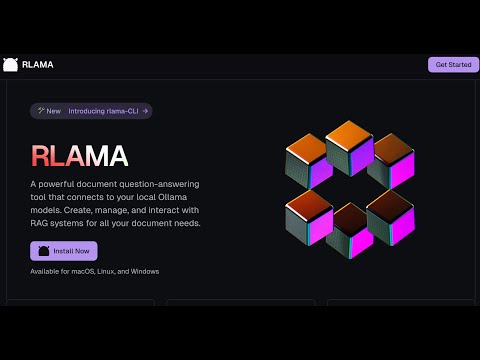
A powerful document AI question-answering tool that connects to your local Ollama models. Create, manage, and interact with RAG systems for all your document needs.
See the code


⚠️ Project Temporarily Paused
This project is currently on pause due to my work and university commitments that take up a lot of my time. I am not able to actively maintain this project at the moment. Development will resume when my situation allows it.
RLAMA is a powerful AI-driven question-answering tool for your documents, seamlessly integrating with your local Ollama models. It enables you to create, manage, and interact with Retrieval-Augmented Generation (RAG) systems tailored to your documentation needs.
RLAMA aims to become the definitive tool for creating local RAG systems that work seamlessly for everyone—from individual developers to large enterprises. Here's our strategic roadmap:
RLAMA's core philosophy remains unchanged: to provide a simple, powerful, local RAG solution that respects privacy, minimizes resource requirements, and works seamlessly across platforms.
curl -fsSL https://raw.githubusercontent.com/dontizi/rlama/main/install.sh | sh
RLAMA is built with:
RLAMA follows a clean architecture pattern with clear separation of concerns:
rlama/
├── cmd/                  # CLI commands (using Cobra)
│   ├── root.go           # Base command
│   ├── rag.go            # Create RAG systems
│   ├── run.go            # Query RAG systems
│   └── ...
├── internal/
│   ├── client/           # External API clients
│   │   └── ollama_client.go # Ollama API integration
│   ├── domain/           # Core domain models
│   │   ├── rag.go        # RAG system entity
│   │   └── document.go   # Document entity
│   ├── repository/       # Data persistence
│   │   └── rag_repository.go # Handles saving/loading RAGs
│   └── service/          # Business logic
│       ├── rag_service.go      # RAG operations
│       ├── document_loader.go  # Document processing
│       └── embedding_service.go # Vector embeddings
└── pkg/                  # Shared utilities
    └── vector/           # Vector operations
┌─────────────┐     ┌─────────────┐     ┌─────────────┐
│  Documents  │────>│  Document   │────>│  Embedding  │
│  (Input)    │     │  Processing │     │  Generation │
└─────────────┘     └─────────────┘     └─────────────┘
                                              │
                                              ▼
┌─────────────┐     ┌─────────────┐     ┌─────────────┐
│   Query     │────>│  Vector     │<────│ Vector Store│
│  Response   │     │  Search     │     │ (RAG System)│
└─────────────┘     └─────────────┘     └─────────────┘
       ▲                   │
       │                   ▼
┌─────────────┐     ┌─────────────┐
│   Ollama    │<────│   Context   │
│    LLM      │     │  Building   │
└─────────────┘     └─────────────┘
RLAMA is designed to be lightweight and portable, focusing on providing RAG capabilities with minimal dependencies. The entire system runs locally, with the only external dependency being Ollama for LLM capabilities.
You can get help on all commands by using:
rlama --help
These flags can be used with any command:
--host string       Ollama host (default: localhost)
--port string       Ollama port (default: 11434)
--num-thread int    Number of threads for Ollama to use (default: 0, use Ollama default)
Performance Optimization:
--num-thread 16 (or your CPU core count) to potentially improve processing speedUsage Examples:
# Use 16 threads for better performance
rlama --num-thread 16 run my-docs

# Create a RAG with optimized thread usage
rlama --num-thread 16 rag llama3 documentation ./docs

# Run with custom host and thread settings
rlama --host 192.168.1.100 --port 11434 --num-thread 16 run my-rag
RLAMA stores data in ~/.rlama by default. To use a different location:
Command-line flag (highest priority):
# Use with any command
rlama --data-dir /path/to/custom/directory run my-rag
Environment variable:
# Set the environment variable
export RLAMA_DATA_DIR=/path/to/custom/directory
rlama run my-rag
The precedence order is: command-line flag > environment variable > default location.
Creates a new RAG system by indexing all documents in the specified folder.
rlama rag [model] [rag-name] [folder-path]
Parameters:
model: Name of the Ollama model to use (e.g., llama3, mistral, gemma) or a Hugging Face model using the format hf.co/username/repository[:quantization].rag-name: Unique name to identify your RAG system.folder-path: Path to the folder containing your documents.Example:
# Using a standard Ollama model
rlama rag llama3 documentation ./docs

# Using a Hugging Face model
rlama rag hf.co/bartowski/Llama-3.2-1B-Instruct-GGUF my-rag ./docs

# Using a Hugging Face model with specific quantization
rlama rag hf.co/mlabonne/Meta-Llama-3.1-8B-Instruct-abliterated-GGUF:Q5_K_M my-rag ./docs
Creates a new RAG system by crawling a website and indexing its content.
rlama crawl-rag [model] [rag-name] [website-url]
Parameters:
model: Name of the Ollama model to use (e.g., llama3, mistral, gemma).rag-name: Unique name to identify your RAG system.website-url: URL of the website to crawl and index.Options:
--max-depth: Maximum crawl depth (default: 2)--concurrency: Number of concurrent crawlers (default: 5)--exclude-path: Paths to exclude from crawling (comma-separated)--chunk-size: Character count per chunk (default: 1000)--chunk-overlap: Overlap between chunks in characters (default: 200)--chunking-strategy: Chunking strategy to use (options: "fixed", "semantic", "hybrid", "hierarchical", default: "hybrid")RLAMA offers multiple advanced chunking strategies to optimize document retrieval:
The system automatically adapts to different document types:
Example:
# Create a new RAG from a documentation website
rlama crawl-rag llama3 docs-rag https://docs.example.com

# Customize crawling behavior
rlama crawl-rag llama3 blog-rag https://blog.example.com --max-depth=3 --exclude-path=/archive,/tags

# Create a RAG with semantic chunking
rlama rag llama3 documentation ./docs --chunking-strategy=semantic

# Use hierarchical chunking for large documents
rlama rag llama3 book-rag ./books --chunking-strategy=hierarchical
Provides an interactive step-by-step wizard for creating a new RAG system.
rlama wizard
The wizard guides you through:
Example:
rlama wizard
# Follow the prompts to create your customized RAG
Configure a RAG system to automatically watch a directory for new files and add them to the RAG.
rlama watch [rag-name] [directory-path] [interval]
Parameters:
rag-name: Name of the RAG system to watch.directory-path: Path to the directory to watch for new files.interval: Time in minutes to check for new files (use 0 to check only when the RAG is used).Example:
# Set up directory watching to check every 60 minutes
rlama watch my-docs ./watched-folder 60

# Set up directory watching to only check when the RAG is used
rlama watch my-docs ./watched-folder 0

# Customize what files to watch
rlama watch my-docs ./watched-folder 30 --exclude-dir=node_modules,tmp --process-ext=.md,.txt
Disable automatic directory watching for a RAG system.
rlama watch-off [rag-name]
Parameters:
rag-name: Name of the RAG system to disable watching.Example:
rlama watch-off my-docs
Manually check a RAG's watched directory for new files and add them to the RAG.
rlama check-watched [rag-name]
Parameters:
rag-name: Name of the RAG system to check.Example:
rlama check-watched my-docs
Configure a RAG system to automatically monitor a website for updates and add new content to the RAG.
rlama web-watch [rag-name] [website-url] [interval]
Parameters:
rag-name: Name of the RAG system to monitor.website-url: URL of the website to monitor.interval: Time in minutes between checks (use 0 to check only when the RAG is used).Example:
# Set up website monitoring to check every 60 minutes
rlama web-watch my-docs https://example.com 60

# Set up website monitoring to only check when the RAG is used
rlama web-watch my-docs https://example.com 0

# Customize what content to monitor
rlama web-watch my-docs https://example.com 30 --exclude-path=/archive,/tags
Disable automatic website monitoring for a RAG system.
rlama web-watch-off [rag-name]
Parameters:
rag-name: Name of the RAG system to disable monitoring.Example:
rlama web-watch-off my-docs
Manually check a RAG's monitored website for new updates and add them to the RAG.
rlama check-web-watched [rag-name]
Parameters:
rag-name: Name of the RAG system to check.Example:
rlama check-web-watched my-docs
Starts an interactive session to interact with an existing RAG system.
rlama run [rag-name]
Parameters:
rag-name: Name of the RAG system to use.--context-size: (Optional) Number of context chunks to retrieve (default: 20)Example:
rlama run documentation
> How do I install the project?
> What are the main features?
> exit
Context Size Tips:
rlama run documentation --context-size=50 # Use 50 context chunks
Starts an HTTP API server that exposes RLAMA's functionality through RESTful endpoints.
rlama api [--port PORT]
Parameters:
--port: (Optional) Port number to run the API server on (default: 11249)Example:
rlama api --port 8080
Available Endpoints:
Query a RAG system - POST /rag
curl -X POST http://localhost:11249/rag \
  -H "Content-Type: application/json" \
  -d '{
    "rag_name": "documentation",
    "prompt": "How do I install the project?",
    "context_size": 20
  }'
Request fields:
rag_name (required): Name of the RAG system to queryprompt (required): Question or prompt to send to the RAGcontext_size (optional): Number of chunks to include in contextmodel (optional): Override the model used by the RAGCheck server health - GET /health
curl http://localhost:11249/health
Integration Example:
// Node.js example
const response = await fetch('http://localhost:11249/rag', {
  method: 'POST',
  headers: { 'Content-Type': 'application/json' },
  body: JSON.stringify({
    rag_name: 'my-docs',
    prompt: 'Summarize the key features'
  })
});
const data = await response.json();
console.log(data.response);
Displays a list of all available RAG systems.
rlama list
Permanently deletes a RAG system and all its indexed documents.
rlama delete [rag-name] [--force/-f]
Parameters:
rag-name: Name of the RAG system to delete.--force or -f: (Optional) Delete without asking for confirmation.Example:
rlama delete old-project
Or to delete without confirmation:
rlama delete old-project --force
Displays all documents in a RAG system with metadata.
rlama list-docs [rag-name]
Parameters:
rag-name: Name of the RAG systemExample:
rlama list-docs documentation
List and filter document chunks in a RAG system with various options:
# Basic chunk listing
rlama list-chunks [rag-name]

# With content preview (shows first 100 characters)
rlama list-chunks [rag-name] --show-content

# Filter by document name/ID substring
rlama list-chunks [rag-name] --document=readme

# Combine options
rlama list-chunks [rag-name] --document=api --show-content
Options:
--show-content: Display chunk content preview--document: Filter by document name/ID substringOutput columns:
Display detailed information about a specific chunk.
rlama view-chunk [rag-name] [chunk-id]
Parameters:
rag-name: Name of the RAG systemchunk-id: Chunk identifier from list-chunksExample:
rlama view-chunk documentation doc123_chunk_0
Add new documents to an existing RAG system.
rlama add-docs [rag-name] [folder-path] [flags]
Parameters:
rag-name: Name of the RAG systemfolder-path: Path to documents folderExample:
rlama add-docs documentation ./new-docs --exclude-ext=.tmp
Add content from a website to an existing RAG system.
rlama crawl-add-docs [rag-name] [website-url]
Parameters:
rag-name: Name of the RAG systemwebsite-url: URL of the website to crawl and add to the RAGOptions:
--max-depth: Maximum crawl depth (default: 2)--concurrency: Number of concurrent crawlers (default: 5)--exclude-path: Paths to exclude from crawling (comma-separated)--chunk-size: Character count per chunk (default: 1000)--chunk-overlap: Overlap between chunks in characters (default: 200)Example:
# Add blog content to an existing RAG
rlama crawl-add-docs my-docs https://blog.example.com

# Customize crawling behavior
rlama crawl-add-docs knowledge-base https://docs.example.com --max-depth=1 --exclude-path=/api
Update the LLM model used by a RAG system.
rlama update-model [rag-name] [new-model]
Parameters:
rag-name: Name of the RAG systemnew-model: New Ollama model nameExample:
rlama update-model documentation deepseek-r1:7b-instruct
Checks if a new version of RLAMA is available and installs it.
rlama update [--force/-f]
Options:
--force or -f: (Optional) Update without asking for confirmation.Displays the current version of RLAMA.
rlama --version
or
rlama -v
Search and browse GGUF models available on Hugging Face.
rlama hf-browse [search-term] [flags]
Parameters:
search-term: (Optional) Term to search for (e.g., "llama3", "mistral")Flags:
--open: Open the search results in your default web browser--quant: Specify quantization type to suggest (e.g., Q4_K_M, Q5_K_M)--limit: Limit number of results (default: 10)Examples:
# Search for GGUF models and show command-line help
rlama hf-browse "llama 3"

# Open browser with search results
rlama hf-browse mistral --open

# Search with specific quantization suggestion
rlama hf-browse phi --quant Q4_K_M
Run a Hugging Face GGUF model directly using Ollama. This is useful for testing models before creating a RAG system with them.
rlama run-hf [huggingface-model] [flags]
Parameters:
huggingface-model: Hugging Face model path in the format username/repositoryFlags:
--quant: Quantization to use (e.g., Q4_K_M, Q5_K_M)Examples:
# Try a model in chat mode
rlama run-hf bartowski/Llama-3.2-1B-Instruct-GGUF

# Specify quantization
rlama run-hf mlabonne/Meta-Llama-3.1-8B-Instruct-abliterated-GGUF --quant Q5_K_M
To uninstall RLAMA:
If you installed via go install:
rlama uninstall
RLAMA stores its data in ~/.rlama. To remove it:
rm -rf ~/.rlama
RLAMA supports many file formats:
.txt, .md, .html, .json, .csv, .yaml, .yml, .xml, .org.go, .py, .js, .java, .c, .cpp, .cxx, .h, .rb, .php, .rs, .swift, .kt, .ts, .tsx, .f, .F, .F90, .el, .svelte.pdf, .docx, .doc, .rtf, .odt, .pptx, .ppt, .xlsx, .xls, .epubInstalling dependencies via install_deps.sh is recommended to improve support for certain formats.
If you encounter connection errors to Ollama:
http://localhost:11434 or the host and port specified by the OLLAMA_HOST environment variable.--host and --port flags:
rlama --host 192.168.1.100 --port 8000 list
rlama --host my-ollama-server --port 11434 run my-rag
If you encounter problems with certain formats:
./scripts/install_deps.sh.pdftotext, tesseract, etc.).If the answers are not relevant:
rlama list.For any other issues, please open an issue on the GitHub repository providing:
rlama --version).RLAMA provides multiple ways to connect to your Ollama instance:
Command-line flags (highest priority):
rlama --host 192.168.1.100 --port 8080 run my-rag
Environment variable:
# Format: "host:port" or just "host"
export OLLAMA_HOST=remote-server:8080
rlama run my-rag
Default values (used if no other method is specified):
localhost11434The precedence order is: command-line flags > environment variable > default values.
# Quick answers with minimal context
rlama run my-docs --context-size=10

# Deep analysis with maximum context
rlama run my-docs --context-size=50

# Balance between speed and depth
rlama run my-docs --context-size=30
rlama rag llama3 my-project ./code \
  --exclude-dir=node_modules,dist \
  --process-ext=.go,.ts \
  --exclude-ext=.spec.ts
# List chunks with content preview
rlama list-chunks my-project --show-content

# Filter chunks from specific document
rlama list-chunks my-project --document=architecture
Get full command help:
rlama --help
Command-specific help:
rlama rag --help
rlama list-chunks --help
rlama update-model --help
All commands support the global --host and --port flags for custom Ollama connections.
The precedence order is: command-line flags > environment variable > default values.
RLAMA now supports using GGUF models directly from Hugging Face through Ollama's native integration:
# Search for GGUF models on Hugging Face
rlama hf-browse "llama 3"

# Open browser with search results
rlama hf-browse mistral --open
Before creating a RAG, you can test a Hugging Face model directly:
# Try a model in chat mode
rlama run-hf bartowski/Llama-3.2-1B-Instruct-GGUF

# Specify quantization
rlama run-hf mlabonne/Meta-Llama-3.1-8B-Instruct-abliterated-GGUF --quant Q5_K_M
Use Hugging Face models when creating RAG systems:
# Create a RAG with a Hugging Face model
rlama rag hf.co/bartowski/Llama-3.2-1B-Instruct-GGUF my-rag ./docs

# Use specific quantization
rlama rag hf.co/mlabonne/Meta-Llama-3.1-8B-Instruct-abliterated-GGUF:Q5_K_M my-rag ./docs
RLAMA supports using OpenAI models with two approaches:
Set your default OpenAI API key in the web interface or via environment variable. This key will be automatically used for all RLAMA commands without needing to specify a profile.
Via Web Interface:
sk-)Via Environment Variable:
export OPENAI_API_KEY="your-api-key"
Usage with default keys:
# These commands will automatically use your default OpenAI API key
rlama rag o3-mini my-rag ./documents
rlama rag gpt-4o another-rag ./docs
rlama update-model my-rag gpt-4o
rlama run my-rag
Create named profiles for different OpenAI accounts or organizations. Use these when you need to switch between different API keys.
Create profiles:
# Create profiles for different accounts
rlama profile add work-account openai "sk-work-api-key"
rlama profile add personal-account openai "sk-personal-api-key"
Usage with named profiles:
# Specify profile with --profile flag
rlama rag o3-mini work-rag ./documents --profile work-account
rlama rag gpt-4o personal-rag ./docs --profile personal-account
rlama update-model my-rag gpt-4o --profile work-account
| Model | Input Price | Output Price | Context | Description |
|---|---|---|---|---|
| o3-mini ⭐ | $1.10/1M | $4.40/1M | 200K | Latest reasoning model, 93% cheaper than o1 |
| o1-pro | $150.00/1M | $600.00/1M | 200K | Most powerful reasoning model (Enterprise) |
| o1 | $15.00/1M | $60.00/1M | 200K | Advanced reasoning model |
| Model | Input Price | Output Price | Context | Description |
|---|---|---|---|---|
| GPT-4.5 🆕 | $75.00/1M | $150.00/1M | 128K | Natural conversation, emotional intelligence |
| GPT-4.1 🆕 | $30.00/1M | $60.00/1M | 1M | Latest GPT-4 with 1M context window |
| GPT-4.1-nano 🆕 | $5.00/1M | $15.00/1M | 128K | Lightweight version of GPT-4.1 |
| GPT-4o 🔥 | $5.00/1M | $15.00/1M | 128K | Multimodal with images and audio support |
| GPT-4o mini 💰 | $0.15/1M | $0.60/1M | 128K | Efficient version of GPT-4o |
| Model | Input Price | Output Price | Context | Description |
|---|---|---|---|---|
| GPT-3.5 Turbo | $0.50/1M | $1.50/1M | 16K | Fast and economical model |
Legend: ⭐ = Recommended, 🆕 = New (2025), 🔥 = Popular, 💰 = Budget-friendly
Cost Optimization Tips:
Note: Only inference uses OpenAI API. Document embeddings still use Ollama for processing.
For most users, setting up default API keys is the simplest approach:
Via Web Interface:
Commands will automatically use your default key:
# No --profile needed - uses default key automatically
rlama rag o3-mini my-rag ./documents
rlama update-model my-rag gpt-4o
rlama run my-rag
For users managing multiple OpenAI accounts or organizations:
Via CLI:
# Create profiles for different environments
rlama profile add work-openai openai "sk-work-key..."
rlama profile add personal-openai openai "sk-personal-key..."
Via Web Interface:
work-account, personal-account)sk-)# List all profiles
rlama profile list
# Delete a profile
rlama profile delete old-profile
# Specify profile with --profile flag
rlama rag gpt-4o work-rag ./documents --profile work-openai
rlama rag o3-mini personal-rag ./documents --profile personal-openai

# Update models with specific profiles
rlama update-model work-rag gpt-4o --profile work-openai
rlama update-model personal-rag o3-mini --profile personal-openai
The RLAMA web interface provides:
Default API Keys:
Named Profiles:
# 1. Set default API key in web interface (one-time setup)
# 2. Use RLAMA commands directly - no profiles needed
rlama rag o3-mini my-docs ./docs
rlama run my-docs  # Uses default key automatically
# 1. Create profiles for different environments
rlama profile add dev-openai openai "sk-dev-key..."
rlama profile add prod-openai openai "sk-prod-key..."

# 2. Create RAGs with specific profiles
rlama rag o3-mini dev-docs ./dev-docs --profile dev-openai
rlama rag gpt-4o prod-docs ./prod-docs --profile prod-openai

# 3. Use RAGs with their associated profiles
rlama run dev-docs   # Must specify profile or use default
rlama run prod-docs  # Profile is remembered per RAG
This dual approach ensures RLAMA works seamlessly for both simple single-account usage and complex multi-account enterprise scenarios.
17,304 followers · starred May 2025
6,390 followers · starred Mar 2025
986 followers · starred Mar 2025
316 followers · starred Mar 2025
A powerful document AI question-answering tool that connects to your local Ollama models. Create, manage, and interact with RAG systems for all your document needs.
See the code
⚠️ Project Temporarily Paused
This project is currently on pause due to my work and university commitments that take up a lot of my time. I am not able to actively maintain this project at the moment. Development will resume when my situation allows it.
RLAMA is a powerful AI-driven question-answering tool for your documents, seamlessly integrating with your local Ollama models. It enables you to create, manage, and interact with Retrieval-Augmented Generation (RAG) systems tailored to your documentation needs.
RLAMA aims to become the definitive tool for creating local RAG systems that work seamlessly for everyone—from individual developers to large enterprises. Here's our strategic roadmap:
RLAMA's core philosophy remains unchanged: to provide a simple, powerful, local RAG solution that respects privacy, minimizes resource requirements, and works seamlessly across platforms.
curl -fsSL https://raw.githubusercontent.com/dontizi/rlama/main/install.sh | sh
RLAMA is built with:
RLAMA follows a clean architecture pattern with clear separation of concerns:
rlama/
├── cmd/                  # CLI commands (using Cobra)
│   ├── root.go           # Base command
│   ├── rag.go            # Create RAG systems
│   ├── run.go            # Query RAG systems
│   └── ...
├── internal/
│   ├── client/           # External API clients
│   │   └── ollama_client.go # Ollama API integration
│   ├── domain/           # Core domain models
│   │   ├── rag.go        # RAG system entity
│   │   └── document.go   # Document entity
│   ├── repository/       # Data persistence
│   │   └── rag_repository.go # Handles saving/loading RAGs
│   └── service/          # Business logic
│       ├── rag_service.go      # RAG operations
│       ├── document_loader.go  # Document processing
│       └── embedding_service.go # Vector embeddings
└── pkg/                  # Shared utilities
    └── vector/           # Vector operations
┌─────────────┐     ┌─────────────┐     ┌─────────────┐
│  Documents  │────>│  Document   │────>│  Embedding  │
│  (Input)    │     │  Processing │     │  Generation │
└─────────────┘     └─────────────┘     └─────────────┘
                                              │
                                              ▼
┌─────────────┐     ┌─────────────┐     ┌─────────────┐
│   Query     │────>│  Vector     │<────│ Vector Store│
│  Response   │     │  Search     │     │ (RAG System)│
└─────────────┘     └─────────────┘     └─────────────┘
       ▲                   │
       │                   ▼
┌─────────────┐     ┌─────────────┐
│   Ollama    │<────│   Context   │
│    LLM      │     │  Building   │
└─────────────┘     └─────────────┘
RLAMA is designed to be lightweight and portable, focusing on providing RAG capabilities with minimal dependencies. The entire system runs locally, with the only external dependency being Ollama for LLM capabilities.
You can get help on all commands by using:
rlama --help
These flags can be used with any command:
--host string       Ollama host (default: localhost)
--port string       Ollama port (default: 11434)
--num-thread int    Number of threads for Ollama to use (default: 0, use Ollama default)
Performance Optimization:
--num-thread 16 (or your CPU core count) to potentially improve processing speedUsage Examples:
# Use 16 threads for better performance
rlama --num-thread 16 run my-docs

# Create a RAG with optimized thread usage
rlama --num-thread 16 rag llama3 documentation ./docs

# Run with custom host and thread settings
rlama --host 192.168.1.100 --port 11434 --num-thread 16 run my-rag
RLAMA stores data in ~/.rlama by default. To use a different location:
Command-line flag (highest priority):
# Use with any command
rlama --data-dir /path/to/custom/directory run my-rag
Environment variable:
# Set the environment variable
export RLAMA_DATA_DIR=/path/to/custom/directory
rlama run my-rag
The precedence order is: command-line flag > environment variable > default location.
Creates a new RAG system by indexing all documents in the specified folder.
rlama rag [model] [rag-name] [folder-path]
Parameters:
model: Name of the Ollama model to use (e.g., llama3, mistral, gemma) or a Hugging Face model using the format hf.co/username/repository[:quantization].rag-name: Unique name to identify your RAG system.folder-path: Path to the folder containing your documents.Example:
# Using a standard Ollama model
rlama rag llama3 documentation ./docs

# Using a Hugging Face model
rlama rag hf.co/bartowski/Llama-3.2-1B-Instruct-GGUF my-rag ./docs

# Using a Hugging Face model with specific quantization
rlama rag hf.co/mlabonne/Meta-Llama-3.1-8B-Instruct-abliterated-GGUF:Q5_K_M my-rag ./docs
Creates a new RAG system by crawling a website and indexing its content.
rlama crawl-rag [model] [rag-name] [website-url]
Parameters:
model: Name of the Ollama model to use (e.g., llama3, mistral, gemma).rag-name: Unique name to identify your RAG system.website-url: URL of the website to crawl and index.Options:
--max-depth: Maximum crawl depth (default: 2)--concurrency: Number of concurrent crawlers (default: 5)--exclude-path: Paths to exclude from crawling (comma-separated)--chunk-size: Character count per chunk (default: 1000)--chunk-overlap: Overlap between chunks in characters (default: 200)--chunking-strategy: Chunking strategy to use (options: "fixed", "semantic", "hybrid", "hierarchical", default: "hybrid")RLAMA offers multiple advanced chunking strategies to optimize document retrieval:
The system automatically adapts to different document types:
Example:
# Create a new RAG from a documentation website
rlama crawl-rag llama3 docs-rag https://docs.example.com

# Customize crawling behavior
rlama crawl-rag llama3 blog-rag https://blog.example.com --max-depth=3 --exclude-path=/archive,/tags

# Create a RAG with semantic chunking
rlama rag llama3 documentation ./docs --chunking-strategy=semantic

# Use hierarchical chunking for large documents
rlama rag llama3 book-rag ./books --chunking-strategy=hierarchical
Provides an interactive step-by-step wizard for creating a new RAG system.
rlama wizard
The wizard guides you through:
Example:
rlama wizard
# Follow the prompts to create your customized RAG
Configure a RAG system to automatically watch a directory for new files and add them to the RAG.
rlama watch [rag-name] [directory-path] [interval]
Parameters:
rag-name: Name of the RAG system to watch.directory-path: Path to the directory to watch for new files.interval: Time in minutes to check for new files (use 0 to check only when the RAG is used).Example:
# Set up directory watching to check every 60 minutes
rlama watch my-docs ./watched-folder 60

# Set up directory watching to only check when the RAG is used
rlama watch my-docs ./watched-folder 0

# Customize what files to watch
rlama watch my-docs ./watched-folder 30 --exclude-dir=node_modules,tmp --process-ext=.md,.txt
Disable automatic directory watching for a RAG system.
rlama watch-off [rag-name]
Parameters:
rag-name: Name of the RAG system to disable watching.Example:
rlama watch-off my-docs
Manually check a RAG's watched directory for new files and add them to the RAG.
rlama check-watched [rag-name]
Parameters:
rag-name: Name of the RAG system to check.Example:
rlama check-watched my-docs
Configure a RAG system to automatically monitor a website for updates and add new content to the RAG.
rlama web-watch [rag-name] [website-url] [interval]
Parameters:
rag-name: Name of the RAG system to monitor.website-url: URL of the website to monitor.interval: Time in minutes between checks (use 0 to check only when the RAG is used).Example:
# Set up website monitoring to check every 60 minutes
rlama web-watch my-docs https://example.com 60

# Set up website monitoring to only check when the RAG is used
rlama web-watch my-docs https://example.com 0

# Customize what content to monitor
rlama web-watch my-docs https://example.com 30 --exclude-path=/archive,/tags
Disable automatic website monitoring for a RAG system.
rlama web-watch-off [rag-name]
Parameters:
rag-name: Name of the RAG system to disable monitoring.Example:
rlama web-watch-off my-docs
Manually check a RAG's monitored website for new updates and add them to the RAG.
rlama check-web-watched [rag-name]
Parameters:
rag-name: Name of the RAG system to check.Example:
rlama check-web-watched my-docs
Starts an interactive session to interact with an existing RAG system.
rlama run [rag-name]
Parameters:
rag-name: Name of the RAG system to use.--context-size: (Optional) Number of context chunks to retrieve (default: 20)Example:
rlama run documentation
> How do I install the project?
> What are the main features?
> exit
Context Size Tips:
rlama run documentation --context-size=50 # Use 50 context chunks
Starts an HTTP API server that exposes RLAMA's functionality through RESTful endpoints.
rlama api [--port PORT]
Parameters:
--port: (Optional) Port number to run the API server on (default: 11249)Example:
rlama api --port 8080
Available Endpoints:
Query a RAG system - POST /rag
curl -X POST http://localhost:11249/rag \
  -H "Content-Type: application/json" \
  -d '{
    "rag_name": "documentation",
    "prompt": "How do I install the project?",
    "context_size": 20
  }'
Request fields:
rag_name (required): Name of the RAG system to queryprompt (required): Question or prompt to send to the RAGcontext_size (optional): Number of chunks to include in contextmodel (optional): Override the model used by the RAGCheck server health - GET /health
curl http://localhost:11249/health
Integration Example:
// Node.js example
const response = await fetch('http://localhost:11249/rag', {
  method: 'POST',
  headers: { 'Content-Type': 'application/json' },
  body: JSON.stringify({
    rag_name: 'my-docs',
    prompt: 'Summarize the key features'
  })
});
const data = await response.json();
console.log(data.response);
Displays a list of all available RAG systems.
rlama list
Permanently deletes a RAG system and all its indexed documents.
rlama delete [rag-name] [--force/-f]
Parameters:
rag-name: Name of the RAG system to delete.--force or -f: (Optional) Delete without asking for confirmation.Example:
rlama delete old-project
Or to delete without confirmation:
rlama delete old-project --force
Displays all documents in a RAG system with metadata.
rlama list-docs [rag-name]
Parameters:
rag-name: Name of the RAG systemExample:
rlama list-docs documentation
List and filter document chunks in a RAG system with various options:
# Basic chunk listing
rlama list-chunks [rag-name]

# With content preview (shows first 100 characters)
rlama list-chunks [rag-name] --show-content

# Filter by document name/ID substring
rlama list-chunks [rag-name] --document=readme

# Combine options
rlama list-chunks [rag-name] --document=api --show-content
Options:
--show-content: Display chunk content preview--document: Filter by document name/ID substringOutput columns:
Display detailed information about a specific chunk.
rlama view-chunk [rag-name] [chunk-id]
Parameters:
rag-name: Name of the RAG systemchunk-id: Chunk identifier from list-chunksExample:
rlama view-chunk documentation doc123_chunk_0
Add new documents to an existing RAG system.
rlama add-docs [rag-name] [folder-path] [flags]
Parameters:
rag-name: Name of the RAG systemfolder-path: Path to documents folderExample:
rlama add-docs documentation ./new-docs --exclude-ext=.tmp
Add content from a website to an existing RAG system.
rlama crawl-add-docs [rag-name] [website-url]
Parameters:
rag-name: Name of the RAG systemwebsite-url: URL of the website to crawl and add to the RAGOptions:
--max-depth: Maximum crawl depth (default: 2)--concurrency: Number of concurrent crawlers (default: 5)--exclude-path: Paths to exclude from crawling (comma-separated)--chunk-size: Character count per chunk (default: 1000)--chunk-overlap: Overlap between chunks in characters (default: 200)Example:
# Add blog content to an existing RAG
rlama crawl-add-docs my-docs https://blog.example.com

# Customize crawling behavior
rlama crawl-add-docs knowledge-base https://docs.example.com --max-depth=1 --exclude-path=/api
Update the LLM model used by a RAG system.
rlama update-model [rag-name] [new-model]
Parameters:
rag-name: Name of the RAG systemnew-model: New Ollama model nameExample:
rlama update-model documentation deepseek-r1:7b-instruct
Checks if a new version of RLAMA is available and installs it.
rlama update [--force/-f]
Options:
--force or -f: (Optional) Update without asking for confirmation.Displays the current version of RLAMA.
rlama --version
or
rlama -v
Search and browse GGUF models available on Hugging Face.
rlama hf-browse [search-term] [flags]
Parameters:
search-term: (Optional) Term to search for (e.g., "llama3", "mistral")Flags:
--open: Open the search results in your default web browser--quant: Specify quantization type to suggest (e.g., Q4_K_M, Q5_K_M)--limit: Limit number of results (default: 10)Examples:
# Search for GGUF models and show command-line help
rlama hf-browse "llama 3"

# Open browser with search results
rlama hf-browse mistral --open

# Search with specific quantization suggestion
rlama hf-browse phi --quant Q4_K_M
Run a Hugging Face GGUF model directly using Ollama. This is useful for testing models before creating a RAG system with them.
rlama run-hf [huggingface-model] [flags]
Parameters:
huggingface-model: Hugging Face model path in the format username/repositoryFlags:
--quant: Quantization to use (e.g., Q4_K_M, Q5_K_M)Examples:
# Try a model in chat mode
rlama run-hf bartowski/Llama-3.2-1B-Instruct-GGUF

# Specify quantization
rlama run-hf mlabonne/Meta-Llama-3.1-8B-Instruct-abliterated-GGUF --quant Q5_K_M
To uninstall RLAMA:
If you installed via go install:
rlama uninstall
RLAMA stores its data in ~/.rlama. To remove it:
rm -rf ~/.rlama
RLAMA supports many file formats:
.txt, .md, .html, .json, .csv, .yaml, .yml, .xml, .org.go, .py, .js, .java, .c, .cpp, .cxx, .h, .rb, .php, .rs, .swift, .kt, .ts, .tsx, .f, .F, .F90, .el, .svelte.pdf, .docx, .doc, .rtf, .odt, .pptx, .ppt, .xlsx, .xls, .epubInstalling dependencies via install_deps.sh is recommended to improve support for certain formats.
If you encounter connection errors to Ollama:
http://localhost:11434 or the host and port specified by the OLLAMA_HOST environment variable.--host and --port flags:
rlama --host 192.168.1.100 --port 8000 list
rlama --host my-ollama-server --port 11434 run my-rag
If you encounter problems with certain formats:
./scripts/install_deps.sh.pdftotext, tesseract, etc.).If the answers are not relevant:
rlama list.For any other issues, please open an issue on the GitHub repository providing:
rlama --version).RLAMA provides multiple ways to connect to your Ollama instance:
Command-line flags (highest priority):
rlama --host 192.168.1.100 --port 8080 run my-rag
Environment variable:
# Format: "host:port" or just "host"
export OLLAMA_HOST=remote-server:8080
rlama run my-rag
Default values (used if no other method is specified):
localhost11434The precedence order is: command-line flags > environment variable > default values.
# Quick answers with minimal context
rlama run my-docs --context-size=10

# Deep analysis with maximum context
rlama run my-docs --context-size=50

# Balance between speed and depth
rlama run my-docs --context-size=30
rlama rag llama3 my-project ./code \
  --exclude-dir=node_modules,dist \
  --process-ext=.go,.ts \
  --exclude-ext=.spec.ts
# List chunks with content preview
rlama list-chunks my-project --show-content

# Filter chunks from specific document
rlama list-chunks my-project --document=architecture
Get full command help:
rlama --help
Command-specific help:
rlama rag --help
rlama list-chunks --help
rlama update-model --help
All commands support the global --host and --port flags for custom Ollama connections.
The precedence order is: command-line flags > environment variable > default values.
RLAMA now supports using GGUF models directly from Hugging Face through Ollama's native integration:
# Search for GGUF models on Hugging Face
rlama hf-browse "llama 3"

# Open browser with search results
rlama hf-browse mistral --open
Before creating a RAG, you can test a Hugging Face model directly:
# Try a model in chat mode
rlama run-hf bartowski/Llama-3.2-1B-Instruct-GGUF

# Specify quantization
rlama run-hf mlabonne/Meta-Llama-3.1-8B-Instruct-abliterated-GGUF --quant Q5_K_M
Use Hugging Face models when creating RAG systems:
# Create a RAG with a Hugging Face model
rlama rag hf.co/bartowski/Llama-3.2-1B-Instruct-GGUF my-rag ./docs

# Use specific quantization
rlama rag hf.co/mlabonne/Meta-Llama-3.1-8B-Instruct-abliterated-GGUF:Q5_K_M my-rag ./docs
RLAMA supports using OpenAI models with two approaches:
Set your default OpenAI API key in the web interface or via environment variable. This key will be automatically used for all RLAMA commands without needing to specify a profile.
Via Web Interface:
sk-)Via Environment Variable:
export OPENAI_API_KEY="your-api-key"
Usage with default keys:
# These commands will automatically use your default OpenAI API key
rlama rag o3-mini my-rag ./documents
rlama rag gpt-4o another-rag ./docs
rlama update-model my-rag gpt-4o
rlama run my-rag
Create named profiles for different OpenAI accounts or organizations. Use these when you need to switch between different API keys.
Create profiles:
# Create profiles for different accounts
rlama profile add work-account openai "sk-work-api-key"
rlama profile add personal-account openai "sk-personal-api-key"
Usage with named profiles:
# Specify profile with --profile flag
rlama rag o3-mini work-rag ./documents --profile work-account
rlama rag gpt-4o personal-rag ./docs --profile personal-account
rlama update-model my-rag gpt-4o --profile work-account
| Model | Input Price | Output Price | Context | Description |
|---|---|---|---|---|
| o3-mini ⭐ | $1.10/1M | $4.40/1M | 200K | Latest reasoning model, 93% cheaper than o1 |
| o1-pro | $150.00/1M | $600.00/1M | 200K | Most powerful reasoning model (Enterprise) |
| o1 | $15.00/1M | $60.00/1M | 200K | Advanced reasoning model |
| Model | Input Price | Output Price | Context | Description |
|---|---|---|---|---|
| GPT-4.5 🆕 | $75.00/1M | $150.00/1M | 128K | Natural conversation, emotional intelligence |
| GPT-4.1 🆕 | $30.00/1M | $60.00/1M | 1M | Latest GPT-4 with 1M context window |
| GPT-4.1-nano 🆕 | $5.00/1M | $15.00/1M | 128K | Lightweight version of GPT-4.1 |
| GPT-4o 🔥 | $5.00/1M | $15.00/1M | 128K | Multimodal with images and audio support |
| GPT-4o mini 💰 | $0.15/1M | $0.60/1M | 128K | Efficient version of GPT-4o |
| Model | Input Price | Output Price | Context | Description |
|---|---|---|---|---|
| GPT-3.5 Turbo | $0.50/1M | $1.50/1M | 16K | Fast and economical model |
Legend: ⭐ = Recommended, 🆕 = New (2025), 🔥 = Popular, 💰 = Budget-friendly
Cost Optimization Tips:
Note: Only inference uses OpenAI API. Document embeddings still use Ollama for processing.
For most users, setting up default API keys is the simplest approach:
Via Web Interface:
Commands will automatically use your default key:
# No --profile needed - uses default key automatically
rlama rag o3-mini my-rag ./documents
rlama update-model my-rag gpt-4o
rlama run my-rag
For users managing multiple OpenAI accounts or organizations:
Via CLI:
# Create profiles for different environments
rlama profile add work-openai openai "sk-work-key..."
rlama profile add personal-openai openai "sk-personal-key..."
Via Web Interface:
work-account, personal-account)sk-)# List all profiles
rlama profile list
# Delete a profile
rlama profile delete old-profile
# Specify profile with --profile flag
rlama rag gpt-4o work-rag ./documents --profile work-openai
rlama rag o3-mini personal-rag ./documents --profile personal-openai

# Update models with specific profiles
rlama update-model work-rag gpt-4o --profile work-openai
rlama update-model personal-rag o3-mini --profile personal-openai
The RLAMA web interface provides:
Default API Keys:
Named Profiles:
# 1. Set default API key in web interface (one-time setup)
# 2. Use RLAMA commands directly - no profiles needed
rlama rag o3-mini my-docs ./docs
rlama run my-docs  # Uses default key automatically
# 1. Create profiles for different environments
rlama profile add dev-openai openai "sk-dev-key..."
rlama profile add prod-openai openai "sk-prod-key..."

# 2. Create RAGs with specific profiles
rlama rag o3-mini dev-docs ./dev-docs --profile dev-openai
rlama rag gpt-4o prod-docs ./prod-docs --profile prod-openai

# 3. Use RAGs with their associated profiles
rlama run dev-docs   # Must specify profile or use default
rlama run prod-docs  # Profile is remembered per RAG
This dual approach ensures RLAMA works seamlessly for both simple single-account usage and complex multi-account enterprise scenarios.
17,304 followers · starred May 2025
6,390 followers · starred Mar 2025
986 followers · starred Mar 2025
316 followers · starred Mar 2025