Since 2011, IPBan is the worlds most trusted, free security software to block hackers and botnets. With both Windows and Linux support, IPBan has your dedicated or cloud server protected. Upgrade to IPBan Pro today and get a discount. Learn more at ↓
See the code

Please note that for IPBan Pro, you can find install instructions at https://ipban.com/ipban-pro-install-instructions/. These install instructions here on github are for the free IPBan version.
$ProgressPreference = 'SilentlyContinue'; [Net.ServicePointManager]::SecurityProtocol = [Net.SecurityProtocolType]::Tls12; iex ((New-Object System.Net.WebClient).DownloadString('https://raw.githubusercontent.com/DigitalRuby/IPBan/master/IPBanCore/Windows/Scripts/install_latest.ps1'))
Note: Powershell 5.1 or greater is required.
Advanced Installation Options
The installer script supports additional parameters for customization. Due to PowerShell parameter validation introduced in recent updates, you must explicitly specify the startupType parameter when using the one-liner installation command.
Installation with custom startup type:
$ProgressPreference = 'SilentlyContinue'; [Net.ServicePointManager]::SecurityProtocol = [Net.SecurityProtocolType]::Tls12; iex "& { $((New-Object System.Net.WebClient).DownloadString('https://raw.githubusercontent.com/DigitalRuby/IPBan/master/IPBanCore/Windows/Scripts/install_latest.ps1')) } -startupType 'delayed-auto'"
Replace 'delayed-auto' with 'auto' if you want the service to start immediately on boot (provides immediate protection but may have compatibility issues).
Available parameters:
-startupType: Service startup type - 'delayed-auto' (default, safer) or 'auto' (immediate boot protection)-silent: $True for non-interactive installation, $False (default) for interactive mode-autostart: $True (default) to start service immediately after installation, $False to leave stopped-uninstall: 'uninstall' or 'u' to uninstall IPBanExample with multiple parameters:
$ProgressPreference = 'SilentlyContinue'; [Net.ServicePointManager]::SecurityProtocol = [Net.SecurityProtocolType]::Tls12; iex "& { $((New-Object System.Net.WebClient).DownloadString('https://raw.githubusercontent.com/DigitalRuby/IPBan/master/IPBanCore/Windows/Scripts/install_latest.ps1')) } -startupType 'auto' -silent `$True -autostart `$True"
Note: The 'delayed-auto' startup type waits for higher priority services to start first, leaving the system briefly unprotected after boot. The 'auto' option provides immediate protection on boot but may encounter compatibility issues with some system configurations. If you choose 'auto', verify the service starts correctly after reboot.
Additional Windows Notes
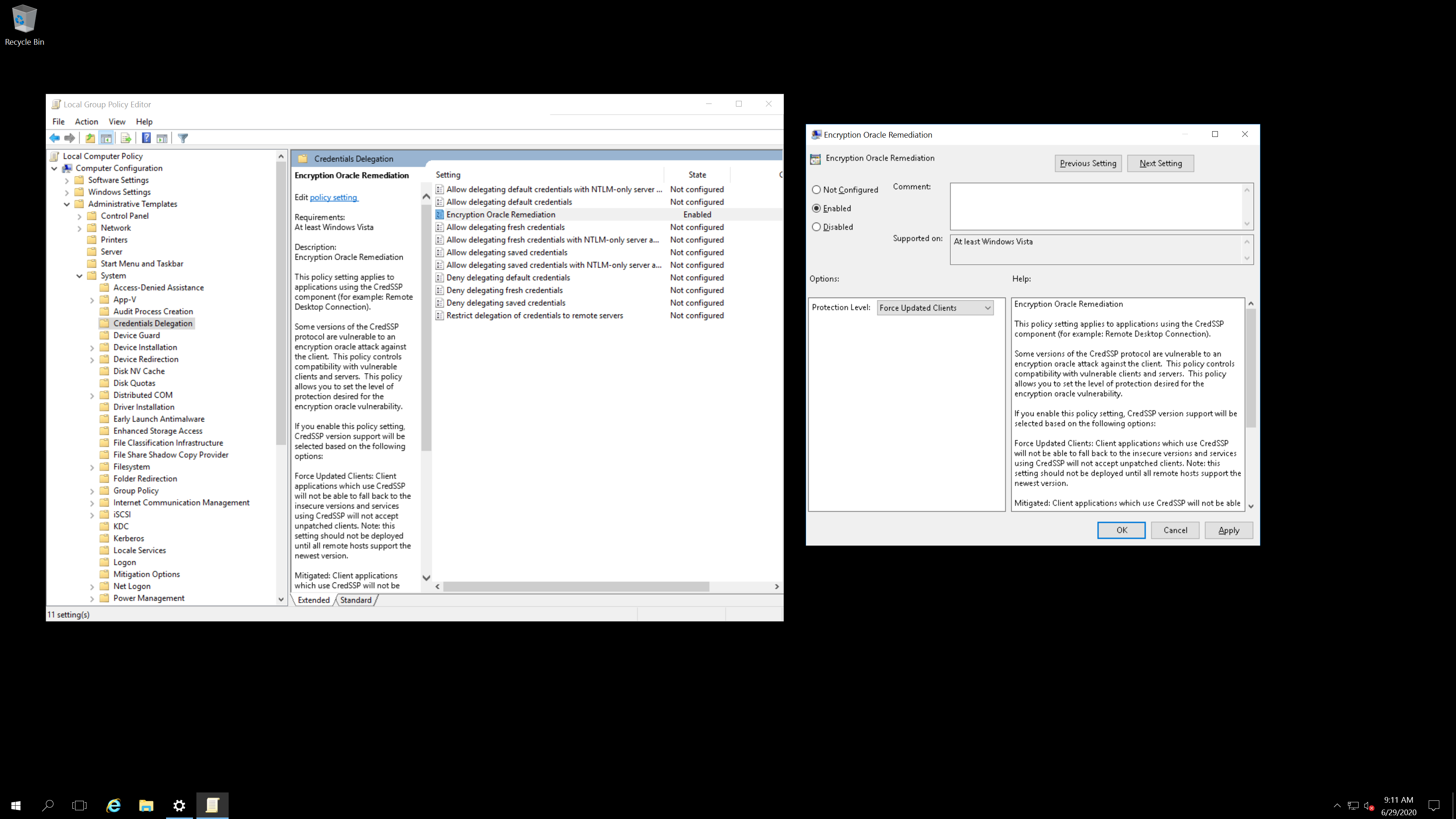
Easy one click install:
sudo -i; bash <(wget -qO- https://raw.githubusercontent.com/DigitalRuby/IPBan/master/IPBanCore/Linux/Scripts/Install.sh)
Uninstall: sudo systemctl stop ipban; sudo systemctl disable ipban; sudo rm /opt/ipban -r
Sign up for the IPBan Mailing List
Get a discount on IPBan Pro by visiting https://ipban.com/upgrade-to-ipban-pro/.
Integrate IPBan with IPThreat, a 100% free to use website and service. Unlike some other sites and services that use community contributed data, IPThreat does not charge subscription fees.
To disable anonymously sending banned ip addresses to the global ipban database, set UseDefaultBannedIPAddressHandler to false in the config file.
If the free IPBan has helped you and you feel so inclined, please consider donating...
Jeff Johnson, CEO/CTO
Digital Ruby, LLC
https://ipban.com
[email protected]
Overall
Maintained
Code review
NuGet
Latest release
Releases this year
259 followers · starred Dec 2025
31 followers · starred Oct 2019
26 followers · starred Mar 2024
14 followers · starred Sep 2019
Since 2011, IPBan is the worlds most trusted, free security software to block hackers and botnets. With both Windows and Linux support, IPBan has your dedicated or cloud server protected. Upgrade to IPBan Pro today and get a discount. Learn more at ↓
See the code
Please note that for IPBan Pro, you can find install instructions at https://ipban.com/ipban-pro-install-instructions/. These install instructions here on github are for the free IPBan version.
$ProgressPreference = 'SilentlyContinue'; [Net.ServicePointManager]::SecurityProtocol = [Net.SecurityProtocolType]::Tls12; iex ((New-Object System.Net.WebClient).DownloadString('https://raw.githubusercontent.com/DigitalRuby/IPBan/master/IPBanCore/Windows/Scripts/install_latest.ps1'))
Note: Powershell 5.1 or greater is required.
Advanced Installation Options
The installer script supports additional parameters for customization. Due to PowerShell parameter validation introduced in recent updates, you must explicitly specify the startupType parameter when using the one-liner installation command.
Installation with custom startup type:
$ProgressPreference = 'SilentlyContinue'; [Net.ServicePointManager]::SecurityProtocol = [Net.SecurityProtocolType]::Tls12; iex "& { $((New-Object System.Net.WebClient).DownloadString('https://raw.githubusercontent.com/DigitalRuby/IPBan/master/IPBanCore/Windows/Scripts/install_latest.ps1')) } -startupType 'delayed-auto'"
Replace 'delayed-auto' with 'auto' if you want the service to start immediately on boot (provides immediate protection but may have compatibility issues).
Available parameters:
-startupType: Service startup type - 'delayed-auto' (default, safer) or 'auto' (immediate boot protection)-silent: $True for non-interactive installation, $False (default) for interactive mode-autostart: $True (default) to start service immediately after installation, $False to leave stopped-uninstall: 'uninstall' or 'u' to uninstall IPBanExample with multiple parameters:
$ProgressPreference = 'SilentlyContinue'; [Net.ServicePointManager]::SecurityProtocol = [Net.SecurityProtocolType]::Tls12; iex "& { $((New-Object System.Net.WebClient).DownloadString('https://raw.githubusercontent.com/DigitalRuby/IPBan/master/IPBanCore/Windows/Scripts/install_latest.ps1')) } -startupType 'auto' -silent `$True -autostart `$True"
Note: The 'delayed-auto' startup type waits for higher priority services to start first, leaving the system briefly unprotected after boot. The 'auto' option provides immediate protection on boot but may encounter compatibility issues with some system configurations. If you choose 'auto', verify the service starts correctly after reboot.
Additional Windows Notes
Easy one click install:
sudo -i; bash <(wget -qO- https://raw.githubusercontent.com/DigitalRuby/IPBan/master/IPBanCore/Linux/Scripts/Install.sh)
Uninstall: sudo systemctl stop ipban; sudo systemctl disable ipban; sudo rm /opt/ipban -r
Sign up for the IPBan Mailing List
Get a discount on IPBan Pro by visiting https://ipban.com/upgrade-to-ipban-pro/.
Integrate IPBan with IPThreat, a 100% free to use website and service. Unlike some other sites and services that use community contributed data, IPThreat does not charge subscription fees.
To disable anonymously sending banned ip addresses to the global ipban database, set UseDefaultBannedIPAddressHandler to false in the config file.
If the free IPBan has helped you and you feel so inclined, please consider donating...
Jeff Johnson, CEO/CTO
Digital Ruby, LLC
https://ipban.com
[email protected]
Overall
Maintained
Code review
NuGet
Latest release
Releases this year
259 followers · starred Dec 2025
31 followers · starred Oct 2019
26 followers · starred Mar 2024
14 followers · starred Sep 2019



