Spec-first Rust port of TOON (a token-efficient data format): deterministic JSON<->TOON conversion with strict validation and streaming support
Rust
28
157 commits
updated Oct 5, 2026
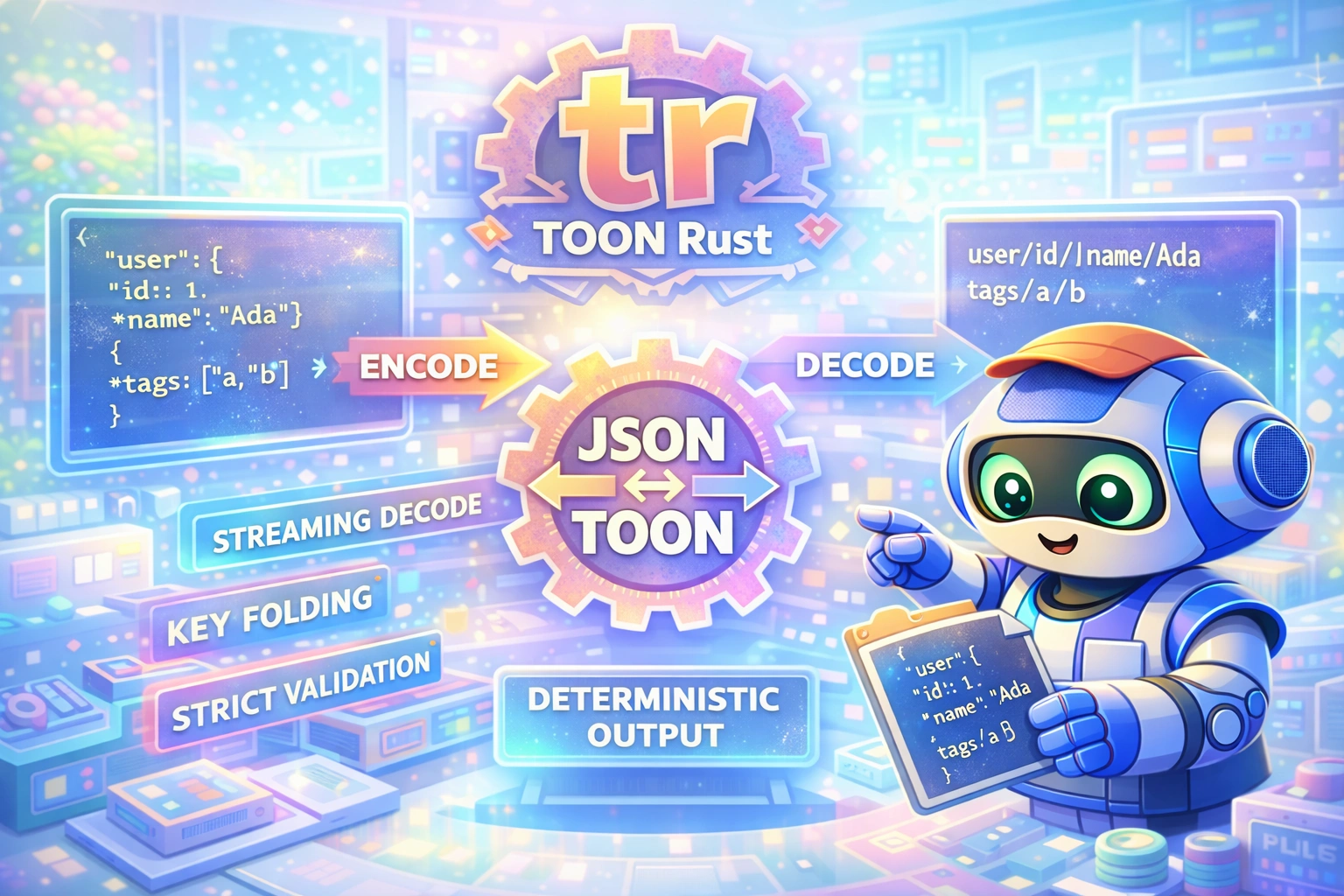


Spec-first Rust port of TOON with deterministic output, strict validation, and token-efficiency options.
Credit: This is a Rust port of the original TOON TypeScript implementation by the toon-format team. The format specification is maintained at toon-format/spec.
curl -fsSL "https://raw.githubusercontent.com/Dicklesworthstone/toon_rust/main/install.sh?$(date +%s)" | bash
The installer verifies each archive's SHA256 checksum. Install minisign to
verify release authenticity, or pass --require-minisign to require it:
curl -fsSL https://raw.githubusercontent.com/Dicklesworthstone/toon_rust/main/install.sh \
  | bash -s -- --version 0.2.5 --require-minisign
Use --dest DIR for an isolated installation. Download scratch and any previous
binary are retained so a failed download or verification can be inspected.
Or build from source:
cargo install --git https://github.com/Dicklesworthstone/toon_rust
Works on Linux, macOS, and Windows.
The official TOON implementation is TypeScript/JavaScript. If you want a small, fast, native binary that runs without Node and supports streaming and strict validation, you need a Rust port that matches the spec exactly.
toon is a spec-first Rust implementation with streaming decode, deterministic output, and TOON-specific optimizations (delimiters, key folding, path expansion).
toon?| Feature | Why it matters |
|---|---|
| Spec-first parity | Matches the reference behavior, not a re-interpretation |
| Streaming decode | Process large TOON inputs without full buffering |
| Deterministic output | Stable diffs, reproducible pipelines |
| Token efficiency | Delimiters + key folding to minimize tokens |
| Native binary | No runtime dependency on Node |
TOON (Token-Optimized Object Notation) is a human-readable data serialization format designed specifically for LLM token efficiency. Where JSON uses braces, brackets, quotes, and colons liberally, TOON uses indentation and contextual structure to convey the same information with significantly fewer tokens.
When working with LLMs, every token counts:
JSON is notoriously token-inefficient. A simple object like {"name": "Alice", "age": 30} requires quotes around every key, colons, commas, and braces. TOON represents the same data as:
name: Alice
age: 30
# Primitives - just the value
Hello World
42
true
null

# Objects - indented key-value pairs
user:
  id: 1
  name: Alice
  email: alice@example.com

# Arrays - count in brackets, items indented with dash
tags[3]: red,green,blue

# Tabular arrays - header declares fields, rows are CSV-like
users[3]{id,name,active}:
  1,Alice,true
  2,Bob,false
  3,Carol,true

# Key folding (--key-folding safe) - chains of single-key objects collapse
config.database:
  host: localhost
  port: 5432
| Data Type | JSON Tokens | TOON Tokens | Savings |
|---|---|---|---|
| Simple object (5 fields) | ~25 | ~15 | 40% |
| Array of 10 strings | ~35 | ~15 | 57% |
| Tabular data (100 rows, 5 cols) | ~1500 | ~600 | 60% |
| Nested config (3 levels) | ~80 | ~40 | 50% |
The savings compound with data size. A 100KB JSON API response might compress to 40KB in TOON, saving thousands of tokens per request.
# Encode JSON to TOON
echo '{"users":[{"id":1,"name":"Alice"},{"id":2,"name":"Bob"}]}' | toon --encode

# Output:
# users[2]{id,name}:
#   1,Alice
#   2,Bob

# Decode TOON back to JSON
echo 'users[2]{id,name}:
  1,Alice
  2,Bob' | toon --decode

# Output (indented by --indent, default 2; --indent 0 prints compact JSON):
# {
#   "users": [
#     {
#       "id": 1,
#       "name": "Alice"
#     },
#     {
#       "id": 2,
#       "name": "Bob"
#     }
#   ]
# }

# File-based with auto-detection
toon data.json -o data.toon    # .json -> encode
toon data.toon -o data.json    # .toon -> decode

# Show token estimates (stderr, after an empty line; either direction)
echo '{"users":[{"id":1,"name":"Alice","role":"admin"},{"id":2,"name":"Bob","role":"user"},{"id":3,"name":"Carol","role":"user"}]}' | toon --encode --stats
# users[3]{id,name,role}:
#   1,Alice,admin
#   2,Bob,user
#   3,Carol,user
#
# Token estimates: ~31 (JSON) → ~14 (TOON)
# Saved ~17 tokens (-54.8%)
use toon::{encode, decode};
use toon::options::{EncodeOptions, KeyFoldingMode};

fn main() {
    // Simple encode
    let json: serde_json::Value = serde_json::json!({
        "user": {"id": 1, "name": "Ada"},
        "tags": ["rust", "toon"]
    });
    let toon = encode(json.clone(), None);
    println!("{toon}");

    // Encode with options
    let options = EncodeOptions {
        key_folding: Some(KeyFoldingMode::Safe),
        flatten_depth: Some(4),
        ..Default::default()
    };
    let folded = encode(json, Some(options));

    // Decode back to JsonValue
    let decoded = decode(&toon, None);
}
toon is designed for speed. The Rust implementation significantly outperforms the Node.js reference.
| Input Size | Node.js (toon) | Rust (toon) | Speedup |
|---|---|---|---|
| 336 B | 82 ms | 3 ms | 27x faster |
| 144 KB (1.5K rows) | 92 ms | 11 ms | 8x faster |
| 784 KB (5K rows) | 105 ms | 24 ms | 4x faster |
| Input Size | Node.js (toon) | Rust (toon) | Speedup |
|---|---|---|---|
| 379 KB TOON | 519 ms | 59 ms | 9x faster |
| Metric | Node.js (toon) | Rust (toon) | Improvement |
|---|---|---|---|
| Startup time | 66 ms | 1.1 ms | 60x faster |
| Memory (784KB encode) | 68 MB | 8 MB | 8x less |
| Binary size | 608 KB + Node runtime | 681 KB standalone | No runtime needed |
| Input Size | JSON | TOON | Reduction |
|---|---|---|---|
| 336 B | 336 B | 191 B | 43% smaller |
| 144 KB | 144 KB | 67 KB | 53% smaller |
| 784 KB | 784 KB | 379 KB | 52% smaller |
| Tool | Runtime | Streaming | Spec fidelity | Notes |
|---|---|---|---|---|
toon (this repo) | Native | Yes | Target: full parity | Rust port of reference |
toon (reference, TS) | Node | Yes | Yes | Canonical behavior |
jq + custom format | Native | Partial | No | Not TOON-compatible |
curl -fsSL "https://raw.githubusercontent.com/Dicklesworthstone/toon_rust/main/install.sh?$(date +%s)" | bash
cargo install --git https://github.com/Dicklesworthstone/toon_rust
git clone https://github.com/Dicklesworthstone/toon_rust
cd toon_rust
cargo build --release
./target/release/toon --help
cargo build --release
cat input.json | ./target/release/toon --encode
cat data.toon | ./target/release/toon --decode
toon [OPTIONS] [INPUT]
Auto-detection:
.json -> encode.toon -> decode--decode is providedCommon flags:
-o, --output <file> (- or omitted: stdout)-e, --encode-d, --decode--delimiter <d>: , or comma, \t, tab or a TAB character, | or pipe--indent <n>: 0 to 16; encode needs at least 1; on decode it is both the TOON input
indentation and the JSON output indentation (0 = compact JSON)--no-strict--key-folding <off|safe>--flatten-depth <n>--expand-paths <off|safe>--stats (token estimates, either direction)Exit codes: 0 success, 1 conversion or I/O error (including a failed write of the output), 2 usage error.
There is no config file. All configuration is via CLI flags or library options:
use toon::options::{EncodeOptions, KeyFoldingMode};

let options = EncodeOptions {
    indent: Some(2),
    delimiter: Some(','),
    key_folding: Some(KeyFoldingMode::Safe),
    flatten_depth: Some(usize::MAX),
    replacer: None,
};
The encoder transforms JSON into TOON through a multi-phase pipeline:
JSON Input
    |
    v
[1. Normalize] - Convert serde_json::Value to internal JsonValue
    |
    v
[2. Classify] - Determine structure type for each value
    |           - Primitive: emit directly
    |           - Object: check for tabular or nested
    |           - Array: detect homogeneous, tabular, or mixed
    |
    v
[3. Fold Keys] - Apply key folding (if enabled)
    |           - Detect single-key chains: {a:{b:{c:1}}} -> a.b.c: 1
    |           - Validate no sibling conflicts
    |
    v
[4. Emit Lines] - Generate TOON output line-by-line
                - Track indentation depth
                - Format headers with counts and field lists
One of TOON's most powerful features is automatic tabular array formatting. The algorithm:
// Input
[{"id":1,"name":"Alice","active":true},{"id":2,"name":"Bob","active":false}]

// Detection: All objects, same keys [id,name,active], all primitive values
// Output (tabular format)
[2]{id,name,active}:
  1,Alice,true
  2,Bob,false
Key folding collapses nested single-key objects into dotted paths:
Input: {"config":{"database":{"host":"localhost"}}}

Algorithm:
1. Start at "config", value is object with 1 key
2. Descend to "database", value is object with 1 key
3. Descend to "host", value is primitive "localhost"
4. Collect path segments: ["config", "database", "host"]
5. Join with dots: "config.database.host"
6. Emit: config.database.host: localhost
Safety checks prevent folding when:
[A-Za-z_][A-Za-z0-9_]*)--flatten-depth N folds at most N segments and writes the rest of the chain nested:
{"a":{"b":{"c":1}}} with --flatten-depth 2 is a.b: followed by c: 1.
The decoder uses an event-based streaming architecture:
TOON Input (lines)
    |
    v
[1. Scanner] - Tokenize each line
    |         - Detect indentation level
    |         - Parse key, header, value components
    |
    v
[2. Parser] - Build event stream from tokens
    |        - Track nesting via indentation stack
    |        - Emit JsonStreamEvent for each structural element
    |
    v
[3. Event Builder] - Reconstruct JSON tree
    |               - Handle ObjectStart/End, ArrayStart/End
    |               - Expand dotted paths (if enabled)
    |
    v
[4. Path Expansion] - Convert dotted keys to nested objects
                    - "a.b.c: 1" -> {"a":{"b":{"c":1}}}
enum JsonStreamEvent {
    ObjectStart,
    ObjectEnd,
    ArrayStart { length: usize },
    ArrayEnd,
    Key(String),
    Value(JsonPrimitive),
}
The streaming design allows processing arbitrarily large TOON files with constant memory overhead.
           +--------------------+
           |      CLI (toon)    |
           |  args + IO + stats |
           +---------+----------+
                     |
                     v
 +-------------------+-------------------+
 |          Core Library                 |
 |  encode: normalize -> folding -> emit |
 |  decode: scan -> parse -> events      |
 +-------------------+-------------------+
                     |
                     v
          +----------+-----------+
          |  Shared Utilities    |
          |  escaping + validation|
          +----------------------+
src/
├── main.rs           # CLI entry point
├── lib.rs            # Public API exports
├── options.rs        # EncodeOptions, DecodeOptions
├── error.rs          # Error types
├── encode/
│   ├── mod.rs        # encode(), encode_lines()
│   ├── normalize.rs  # JSON normalization
│   ├── primitives.rs # Primitive encoding
│   ├── encoders.rs   # Object/array encoders
│   ├── folding.rs    # Key folding algorithm
│   └── replacer.rs   # Custom replacer support
├── decode/
│   ├── mod.rs        # decode(), decode_stream_sync()
│   ├── scanner.rs    # Line tokenization
│   ├── parser.rs     # Token -> event parsing
│   ├── decoders.rs   # Value reconstruction
│   ├── event_builder.rs  # Event stream builder
│   ├── expand.rs     # Path expansion
│   └── validation.rs # Strict mode validation
├── cli/
│   ├── mod.rs        # CLI orchestration
│   ├── args.rs       # clap argument definitions
│   ├── conversion.rs # Streaming encode/decode
│   ├── json_stream.rs    # Event -> JSON chunks
│   └── json_stringify.rs # JsonValue -> JSON string
└── shared/
    ├── mod.rs
    ├── constants.rs  # Format constants
    ├── string_utils.rs   # Escaping, quoting
    ├── literal_utils.rs  # Literal parsing
    └── validation.rs     # Key/value validation
Common errors and fixes:
Failed to parse JSON
Ensure your input is valid JSON. Use jq . to validate before encoding.
Tabs are not allowed in indentation
Strict mode forbids tabs. Replace leading tabs with spaces or use --no-strict.
Blank lines inside list/tabular arrays
Strict mode disallows blank lines inside array blocks.
Expected N list array items, but found more
Declared array length in header must match items in strict mode.
Path expansion conflict
When expanding dotted keys, conflicts throw in strict mode. Use --no-strict or fix the input.
decode_stream) is sync-only for now; async wrapper plannedQ: Is this a new format?
A: No. This is a spec-first port of TOON.
Q: Does it match the reference implementation? A: Yes. Full spec conformance verified via fixture tests. CLI flags match the TypeScript reference exactly.
Q: Does it stream?
A: Decode uses event streaming internally; CLI streaming output is implemented.
Q: Why nightly Rust?
A: The project targets Rust 2024 with strict linting and nightly toolchain components.
Q: Can I use this as a library?
A: Yes. The encode and decode APIs are stable and spec-driven.
About Contributions: Please don't take this the wrong way, but I do not accept outside contributions for any of my projects. I simply don't have the mental bandwidth to review anything, and it's my name on the thing, so I'm responsible for any problems it causes; thus, the risk-reward is highly asymmetric from my perspective. I'd also have to worry about other "stakeholders," which seems unwise for tools I mostly make for myself for free. Feel free to submit issues, and even PRs if you want to illustrate a proposed fix, but know I won't merge them directly. Instead, I'll have Claude or Codex review submissions via gh and independently decide whether and how to address them. Bug reports in particular are welcome. Sorry if this offends, but I want to avoid wasted time and hurt feelings. I understand this isn't in sync with the prevailing open-source ethos that seeks community contributions, but it's the only way I can move at this velocity and keep my sanity.
MIT License (with OpenAI/Anthropic Rider). See LICENSE.
795 followers · starred Aug 2026
Spec-first Rust port of TOON (a token-efficient data format): deterministic JSON<->TOON conversion with strict validation and streaming support
Rust
28
157 commits
updated Oct 5, 2026
Spec-first Rust port of TOON with deterministic output, strict validation, and token-efficiency options.
Credit: This is a Rust port of the original TOON TypeScript implementation by the toon-format team. The format specification is maintained at toon-format/spec.
curl -fsSL "https://raw.githubusercontent.com/Dicklesworthstone/toon_rust/main/install.sh?$(date +%s)" | bash
The installer verifies each archive's SHA256 checksum. Install minisign to
verify release authenticity, or pass --require-minisign to require it:
curl -fsSL https://raw.githubusercontent.com/Dicklesworthstone/toon_rust/main/install.sh \
  | bash -s -- --version 0.2.5 --require-minisign
Use --dest DIR for an isolated installation. Download scratch and any previous
binary are retained so a failed download or verification can be inspected.
Or build from source:
cargo install --git https://github.com/Dicklesworthstone/toon_rust
Works on Linux, macOS, and Windows.
The official TOON implementation is TypeScript/JavaScript. If you want a small, fast, native binary that runs without Node and supports streaming and strict validation, you need a Rust port that matches the spec exactly.
toon is a spec-first Rust implementation with streaming decode, deterministic output, and TOON-specific optimizations (delimiters, key folding, path expansion).
toon?| Feature | Why it matters |
|---|---|
| Spec-first parity | Matches the reference behavior, not a re-interpretation |
| Streaming decode | Process large TOON inputs without full buffering |
| Deterministic output | Stable diffs, reproducible pipelines |
| Token efficiency | Delimiters + key folding to minimize tokens |
| Native binary | No runtime dependency on Node |
TOON (Token-Optimized Object Notation) is a human-readable data serialization format designed specifically for LLM token efficiency. Where JSON uses braces, brackets, quotes, and colons liberally, TOON uses indentation and contextual structure to convey the same information with significantly fewer tokens.
When working with LLMs, every token counts:
JSON is notoriously token-inefficient. A simple object like {"name": "Alice", "age": 30} requires quotes around every key, colons, commas, and braces. TOON represents the same data as:
name: Alice
age: 30
# Primitives - just the value
Hello World
42
true
null

# Objects - indented key-value pairs
user:
  id: 1
  name: Alice
  email: alice@example.com

# Arrays - count in brackets, items indented with dash
tags[3]: red,green,blue

# Tabular arrays - header declares fields, rows are CSV-like
users[3]{id,name,active}:
  1,Alice,true
  2,Bob,false
  3,Carol,true

# Key folding (--key-folding safe) - chains of single-key objects collapse
config.database:
  host: localhost
  port: 5432
| Data Type | JSON Tokens | TOON Tokens | Savings |
|---|---|---|---|
| Simple object (5 fields) | ~25 | ~15 | 40% |
| Array of 10 strings | ~35 | ~15 | 57% |
| Tabular data (100 rows, 5 cols) | ~1500 | ~600 | 60% |
| Nested config (3 levels) | ~80 | ~40 | 50% |
The savings compound with data size. A 100KB JSON API response might compress to 40KB in TOON, saving thousands of tokens per request.
# Encode JSON to TOON
echo '{"users":[{"id":1,"name":"Alice"},{"id":2,"name":"Bob"}]}' | toon --encode

# Output:
# users[2]{id,name}:
#   1,Alice
#   2,Bob

# Decode TOON back to JSON
echo 'users[2]{id,name}:
  1,Alice
  2,Bob' | toon --decode

# Output (indented by --indent, default 2; --indent 0 prints compact JSON):
# {
#   "users": [
#     {
#       "id": 1,
#       "name": "Alice"
#     },
#     {
#       "id": 2,
#       "name": "Bob"
#     }
#   ]
# }

# File-based with auto-detection
toon data.json -o data.toon    # .json -> encode
toon data.toon -o data.json    # .toon -> decode

# Show token estimates (stderr, after an empty line; either direction)
echo '{"users":[{"id":1,"name":"Alice","role":"admin"},{"id":2,"name":"Bob","role":"user"},{"id":3,"name":"Carol","role":"user"}]}' | toon --encode --stats
# users[3]{id,name,role}:
#   1,Alice,admin
#   2,Bob,user
#   3,Carol,user
#
# Token estimates: ~31 (JSON) → ~14 (TOON)
# Saved ~17 tokens (-54.8%)
use toon::{encode, decode};
use toon::options::{EncodeOptions, KeyFoldingMode};

fn main() {
    // Simple encode
    let json: serde_json::Value = serde_json::json!({
        "user": {"id": 1, "name": "Ada"},
        "tags": ["rust", "toon"]
    });
    let toon = encode(json.clone(), None);
    println!("{toon}");

    // Encode with options
    let options = EncodeOptions {
        key_folding: Some(KeyFoldingMode::Safe),
        flatten_depth: Some(4),
        ..Default::default()
    };
    let folded = encode(json, Some(options));

    // Decode back to JsonValue
    let decoded = decode(&toon, None);
}
toon is designed for speed. The Rust implementation significantly outperforms the Node.js reference.
| Input Size | Node.js (toon) | Rust (toon) | Speedup |
|---|---|---|---|
| 336 B | 82 ms | 3 ms | 27x faster |
| 144 KB (1.5K rows) | 92 ms | 11 ms | 8x faster |
| 784 KB (5K rows) | 105 ms | 24 ms | 4x faster |
| Input Size | Node.js (toon) | Rust (toon) | Speedup |
|---|---|---|---|
| 379 KB TOON | 519 ms | 59 ms | 9x faster |
| Metric | Node.js (toon) | Rust (toon) | Improvement |
|---|---|---|---|
| Startup time | 66 ms | 1.1 ms | 60x faster |
| Memory (784KB encode) | 68 MB | 8 MB | 8x less |
| Binary size | 608 KB + Node runtime | 681 KB standalone | No runtime needed |
| Input Size | JSON | TOON | Reduction |
|---|---|---|---|
| 336 B | 336 B | 191 B | 43% smaller |
| 144 KB | 144 KB | 67 KB | 53% smaller |
| 784 KB | 784 KB | 379 KB | 52% smaller |
| Tool | Runtime | Streaming | Spec fidelity | Notes |
|---|---|---|---|---|
toon (this repo) | Native | Yes | Target: full parity | Rust port of reference |
toon (reference, TS) | Node | Yes | Yes | Canonical behavior |
jq + custom format | Native | Partial | No | Not TOON-compatible |
curl -fsSL "https://raw.githubusercontent.com/Dicklesworthstone/toon_rust/main/install.sh?$(date +%s)" | bash
cargo install --git https://github.com/Dicklesworthstone/toon_rust
git clone https://github.com/Dicklesworthstone/toon_rust
cd toon_rust
cargo build --release
./target/release/toon --help
cargo build --release
cat input.json | ./target/release/toon --encode
cat data.toon | ./target/release/toon --decode
toon [OPTIONS] [INPUT]
Auto-detection:
.json -> encode.toon -> decode--decode is providedCommon flags:
-o, --output <file> (- or omitted: stdout)-e, --encode-d, --decode--delimiter <d>: , or comma, \t, tab or a TAB character, | or pipe--indent <n>: 0 to 16; encode needs at least 1; on decode it is both the TOON input
indentation and the JSON output indentation (0 = compact JSON)--no-strict--key-folding <off|safe>--flatten-depth <n>--expand-paths <off|safe>--stats (token estimates, either direction)Exit codes: 0 success, 1 conversion or I/O error (including a failed write of the output), 2 usage error.
There is no config file. All configuration is via CLI flags or library options:
use toon::options::{EncodeOptions, KeyFoldingMode};

let options = EncodeOptions {
    indent: Some(2),
    delimiter: Some(','),
    key_folding: Some(KeyFoldingMode::Safe),
    flatten_depth: Some(usize::MAX),
    replacer: None,
};
The encoder transforms JSON into TOON through a multi-phase pipeline:
JSON Input
    |
    v
[1. Normalize] - Convert serde_json::Value to internal JsonValue
    |
    v
[2. Classify] - Determine structure type for each value
    |           - Primitive: emit directly
    |           - Object: check for tabular or nested
    |           - Array: detect homogeneous, tabular, or mixed
    |
    v
[3. Fold Keys] - Apply key folding (if enabled)
    |           - Detect single-key chains: {a:{b:{c:1}}} -> a.b.c: 1
    |           - Validate no sibling conflicts
    |
    v
[4. Emit Lines] - Generate TOON output line-by-line
                - Track indentation depth
                - Format headers with counts and field lists
One of TOON's most powerful features is automatic tabular array formatting. The algorithm:
// Input
[{"id":1,"name":"Alice","active":true},{"id":2,"name":"Bob","active":false}]

// Detection: All objects, same keys [id,name,active], all primitive values
// Output (tabular format)
[2]{id,name,active}:
  1,Alice,true
  2,Bob,false
Key folding collapses nested single-key objects into dotted paths:
Input: {"config":{"database":{"host":"localhost"}}}

Algorithm:
1. Start at "config", value is object with 1 key
2. Descend to "database", value is object with 1 key
3. Descend to "host", value is primitive "localhost"
4. Collect path segments: ["config", "database", "host"]
5. Join with dots: "config.database.host"
6. Emit: config.database.host: localhost
Safety checks prevent folding when:
[A-Za-z_][A-Za-z0-9_]*)--flatten-depth N folds at most N segments and writes the rest of the chain nested:
{"a":{"b":{"c":1}}} with --flatten-depth 2 is a.b: followed by c: 1.
The decoder uses an event-based streaming architecture:
TOON Input (lines)
    |
    v
[1. Scanner] - Tokenize each line
    |         - Detect indentation level
    |         - Parse key, header, value components
    |
    v
[2. Parser] - Build event stream from tokens
    |        - Track nesting via indentation stack
    |        - Emit JsonStreamEvent for each structural element
    |
    v
[3. Event Builder] - Reconstruct JSON tree
    |               - Handle ObjectStart/End, ArrayStart/End
    |               - Expand dotted paths (if enabled)
    |
    v
[4. Path Expansion] - Convert dotted keys to nested objects
                    - "a.b.c: 1" -> {"a":{"b":{"c":1}}}
enum JsonStreamEvent {
    ObjectStart,
    ObjectEnd,
    ArrayStart { length: usize },
    ArrayEnd,
    Key(String),
    Value(JsonPrimitive),
}
The streaming design allows processing arbitrarily large TOON files with constant memory overhead.
           +--------------------+
           |      CLI (toon)    |
           |  args + IO + stats |
           +---------+----------+
                     |
                     v
 +-------------------+-------------------+
 |          Core Library                 |
 |  encode: normalize -> folding -> emit |
 |  decode: scan -> parse -> events      |
 +-------------------+-------------------+
                     |
                     v
          +----------+-----------+
          |  Shared Utilities    |
          |  escaping + validation|
          +----------------------+
src/
├── main.rs           # CLI entry point
├── lib.rs            # Public API exports
├── options.rs        # EncodeOptions, DecodeOptions
├── error.rs          # Error types
├── encode/
│   ├── mod.rs        # encode(), encode_lines()
│   ├── normalize.rs  # JSON normalization
│   ├── primitives.rs # Primitive encoding
│   ├── encoders.rs   # Object/array encoders
│   ├── folding.rs    # Key folding algorithm
│   └── replacer.rs   # Custom replacer support
├── decode/
│   ├── mod.rs        # decode(), decode_stream_sync()
│   ├── scanner.rs    # Line tokenization
│   ├── parser.rs     # Token -> event parsing
│   ├── decoders.rs   # Value reconstruction
│   ├── event_builder.rs  # Event stream builder
│   ├── expand.rs     # Path expansion
│   └── validation.rs # Strict mode validation
├── cli/
│   ├── mod.rs        # CLI orchestration
│   ├── args.rs       # clap argument definitions
│   ├── conversion.rs # Streaming encode/decode
│   ├── json_stream.rs    # Event -> JSON chunks
│   └── json_stringify.rs # JsonValue -> JSON string
└── shared/
    ├── mod.rs
    ├── constants.rs  # Format constants
    ├── string_utils.rs   # Escaping, quoting
    ├── literal_utils.rs  # Literal parsing
    └── validation.rs     # Key/value validation
Common errors and fixes:
Failed to parse JSON
Ensure your input is valid JSON. Use jq . to validate before encoding.
Tabs are not allowed in indentation
Strict mode forbids tabs. Replace leading tabs with spaces or use --no-strict.
Blank lines inside list/tabular arrays
Strict mode disallows blank lines inside array blocks.
Expected N list array items, but found more
Declared array length in header must match items in strict mode.
Path expansion conflict
When expanding dotted keys, conflicts throw in strict mode. Use --no-strict or fix the input.
decode_stream) is sync-only for now; async wrapper plannedQ: Is this a new format?
A: No. This is a spec-first port of TOON.
Q: Does it match the reference implementation? A: Yes. Full spec conformance verified via fixture tests. CLI flags match the TypeScript reference exactly.
Q: Does it stream?
A: Decode uses event streaming internally; CLI streaming output is implemented.
Q: Why nightly Rust?
A: The project targets Rust 2024 with strict linting and nightly toolchain components.
Q: Can I use this as a library?
A: Yes. The encode and decode APIs are stable and spec-driven.
About Contributions: Please don't take this the wrong way, but I do not accept outside contributions for any of my projects. I simply don't have the mental bandwidth to review anything, and it's my name on the thing, so I'm responsible for any problems it causes; thus, the risk-reward is highly asymmetric from my perspective. I'd also have to worry about other "stakeholders," which seems unwise for tools I mostly make for myself for free. Feel free to submit issues, and even PRs if you want to illustrate a proposed fix, but know I won't merge them directly. Instead, I'll have Claude or Codex review submissions via gh and independently decide whether and how to address them. Bug reports in particular are welcome. Sorry if this offends, but I want to avoid wasted time and hurt feelings. I understand this isn't in sync with the prevailing open-source ethos that seeks community contributions, but it's the only way I can move at this velocity and keep my sanity.
MIT License (with OpenAI/Anthropic Rider). See LICENSE.
795 followers · starred Aug 2026



