On-device AI SDKs for iOS, macOS, Android, and the web. Small, focused models that run fully offline in Swift, Kotlin, and JavaScript with Core ML, LiteRT, and WebAssembly.
See the code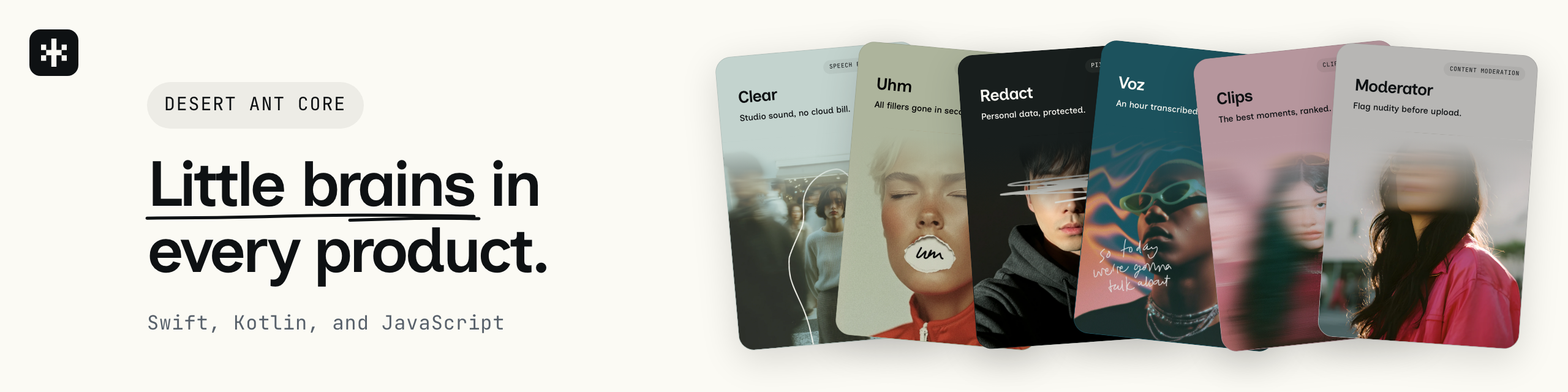


Add on-device speech recognition, audio cleanup, PII redaction, emoji suggestion, and more to your app, with SDKs for Swift, Kotlin, and JavaScript. The models run on the device, so text, audio, and images never leave it.
import Emo
import Redact

let suggestions = try await Emo().suggestions(for: "Pay my bills")   // 💰 💳 🧾
let clean = try await Redact().redaction(of: "Email Anna at [email protected].")
// Email [GIVEN_NAME_1] at [EMAIL_1].
| Model | What it does | Platform | Docs |
|---|---|---|---|
| Align | Word-timestamp refinement for any transcript, on device. | Apple · Linux · Windows · Node | SDK Model |
| Clear | On-device speech enhancement: denoise, dereverb, and loudness-normalize. | Apple · Android · Linux · Windows · Web · Node | SDK Model |
| Clips | Short clips and highlights from talking video and audio: podcasts, interviews, meetings. On-device. | Apple · Linux · Windows | SDK Model |
| Ear | On-device spoken language identification across 102 languages. | Apple · Android · Linux · Windows · Web · Node | SDK Model |
| Emo | Multilingual on-device emoji suggestion. | Apple · Android · Linux · Windows · Web · Node | SDK Model |
| Eye | On-device photo understanding: scenes, quality, faces, people, pets, crops and sharpness. | Apple · Android · Linux · Windows · Web · Node | SDK Model |
| Gist | Multilingual on-device content topic tagging across a 36-topic taxonomy. | Apple · Android · Linux · Windows · Web · Node | SDK Model |
| Moderator | On-device NSFW image detection, trained only on licensed and synthetic data. | Apple · Android · Linux · Windows · Web · Node | SDK Model |
| Redact | Multilingual on-device PII detection and redaction. | Apple · Android · Linux · Windows · Web · Node | SDK Model |
| Shapes | On-device single-stroke shape recognition. | Apple · Android · Linux · Windows · Web · Node | SDK Model |
| Title | On-device titles and descriptions: a short factual title and a one- to two-sentence description for any passage of text. | Apple | SDK Model |
| Tongue | On-device language identification for short text across 84 languages. | Apple · Android · Linux · Windows · Web · Node | SDK Model |
| Uhm | On-device filler-word detection: frame-precise "uh"/"um"/"hmm" spans. | Apple | SDK Model |
| Voz | On-device speech recognition: transcripts with word-level timestamps, 25 languages. | Apple · Android · Linux · Windows · Web · Node | SDK Model |
| Who | On-device speaker labeling: per-person turns with timestamps. | Apple · Android · Linux · Windows | SDK Model |
Weights exist and the models work, but no SDK ships them yet, so there is nothing to install today. Ask us if you want early access.
| Model | What it does | Docs |
|---|---|---|
| Face | On-device face matching across a photo library or through a video. | Model |
| Schemer | On-device structured extraction into a caller-supplied JSON schema. | Model |
| Toxic | On-device hate-speech triage for European languages. | Model |
The weights for every model are on Hugging Face.
On Apple platforms, the Swift package requires iOS 18+, macOS 15+, tvOS 18+, visionOS 2+, and Swift 6.2+ (Xcode 26). An older OS can't load the Core ML models. On Windows, the Swift package requires x64 and Swift 6.2+.
Add the package with Swift Package Manager:
.package(url: "https://github.com/Desert-Ant-Labs/desert-ant-core.git", from: "4.0.0")
Then add a product for each model you use, such as Emo. Your app includes only the models you add.
The Android SDK requires API 24+ and runs on arm64-v8a and x86_64. All models share one copy of LiteRT from ai.desertant:core, so each model you add brings only its own native library.
// settings.gradle.kts
dependencyResolutionManagement {
    repositories {
        google()
        mavenCentral()
    }
}

// build.gradle.kts
dependencies {
    implementation("ai.desertant:emo:4.0.0")
    implementation("ai.desertant:redact:4.0.0")
    implementation("ai.desertant:clear:4.0.0")
    implementation("ai.desertant:tongue:4.0.0")
}
Tongue has no native code, so you can also use Tongue outside Android, on any JVM 17+.
Each model is its own package, so install the ones you use:
# Browser (WebAssembly + LiteRT.js):
npm i @desert-ant-labs/emo @litertjs/core

# Server-side inference in Node (prebuilt native core, no extra install):
npm i @desert-ant-labs/emo

# Tongue is pure JavaScript, no wasm, no LiteRT.js, no native core:
npm i @desert-ant-labs/tongue
The default import is the browser build. The browser build has no native dependencies, so Next.js, Remix, SvelteKit, and Nuxt can bundle it for every target, including the server-side rendering pass. For inference in plain Node, import the /native subpath. /native ships prebuilt for linux-x64, linux-arm64, and darwin-arm64. Voz has no /native subpath. In Node, pass onnxruntime-node to Voz's load().
Align runs only in Node. You can still import @desert-ant-labs/align anywhere, including the server-side rendering pass. Calling load() from that import throws an error that tells you to import @desert-ant-labs/align/native instead.
Transcribe a recording, cut clips, clean up audio, or redact text from the terminal. The Desert Ant CLI runs on macOS (Apple silicon) and Linux:
curl -fsSL https://raw.githubusercontent.com/Desert-Ant-Labs/desert-ant-cli/main/install.sh | sh
You can also install the CLI with brew install desert-ant-labs/tap/desertant or with mise. Then run a model:
$ da redact "Email Anna at [email protected] or call 555-0100"
Email [GIVEN_NAME_1] at [EMAIL_1] or call [PHONE_1]
Commands pass JSON to each other, so you can transcribe a video once and cut clips from that transcript.
desertant setup writes a skill so coding agents on your machine, such as Claude Code and Codex, can use the CLI.
The SDK downloads each model from Hugging Face on first use. Each SDK version pins one model revision, so your app gets the same model until you update the SDK. The SDK verifies every download before using it. Tongue's 2MB model ships inside each package, so Tongue never downloads anything.
directory to keep the model in your own folder. If the model files are already in the folder, the SDK uses them and downloads nothing. Otherwise the SDK downloads the model into the folder.modelBaseUrl.isDownloaded() tells you whether a model works with no network. download() fetches the model ahead of time and reports progress.
Xet trait)Our Hugging Face repos use Xet storage, which splits each file into deduplicated chunks that download in parallel instead of as one stream. On Apple platforms, the Swift package can download through Xet when you turn on a package trait:
.package(url: "https://github.com/Desert-Ant-Labs/desert-ant-core.git", from: "4.0.0",
        traits: ["Xet"])
With the trait on, the same files land in the same cache, and the SDK verifies them the same way. If a file isn't on Xet, or the Xet download fails, the SDK falls back to the ordinary HTTPS download. The trait adds swift-xet and SwiftNIO to your dependencies. Every other platform and SDK downloads over plain HTTPS.
Set HF_TOKEN in the environment for a gated or private repo. Public models need no token.
To run a model offline, download its files and point the SDK at the folder. The SDK then needs no network.
Catalog.swift in Sources/, at the tag you build against. The catalog lists the Hugging Face repo, the revision, and the files for each platform.hf download desert-ant-labs/redact --revision v0.4.0 \
--include "redact.mlmodelc/*" redact_tokenizer.bin labels.json \
--local-dir redact
redact.tflite in place of the .mlmodelc folder.Redact(directory: path)Redact(context, directory = path)Redact.load({ directory: path })modelBaseUrl to Redact.load().For a reproducible build, use the revision's commit sha in place of the tag.
Lambda doesn't mount /sys/devices/system/cpu. On arm64, the CPU backend reads that directory to count cores. Without the directory, the library loads but inference fails on every call. Preload the shim that ships alongside the native library:
LD_PRELOAD=/var/task/node_modules/@desert-ant-labs/redact/native/linux-arm64/libdalcpushim.so
Set LD_PRELOAD as a function environment variable. Correct the path if the package lives in a layer (/opt/nodejs/node_modules/...). The shim answers reads of the two files the CPU backend needs there, possible and present, and passes every other call through. The dynamic linker has to insert the shim before libc, so the SDK can't set it up for you.
On x86_64 you don't need the shim, because the core count comes from a CPU instruction instead of sysfs.
Each model in your app gets a license for the current calendar month (UTC). When a model loads, the SDK requests that month's license from the Desert Ant license server in the background, checks the license's signature against public keys built into the SDK, stores the license, and activates it. On a browser page without WebCrypto, such as a page on an insecure origin, and in a Swift process on Linux without a host verifier, the SDK can't check the signature, and the license server checks the signature at activation. The model never waits for these requests, and a failed request never stops a model from running.
Tongue's JavaScript package, @desert-ant-labs/tongue, and its Kotlin package, ai.desertant:tongue, don't use model licenses and send no requests to Desert Ant.
For each model, the SDK sends two requests:
ios, android, web, or server), and the app id. The app id is the bundle id on Apple platforms, the package name on Android, and the process name on a Linux server. A server can set DAL_APP_ID, or globalThis.__dalAppId in JavaScript, to name itself. In the browser, the license server reads the page's domain from the Origin header instead.Both requests carry your API key if you set one, and no model input or output. The license server doesn't store the install id or the IP address a request comes from.
On the device, the SDK stores the install id and, for each model, the license, whether it's activated, the time of the last rejected license request, and the offset between the device clock and the server clock. Apple platforms, Linux, and Windows keep these in UserDefaults, Android in the app's SharedPreferences, and the browser in localStorage. In Node, the WebAssembly build (the package's default entry) keeps them in memory, so each process counts as a new install. To keep one install id across restarts, set globalThis.__dalUsageStore to an object with getItem(key) and setItem(key, value) before the first model loads.
Once a model's license for the month is activated, loading that model sends nothing until the month ends. The first load in the next month requests a new license. Offline, the model runs as usual. While the app runs, the SDK retries every 5 minutes after a network error, and backs off from 1 minute to 6 hours after a server error. After the server rejects a request, or a license fails the signature check, the SDK waits at least a day before it requests a license for that model again.
If you have a Desert Ant API key, set it before the first model loads, so your licenses count under your account:
DesertAnt.apiKey = "pk_live_...", or DAL_API_KEY in the environmentai.desertant.core.DesertAnt.apiKey = "pk_live_..."globalThis.__dalApiKey = "pk_live_...", or DAL_API_KEY with the /native subpath in NodeA Node process that exits right after loading a model, such as a CLI or a Lambda, can call the model's flushTelemetry() first. The promise resolves once the license requests in flight have finished.
Licensing counts each install. It doesn't read the deviceId call option or DAL_DEVICE_ID. These settings from earlier releases are still accepted and have no effect:
DesertAnt.sendsDeviceContextHostBridge.sendsDeviceContext and HostBridge.flushUsage()DAL_APP_VERSIONglobalThis.__dalAppVersionwithCallGroup and the group call optionflushTelemetry(), and in Kotlin ai.desertant.tongue.DesertAnt.apiKey and sendsDeviceContext| Platform | Runtime | Requirements |
|---|---|---|
| iOS, macOS, tvOS, visionOS | Core ML | iOS 18+, macOS 15+, tvOS 18+, visionOS 2+, Swift 6.2+ |
| Android | LiteRT | API 24+, arm64-v8a and x86_64 |
| Windows | LiteRT | x64, Swift 6.2+ |
| Browser | WebAssembly + LiteRT.js | any browser with WebAssembly; @litertjs/core |
| Node | prebuilt native core | linux-x64, linux-arm64, darwin-arm64 |
Voz uses ONNX Runtime outside Apple platforms. On Windows, Voz runs on the GPU through ONNX Runtime and DirectML. In the browser, Voz runs on WebGPU through onnxruntime-web, and uses WebNN where the browser supports it. In Node, Voz runs on the CPU through onnxruntime-node.
On the M6 and A20 Pro, the SDK compiles models for the Neural Engine with options that make the first load faster. On an iPhone 18 Pro, Voz loads in 9.5s with the options and 33.4s without them. Predictions and outputs are the same either way. The options go through a private Core ML API. To use only public APIs, set DesertAnt.fasterNeuralEngineCompile = false before the first model loads.
Desert Ant Labs Source-Available License. Most apps can use the SDK for free. At scale, you need a commercial license. The link has the full terms. For licensing, email [email protected]. THIRD_PARTY_NOTICES.md lists the third-party components.
932 followers · starred Sep 2026
69 followers · starred Sep 2026
234 followers · starred Sep 2026
139 followers · starred Sep 2026
On-device AI SDKs for iOS, macOS, Android, and the web. Small, focused models that run fully offline in Swift, Kotlin, and JavaScript with Core ML, LiteRT, and WebAssembly.
See the code
Add on-device speech recognition, audio cleanup, PII redaction, emoji suggestion, and more to your app, with SDKs for Swift, Kotlin, and JavaScript. The models run on the device, so text, audio, and images never leave it.
import Emo
import Redact

let suggestions = try await Emo().suggestions(for: "Pay my bills")   // 💰 💳 🧾
let clean = try await Redact().redaction(of: "Email Anna at [email protected].")
// Email [GIVEN_NAME_1] at [EMAIL_1].
| Model | What it does | Platform | Docs |
|---|---|---|---|
| Align | Word-timestamp refinement for any transcript, on device. | Apple · Linux · Windows · Node | SDK Model |
| Clear | On-device speech enhancement: denoise, dereverb, and loudness-normalize. | Apple · Android · Linux · Windows · Web · Node | SDK Model |
| Clips | Short clips and highlights from talking video and audio: podcasts, interviews, meetings. On-device. | Apple · Linux · Windows | SDK Model |
| Ear | On-device spoken language identification across 102 languages. | Apple · Android · Linux · Windows · Web · Node | SDK Model |
| Emo | Multilingual on-device emoji suggestion. | Apple · Android · Linux · Windows · Web · Node | SDK Model |
| Eye | On-device photo understanding: scenes, quality, faces, people, pets, crops and sharpness. | Apple · Android · Linux · Windows · Web · Node | SDK Model |
| Gist | Multilingual on-device content topic tagging across a 36-topic taxonomy. | Apple · Android · Linux · Windows · Web · Node | SDK Model |
| Moderator | On-device NSFW image detection, trained only on licensed and synthetic data. | Apple · Android · Linux · Windows · Web · Node | SDK Model |
| Redact | Multilingual on-device PII detection and redaction. | Apple · Android · Linux · Windows · Web · Node | SDK Model |
| Shapes | On-device single-stroke shape recognition. | Apple · Android · Linux · Windows · Web · Node | SDK Model |
| Title | On-device titles and descriptions: a short factual title and a one- to two-sentence description for any passage of text. | Apple | SDK Model |
| Tongue | On-device language identification for short text across 84 languages. | Apple · Android · Linux · Windows · Web · Node | SDK Model |
| Uhm | On-device filler-word detection: frame-precise "uh"/"um"/"hmm" spans. | Apple | SDK Model |
| Voz | On-device speech recognition: transcripts with word-level timestamps, 25 languages. | Apple · Android · Linux · Windows · Web · Node | SDK Model |
| Who | On-device speaker labeling: per-person turns with timestamps. | Apple · Android · Linux · Windows | SDK Model |
Weights exist and the models work, but no SDK ships them yet, so there is nothing to install today. Ask us if you want early access.
| Model | What it does | Docs |
|---|---|---|
| Face | On-device face matching across a photo library or through a video. | Model |
| Schemer | On-device structured extraction into a caller-supplied JSON schema. | Model |
| Toxic | On-device hate-speech triage for European languages. | Model |
The weights for every model are on Hugging Face.
On Apple platforms, the Swift package requires iOS 18+, macOS 15+, tvOS 18+, visionOS 2+, and Swift 6.2+ (Xcode 26). An older OS can't load the Core ML models. On Windows, the Swift package requires x64 and Swift 6.2+.
Add the package with Swift Package Manager:
.package(url: "https://github.com/Desert-Ant-Labs/desert-ant-core.git", from: "4.0.0")
Then add a product for each model you use, such as Emo. Your app includes only the models you add.
The Android SDK requires API 24+ and runs on arm64-v8a and x86_64. All models share one copy of LiteRT from ai.desertant:core, so each model you add brings only its own native library.
// settings.gradle.kts
dependencyResolutionManagement {
    repositories {
        google()
        mavenCentral()
    }
}

// build.gradle.kts
dependencies {
    implementation("ai.desertant:emo:4.0.0")
    implementation("ai.desertant:redact:4.0.0")
    implementation("ai.desertant:clear:4.0.0")
    implementation("ai.desertant:tongue:4.0.0")
}
Tongue has no native code, so you can also use Tongue outside Android, on any JVM 17+.
Each model is its own package, so install the ones you use:
# Browser (WebAssembly + LiteRT.js):
npm i @desert-ant-labs/emo @litertjs/core

# Server-side inference in Node (prebuilt native core, no extra install):
npm i @desert-ant-labs/emo

# Tongue is pure JavaScript, no wasm, no LiteRT.js, no native core:
npm i @desert-ant-labs/tongue
The default import is the browser build. The browser build has no native dependencies, so Next.js, Remix, SvelteKit, and Nuxt can bundle it for every target, including the server-side rendering pass. For inference in plain Node, import the /native subpath. /native ships prebuilt for linux-x64, linux-arm64, and darwin-arm64. Voz has no /native subpath. In Node, pass onnxruntime-node to Voz's load().
Align runs only in Node. You can still import @desert-ant-labs/align anywhere, including the server-side rendering pass. Calling load() from that import throws an error that tells you to import @desert-ant-labs/align/native instead.
Transcribe a recording, cut clips, clean up audio, or redact text from the terminal. The Desert Ant CLI runs on macOS (Apple silicon) and Linux:
curl -fsSL https://raw.githubusercontent.com/Desert-Ant-Labs/desert-ant-cli/main/install.sh | sh
You can also install the CLI with brew install desert-ant-labs/tap/desertant or with mise. Then run a model:
$ da redact "Email Anna at [email protected] or call 555-0100"
Email [GIVEN_NAME_1] at [EMAIL_1] or call [PHONE_1]
Commands pass JSON to each other, so you can transcribe a video once and cut clips from that transcript.
desertant setup writes a skill so coding agents on your machine, such as Claude Code and Codex, can use the CLI.
The SDK downloads each model from Hugging Face on first use. Each SDK version pins one model revision, so your app gets the same model until you update the SDK. The SDK verifies every download before using it. Tongue's 2MB model ships inside each package, so Tongue never downloads anything.
directory to keep the model in your own folder. If the model files are already in the folder, the SDK uses them and downloads nothing. Otherwise the SDK downloads the model into the folder.modelBaseUrl.isDownloaded() tells you whether a model works with no network. download() fetches the model ahead of time and reports progress.
Xet trait)Our Hugging Face repos use Xet storage, which splits each file into deduplicated chunks that download in parallel instead of as one stream. On Apple platforms, the Swift package can download through Xet when you turn on a package trait:
.package(url: "https://github.com/Desert-Ant-Labs/desert-ant-core.git", from: "4.0.0",
        traits: ["Xet"])
With the trait on, the same files land in the same cache, and the SDK verifies them the same way. If a file isn't on Xet, or the Xet download fails, the SDK falls back to the ordinary HTTPS download. The trait adds swift-xet and SwiftNIO to your dependencies. Every other platform and SDK downloads over plain HTTPS.
Set HF_TOKEN in the environment for a gated or private repo. Public models need no token.
To run a model offline, download its files and point the SDK at the folder. The SDK then needs no network.
Catalog.swift in Sources/, at the tag you build against. The catalog lists the Hugging Face repo, the revision, and the files for each platform.hf download desert-ant-labs/redact --revision v0.4.0 \
--include "redact.mlmodelc/*" redact_tokenizer.bin labels.json \
--local-dir redact
redact.tflite in place of the .mlmodelc folder.Redact(directory: path)Redact(context, directory = path)Redact.load({ directory: path })modelBaseUrl to Redact.load().For a reproducible build, use the revision's commit sha in place of the tag.
Lambda doesn't mount /sys/devices/system/cpu. On arm64, the CPU backend reads that directory to count cores. Without the directory, the library loads but inference fails on every call. Preload the shim that ships alongside the native library:
LD_PRELOAD=/var/task/node_modules/@desert-ant-labs/redact/native/linux-arm64/libdalcpushim.so
Set LD_PRELOAD as a function environment variable. Correct the path if the package lives in a layer (/opt/nodejs/node_modules/...). The shim answers reads of the two files the CPU backend needs there, possible and present, and passes every other call through. The dynamic linker has to insert the shim before libc, so the SDK can't set it up for you.
On x86_64 you don't need the shim, because the core count comes from a CPU instruction instead of sysfs.
Each model in your app gets a license for the current calendar month (UTC). When a model loads, the SDK requests that month's license from the Desert Ant license server in the background, checks the license's signature against public keys built into the SDK, stores the license, and activates it. On a browser page without WebCrypto, such as a page on an insecure origin, and in a Swift process on Linux without a host verifier, the SDK can't check the signature, and the license server checks the signature at activation. The model never waits for these requests, and a failed request never stops a model from running.
Tongue's JavaScript package, @desert-ant-labs/tongue, and its Kotlin package, ai.desertant:tongue, don't use model licenses and send no requests to Desert Ant.
For each model, the SDK sends two requests:
ios, android, web, or server), and the app id. The app id is the bundle id on Apple platforms, the package name on Android, and the process name on a Linux server. A server can set DAL_APP_ID, or globalThis.__dalAppId in JavaScript, to name itself. In the browser, the license server reads the page's domain from the Origin header instead.Both requests carry your API key if you set one, and no model input or output. The license server doesn't store the install id or the IP address a request comes from.
On the device, the SDK stores the install id and, for each model, the license, whether it's activated, the time of the last rejected license request, and the offset between the device clock and the server clock. Apple platforms, Linux, and Windows keep these in UserDefaults, Android in the app's SharedPreferences, and the browser in localStorage. In Node, the WebAssembly build (the package's default entry) keeps them in memory, so each process counts as a new install. To keep one install id across restarts, set globalThis.__dalUsageStore to an object with getItem(key) and setItem(key, value) before the first model loads.
Once a model's license for the month is activated, loading that model sends nothing until the month ends. The first load in the next month requests a new license. Offline, the model runs as usual. While the app runs, the SDK retries every 5 minutes after a network error, and backs off from 1 minute to 6 hours after a server error. After the server rejects a request, or a license fails the signature check, the SDK waits at least a day before it requests a license for that model again.
If you have a Desert Ant API key, set it before the first model loads, so your licenses count under your account:
DesertAnt.apiKey = "pk_live_...", or DAL_API_KEY in the environmentai.desertant.core.DesertAnt.apiKey = "pk_live_..."globalThis.__dalApiKey = "pk_live_...", or DAL_API_KEY with the /native subpath in NodeA Node process that exits right after loading a model, such as a CLI or a Lambda, can call the model's flushTelemetry() first. The promise resolves once the license requests in flight have finished.
Licensing counts each install. It doesn't read the deviceId call option or DAL_DEVICE_ID. These settings from earlier releases are still accepted and have no effect:
DesertAnt.sendsDeviceContextHostBridge.sendsDeviceContext and HostBridge.flushUsage()DAL_APP_VERSIONglobalThis.__dalAppVersionwithCallGroup and the group call optionflushTelemetry(), and in Kotlin ai.desertant.tongue.DesertAnt.apiKey and sendsDeviceContext| Platform | Runtime | Requirements |
|---|---|---|
| iOS, macOS, tvOS, visionOS | Core ML | iOS 18+, macOS 15+, tvOS 18+, visionOS 2+, Swift 6.2+ |
| Android | LiteRT | API 24+, arm64-v8a and x86_64 |
| Windows | LiteRT | x64, Swift 6.2+ |
| Browser | WebAssembly + LiteRT.js | any browser with WebAssembly; @litertjs/core |
| Node | prebuilt native core | linux-x64, linux-arm64, darwin-arm64 |
Voz uses ONNX Runtime outside Apple platforms. On Windows, Voz runs on the GPU through ONNX Runtime and DirectML. In the browser, Voz runs on WebGPU through onnxruntime-web, and uses WebNN where the browser supports it. In Node, Voz runs on the CPU through onnxruntime-node.
On the M6 and A20 Pro, the SDK compiles models for the Neural Engine with options that make the first load faster. On an iPhone 18 Pro, Voz loads in 9.5s with the options and 33.4s without them. Predictions and outputs are the same either way. The options go through a private Core ML API. To use only public APIs, set DesertAnt.fasterNeuralEngineCompile = false before the first model loads.
Desert Ant Labs Source-Available License. Most apps can use the SDK for free. At scale, you need a commercial license. The link has the full terms. For licensing, email [email protected]. THIRD_PARTY_NOTICES.md lists the third-party components.
932 followers · starred Sep 2026
69 followers · starred Sep 2026
234 followers · starred Sep 2026
139 followers · starred Sep 2026





