
README
Locus
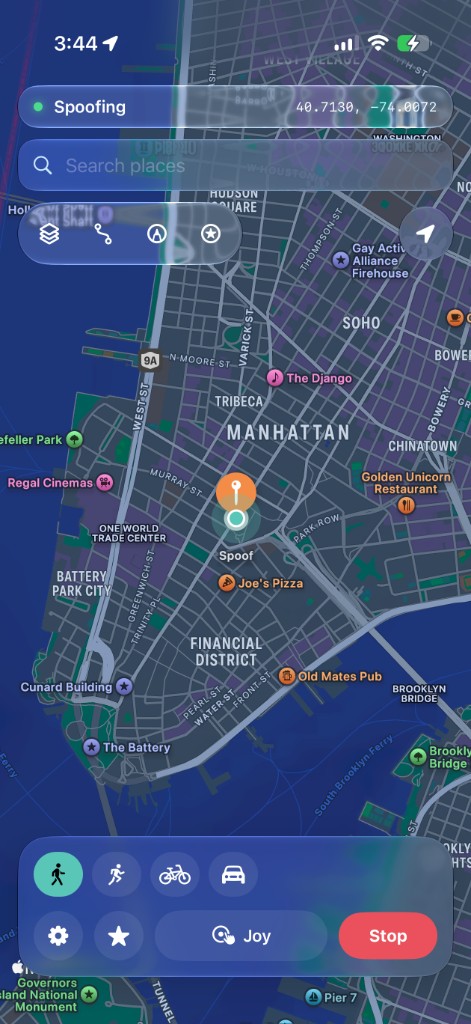
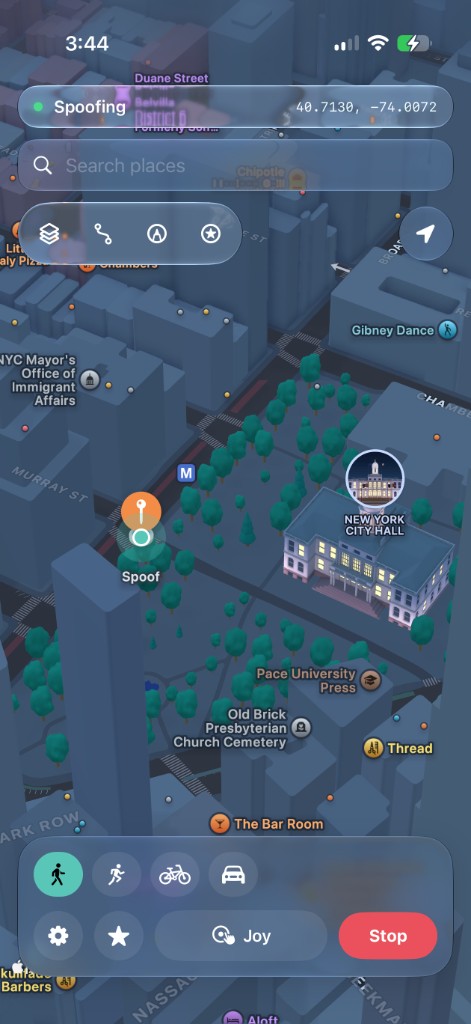
Free and open-source iPhone location teleport. Tap the map, search a place, or drive a route — Locus injects coordinates through Apple’s developer location service into locationd, so Maps and other apps see the spoofed GPS (not just a Wi‑Fi lookup that outdoor GPS will overwrite).
Features
- One-tap teleport (map pin or place search)
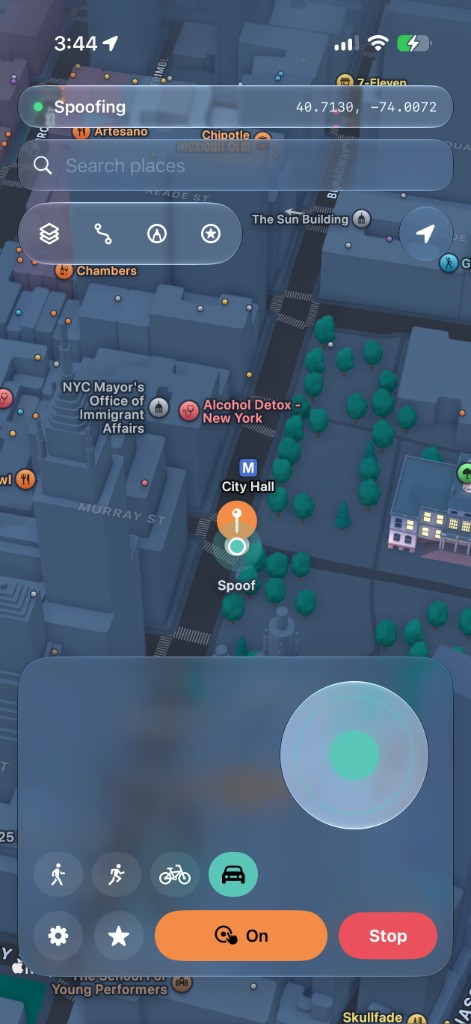
- Live joystick — walk / run / cycle / drive with light speed variation
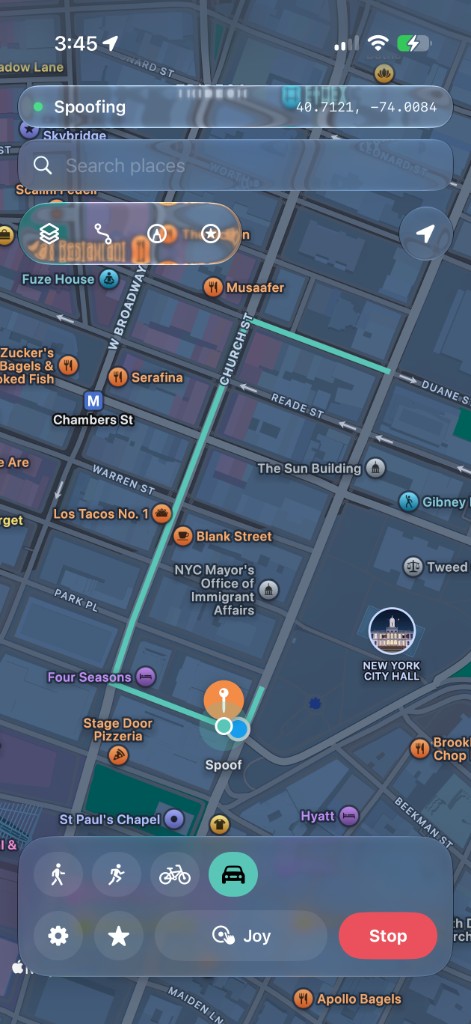
- Walk/Drive routing on real roads & footpaths (MapKit)
- Draw a path or import / export GPX
- Background keep-alive + live status bar + drop alerts
- Favorites & recents
- First-run setup walkthrough
- Fully on-device — no analytics, nothing uploaded
Install
See SETUP.md for full steps. Grab a prebuilt IPA from Releases, or build from source below.
Bundle ID: com.chrismack.locus
LiveContainer
File pickers often don’t work inside LiveContainer. Use one of these:
- Long-press Locus → Settings → enable Fix File Picker, then try Import again.
- Share the pairing file into LiveContainer → Locus.
- Copy the RPPairing plist contents → in Locus use Paste RPPairing from clipboard (setup or Settings).
How it works
Locus uses the MIT-licensed idevice FFI to talk to Apple’s DVT location simulation over an on-device developer tunnel (the same class of mechanism Xcode uses).
iOS 27: Settings → Pair on this iPhone advertises _remotepairing-pairable-host._tcp. Confirm the 6-digit code under Settings › Privacy & Security › Developer Mode › Pair with Host — no computer.
iOS 18–26: import an RPPairing file once from idevice_pair.
Also install LocalDevVPN (loopback tunnel, default 10.7.0.1), then sideload Locus.
Start a teleport on Wi‑Fi first; the session can keep working on cellular afterward.
Pokémon GO & similar games
Locus spoofs location the same way Xcode’s developer tools do: it tells iOS “you’re here,” and other apps read that from the system. Apps that just trust GPS (Apple Maps, etc.) will follow it.
Pokémon GO is different. It runs its own location checks and often rejects developer / simulated GPS (e.g. “Failed to detect location”). That’s expected with this method, not a Locus bug, and there’s no supported fix for it in this app.
Tools like iPogo (and similar modified clients such as SpooferPro) work differently: they’re a modified Pokémon GO app, not a system-wide location spoof. Features live inside that altered game client, instead of feeding coordinates through iOS for every app. Locus never patches or replaces Pokémon GO; it only changes what the system reports. So those tools can appear to “work in Pokémon GO” while Locus correctly drives Maps but still gets blocked by Pokémon GO’s checks.
Locus is for system-level teleporting. It isn’t a Pokémon GO client or an anti-cheat bypass.
Build
Building from source needs an Apple Developer account (free or paid) for code signing. The published IPA does not — just sideload it.
- Install XcodeGen if needed:
brew install xcodegen - Set your Team ID in
project.yml(DEVELOPMENT_TEAM), or pick your team under Xcode → Signing & Capabilities after generating the project. - Generate and open:
xcodegen generate
open Locus.xcodeproj
Or build from the CLI (replace with your Team ID from developer.apple.com/account → Membership):
xcodegen generate
xcodebuild -project Locus.xcodeproj -scheme Locus -configuration Release \
  -destination 'generic/platform=iOS' DEVELOPMENT_TEAM=YOUR_TEAM_ID build
License
MIT. Vendor/idevice contains the idevice FFI (MIT). Locus is an independent open-source project and is not affiliated with Mirage / Wapixel.
Contributors

7 commits
Similar repos


Languages
Swift
100.0%
README
Locus
Free and open-source iPhone location teleport. Tap the map, search a place, or drive a route — Locus injects coordinates through Apple’s developer location service into locationd, so Maps and other apps see the spoofed GPS (not just a Wi‑Fi lookup that outdoor GPS will overwrite).
Features
- One-tap teleport (map pin or place search)
- Live joystick — walk / run / cycle / drive with light speed variation
- Walk/Drive routing on real roads & footpaths (MapKit)
- Draw a path or import / export GPX
- Background keep-alive + live status bar + drop alerts
- Favorites & recents
- First-run setup walkthrough
- Fully on-device — no analytics, nothing uploaded
Install
See SETUP.md for full steps. Grab a prebuilt IPA from Releases, or build from source below.
Bundle ID: com.chrismack.locus
LiveContainer
File pickers often don’t work inside LiveContainer. Use one of these:
- Long-press Locus → Settings → enable Fix File Picker, then try Import again.
- Share the pairing file into LiveContainer → Locus.
- Copy the RPPairing plist contents → in Locus use Paste RPPairing from clipboard (setup or Settings).
How it works
Locus uses the MIT-licensed idevice FFI to talk to Apple’s DVT location simulation over an on-device developer tunnel (the same class of mechanism Xcode uses).
iOS 27: Settings → Pair on this iPhone advertises _remotepairing-pairable-host._tcp. Confirm the 6-digit code under Settings › Privacy & Security › Developer Mode › Pair with Host — no computer.
iOS 18–26: import an RPPairing file once from idevice_pair.
Also install LocalDevVPN (loopback tunnel, default 10.7.0.1), then sideload Locus.
Start a teleport on Wi‑Fi first; the session can keep working on cellular afterward.
Pokémon GO & similar games
Locus spoofs location the same way Xcode’s developer tools do: it tells iOS “you’re here,” and other apps read that from the system. Apps that just trust GPS (Apple Maps, etc.) will follow it.
Pokémon GO is different. It runs its own location checks and often rejects developer / simulated GPS (e.g. “Failed to detect location”). That’s expected with this method, not a Locus bug, and there’s no supported fix for it in this app.
Tools like iPogo (and similar modified clients such as SpooferPro) work differently: they’re a modified Pokémon GO app, not a system-wide location spoof. Features live inside that altered game client, instead of feeding coordinates through iOS for every app. Locus never patches or replaces Pokémon GO; it only changes what the system reports. So those tools can appear to “work in Pokémon GO” while Locus correctly drives Maps but still gets blocked by Pokémon GO’s checks.
Locus is for system-level teleporting. It isn’t a Pokémon GO client or an anti-cheat bypass.
Build
Building from source needs an Apple Developer account (free or paid) for code signing. The published IPA does not — just sideload it.
- Install XcodeGen if needed:
brew install xcodegen - Set your Team ID in
project.yml(DEVELOPMENT_TEAM), or pick your team under Xcode → Signing & Capabilities after generating the project. - Generate and open:
xcodegen generate
open Locus.xcodeproj
Or build from the CLI (replace with your Team ID from developer.apple.com/account → Membership):
xcodegen generate
xcodebuild -project Locus.xcodeproj -scheme Locus -configuration Release \
  -destination 'generic/platform=iOS' DEVELOPMENT_TEAM=YOUR_TEAM_ID build
License
MIT. Vendor/idevice contains the idevice FFI (MIT). Locus is an independent open-source project and is not affiliated with Mirage / Wapixel.
Similar repos
Contributors
7 commits
Languages
Swift
100.0%