
Self-hosted task manager: projects with categories, subtasks, list/board/calendar views, recurring tasks, estimates, templates, weekly review, calendar feed, English/German. FastAPI + React + PostgreSQL, Proxmox LXC installer, offline Windows app.
JavaScript
0
123 commits
updated Sep 29, 2026
See what people are saying
README
Project Manager


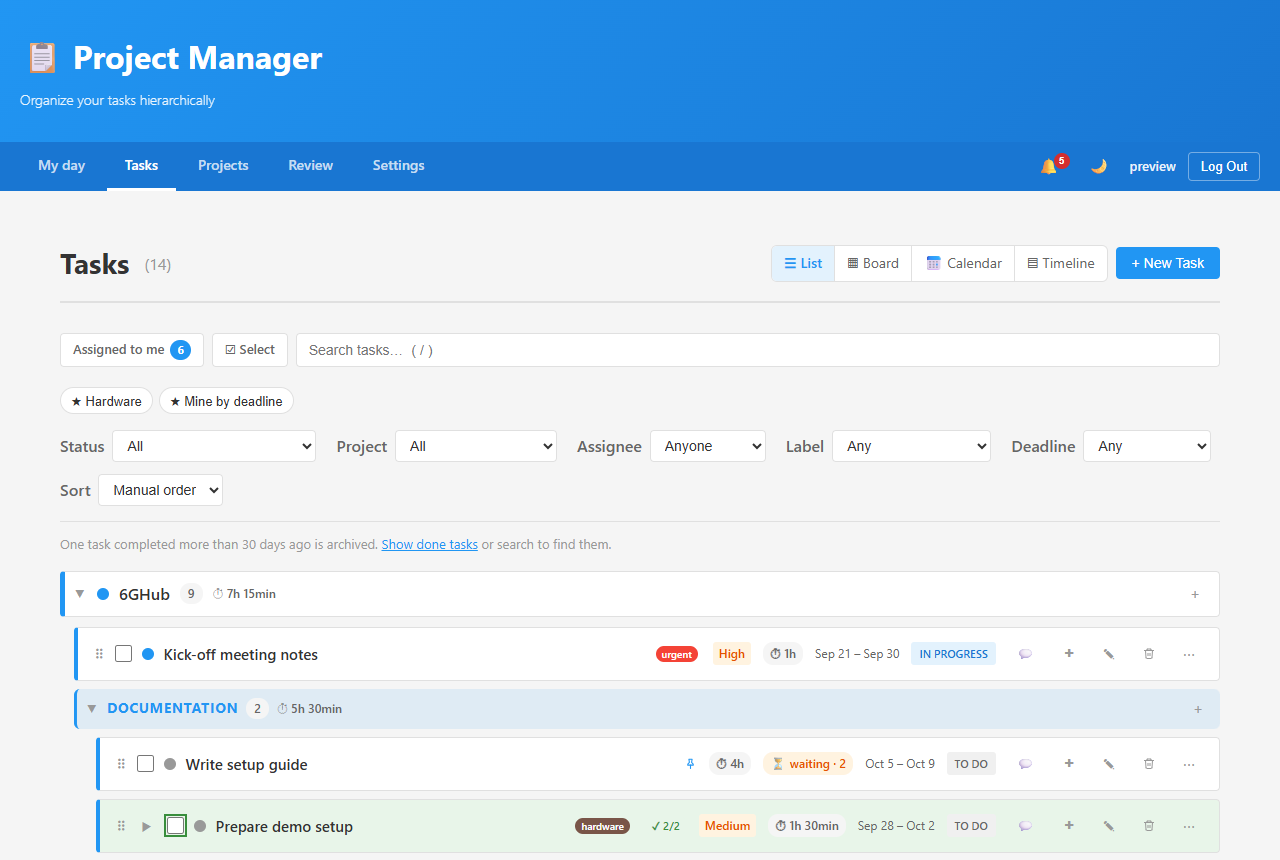
A self-hosted task manager for a small team: projects with categories, tasks with subtasks, a list, board and calendar, and a start page that shows what needs you today. It runs on your own server (one command on Proxmox), works on phones, speaks English and German, and has a Windows and Linux app that keeps working offline.
Download the app
The server is installed on your own machine (Install); the Windows and Linux app connects to it and works offline too. These links always get the newest version:
| System | Download |
|---|---|
| Windows 10/11 | ProjectManager-Windows-x64-setup.exe |
| Linux, any distribution (x86_64) | ProjectManager-Linux-x86_64.AppImage |
| Linux on ARM, e.g. Raspberry Pi 4/5 | ProjectManager-Linux-arm64.AppImage |
| Debian, Ubuntu, Mint (x86_64) | ProjectManager-Linux-x86_64.deb |
| Raspberry Pi OS, Debian on ARM | ProjectManager-Linux-arm64.deb |
How to install and connect: desktop/README.md. The web app shows the same links under Settings.
Highlights
- Projects and categories, color-coded, with progress; private projects only their members see
- Tasks with subtasks at any depth — priority, deadline, time estimate, labels, assignee, "waits for" other tasks
- Repeating tasks: every N days/weeks/months, on chosen weekdays, the last workday of the month, the 2nd Tuesday …
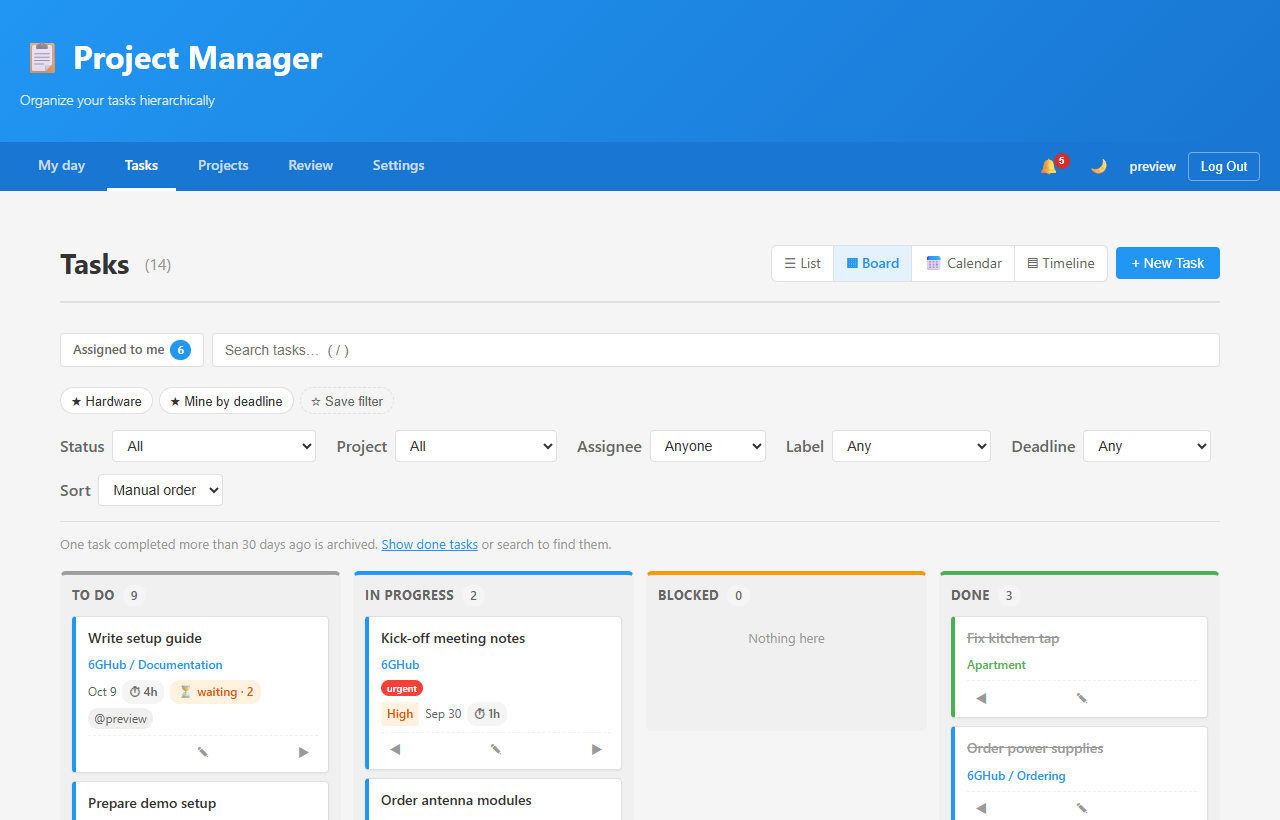
- List, board, calendar and timeline (Gantt) views — drag bars to move dates, arrows for dependencies; search, filters and saved filters
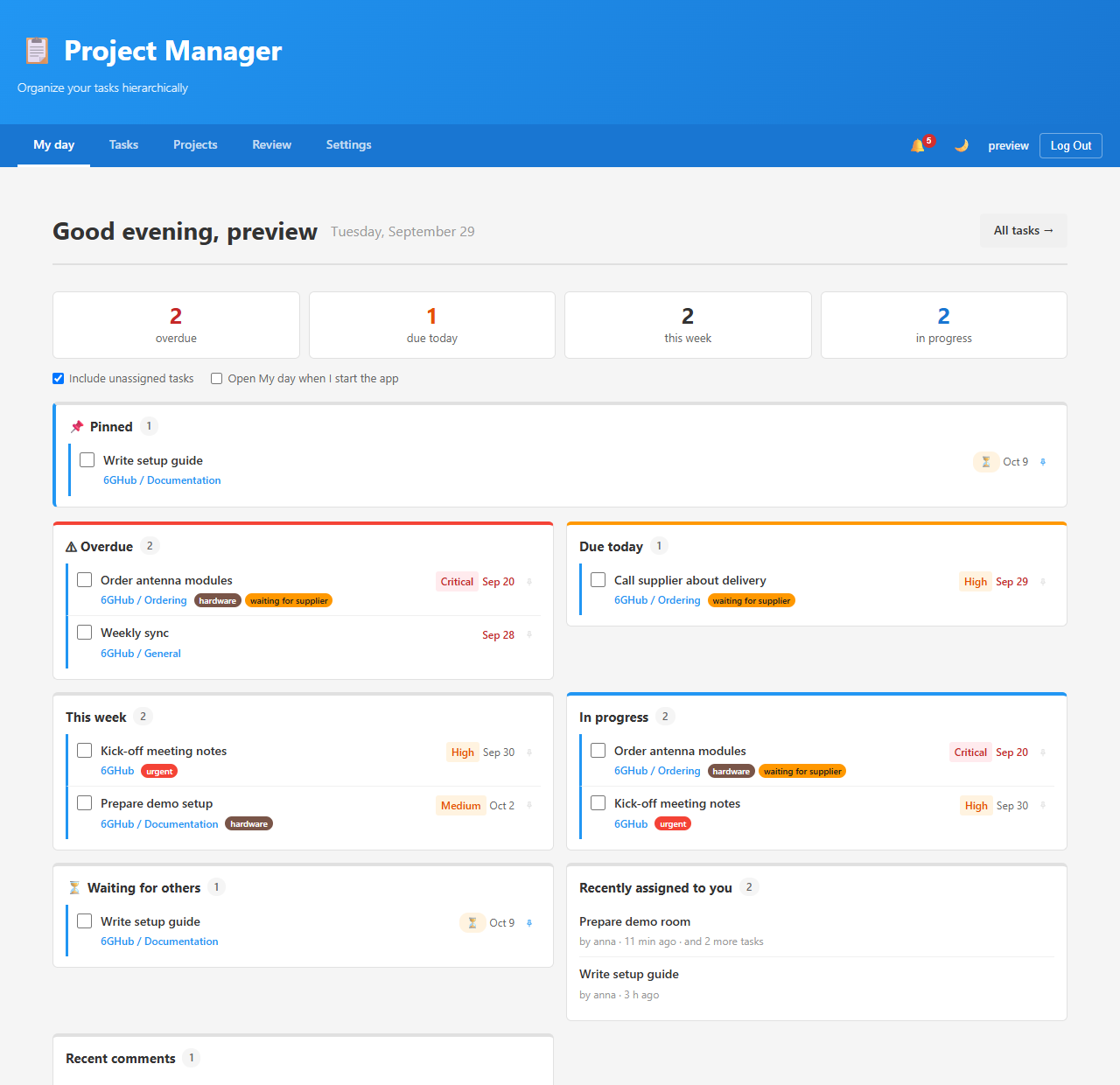
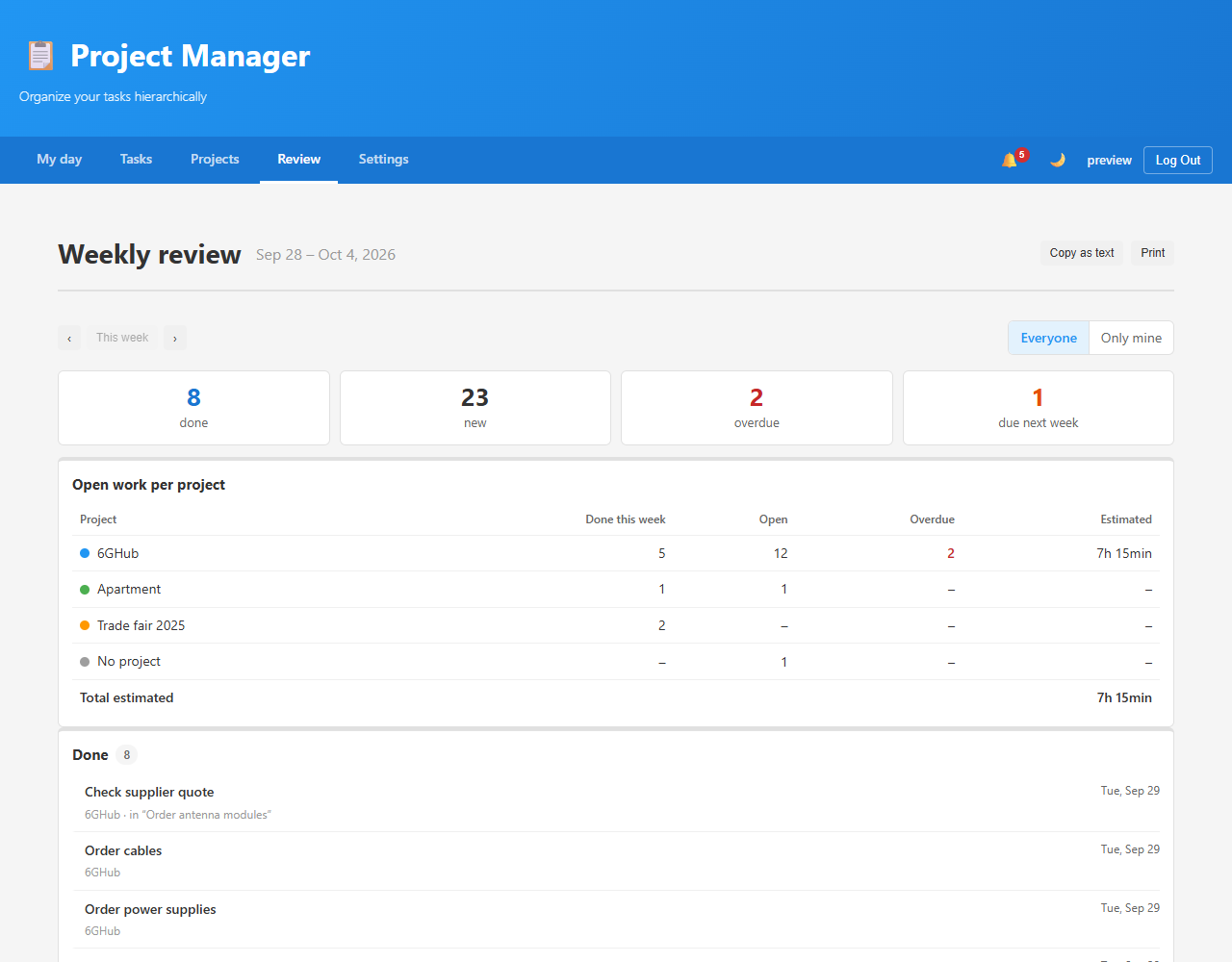
- My day start page with your pinned tasks, and a weekly review with open work per project
- Quick: type and press Enter, several tasks at once (one per line), templates, keyboard shortcuts, change several tasks at once, Undo
- Comments with @mentions, history and notifications for working together; descriptions and comments with formatting and clickable links
- Archive finished projects (still searchable), share a project read-only with a link — no account needed
- Calendar feed for Outlook, Apple Calendar, Thunderbird or Android
- Phone-friendly, installable to the home screen; dark mode
- Windows and Linux app (x86_64 and ARM64; installer, AppImage, .deb) with a local copy: works offline, syncs when back online, updates itself
- For the server: one-command install, updates, nightly backups and one-click restore from the app; optional HTTPS; a documented REST API with personal tokens
 |  |  |
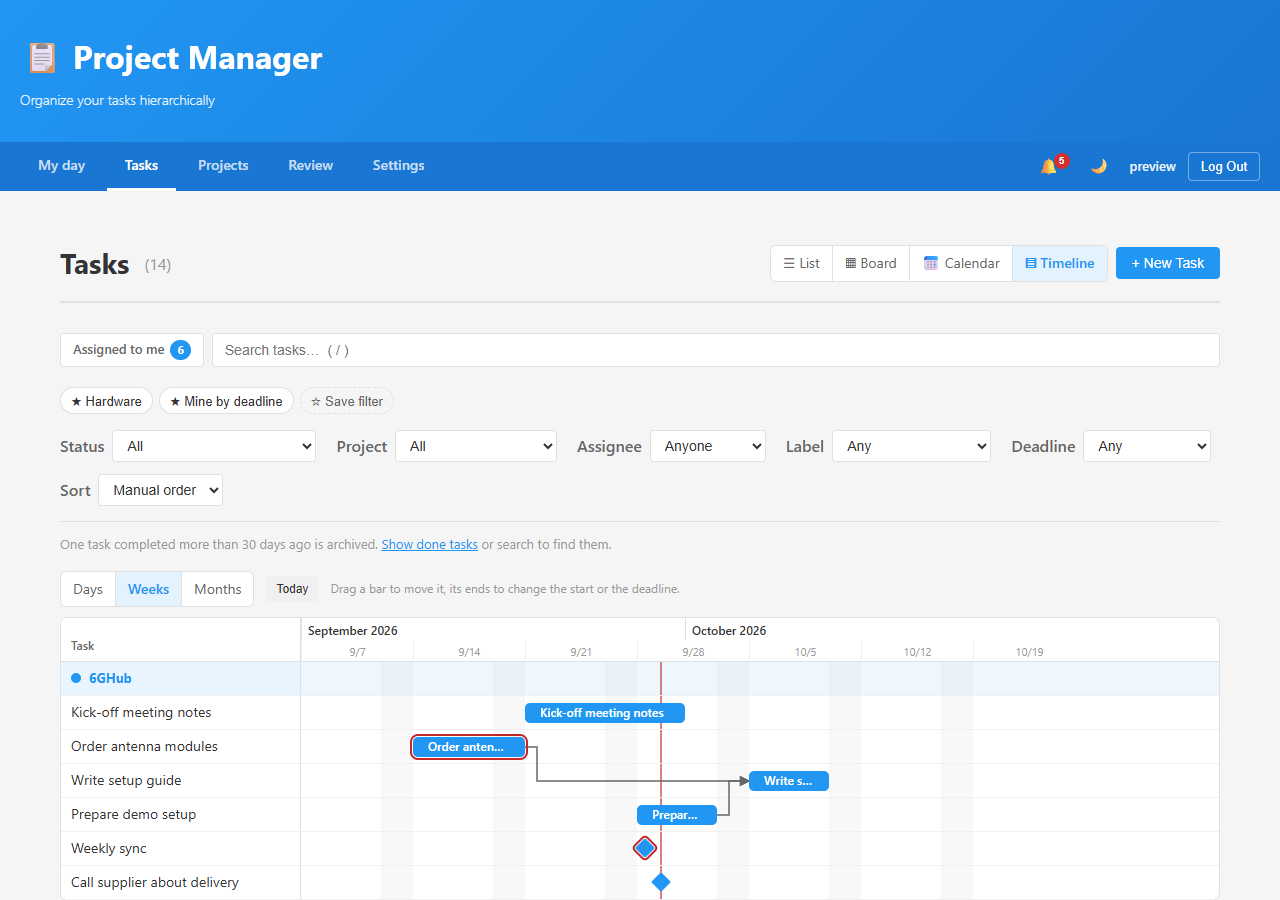 | 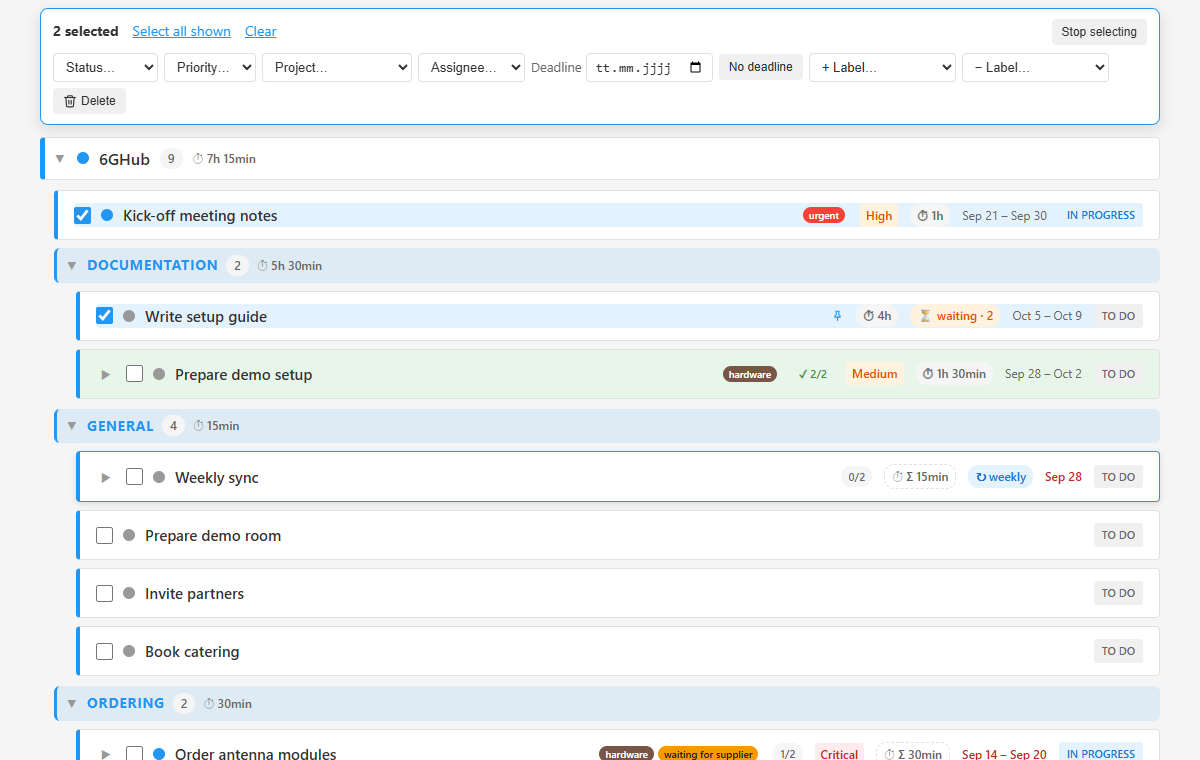 | 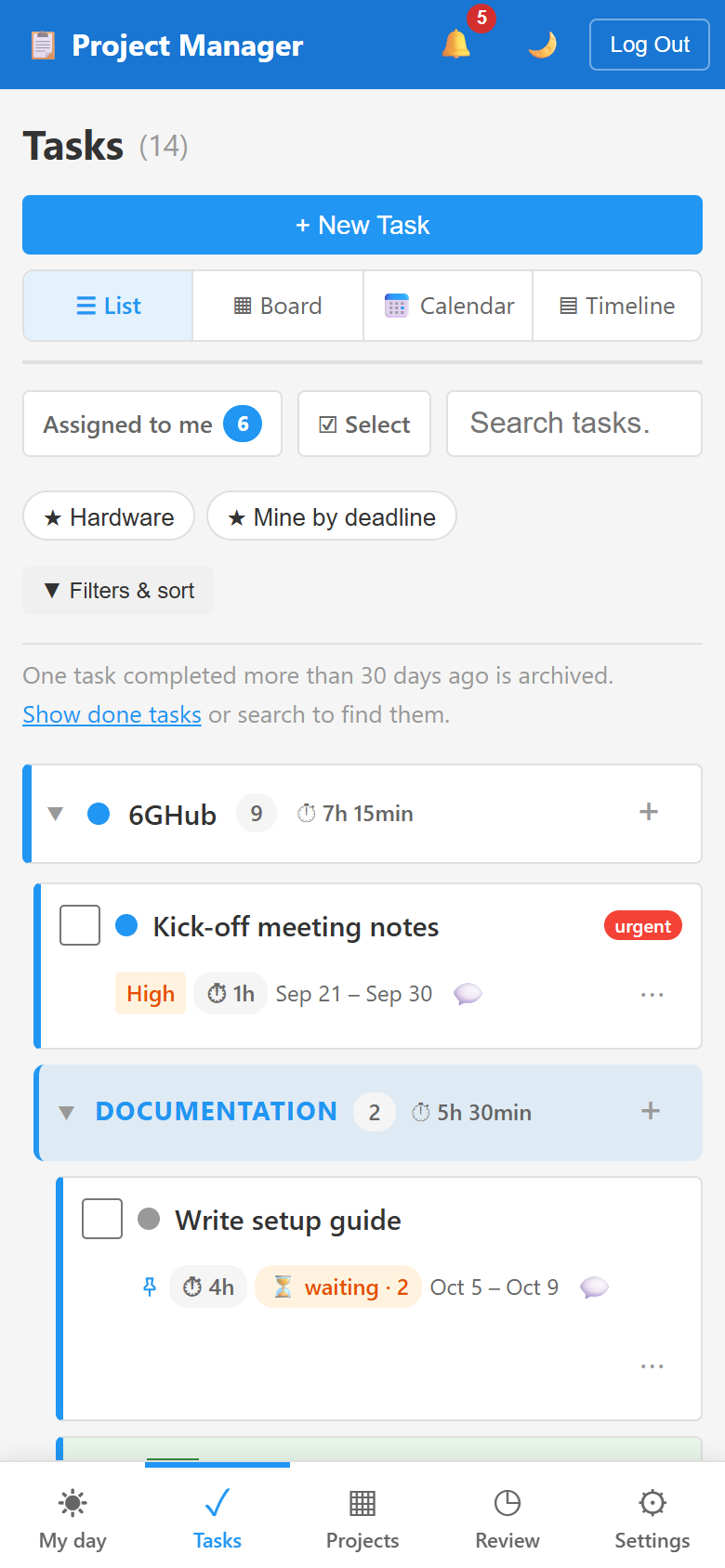 |
More in the user guide.
Install
New Proxmox LXC (run on the Proxmox host):
bash -c "$(curl -fsSL https://raw.githubusercontent.com/Boisti13/project-manager/main/proxmox/project-manager-lxc.sh)"
Existing Debian 12 / Ubuntu 22.04+ LXC or VM (run inside it, as root):
bash -c "$(curl -fsSL https://raw.githubusercontent.com/Boisti13/project-manager/main/install.sh)"
Both install PostgreSQL, Nginx, Supervisor and Node.js (no Docker) and print the address. Register the first account to become admin; later updates are one click in Settings → Updates. Options, HTTPS, backups and moving to a new server: DEPLOYMENT.md.
Documentation
| User guide | Using the app: tasks, views, filters, templates, review, shortcuts, settings |
| DEPLOYMENT.md | Installing and running a server: updates, HTTPS, backups and restore, troubleshooting |
| Windows & Linux app | Installing, connecting, working offline, updates |
| API | REST API, tokens, keeping a copy in sync |
| Development | Setup, tests, architecture, branches and versions |
| CHANGELOG.md | What changed in each release (releases) |
License
Similar repos


Languages
JavaScript
52.4%
Python
34.1%
CSS
8.9%
Shell
4.3%
Self-hosted task manager: projects with categories, subtasks, list/board/calendar views, recurring tasks, estimates, templates, weekly review, calendar feed, English/German. FastAPI + React + PostgreSQL, Proxmox LXC installer, offline Windows app.
JavaScript
0
123 commits
updated Sep 29, 2026
See what people are saying
README
Project Manager
A self-hosted task manager for a small team: projects with categories, tasks with subtasks, a list, board and calendar, and a start page that shows what needs you today. It runs on your own server (one command on Proxmox), works on phones, speaks English and German, and has a Windows and Linux app that keeps working offline.
Download the app
The server is installed on your own machine (Install); the Windows and Linux app connects to it and works offline too. These links always get the newest version:
| System | Download |
|---|---|
| Windows 10/11 | ProjectManager-Windows-x64-setup.exe |
| Linux, any distribution (x86_64) | ProjectManager-Linux-x86_64.AppImage |
| Linux on ARM, e.g. Raspberry Pi 4/5 | ProjectManager-Linux-arm64.AppImage |
| Debian, Ubuntu, Mint (x86_64) | ProjectManager-Linux-x86_64.deb |
| Raspberry Pi OS, Debian on ARM | ProjectManager-Linux-arm64.deb |
How to install and connect: desktop/README.md. The web app shows the same links under Settings.
Highlights
- Projects and categories, color-coded, with progress; private projects only their members see
- Tasks with subtasks at any depth — priority, deadline, time estimate, labels, assignee, "waits for" other tasks
- Repeating tasks: every N days/weeks/months, on chosen weekdays, the last workday of the month, the 2nd Tuesday …
- List, board, calendar and timeline (Gantt) views — drag bars to move dates, arrows for dependencies; search, filters and saved filters
- My day start page with your pinned tasks, and a weekly review with open work per project
- Quick: type and press Enter, several tasks at once (one per line), templates, keyboard shortcuts, change several tasks at once, Undo
- Comments with @mentions, history and notifications for working together; descriptions and comments with formatting and clickable links
- Archive finished projects (still searchable), share a project read-only with a link — no account needed
- Calendar feed for Outlook, Apple Calendar, Thunderbird or Android
- Phone-friendly, installable to the home screen; dark mode
- Windows and Linux app (x86_64 and ARM64; installer, AppImage, .deb) with a local copy: works offline, syncs when back online, updates itself
- For the server: one-command install, updates, nightly backups and one-click restore from the app; optional HTTPS; a documented REST API with personal tokens
| | |
| | |
More in the user guide.
Install
New Proxmox LXC (run on the Proxmox host):
bash -c "$(curl -fsSL https://raw.githubusercontent.com/Boisti13/project-manager/main/proxmox/project-manager-lxc.sh)"
Existing Debian 12 / Ubuntu 22.04+ LXC or VM (run inside it, as root):
bash -c "$(curl -fsSL https://raw.githubusercontent.com/Boisti13/project-manager/main/install.sh)"
Both install PostgreSQL, Nginx, Supervisor and Node.js (no Docker) and print the address. Register the first account to become admin; later updates are one click in Settings → Updates. Options, HTTPS, backups and moving to a new server: DEPLOYMENT.md.
Documentation
| User guide | Using the app: tasks, views, filters, templates, review, shortcuts, settings |
| DEPLOYMENT.md | Installing and running a server: updates, HTTPS, backups and restore, troubleshooting |
| Windows & Linux app | Installing, connecting, working offline, updates |
| API | REST API, tokens, keeping a copy in sync |
| Development | Setup, tests, architecture, branches and versions |
| CHANGELOG.md | What changed in each release (releases) |
License
Similar repos
Languages
JavaScript
52.4%
Python
34.1%
CSS
8.9%
Shell
4.3%