implementation 'com.mig35:carousellayoutmanager:version'
Please replace version with the latest version: 
This LayoutManager works only with fixedSized items in adapter. To use this LayoutManager add gradle (maven) dependence and use this code (you can use CarouselLayoutManager.HORIZONTAL as well):
final CarouselLayoutManager layoutManager = new CarouselLayoutManager(CarouselLayoutManager.VERTICAL);

final RecyclerView recyclerView = (RecyclerView) findViewById(R.id.recycler_view);
recyclerView.setLayoutManager(layoutManager);
recyclerView.setHasFixedSize(true);
To enable items center scrolling add this CenterScrollListener:
recyclerView.addOnScrollListener(new CenterScrollListener());
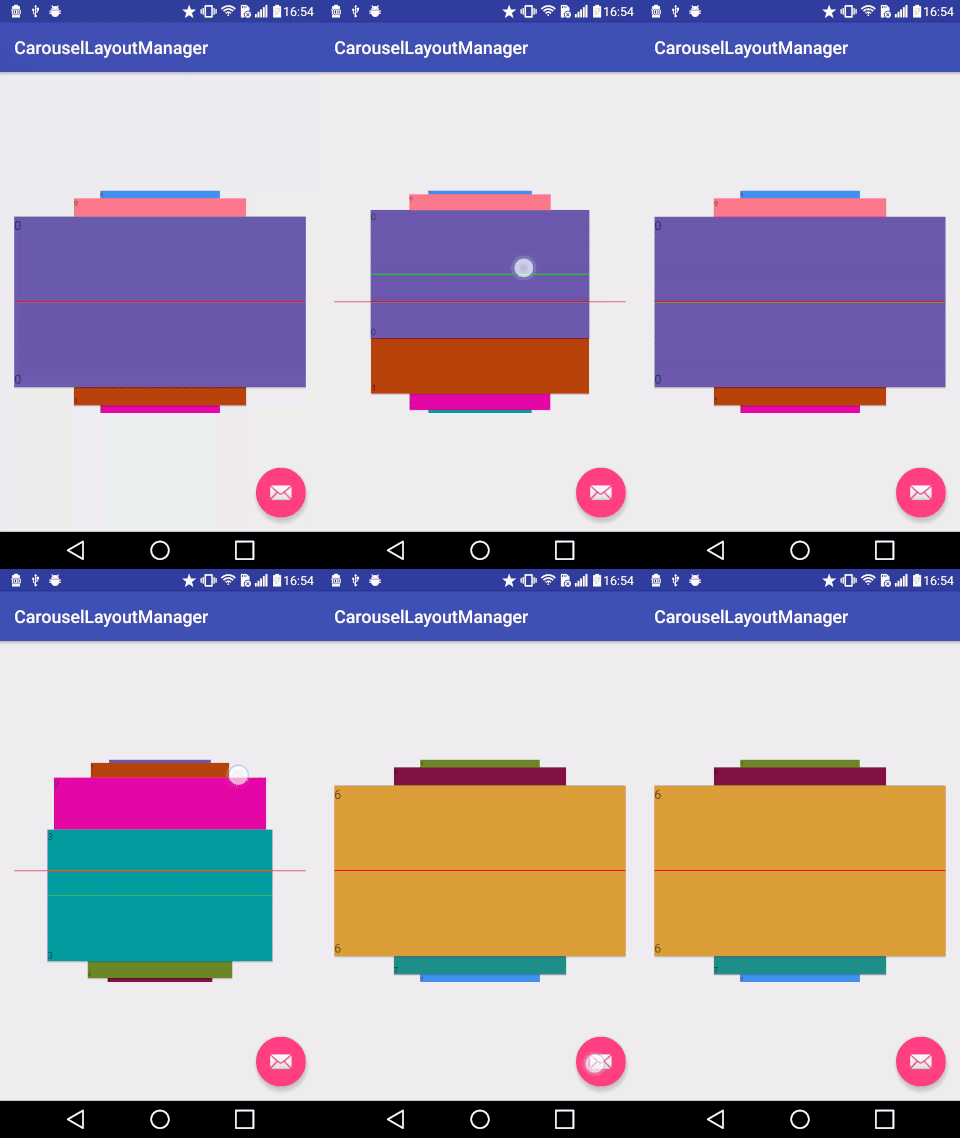
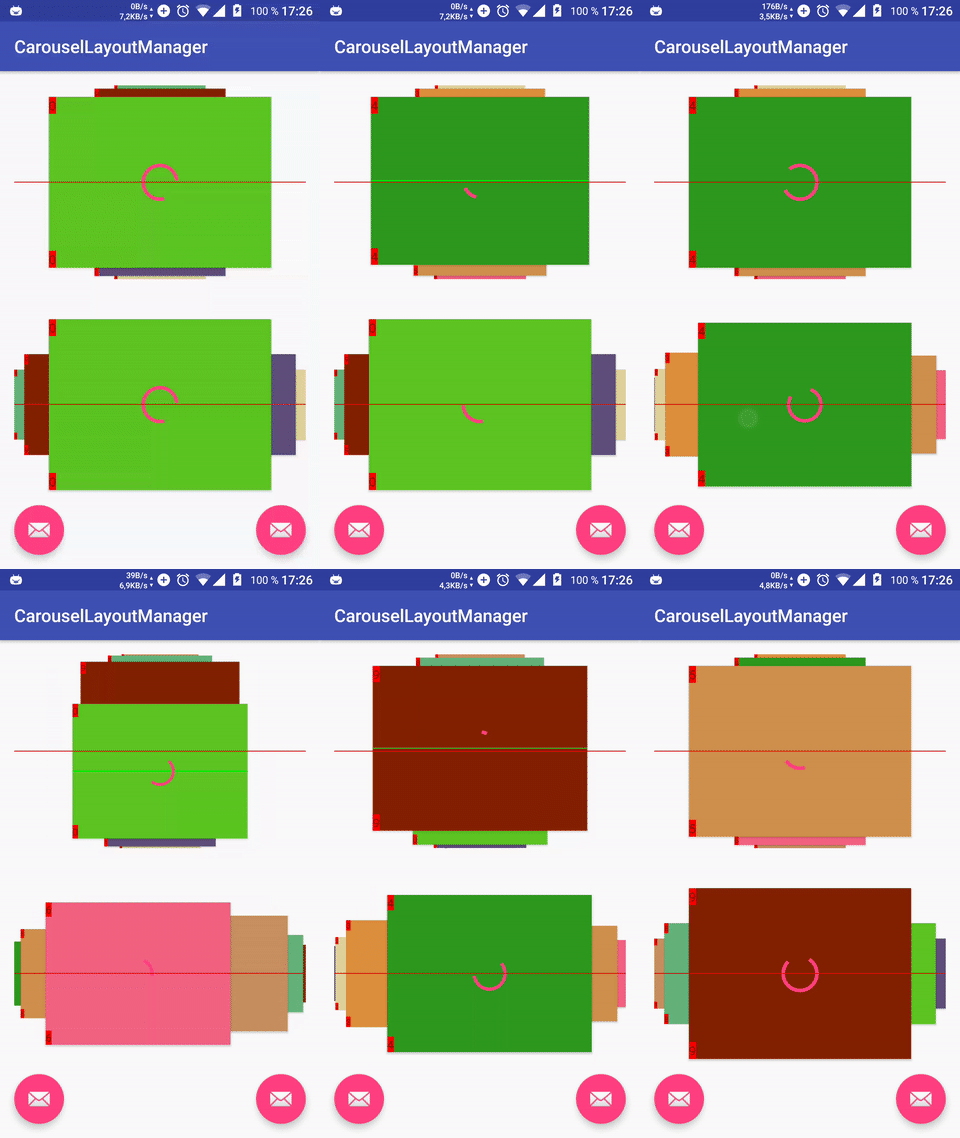
To enable zoom effects that is enabled in gif add this line:
layoutManager.setPostLayoutListener(new CarouselZoomPostLayoutListener());
Full code from this sample:
// vertical and cycle layout
final CarouselLayoutManager layoutManager = new CarouselLayoutManager(CarouselLayoutManager.VERTICAL, true);
layoutManager.setPostLayoutListener(new CarouselZoomPostLayoutListener());

final RecyclerView recyclerView = (RecyclerView) findViewById(R.id.recycler_view);
recyclerView.setLayoutManager(layoutManager);
recyclerView.setHasFixedSize(true);
recyclerView.setAdapter(new TestAdapter(this));
recyclerView.addOnScrollListener(new CenterScrollListener());
You can enable and disable circular loop using two arguments constructor. Pass true to enable loop and false to disable.
You can make carousel Vertically and Horizontally by changing first argument.
You can change zoom level of bottom cards by changing scaleMultiplier argument in CarouselZoomPostLayoutListener. Big thanks to JeneaVranceanu!
Feel free to get in touch.
Email:      mig35@mig35.com
Website:    http://www.azoft.com
Twitter:    @azoft
LinkedIn:   https://www.linkedin.com/company/azoft
Facebook:   https://www.facebook.com/azoft.company
Licensed under the Apache License, Version 2.0 (the "License");
you may not use this file except in compliance with the License.
You may obtain a copy of the License at

   http://www.apache.org/licenses/LICENSE-2.0

Unless required by applicable law or agreed to in writing, software
distributed under the License is distributed on an "AS IS" BASIS,
WITHOUT WARRANTIES OR CONDITIONS OF ANY KIND, either express or implied.
See the License for the specific language governing permissions and
limitations under the License.
255 followers · starred Apr 2017
18 followers · starred Jul 2017
51 followers · starred Mar 2018
20 followers · starred Jul 2021
implementation 'com.mig35:carousellayoutmanager:version'
Please replace version with the latest version:
This LayoutManager works only with fixedSized items in adapter. To use this LayoutManager add gradle (maven) dependence and use this code (you can use CarouselLayoutManager.HORIZONTAL as well):
final CarouselLayoutManager layoutManager = new CarouselLayoutManager(CarouselLayoutManager.VERTICAL);

final RecyclerView recyclerView = (RecyclerView) findViewById(R.id.recycler_view);
recyclerView.setLayoutManager(layoutManager);
recyclerView.setHasFixedSize(true);
To enable items center scrolling add this CenterScrollListener:
recyclerView.addOnScrollListener(new CenterScrollListener());
To enable zoom effects that is enabled in gif add this line:
layoutManager.setPostLayoutListener(new CarouselZoomPostLayoutListener());
Full code from this sample:
// vertical and cycle layout
final CarouselLayoutManager layoutManager = new CarouselLayoutManager(CarouselLayoutManager.VERTICAL, true);
layoutManager.setPostLayoutListener(new CarouselZoomPostLayoutListener());

final RecyclerView recyclerView = (RecyclerView) findViewById(R.id.recycler_view);
recyclerView.setLayoutManager(layoutManager);
recyclerView.setHasFixedSize(true);
recyclerView.setAdapter(new TestAdapter(this));
recyclerView.addOnScrollListener(new CenterScrollListener());
You can enable and disable circular loop using two arguments constructor. Pass true to enable loop and false to disable.
You can make carousel Vertically and Horizontally by changing first argument.
You can change zoom level of bottom cards by changing scaleMultiplier argument in CarouselZoomPostLayoutListener. Big thanks to JeneaVranceanu!
Feel free to get in touch.
Email:      mig35@mig35.com
Website:    http://www.azoft.com
Twitter:    @azoft
LinkedIn:   https://www.linkedin.com/company/azoft
Facebook:   https://www.facebook.com/azoft.company
Licensed under the Apache License, Version 2.0 (the "License");
you may not use this file except in compliance with the License.
You may obtain a copy of the License at

   http://www.apache.org/licenses/LICENSE-2.0

Unless required by applicable law or agreed to in writing, software
distributed under the License is distributed on an "AS IS" BASIS,
WITHOUT WARRANTIES OR CONDITIONS OF ANY KIND, either express or implied.
See the License for the specific language governing permissions and
limitations under the License.
255 followers · starred Apr 2017
18 followers · starred Jul 2017
51 followers · starred Mar 2018
20 followers · starred Jul 2021



