
Remote notifications for the Pi coding agent — Pushover, ntfy, and webhooks when tasks finish or need your input.
See the codeSee what people are saying
README
pi-knock


English | 简体中文
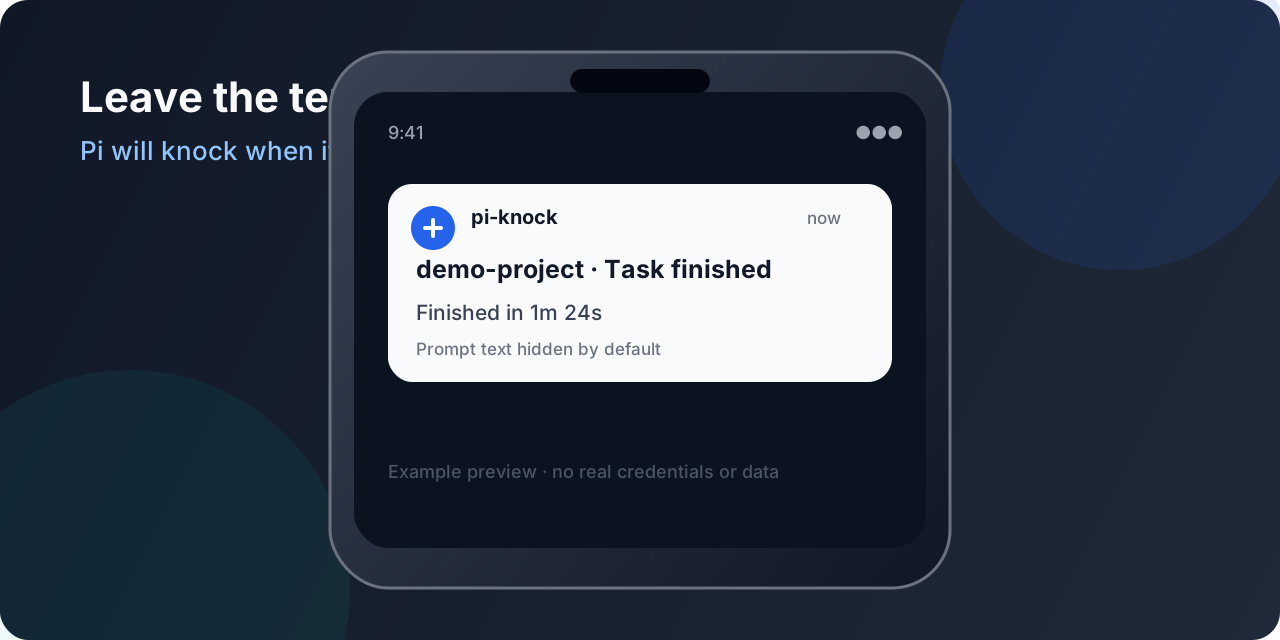
Leave the terminal. Pi will knock when it needs you.
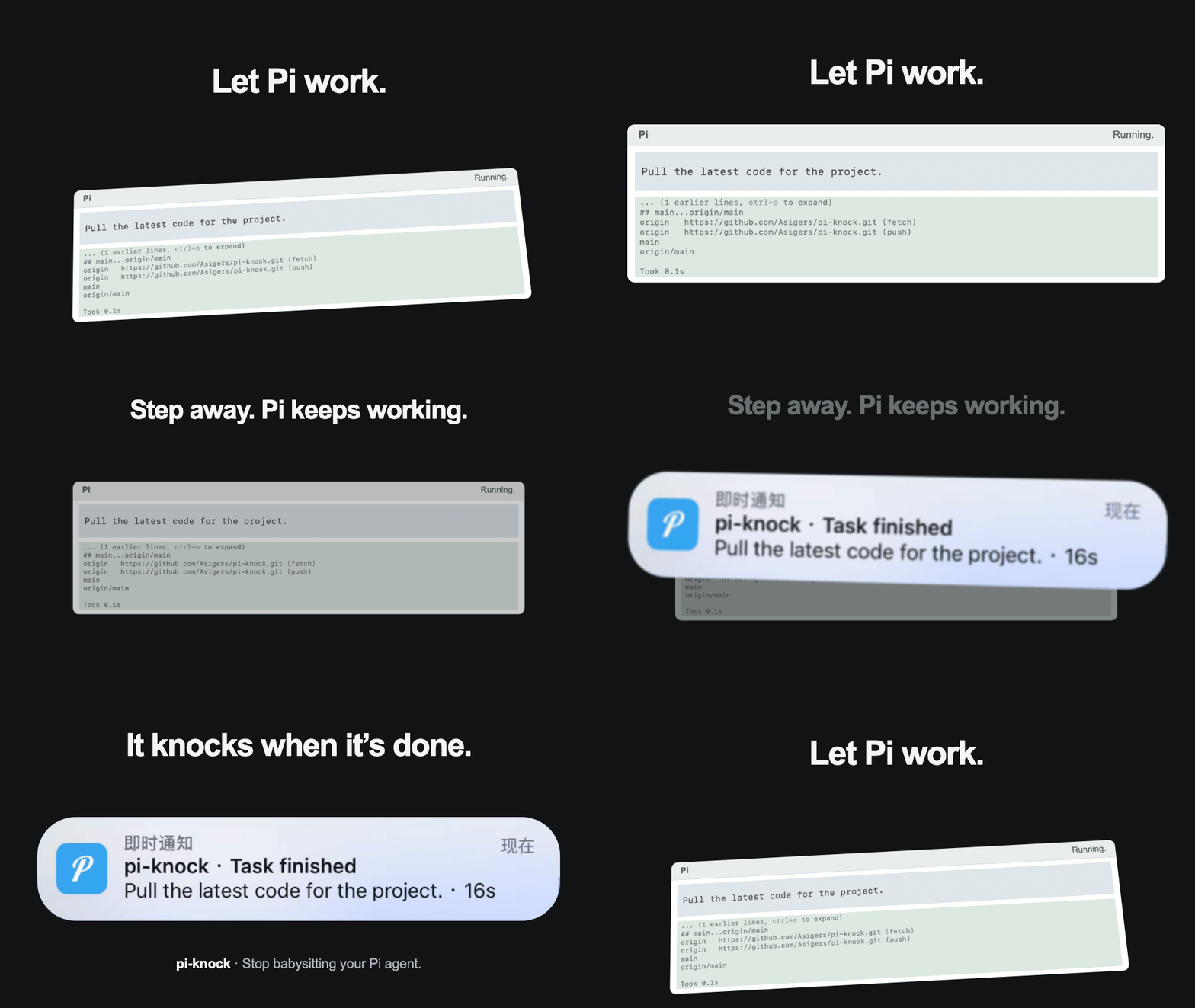
pi-knock is a Pi coding agent extension that sends remote notifications when a task finishes, fails, or needs your input. Use Pushover for iPhone / Apple Watch, ntfy for hosted or self-hosted push, or a webhook for your own automation.
Why pi-knock?
Desktop notifications only help when you're near your computer. pi-knock lets you hand work to Pi and walk away: it sends the important moments to your phone or watch.
- Know when Pi is actually done — completion alerts fire after Pi has settled, including automatic retries and queued work.
- Come back only when Pi needs you — get notified when input or confirmation is required.
- Stay away from the terminal — receive alerts through Pushover, ntfy, or your own webhook automation.
Contents
- Why pi-knock?
- Features
- Quick start
- Commands
- Providers
- Notification behavior
- Configuration
- Update and uninstall
- Development
- Documentation
- License
Features
- Actually waits for completion — completion alerts are sent at
agent_settled, after Pi has finished automatic retries and queued work. - Works away from your desk — notifications can reach your phone or watch instead of only the local terminal.
- Reliable delivery — transient failures are retried automatically.
- Lock-screen safe by default — prompt text is hidden unless you opt in.
- Session-aware — named Pi sessions appear in notification titles.
- No push server required — pi-knock sends directly to your configured provider.
Quick start
Requirements: Pi 0.87+ and Node.js 22.19+.
1. Install
The recommended installation is npm:
pi install npm:@asigers/pi-knock
Choose one installation source. Do not install both npm and Git versions at the same time, or Pi may load the extension twice and send duplicate notifications.
For development or unreleased source only, use the tagged Git version instead:
pi install git:github.com/Asigers/pi-knock@v0.3.2
If you are unsure which copy is installed, run pi list and keep only one pi-knock entry.
2. Configure
Restart Pi or run /reload, then launch the setup wizard:
/knock setup
Choose a provider and enter the required settings. Saving a provider configuration immediately sends a test notification.
Credential privacy: Pi's standard input is not masked. Enter credentials only in a private terminal or session.
3. Verify
Send another test notification whenever you need to check delivery:
/knock test
If it does not arrive, run /knock doctor to inspect the provider configuration and last delivery result.
Commands
Run these commands inside Pi:
| Command | Description |
|---|---|
/knock setup | Configure providers and notification preferences |
/knock status | Show current configuration |
/knock test | Send a live test notification |
/knock doctor | Show provider and last-delivery diagnostics |
Providers
| Provider | Best for |
|---|---|
| Pushover | iPhone / Apple Watch |
| ntfy | Hosted or self-hosted push |
| Webhook | Custom integrations and automation |
For provider setup details, see the English provider guide or the Pushover setup guide (简体中文).
Notification behavior
Default behavior:
| Event | Notify |
|---|---|
| Conversation completed | Yes |
| Input / confirmation required | Yes |
| Conversation failed | Yes |
| Conversation aborted | No |
Notifications use the project name and, when available, the Pi session name. By default prompt text is not included on the lock screen.
To change this, run /knock setup and choose Notification preferences.
Delivery uses up to three attempts (the initial request plus two retries) for timeouts, transient network errors, and retryable provider responses such as HTTP 429 / 5xx. Permanent 4xx errors fail immediately.
Pushover allows 10 seconds per request, with 5-second and 10-second backoff before retries. ntfy and webhook requests keep their 5-second timeouts and 1-second / 3-second backoff. Delays include a small jitter, and providers' Retry-After response is honored up to 60 seconds.
Delivery failures are silent: automatic notifications and tests from /knock test or setup do not display failure warnings or print errors. Test feedback only lists successful channels. Lifecycle notifications run in the background and do not hold Pi's settled boundary open while retries run. Use /knock doctor when you want to inspect failures and attempt counts. The last report is stored locally without notification content or credentials.
A timed-out request may already have been accepted by the provider, so retries can occasionally produce duplicate notifications.
Configuration
Files
The setup wizard writes two files by default:
~/.pi/agent/pi-knock/
├── config.json
├── credentials.json
└── last-delivery.json
config.jsonstores notification preferences and non-secret provider settings.credentials.jsonstores provider keys and tokens separately. Do not commit it or share its contents.last-delivery.jsonstores the latest redacted delivery status and attempt count for/knock doctor.
Set PI_KNOCK_HOME to change the default directory, or use PI_KNOCK_CONFIG and PI_KNOCK_CREDENTIALS to override individual file paths.
Example
A minimal config.json with Pushover enabled (credentials are configured separately):
{
  "projectName": "",
  "openUrl": "",
  "contentMode": "project-only",
  "notify": {
    "completed": true,
    "error": true,
    "aborted": false,
    "input": true
  },
  "pushover": {
    "enabled": true
  }
}
See pi-knock.example.json and config.schema.json for the complete configuration.
Environment variables
Environment variables override file settings and are useful for Pi-Web, containers, CI, and external secret managers. Common variables include:
| Purpose | Variables |
|---|---|
| Pushover credentials | PI_KNOCK_PUSHOVER_USER_KEY, PI_KNOCK_PUSHOVER_APP_TOKEN |
| ntfy connection | PI_KNOCK_NTFY_SERVER, PI_KNOCK_NTFY_TOPIC, PI_KNOCK_NTFY_ACCESS_TOKEN |
| Webhook connection | PI_KNOCK_WEBHOOK_URL, PI_KNOCK_WEBHOOK_BEARER |
| Delivery report path | PI_KNOCK_DELIVERY_REPORT (optional) |
| Notification content | PI_KNOCK_CONTENT_MODE (project-only or prompt) |
Update and uninstall
Update installed extensions:
pi update --extensions
Remove the npm installation:
pi remove npm:@asigers/pi-knock
For a GitHub installation, use pi remove git:github.com/Asigers/pi-knock instead.
Development
npm ci --ignore-scripts
npm run check
npm pack --dry-run
pi -ne -e ./src/index.ts
Using -ne prevents another installed copy of pi-knock from loading during local testing.
Documentation
- English provider setup guide
- Pushover setup guide (简体中文)
- Configuration example and JSON Schema
- Changelog
- Security
- Contributing
- Code of Conduct
- Report an issue
License
Similar repos


Remote notifications for the Pi coding agent — Pushover, ntfy, and webhooks when tasks finish or need your input.
See the codeSee what people are saying
README
pi-knock
English | 简体中文
Leave the terminal. Pi will knock when it needs you.
pi-knock is a Pi coding agent extension that sends remote notifications when a task finishes, fails, or needs your input. Use Pushover for iPhone / Apple Watch, ntfy for hosted or self-hosted push, or a webhook for your own automation.
Why pi-knock?
Desktop notifications only help when you're near your computer. pi-knock lets you hand work to Pi and walk away: it sends the important moments to your phone or watch.
- Know when Pi is actually done — completion alerts fire after Pi has settled, including automatic retries and queued work.
- Come back only when Pi needs you — get notified when input or confirmation is required.
- Stay away from the terminal — receive alerts through Pushover, ntfy, or your own webhook automation.
Contents
- Why pi-knock?
- Features
- Quick start
- Commands
- Providers
- Notification behavior
- Configuration
- Update and uninstall
- Development
- Documentation
- License
Features
- Actually waits for completion — completion alerts are sent at
agent_settled, after Pi has finished automatic retries and queued work. - Works away from your desk — notifications can reach your phone or watch instead of only the local terminal.
- Reliable delivery — transient failures are retried automatically.
- Lock-screen safe by default — prompt text is hidden unless you opt in.
- Session-aware — named Pi sessions appear in notification titles.
- No push server required — pi-knock sends directly to your configured provider.
Quick start
Requirements: Pi 0.87+ and Node.js 22.19+.
1. Install
The recommended installation is npm:
pi install npm:@asigers/pi-knock
Choose one installation source. Do not install both npm and Git versions at the same time, or Pi may load the extension twice and send duplicate notifications.
For development or unreleased source only, use the tagged Git version instead:
pi install git:github.com/Asigers/pi-knock@v0.3.2
If you are unsure which copy is installed, run pi list and keep only one pi-knock entry.
2. Configure
Restart Pi or run /reload, then launch the setup wizard:
/knock setup
Choose a provider and enter the required settings. Saving a provider configuration immediately sends a test notification.
Credential privacy: Pi's standard input is not masked. Enter credentials only in a private terminal or session.
3. Verify
Send another test notification whenever you need to check delivery:
/knock test
If it does not arrive, run /knock doctor to inspect the provider configuration and last delivery result.
Commands
Run these commands inside Pi:
| Command | Description |
|---|---|
/knock setup | Configure providers and notification preferences |
/knock status | Show current configuration |
/knock test | Send a live test notification |
/knock doctor | Show provider and last-delivery diagnostics |
Providers
| Provider | Best for |
|---|---|
| Pushover | iPhone / Apple Watch |
| ntfy | Hosted or self-hosted push |
| Webhook | Custom integrations and automation |
For provider setup details, see the English provider guide or the Pushover setup guide (简体中文).
Notification behavior
Default behavior:
| Event | Notify |
|---|---|
| Conversation completed | Yes |
| Input / confirmation required | Yes |
| Conversation failed | Yes |
| Conversation aborted | No |
Notifications use the project name and, when available, the Pi session name. By default prompt text is not included on the lock screen.
To change this, run /knock setup and choose Notification preferences.
Delivery uses up to three attempts (the initial request plus two retries) for timeouts, transient network errors, and retryable provider responses such as HTTP 429 / 5xx. Permanent 4xx errors fail immediately.
Pushover allows 10 seconds per request, with 5-second and 10-second backoff before retries. ntfy and webhook requests keep their 5-second timeouts and 1-second / 3-second backoff. Delays include a small jitter, and providers' Retry-After response is honored up to 60 seconds.
Delivery failures are silent: automatic notifications and tests from /knock test or setup do not display failure warnings or print errors. Test feedback only lists successful channels. Lifecycle notifications run in the background and do not hold Pi's settled boundary open while retries run. Use /knock doctor when you want to inspect failures and attempt counts. The last report is stored locally without notification content or credentials.
A timed-out request may already have been accepted by the provider, so retries can occasionally produce duplicate notifications.
Configuration
Files
The setup wizard writes two files by default:
~/.pi/agent/pi-knock/
├── config.json
├── credentials.json
└── last-delivery.json
config.jsonstores notification preferences and non-secret provider settings.credentials.jsonstores provider keys and tokens separately. Do not commit it or share its contents.last-delivery.jsonstores the latest redacted delivery status and attempt count for/knock doctor.
Set PI_KNOCK_HOME to change the default directory, or use PI_KNOCK_CONFIG and PI_KNOCK_CREDENTIALS to override individual file paths.
Example
A minimal config.json with Pushover enabled (credentials are configured separately):
{
  "projectName": "",
  "openUrl": "",
  "contentMode": "project-only",
  "notify": {
    "completed": true,
    "error": true,
    "aborted": false,
    "input": true
  },
  "pushover": {
    "enabled": true
  }
}
See pi-knock.example.json and config.schema.json for the complete configuration.
Environment variables
Environment variables override file settings and are useful for Pi-Web, containers, CI, and external secret managers. Common variables include:
| Purpose | Variables |
|---|---|
| Pushover credentials | PI_KNOCK_PUSHOVER_USER_KEY, PI_KNOCK_PUSHOVER_APP_TOKEN |
| ntfy connection | PI_KNOCK_NTFY_SERVER, PI_KNOCK_NTFY_TOPIC, PI_KNOCK_NTFY_ACCESS_TOKEN |
| Webhook connection | PI_KNOCK_WEBHOOK_URL, PI_KNOCK_WEBHOOK_BEARER |
| Delivery report path | PI_KNOCK_DELIVERY_REPORT (optional) |
| Notification content | PI_KNOCK_CONTENT_MODE (project-only or prompt) |
Update and uninstall
Update installed extensions:
pi update --extensions
Remove the npm installation:
pi remove npm:@asigers/pi-knock
For a GitHub installation, use pi remove git:github.com/Asigers/pi-knock instead.
Development
npm ci --ignore-scripts
npm run check
npm pack --dry-run
pi -ne -e ./src/index.ts
Using -ne prevents another installed copy of pi-knock from loading during local testing.
Documentation
- English provider setup guide
- Pushover setup guide (简体中文)
- Configuration example and JSON Schema
- Changelog
- Security
- Contributing
- Code of Conduct
- Report an issue