
Self-hosted music service that does external search and playback, library management, recommendations, radio, autoplay, lyrics, Auto DJ sessions, and more.
See the codeSee what people are saying
README

What Soundsible does
Search the whole internet. Listen, save, download and manage everything in one place.
Enjoy endless playback, infinite autoplay, radio mode, and auto DJ sessions. Choose where to start and soundsible builds the set. DJ mode analyses tempo, key and energy to pick songs and mixes between them on two decks. You can influence, change direction or request a song on a certain spot of the route. DJ is in beta — what it can do →
Broadcast what you are playing. We host a little listening room for users to stream their DJ sessions to the world! How Live works →
Features
What you can do
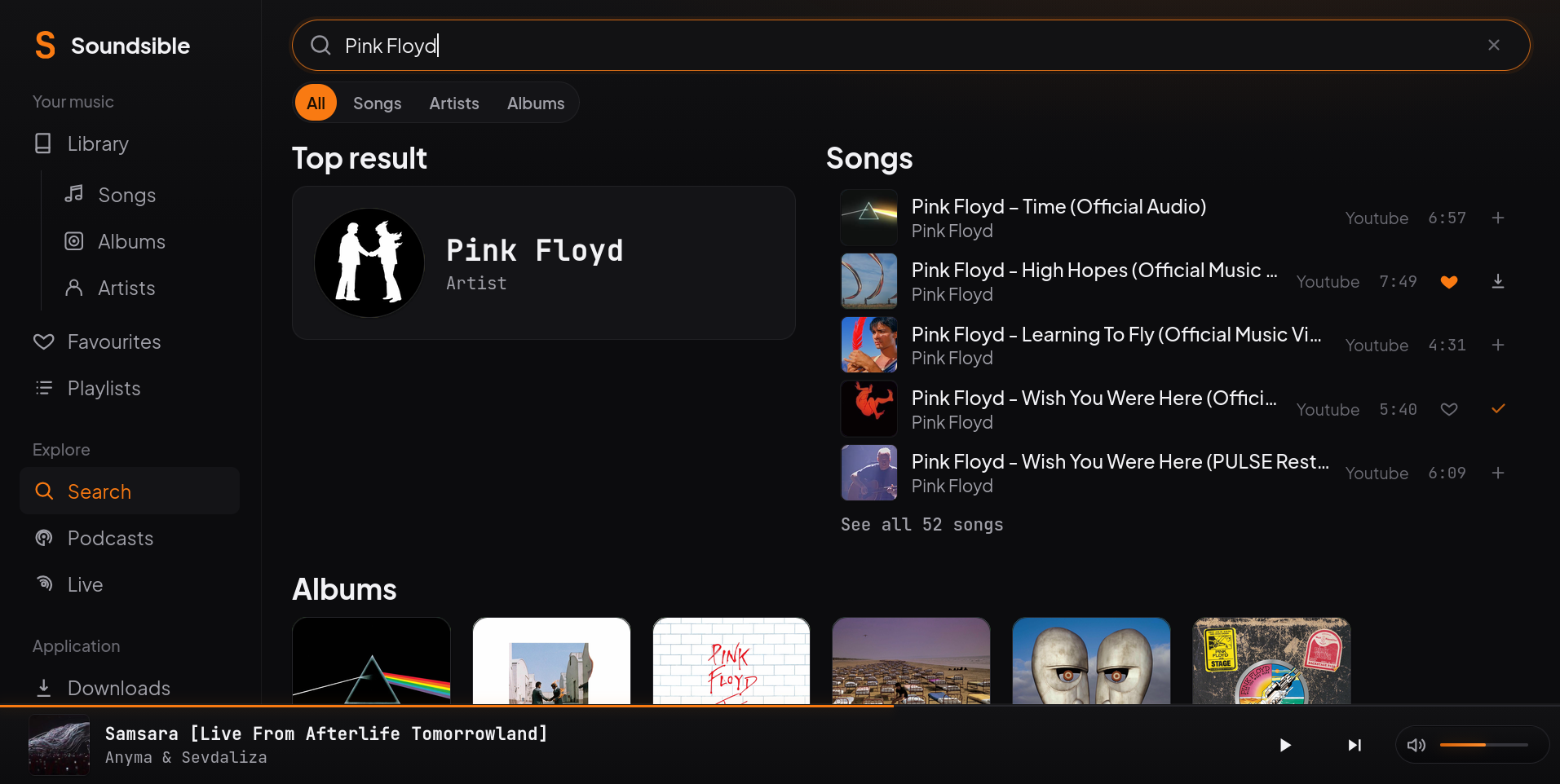
- Search the complete Youtube Music cataloge or paste a link. You can listen on the go, save without downloading, or download the song to the server. Availability depends on YouTube.
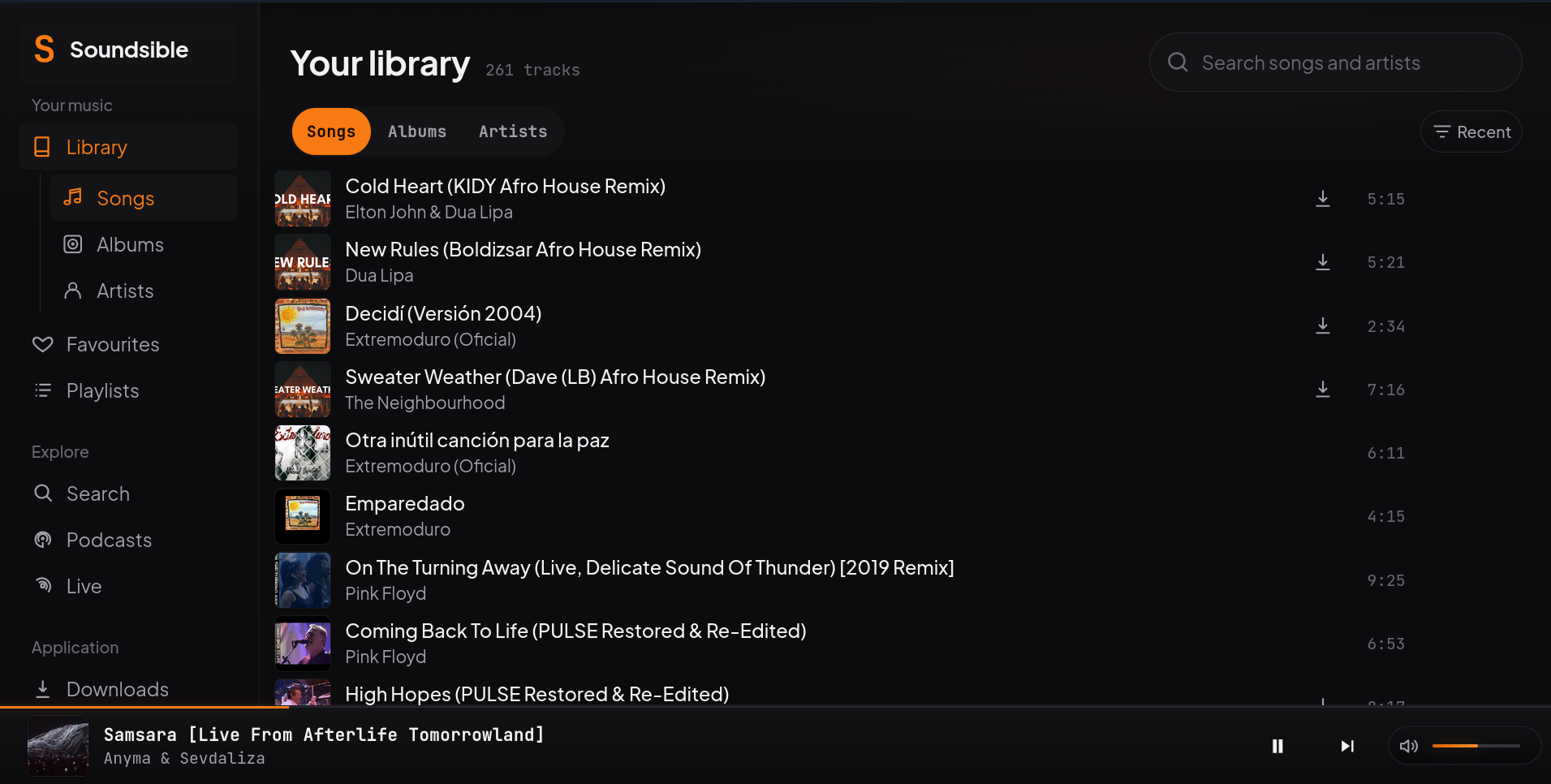
- Your music: Browse by artist, album, genre or year; make playlists and save favourites. You can also upload your own audio files.
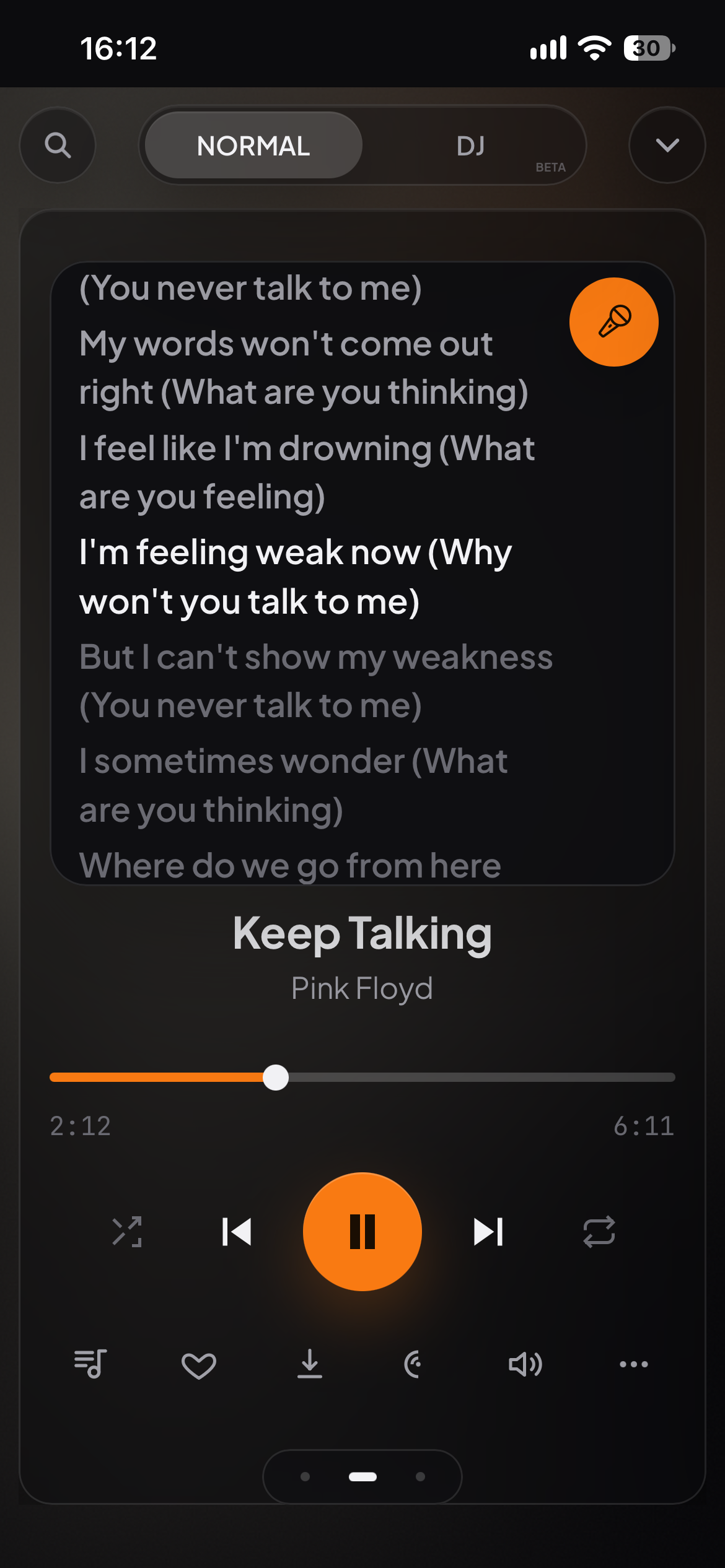
- Lyrics: Real-time synced lyrics, or read plain lyrics when available.
- Discovery: Get recommendations from your listening history, start a Radio from a song or let Autoplay and DJ continue after your queue ends. Recommendation learning is optional, private and always stays on your server.
- Import music: Import Spotify or Apple Music exports. Soundsible finds matching recordings; the export itself contains no audio. Import guide
- Podcasts: Find podcasts, subscribe and play episodes in the same app.
- Multi-user support: Each person has their own library, playlists, favourites and listening history.
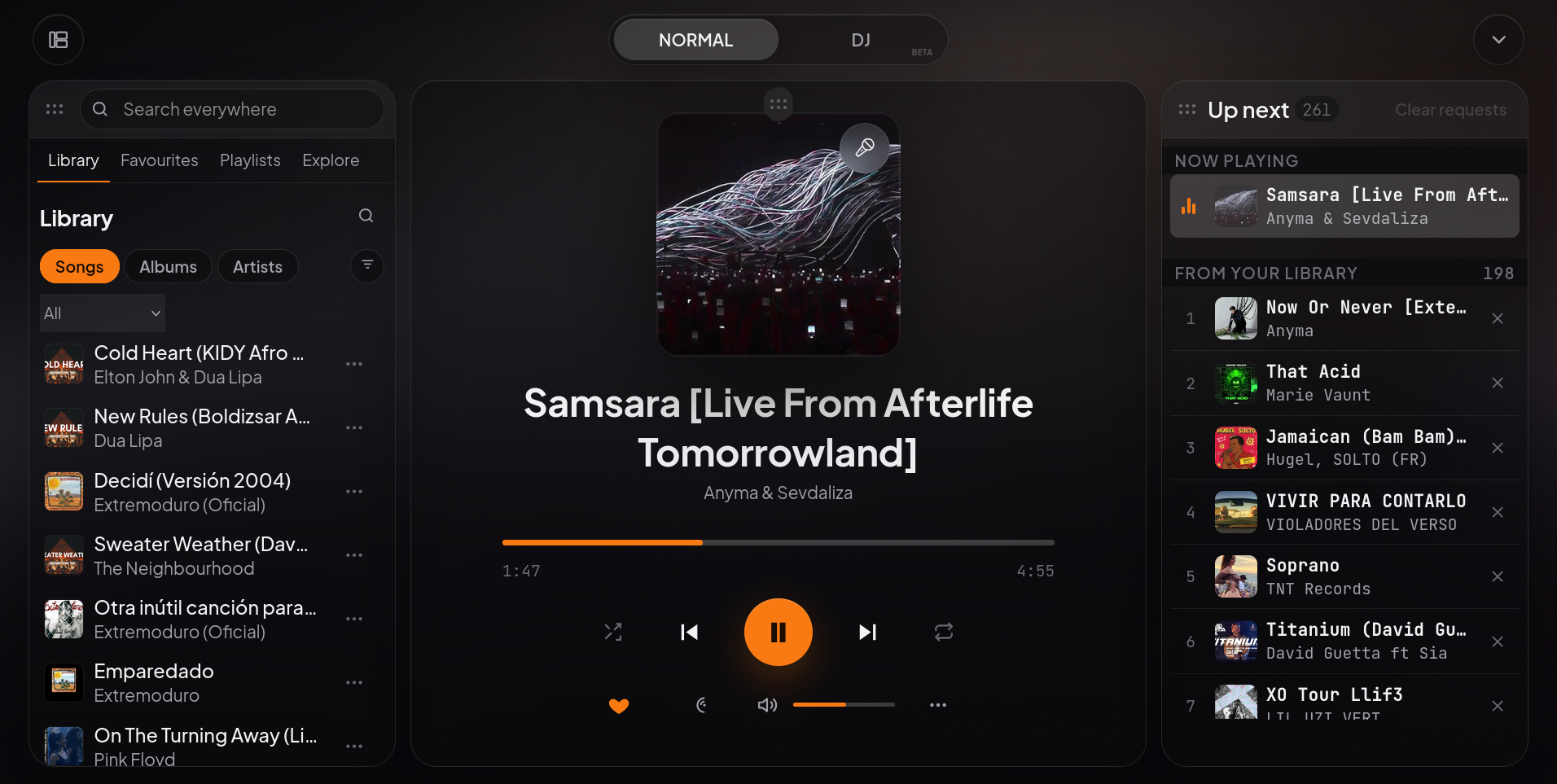
More screenshots: search, library and mobile lyrics
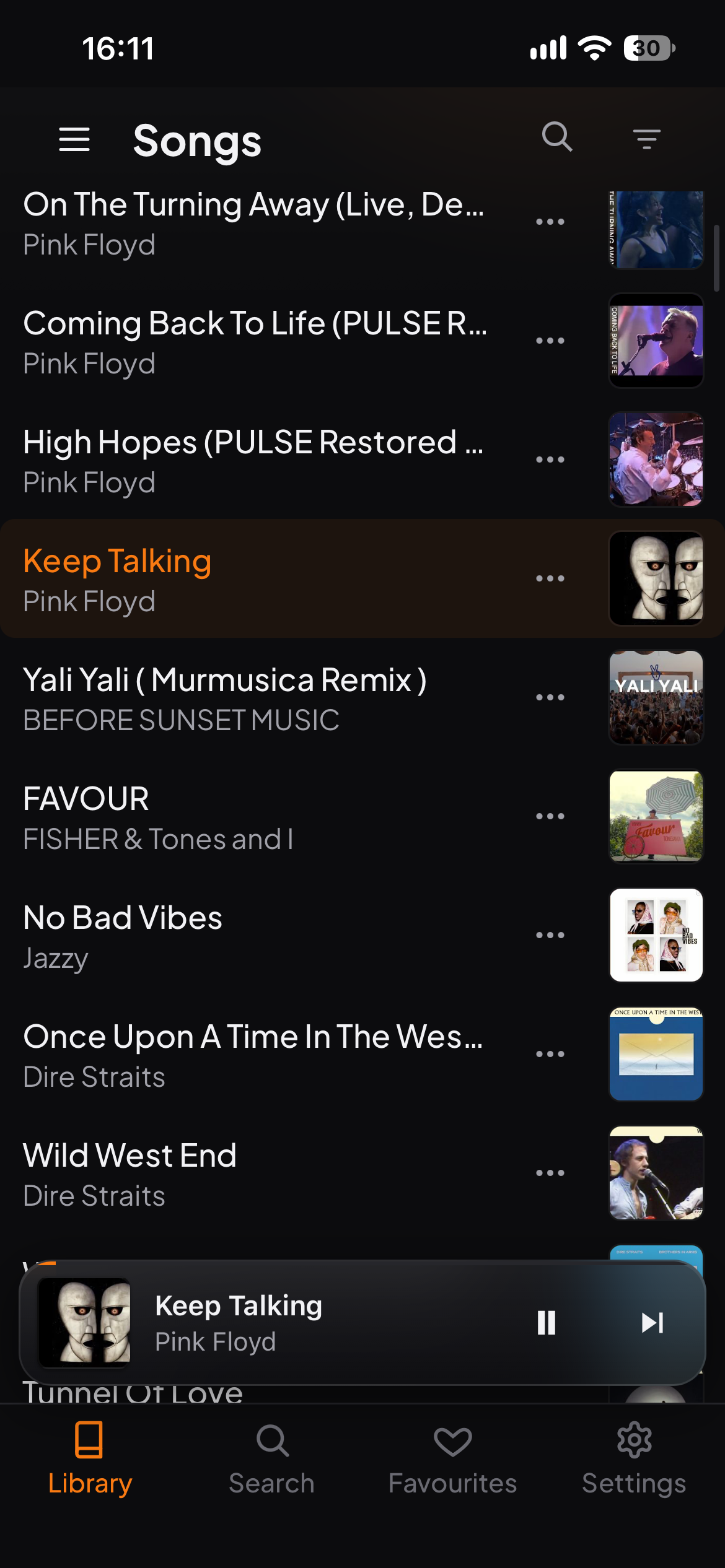
Clients and devices
Open Soundsible in a desktop or mobile browser, or add it to your home screen as an installable web app (PWA). Your server holds your collection and listening history. Set up access away from home →
The desktop app is in beta and can run the server on the same computer. OpenSubsonic also lets compatible apps play your saved library; external search and DJ remain in Soundsible.
Native iOS has not been run on a device. Its playback, offline downloads and car controls are unverified. Broader offline and device support is on the roadmap; see iOS status for details.
Install
| Run it on… | Start here |
|---|---|
| Your computer or server | Native installation for Linux, macOS and Windows. This is the maintainer's primary installation method. |
| Docker / NAS | Docker Compose setup, with persistent storage and prebuilt images. |
| Desktop, without a terminal | Download a desktop beta for Windows or Debian/Ubuntu. Check the platform status before installing. |
For native and Docker installs, open http://localhost:5005/player/ on the
server, or replace localhost with its address on another device. The desktop
app opens its own player.
Running a native install
| Command | What it does |
|---|---|
python3 run.py | Opens a terminal menu that starts and stops Soundsible. Good for trying it out; quitting the menu stops it. |
python3 run.py --daemon | Runs the server directly, without the menu. Use it on a server or in tmux. |
| systemd service | Runs --daemon in the background on Linux: starts at boot and restarts after a crash. |
The first start opens a setup page once. All the ways to run it →
Documentation
Settings & sources · DJ · Live · Roadmap · Privacy
Built by Arzuparreta, a musician and sysadmin. Report a problem or help build Soundsible.
MIT licensed. Use music you have the right to download and share. Legal & acceptable use.
Contributors


Similar repos


Languages
Python
46.6%
TypeScript
42.0%
CSS
5.5%
Swift
2.3%
JavaScript
1.7%
Self-hosted music service that does external search and playback, library management, recommendations, radio, autoplay, lyrics, Auto DJ sessions, and more.
See the codeSee what people are saying
README
What Soundsible does
Search the whole internet. Listen, save, download and manage everything in one place.
Enjoy endless playback, infinite autoplay, radio mode, and auto DJ sessions. Choose where to start and soundsible builds the set. DJ mode analyses tempo, key and energy to pick songs and mixes between them on two decks. You can influence, change direction or request a song on a certain spot of the route. DJ is in beta — what it can do →
Broadcast what you are playing. We host a little listening room for users to stream their DJ sessions to the world! How Live works →
Features
What you can do
- Search the complete Youtube Music cataloge or paste a link. You can listen on the go, save without downloading, or download the song to the server. Availability depends on YouTube.
- Your music: Browse by artist, album, genre or year; make playlists and save favourites. You can also upload your own audio files.
- Lyrics: Real-time synced lyrics, or read plain lyrics when available.
- Discovery: Get recommendations from your listening history, start a Radio from a song or let Autoplay and DJ continue after your queue ends. Recommendation learning is optional, private and always stays on your server.
- Import music: Import Spotify or Apple Music exports. Soundsible finds matching recordings; the export itself contains no audio. Import guide
- Podcasts: Find podcasts, subscribe and play episodes in the same app.
- Multi-user support: Each person has their own library, playlists, favourites and listening history.
More screenshots: search, library and mobile lyrics
Clients and devices
Open Soundsible in a desktop or mobile browser, or add it to your home screen as an installable web app (PWA). Your server holds your collection and listening history. Set up access away from home →
The desktop app is in beta and can run the server on the same computer. OpenSubsonic also lets compatible apps play your saved library; external search and DJ remain in Soundsible.
Native iOS has not been run on a device. Its playback, offline downloads and car controls are unverified. Broader offline and device support is on the roadmap; see iOS status for details.
Install
| Run it on… | Start here |
|---|---|
| Your computer or server | Native installation for Linux, macOS and Windows. This is the maintainer's primary installation method. |
| Docker / NAS | Docker Compose setup, with persistent storage and prebuilt images. |
| Desktop, without a terminal | Download a desktop beta for Windows or Debian/Ubuntu. Check the platform status before installing. |
For native and Docker installs, open http://localhost:5005/player/ on the
server, or replace localhost with its address on another device. The desktop
app opens its own player.
Running a native install
| Command | What it does |
|---|---|
python3 run.py | Opens a terminal menu that starts and stops Soundsible. Good for trying it out; quitting the menu stops it. |
python3 run.py --daemon | Runs the server directly, without the menu. Use it on a server or in tmux. |
| systemd service | Runs --daemon in the background on Linux: starts at boot and restarts after a crash. |
The first start opens a setup page once. All the ways to run it →
Documentation
Settings & sources · DJ · Live · Roadmap · Privacy
Built by Arzuparreta, a musician and sysadmin. Report a problem or help build Soundsible.
MIT licensed. Use music you have the right to download and share. Legal & acceptable use.
Similar repos
Contributors
Languages
Python
46.6%
TypeScript
42.0%
CSS
5.5%
Swift
2.3%
JavaScript
1.7%