
Offline size reports and repeated definition checks for captured MCP tool catalogs.
JavaScript
0
3 commits
updated Oct 3, 2026
See what people are saying
README

mcp-footprint
Measure canonical MCP tool definition size and repeated definitions from captured tools/list data.


Quickstart | How it works | Examples | FAQ
[!TIP] Try the synthetic demo without installing it first:
npx --yes --package git+https://github.com/Arthur031221/mcp-footprint mcp-footprint --demo --html footprint.html
Why mcp-footprint
An MCP tools/list response can include many full JSON schemas. Reading each response shows the fields, but it takes extra work to compare the size and repeated definitions across several servers.
mcp-footprint reads saved tools/list snapshots, canonicalizes each complete tool definition, and reports its UTF-8 byte size. It also compares definitions across server catalogs and makes a self-contained HTML report for local review.
It does not start MCP servers, make network requests, or call tools. Its token number is only a rough estimate from bytes. It does not measure client context use or tokenizer output.
Features
- Counts canonical bytes: Reports each full tool definition, the sum of definitions, and the canonical aggregate catalog size.
- Shows catalog shape: Uses a proportional server map and ranked, searchable tool rows in the HTML report.
- Finds repeated definitions: Reports exact cross-server matches, same-name differences, and similar descriptions as separate pair labels.
- Reads captured data: Accepts a tools/list result, a JSON-RPC response, or a named aggregate of server snapshots.
- Stays offline: Uses only supplied JSON and bundled synthetic fixtures. It starts no server and executes no tool.
- Writes reviewable reports: Produces self-contained HTML or machine-readable JSON and refuses to overwrite existing files.
Quickstart
The CLI requires Node.js 20 or newer and has no runtime dependencies. To run from a checkout:
node bin/mcp-footprint.js --demo --html footprint.html
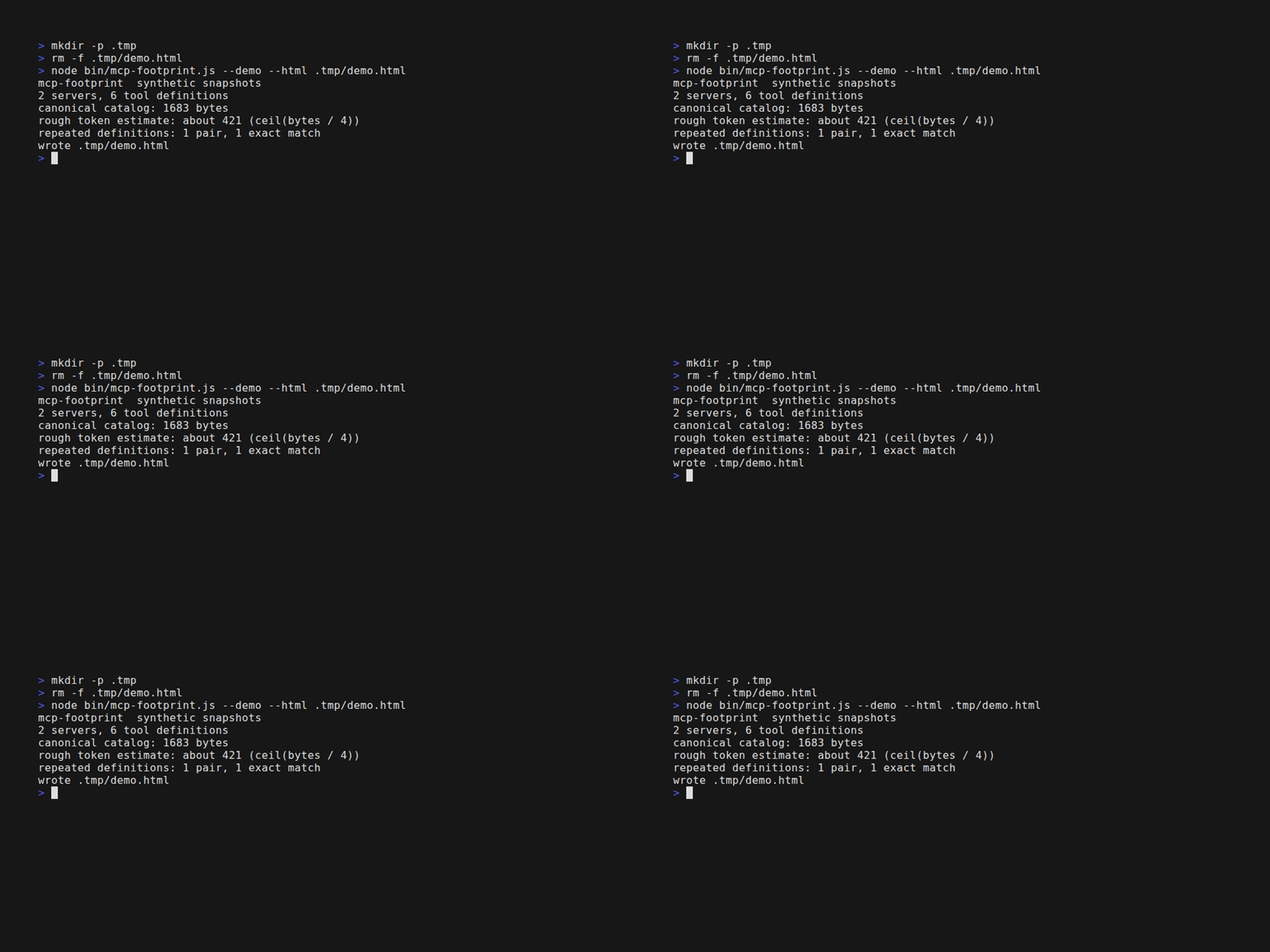
The bundled synthetic demo prints:
mcp-footprint  synthetic snapshots
2 servers, 6 tool definitions
canonical catalog: 1683 bytes
rough token estimate: about 421 (ceil(bytes / 4))
repeated definitions: 1 pair, 1 exact match
wrote footprint.html
The demo uses bundled synthetic snapshots. A real run reads captured JSON files:
node bin/mcp-footprint.js --input files=files-tools.json --input search=search-tools.json --html footprint.html --json footprint.json
Input files can contain either the object returned by tools/list, a JSON-RPC response with result.tools, or the aggregate structure shown below. Capture every page before measuring. The CLI stops when it sees a non-empty nextCursor.
{
  "servers": [
    {
      "name": "files",
      "tools": [
        {
          "name": "read_file",
          "description": "Read a text file.",
          "inputSchema": {
            "type": "object",
            "properties": { "path": { "type": "string" } },
            "required": ["path"]
          }
        }
      ]
    }
  ]
}
The CLI prints a short summary and writes only the paths passed with --html or --json. Existing destinations are refused. Pick a new output name for each run.
Examples
The report below comes from the bundled synthetic snapshots. Its treemap areas show the sum of canonical tool definition bytes for each server.

To use the library from a module, pass parsed tool definitions to analyzeCatalog. The five-line example runs with node examples/library.mjs:
import { analyzeCatalog } from '../lib/index.js'
const catalog = [{ name: 'files', tools: [{ name: 'list', inputSchema: { type: 'object' } }] }]
const report = analyzeCatalog(catalog)
console.log(`Canonical catalog bytes: ${report.summary.catalogBytes}`)
console.log(`Rough token estimate: ${report.summary.tokenEstimate}`)
Run it with node examples/library.mjs. The library also exports parseSnapshot, canonicalStringify, renderHtml, and LIMITS.
How it works
Object keys are sorted recursively before serialization. Arrays keep their original order. The tool definition byte count covers the complete canonical tool object, including its name, description, and schema. Catalog bytes count the canonical { "servers": [...] } envelope with servers and tools sorted by name. The report shows both values and their difference.
For each cross-server pair, the analyzer compares canonical definitions and names. Similar descriptions use lowercase Unicode word tokens, split underscores, and require a Jaccard score of at least 0.8. A pair can have multiple labels. Similarity matching is pairwise and does not group matches transitively.
The estimate is ceil(catalogBytes / 4). It is a rough byte-based proxy, not provider billing, measured client context use, or tokenizer output.
| Tool | What it does | Where mcp-footprint differs |
|---|---|---|
| MCP Inspector | Connects to MCP servers to inspect and test them through web, CLI, or terminal clients. | Reads saved tool listings only and compares schema size across catalogs without starting servers. |
| JSON viewer | Formats a captured response for reading. | Adds canonical byte counts and cross-server repeated-definition pairs. |
mcp-footprint | Measures supplied tools/list snapshots and writes HTML or JSON. | It makes no network calls and does not measure live client context use. |
Input and output formats
The CLI accepts a tools/list result such as {"tools":[...]}, a JSON-RPC response such as {"result":{"tools":[...]}}, or an aggregate object with a servers array. Each server entry has a unique name and a tools array. Tool names must be unique within a server. Each tool needs a non-empty name and an object-valued inputSchema. A description is optional and must be a string when present.
Use --input server-name=path.json to name a snapshot. Repeat the option for multiple servers. If the name is omitted, the file name becomes the server name. The CLI rejects client configuration objects with mcpServers because they do not contain captured tool definitions.
Pass --html path for a standalone report, --json path for the structured report, or both. Reports contain the descriptions and schemas from the input. Review them before sharing. HTML has no external scripts, styles, fonts, analytics, or links from input values.
Limits and matching details
An invocation accepts at most 16 MiB of input, 200 servers, 2,000 tools, and 64 levels of nesting. Similarity matching has a budget of 2 million word-membership operations. Descriptions with more than 128 unique words are skipped. If the budget is reached, the report marks the similarity scan incomplete and states how many eligible pairs were not examined. At most 5,000 overlap pairs are retained, with truncation reported.
Exact-definition and same-name comparisons scan all cross-server pairs. One pair can count in more than one category. Short descriptions with fewer than six unique words do not enter similarity matching. The analyzer does not recommend removing tools.
FAQ
Does it connect to my MCP servers?
No. It reads JSON files that you captured separately. It does not start a server or make a network request.
Does the estimate show how much context a client uses?
No. It is ceil(catalogBytes / 4), a rough estimate based on canonical UTF-8 bytes. It is not a tokenizer result or a measurement of client context use.
Can I give it a client configuration file?
No. Client configuration files describe how to start or connect to servers. Supply a captured tools/list result or an aggregate snapshot instead.
Contributing
See CONTRIBUTING.md for the local test command and fixture guidance. Changes should keep the analyzer offline and deterministic.
License
MIT. See LICENSE.
Similar repos


Languages
JavaScript
86.4%
HTML
9.3%
Python
3.7%
Offline size reports and repeated definition checks for captured MCP tool catalogs.
JavaScript
0
3 commits
updated Oct 3, 2026
See what people are saying
README
mcp-footprint
Measure canonical MCP tool definition size and repeated definitions from captured tools/list data.
Quickstart | How it works | Examples | FAQ
[!TIP] Try the synthetic demo without installing it first:
npx --yes --package git+https://github.com/Arthur031221/mcp-footprint mcp-footprint --demo --html footprint.html
Why mcp-footprint
An MCP tools/list response can include many full JSON schemas. Reading each response shows the fields, but it takes extra work to compare the size and repeated definitions across several servers.
mcp-footprint reads saved tools/list snapshots, canonicalizes each complete tool definition, and reports its UTF-8 byte size. It also compares definitions across server catalogs and makes a self-contained HTML report for local review.
It does not start MCP servers, make network requests, or call tools. Its token number is only a rough estimate from bytes. It does not measure client context use or tokenizer output.
Features
- Counts canonical bytes: Reports each full tool definition, the sum of definitions, and the canonical aggregate catalog size.
- Shows catalog shape: Uses a proportional server map and ranked, searchable tool rows in the HTML report.
- Finds repeated definitions: Reports exact cross-server matches, same-name differences, and similar descriptions as separate pair labels.
- Reads captured data: Accepts a tools/list result, a JSON-RPC response, or a named aggregate of server snapshots.
- Stays offline: Uses only supplied JSON and bundled synthetic fixtures. It starts no server and executes no tool.
- Writes reviewable reports: Produces self-contained HTML or machine-readable JSON and refuses to overwrite existing files.
Quickstart
The CLI requires Node.js 20 or newer and has no runtime dependencies. To run from a checkout:
node bin/mcp-footprint.js --demo --html footprint.html
The bundled synthetic demo prints:
mcp-footprint  synthetic snapshots
2 servers, 6 tool definitions
canonical catalog: 1683 bytes
rough token estimate: about 421 (ceil(bytes / 4))
repeated definitions: 1 pair, 1 exact match
wrote footprint.html
The demo uses bundled synthetic snapshots. A real run reads captured JSON files:
node bin/mcp-footprint.js --input files=files-tools.json --input search=search-tools.json --html footprint.html --json footprint.json
Input files can contain either the object returned by tools/list, a JSON-RPC response with result.tools, or the aggregate structure shown below. Capture every page before measuring. The CLI stops when it sees a non-empty nextCursor.
{
  "servers": [
    {
      "name": "files",
      "tools": [
        {
          "name": "read_file",
          "description": "Read a text file.",
          "inputSchema": {
            "type": "object",
            "properties": { "path": { "type": "string" } },
            "required": ["path"]
          }
        }
      ]
    }
  ]
}
The CLI prints a short summary and writes only the paths passed with --html or --json. Existing destinations are refused. Pick a new output name for each run.
Examples
The report below comes from the bundled synthetic snapshots. Its treemap areas show the sum of canonical tool definition bytes for each server.
To use the library from a module, pass parsed tool definitions to analyzeCatalog. The five-line example runs with node examples/library.mjs:
import { analyzeCatalog } from '../lib/index.js'
const catalog = [{ name: 'files', tools: [{ name: 'list', inputSchema: { type: 'object' } }] }]
const report = analyzeCatalog(catalog)
console.log(`Canonical catalog bytes: ${report.summary.catalogBytes}`)
console.log(`Rough token estimate: ${report.summary.tokenEstimate}`)
Run it with node examples/library.mjs. The library also exports parseSnapshot, canonicalStringify, renderHtml, and LIMITS.
How it works
Object keys are sorted recursively before serialization. Arrays keep their original order. The tool definition byte count covers the complete canonical tool object, including its name, description, and schema. Catalog bytes count the canonical { "servers": [...] } envelope with servers and tools sorted by name. The report shows both values and their difference.
For each cross-server pair, the analyzer compares canonical definitions and names. Similar descriptions use lowercase Unicode word tokens, split underscores, and require a Jaccard score of at least 0.8. A pair can have multiple labels. Similarity matching is pairwise and does not group matches transitively.
The estimate is ceil(catalogBytes / 4). It is a rough byte-based proxy, not provider billing, measured client context use, or tokenizer output.
| Tool | What it does | Where mcp-footprint differs |
|---|---|---|
| MCP Inspector | Connects to MCP servers to inspect and test them through web, CLI, or terminal clients. | Reads saved tool listings only and compares schema size across catalogs without starting servers. |
| JSON viewer | Formats a captured response for reading. | Adds canonical byte counts and cross-server repeated-definition pairs. |
mcp-footprint | Measures supplied tools/list snapshots and writes HTML or JSON. | It makes no network calls and does not measure live client context use. |
Input and output formats
The CLI accepts a tools/list result such as {"tools":[...]}, a JSON-RPC response such as {"result":{"tools":[...]}}, or an aggregate object with a servers array. Each server entry has a unique name and a tools array. Tool names must be unique within a server. Each tool needs a non-empty name and an object-valued inputSchema. A description is optional and must be a string when present.
Use --input server-name=path.json to name a snapshot. Repeat the option for multiple servers. If the name is omitted, the file name becomes the server name. The CLI rejects client configuration objects with mcpServers because they do not contain captured tool definitions.
Pass --html path for a standalone report, --json path for the structured report, or both. Reports contain the descriptions and schemas from the input. Review them before sharing. HTML has no external scripts, styles, fonts, analytics, or links from input values.
Limits and matching details
An invocation accepts at most 16 MiB of input, 200 servers, 2,000 tools, and 64 levels of nesting. Similarity matching has a budget of 2 million word-membership operations. Descriptions with more than 128 unique words are skipped. If the budget is reached, the report marks the similarity scan incomplete and states how many eligible pairs were not examined. At most 5,000 overlap pairs are retained, with truncation reported.
Exact-definition and same-name comparisons scan all cross-server pairs. One pair can count in more than one category. Short descriptions with fewer than six unique words do not enter similarity matching. The analyzer does not recommend removing tools.
FAQ
Does it connect to my MCP servers?
No. It reads JSON files that you captured separately. It does not start a server or make a network request.
Does the estimate show how much context a client uses?
No. It is ceil(catalogBytes / 4), a rough estimate based on canonical UTF-8 bytes. It is not a tokenizer result or a measurement of client context use.
Can I give it a client configuration file?
No. Client configuration files describe how to start or connect to servers. Supply a captured tools/list result or an aggregate snapshot instead.
Contributing
See CONTRIBUTING.md for the local test command and fixture guidance. Changes should keep the analyzer offline and deterministic.
License
MIT. See LICENSE.
Similar repos
Languages
JavaScript
86.4%
HTML
9.3%
Python
3.7%