
An open-source MCP server that turns any LLM into an Intelligent Tutoring System. 50 years of cognitive science, MIT licensed.
See the codeREADME
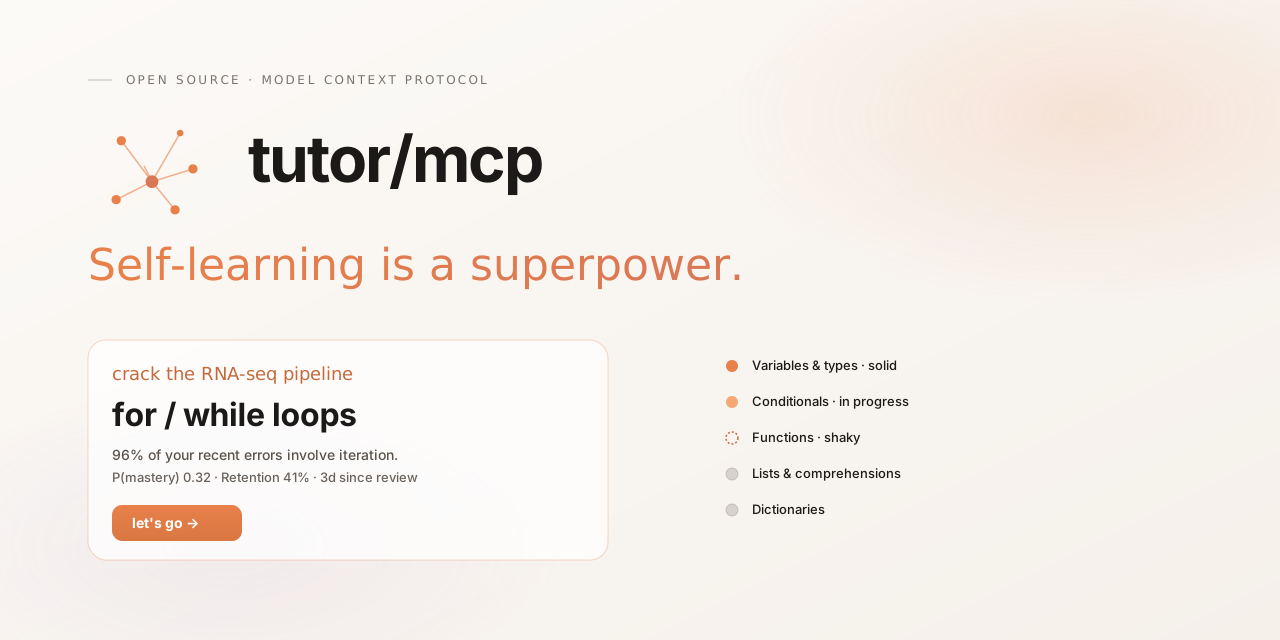


Tutor MCP
Your personal learning academy: any subject, a complete learning path, an adaptive AI tutor.
Description · Installation · Quickstart · How it works · Documentation · Creator · License
Description
Tutor MCP is an open-source MCP engine for adaptive learning, self-learning and personalized AI tutoring. Built on the Model Context Protocol, it brings course creation, a structured learning path and ongoing tutoring into your AI assistant. Choose a subject and a goal — from conversational Spanish to backend engineering — and build a course that evolves with your progress.
- Build a curriculum on any subject. Your AI maps the subject into a skill graph with concepts, prerequisites and goals. Tutor validates and versions that graph as your course develops.
- Follow a guided learning journey. Diagnose your starting point, work through personalized lessons and exercises, revisit weak areas, and test your ability to apply what you learn.
- Get ongoing, personalized guidance. Knowledge estimates, review dates, misconceptions and session memory shape the next activity, across conversations.
- See the evidence behind your progress. Inspect why an activity was recommended and distinguish estimated knowledge, retained learning and demonstrated skills.
Generative teaching. Deterministic pedagogy. This is Tutor's defining engineering choice: the AI creates and explains; a persistent, auditable engine governs progression. Bayesian Knowledge Tracing (BKT), FSRS spaced repetition, prerequisite rules and assessment evidence drive what to learn, practice or revisit next. Narrative memory gives the tutor the context to make that guidance personal.
Your learning engine travels across AI clients. Use Claude Code, Claude Desktop, ChatGPT, Hermes, Pi (with an MCP extension), Gemini CLI, Le Chat and other compatible MCP clients. Keep the same learning history by connecting to the same Tutor installation, locally over stdio or remotely over HTTPS/OAuth. See the client guide.


Installation
Choose where your learning data lives. Every profile uses the same learning engine.
| Profile | Best for | Setup |
|---|---|---|
| Local | Learning on your own computer | One binary + --local. Your MCP client starts it; SQLite stores your history. No account or server setup. Local setup |
| Hobby | A personal VPS or a small group | --profile hobby, SQLite and an HTTPS proxy. Invite users over SSH; they sign in with a username and password. Native installation · Docker Compose |
| Institution | An organization running a shared service | --profile institution, PostgreSQL, verified email and separate API/worker/migrator roles. Institutional setup |
Binaries target Linux, macOS and Windows, on amd64 and arm64. Profiles require v0.6.0+, available from the v0.6.0 release. See installation details for installers, service configuration and backups.
Quickstart
1. Get the binary
Build the current local-mode implementation with Git and Go 1.26.8+:
git clone --branch main https://github.com/ArnaudGuiovanna/tutor-mcp.git
cd tutor-mcp
go build .
This creates tutor-mcp (tutor-mcp.exe on Windows). Keep its full path for the next step.
2. Connect your AI
For a client using mcpServers JSON, such as Claude Desktop, add this to its MCP configuration and replace command with the binary's full path:
{
  "mcpServers": {
    "tutor": {
      "command": "/absolute/path/to/tutor-mcp",
      "args": ["--local"]
    }
  }
}
On Windows, use a path such as C:/tools/tutor-mcp.exe. Restart your client. It launches Tutor automatically and stores your learning profile in ~/.tutor-mcp/local.
Claude Code, Hermes and other clients have their own setup instructions. ChatGPT and other cloud clients use a VPS profile with a public HTTPS endpoint.
3. Start learning
Use Tutor MCP to help me learn Go for backend development. Find out what I already know, create a learning plan, and guide me through a first 20-minute session. Save my progress when we finish.
Next time: “Resume my Go learning with Tutor MCP.” Connect to the same Tutor installation to continue with the same history.
How it works
Your AI handles the conversation, explanations and exercises. Tutor MCP gives it two persistent layers:
| Layer | What it keeps | Why it matters |
|---|---|---|
| Learning engine | Concepts, prerequisites, mastery estimates, review timing and assessment evidence | Chooses what to practice, revisit or assess next. |
| Narrative memory | Session summaries, goals, recurring misconceptions and useful learner context | Helps the AI pick up the thread and explain things in context. |
The loop is simple: choose an activity → teach and practice → record the response → update the learning state. The client calls get_next_activity for guidance and record_interaction to save observations. Session notes enrich the next conversation.
BKT estimates knowledge, FSRS schedules reviews, and prerequisite checks keep the path coherent. Decisions are inspectable; their quality depends on the evidence the AI records. See the architecture and diagrams and algorithm guide for the mechanics and limits.
Documentation
Understand and extend Tutor
| Topic | Read more |
|---|---|
| Architecture — diagrams, both layers and every runtime component | Architecture |
| Algorithms — knowledge tracing, spaced repetition, prerequisites and activity selection | Algorithms |
| MCP tools — the complete tool catalog, purposes and calling conventions | MCP tools |
| Learning evidence — assessments, curriculum and progress claims | Learning integrity · Assessment certification |
| Development — contribution workflow and project changes | Contributing · Changelog |
Installation and configuration map
| I want to… | Documentation |
|---|---|
| Connect Claude, ChatGPT, Hermes, Pi or another client | Client guide |
| Install on Linux, macOS or Windows | Installation |
| Choose a profile or manage hobby accounts | Profiles and accounts |
| Configure ports, storage, OAuth, memory or feature flags | Configuration reference |
| Deploy a VPS with systemd/Caddy or Docker Compose | Native VPS · Compose |
| Operate an institutional service | Institution setup · Operations · Scaling |
| Back up, restore or move learning data | Local/VPS backups · Tenant restoration |
| Configure authentication, memory or notifications in depth | OAuth registration · OAuth scopes · Memory · Webhooks |
| Monitor or secure the service | SLOs and monitoring · Security |
Creator
Created and maintained by Arnaud Guiovanna — aguiovanna.fr · GitHub.
License
MIT — free to use, modify and distribute, including commercially, with the copyright and license notice preserved.
Contributors


See what people are saying
Similar repos


Languages
Go
97.9%
Python
1.4%
An open-source MCP server that turns any LLM into an Intelligent Tutoring System. 50 years of cognitive science, MIT licensed.
See the codeREADME
Tutor MCP
Your personal learning academy: any subject, a complete learning path, an adaptive AI tutor.
Description · Installation · Quickstart · How it works · Documentation · Creator · License
Description
Tutor MCP is an open-source MCP engine for adaptive learning, self-learning and personalized AI tutoring. Built on the Model Context Protocol, it brings course creation, a structured learning path and ongoing tutoring into your AI assistant. Choose a subject and a goal — from conversational Spanish to backend engineering — and build a course that evolves with your progress.
- Build a curriculum on any subject. Your AI maps the subject into a skill graph with concepts, prerequisites and goals. Tutor validates and versions that graph as your course develops.
- Follow a guided learning journey. Diagnose your starting point, work through personalized lessons and exercises, revisit weak areas, and test your ability to apply what you learn.
- Get ongoing, personalized guidance. Knowledge estimates, review dates, misconceptions and session memory shape the next activity, across conversations.
- See the evidence behind your progress. Inspect why an activity was recommended and distinguish estimated knowledge, retained learning and demonstrated skills.
Generative teaching. Deterministic pedagogy. This is Tutor's defining engineering choice: the AI creates and explains; a persistent, auditable engine governs progression. Bayesian Knowledge Tracing (BKT), FSRS spaced repetition, prerequisite rules and assessment evidence drive what to learn, practice or revisit next. Narrative memory gives the tutor the context to make that guidance personal.
Your learning engine travels across AI clients. Use Claude Code, Claude Desktop, ChatGPT, Hermes, Pi (with an MCP extension), Gemini CLI, Le Chat and other compatible MCP clients. Keep the same learning history by connecting to the same Tutor installation, locally over stdio or remotely over HTTPS/OAuth. See the client guide.
Installation
Choose where your learning data lives. Every profile uses the same learning engine.
| Profile | Best for | Setup |
|---|---|---|
| Local | Learning on your own computer | One binary + --local. Your MCP client starts it; SQLite stores your history. No account or server setup. Local setup |
| Hobby | A personal VPS or a small group | --profile hobby, SQLite and an HTTPS proxy. Invite users over SSH; they sign in with a username and password. Native installation · Docker Compose |
| Institution | An organization running a shared service | --profile institution, PostgreSQL, verified email and separate API/worker/migrator roles. Institutional setup |
Binaries target Linux, macOS and Windows, on amd64 and arm64. Profiles require v0.6.0+, available from the v0.6.0 release. See installation details for installers, service configuration and backups.
Quickstart
1. Get the binary
Build the current local-mode implementation with Git and Go 1.26.8+:
git clone --branch main https://github.com/ArnaudGuiovanna/tutor-mcp.git
cd tutor-mcp
go build .
This creates tutor-mcp (tutor-mcp.exe on Windows). Keep its full path for the next step.
2. Connect your AI
For a client using mcpServers JSON, such as Claude Desktop, add this to its MCP configuration and replace command with the binary's full path:
{
  "mcpServers": {
    "tutor": {
      "command": "/absolute/path/to/tutor-mcp",
      "args": ["--local"]
    }
  }
}
On Windows, use a path such as C:/tools/tutor-mcp.exe. Restart your client. It launches Tutor automatically and stores your learning profile in ~/.tutor-mcp/local.
Claude Code, Hermes and other clients have their own setup instructions. ChatGPT and other cloud clients use a VPS profile with a public HTTPS endpoint.
3. Start learning
Use Tutor MCP to help me learn Go for backend development. Find out what I already know, create a learning plan, and guide me through a first 20-minute session. Save my progress when we finish.
Next time: “Resume my Go learning with Tutor MCP.” Connect to the same Tutor installation to continue with the same history.
How it works
Your AI handles the conversation, explanations and exercises. Tutor MCP gives it two persistent layers:
| Layer | What it keeps | Why it matters |
|---|---|---|
| Learning engine | Concepts, prerequisites, mastery estimates, review timing and assessment evidence | Chooses what to practice, revisit or assess next. |
| Narrative memory | Session summaries, goals, recurring misconceptions and useful learner context | Helps the AI pick up the thread and explain things in context. |
The loop is simple: choose an activity → teach and practice → record the response → update the learning state. The client calls get_next_activity for guidance and record_interaction to save observations. Session notes enrich the next conversation.
BKT estimates knowledge, FSRS schedules reviews, and prerequisite checks keep the path coherent. Decisions are inspectable; their quality depends on the evidence the AI records. See the architecture and diagrams and algorithm guide for the mechanics and limits.
Documentation
Understand and extend Tutor
| Topic | Read more |
|---|---|
| Architecture — diagrams, both layers and every runtime component | Architecture |
| Algorithms — knowledge tracing, spaced repetition, prerequisites and activity selection | Algorithms |
| MCP tools — the complete tool catalog, purposes and calling conventions | MCP tools |
| Learning evidence — assessments, curriculum and progress claims | Learning integrity · Assessment certification |
| Development — contribution workflow and project changes | Contributing · Changelog |
Installation and configuration map
| I want to… | Documentation |
|---|---|
| Connect Claude, ChatGPT, Hermes, Pi or another client | Client guide |
| Install on Linux, macOS or Windows | Installation |
| Choose a profile or manage hobby accounts | Profiles and accounts |
| Configure ports, storage, OAuth, memory or feature flags | Configuration reference |
| Deploy a VPS with systemd/Caddy or Docker Compose | Native VPS · Compose |
| Operate an institutional service | Institution setup · Operations · Scaling |
| Back up, restore or move learning data | Local/VPS backups · Tenant restoration |
| Configure authentication, memory or notifications in depth | OAuth registration · OAuth scopes · Memory · Webhooks |
| Monitor or secure the service | SLOs and monitoring · Security |
Creator
Created and maintained by Arnaud Guiovanna — aguiovanna.fr · GitHub.
License
MIT — free to use, modify and distribute, including commercially, with the copyright and license notice preserved.
See what people are saying
Similar repos
Contributors
Languages
Go
97.9%
Python
1.4%