
Train LoRAs for Qwen-Image 2.1, Krea 2, Z-Image, Anima, Klein9B, LTX-2.3 and MiniMax-H3 on consumer NVIDIA GPUs from 8 GB VRAM — one install, one launcher, NF4 models.
Python
9
6 commits
updated Oct 4, 2026
See what people are saying
README
AcademiaSD LoRAlab Trainer Studio
Train LoRAs for the latest image and video models on consumer NVIDIA GPUs — from 8 GB of VRAM.
One installation, one Python environment, one launcher. Every trainer in one place.






🧪 Aviso: se ha añadido soporte a muchos modelos de forma casi simultánea. Es posible que haya bugs, ajustes pendientes o que las configuraciones de entrenamiento y de previsualización por defecto no sean las adecuadas. Por favor, escribe en Issues contando los problemas que encuentres o los ajustes con los que has conseguido mejores resultados. ¡Gracias!
Las previsualizaciones no tienen por qué tener la calidad del LoRA final: sirven para seguir la evolución del entrenamiento y el parecido del personaje, objeto o estilo. La calidad final del LoRA compruébala en su interfaz (ComfyUI, Forge...), después de ajustar la fuerza del LoRA y con los ajustes de calidad del modelo que uses.
🧪 Notice: support for many models has been added almost at the same time. There may be bugs or rough edges, or the default training and preview settings may not be the right ones. Please open an issue with the problems you find or the settings that gave you better results. Thank you!
The previews do not have to reach the quality of the final LoRA: they are there to follow the training and the likeness of the character, object or style. Judge the final quality in the matching interface (ComfyUI, Forge...), after adjusting the LoRA strength and with the quality settings of the model you use.
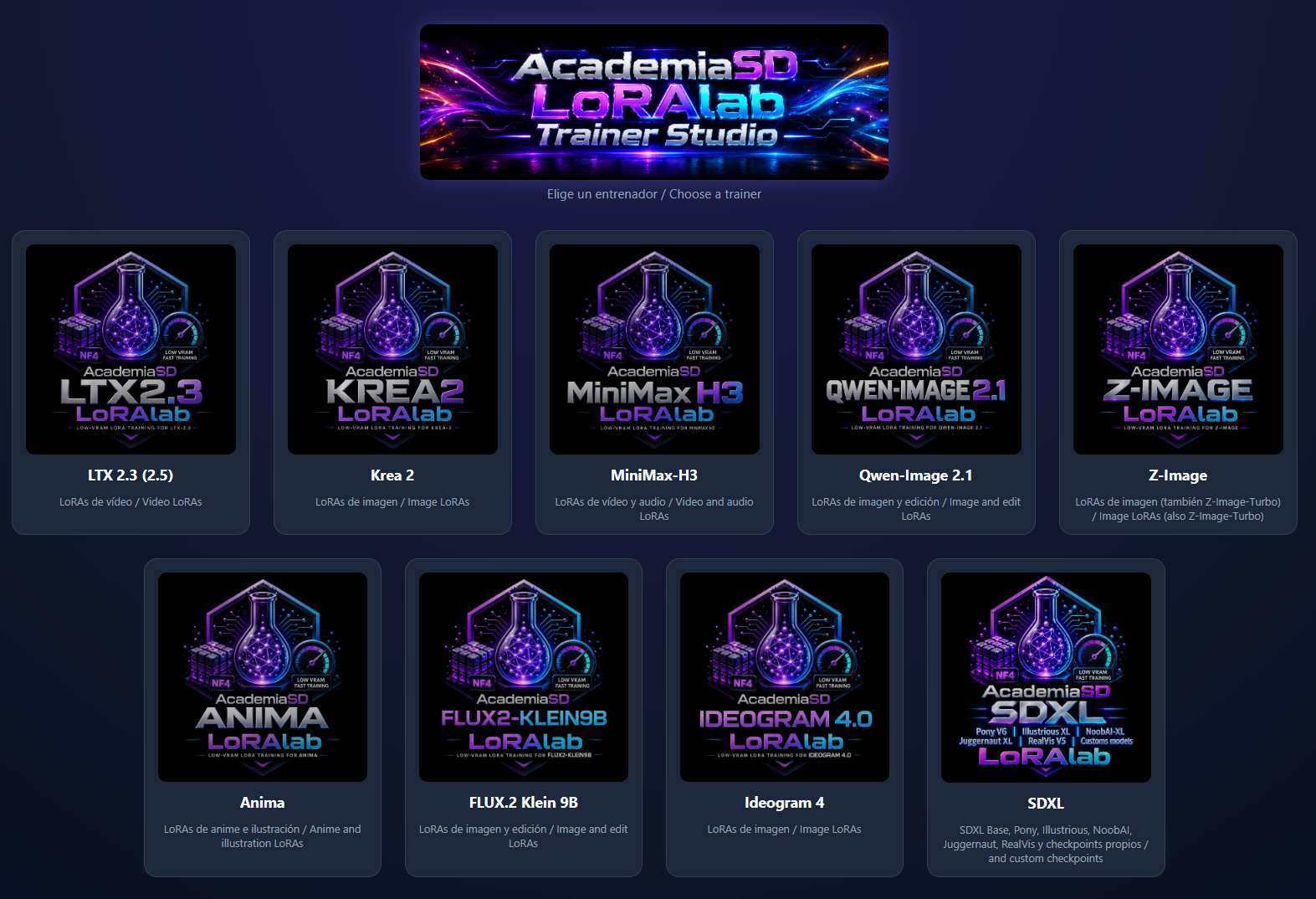
AcademiaSD LoRAlab Trainer Studio brings together all the AcademiaSD LoRAlab trainers. Each model is loaded in 4-bit NF4, the text encoder and the VAE run only once in a pre-cache stage, and 100 % of the GPU goes to training. Every trainer has the same web interface: dataset manager with an automatic captioner, live previews, exact-step resume and one-click export to ComfyUI.
New trainers are added here. One Update_LoRAlab-TrainerStudio.bat brings them to your existing installation, next to your models and projects — no new repository, no new environment.
| Trainer | Trains | Minimum VRAM |
|---|---|---|
| Qwen-Image 2.1 | Image LoRAs (characters, objects, styles) and edit LoRAs (before → after) | 8 GB |
| Krea 2 | Image LoRAs (characters, objects, styles) for Krea 2 Raw and Turbo | 8 GB |
| Z-Image | Image LoRAs (characters, objects, styles) for Z-Image and Z-Image-Turbo | 8 GB |
| Anima | Anime and illustration LoRAs (characters, styles) | 4 GB (NF4) / 6 GB (BF16) |
| FLUX.2 Klein 9B | Image LoRAs (characters, objects, styles) and edit LoRAs (before → after) | 12 GB |
| Ideogram 4 | Image LoRAs (characters, objects, styles), with JSON captions | 12 GB (16 GB for previews with CFG) |
| SDXL | Image LoRAs for SDXL Base, Pony, Illustrious, NoobAI, Juggernaut, RealVis or your own SDXL checkpoint | 4 GB (NF4) / 12 GB (BF16) |
| LTX-2.3 (also LTX-2.5) | Character and style LoRAs for the LTX video model, trained from images | 12 GB |
| MiniMax-H3 | Video LoRAs from images, clips and audio, plus training-free RefMods | 8 GB |
🇪🇸 Guía rápida en español
- Instalar: en la carpeta donde quieras instalarlo, escribe
cmden la barra de direcciones del explorador y ejecutagit clone https://github.com/AcademiaSD/AcademiaSD_LoRAlab-TrainerStudio.git(o descarga el ZIP desde el botón verde Code → Download ZIP y descomprímelo). Después, doble clic enInstall_LoRAlab-TrainerStudio.bat: instala Git si no lo tienes, Python 3.13.1 y un único entornovenvpara todos los entrenadores. - Abrir: doble clic en
Start_LoRAlab-TrainerStudio.baty pulsa la tarjeta del entrenador que quieras. Solo puede haber uno abierto a la vez. - Entrenar: nombre del proyecto → carpeta del dataset → Crear Captions (opcional) → Iniciar Pre-Caché → Iniciar / Reanudar → Send to Models. El modelo se descarga solo la primera vez.
- Actualizar: doble clic en
Update_LoRAlab-TrainerStudio.bat. Se conservan tus modelos, proyectos y ajustes, y los nuevos entrenadores aparecen en el lanzador. - Requisitos: Windows 10/11, GPU NVIDIA RTX 20xx / GTX 16xx o posterior con driver 580 o superior, 8 GB de VRAM (4 GB para Anima y SDXL en NF4, 12 GB para LTX-2.3, FLUX.2 Klein 9B, Ideogram 4 y SDXL en BF16) y 16 GB de RAM (32 GB recomendados).
Linux: ya tiene soporte para Linux. Cada .bat tiene su .sh equivalente; la instalación y el uso están en docs/Linux.md. Gracias a Jonathan Hecl (@jonathanhecl) por aportarlo.
Toda la interfaz y los mensajes de consola están en inglés y en español.
⚠️ Sobre los valores por defecto: las pruebas se han hecho para comprobar que cada entrenamiento funciona, no para buscar el mejor rendimiento ni la mejor calidad. Haz tus propias pruebas con distintas configuraciones (pasos, learning rate, rank, resolución, captions) para mejorar la calidad de tus LoRAs.
📉 Smaller downloads
Each trainer downloads only what it uses, already quantized. The table compares the official full-precision model, what the previous standalone LoRAlab downloaded, and what Trainer Studio downloads now (sizes from the Hugging Face repositories, in GB):
| Trainer | Official model | LoRAlab before | Trainer Studio now | What changed |
|---|---|---|---|---|
| Krea 2 | 62.0 | 43.2 | 17.0 | The BF16 transformer (26.3 GB) is no longer downloaded or used: the model is built directly from its NF4 weights. |
| LTX-2.3 | 101.3 | 111.1 | 32.2 | The BF16 transformer (38.0 GB) and the FP32 Gemma 3 text encoder (48.8 GB) are replaced by NF4 versions (9.8 GB + 7.8 GB). |
| Qwen-Image 2.1 | ~32 (BF16) | 21.9 | 21.9 / 14.4 / 11.0 | Only the text encoder you pick is downloaded: BF16 (exact, default) / INT8 / NF4. |
| MiniMax-H3 | 498.5 | 41.4 | 41.4 | The 33B model ships in NF4 from the start. |
| Z-Image | 20.5 | — | 5.9 | New trainer: the 6B transformer (12.3 GB) and the Qwen3-4B text encoder (8.0 GB) in NF4 (3.4 GB + 2.7 GB). |
| Anima | 5.6 | — | 5.6 | New trainer: the official diffusers version of Anima-Base. The 2B model trains in BF16, or in NF4 quantized when loading (nothing extra to download). |
| SDXL | ~7 per model | — | ~7 per model | New trainer: only the preset you pick is downloaded (one .safetensors file); your own checkpoint downloads nothing. |
| Ideogram 4 | 16.1 (NF4) | — | 16.1 | New trainer: the official NF4 release, which includes the unconditional transformer used only by the previews. It is downloaded from Unsloth's ungated mirror (same weights, no license gate or token needed); the Ideogram license still applies. |
| FLUX.2 Klein 9B | 34.7 | — | 8.8 | New trainer: the 9B transformer (18.2 GB) and the Qwen3-8B text encoder (16.4 GB) in NF4 (4.9 GB + 3.8 GB; only the 28 text encoder layers Klein reads). |
The automatic captioner adds, only the first time you use it: nothing for Krea 2 (it uses Krea 2's own text encoder), 5.5 GB for Qwen-Image 2.1 when its text encoder is not already the NF4 one and for LTX-2.3, Z-Image, Anima, FLUX.2 Klein 9B and Ideogram 4 (Qwen3-VL-8B NF4, shared by all of them), and 8.9 GB for MiniMax-H3 (Qwen3-VL-4B).
Upgrading from an old standalone LoRAlab? Copy its model folder into Trainer Studio instead of downloading it again. Then you can delete what is no longer used:
Krea-2-NF4/transformer(~26 GB) and, inLTX23-NF4, thetransformer(~38 GB) andtext_encoder(~49 GB) folders.
🖥️ Requirements
| Minimum | Recommended | |
|---|---|---|
| OS | Windows 10 / 11, or 64-bit Linux (docs/Linux.md) | Windows 11 |
| GPU | NVIDIA RTX 20xx / GTX 16xx or newer (compute capability 7.5+) with 8 GB VRAM (4 GB for Anima and SDXL in NF4, 12 GB for LTX-2.3, FLUX.2 Klein 9B, Ideogram 4 and SDXL in BF16) | 12–24 GB VRAM |
| Driver | NVIDIA 580 or newer (CUDA 13) | Latest |
| RAM | 16 GB | 32 GB |
| Disk | The model of each trainer you use (table above) plus your datasets and caches | SSD |
| Other | Internet the first time each model is used. MiniMax-H3 video clips need ffmpeg in the PATH. |
Python, Git and every library are installed by the installer. GTX 10xx and older cards are not supported: PyTorch for CUDA 13 starts at the RTX 20xx generation.
📦 Installation
Option A — Git (recommended, makes updating easy). Open the folder where you want to install it, type cmd in the address bar of the Windows Explorer, press Enter and run:
git clone https://github.com/AcademiaSD/AcademiaSD_LoRAlab-TrainerStudio.git
Option B — ZIP. Press the green Code button → Download ZIP and unzip it where you want to install it (the folder is called AcademiaSD_LoRAlab-TrainerStudio-main).
Then, inside the folder:
- Double-click
Install_LoRAlab-TrainerStudio.bat. It installs Git if it is missing (Windows asks for permission), Python 3.13.1 if it is missing, and onevenvshared by every trainer: PyTorch 2.14 (CUDA 13.0), Diffusers from GitHub, Transformers, PEFT, bitsandbytes, Flask and the rest. It takes a while; at the end it shows the detected GPU and versions. - (Optional) Double-click
Install_Triton&SageAtten220.batfor Triton and SageAttention 2.2.
Pick a disk with plenty of free space: every model is downloaded into this folder.
Linux. Every .bat has a .sh equivalent with the same name (Install_LoRAlab-TrainerStudio.sh, Start_LoRAlab-TrainerStudio.sh, code/Run_LoRAlab-<Model>.sh…) and the launcher picks the right one. Install and usage steps are in docs/Linux.md.
🔄 Updating
Double-click Update_LoRAlab-TrainerStudio.bat. It brings the latest version from GitHub — including any new trainer — and keeps your models, datasets, projects, LoRAs and settings, which are never part of the repository. If the installation was made from the ZIP, the updater turns it into a Git installation the first time.
🚀 Using it
Start_LoRAlab-TrainerStudio.bat opens the launcher in your browser (http://127.0.0.1:4990). Click a trainer: its console window and its web interface (http://127.0.0.1:5000) open on their own. All trainers use port 5000, so only one can be open at a time; the launcher warns you if one is already running. Each trainer can also be started directly with its code\Run_LoRAlab-<Model>.bat.
Every trainer follows the same five steps:
- Project and dataset. Type a project name, an optional trigger word, and pick the dataset folder with Browse. Each image needs a
.txtcaption with the same name. - Captions (optional). Create Captions writes a caption for every image with a vision-language model, trigger word first. The prompt is editable and Overwrite off only fills the missing ones. Review them in the Dataset Manager: click an image to edit its caption, use Append / Replace / Remove to change a common text in every caption, delete images, or clear all captions.
- Pre-Cache. Choose the resolution and press Start Pre-Cache. The text encoder and the VAE run once and their output is stored on disk; the first time, the model is downloaded. Running it again skips the images that did not change.
- Train. Set steps, learning rate, rank and alpha, and press Start / Resume. Watch the progress, VRAM, RAM and GPU temperature, and the previews (each trainer has its own previews panel). Stop Training saves the exact step: press Start / Resume again — even days later — to continue without losing a step. To train longer, raise the steps and press it again.
- Export. Type the final name, pick your ComfyUI / Forge / A1111
models/lorasfolder and press Save Path — the folder is remembered for every trainer — then 🚀 Send to Models.
Also in every trainer:
- Live settings: while training, change steps, save/preview frequency, preview settings or learning rate and press Save JSON; the change applies on the next step.
- Delete Pre-Cache / Delete Training empty the current project's folders (the dataset is never touched).
- Exported LoRAs carry kohya-style metadata (trigger word, rank, steps, resolution) that CivitAI and LoRA managers read.
- Optional Hugging Face token for faster downloads. Your settings and token are stored in
settings\, which is never uploaded. - Each project uses its own folders:
cached_data_<model>_<project>for the pre-cache and<model>_lora_output_<project>for checkpoints, previews and LoRAs.
🧪 The trainers
⚠️ About the default settings: the tests were made to check that every training works, not to find the best performance or quality. Run your own tests with different settings (steps, learning rate, rank, resolution, captions) to improve the quality of your LoRAs.
All times were measured on an RTX 5080 16 GB.
Qwen-Image 2.1 — image and edit LoRAs
- Normal LoRAs (characters, objects, styles): one image + one caption each.
- Edit LoRAs: pairs named
name_before.png/name_after.pngplus the instruction inname.txt(for examplemake it TOSTIOK style). Choose LoRA Type → Edit. The "before" image goes through the text encoder with the instruction, like the ComfyUITextEncodeQwenImage21node, and the loss is computed only on the "after". - Captioner: Qwen3-VL-8B, the model's own text encoder in NF4 (~6 GB VRAM, ~11 s per image), with Normal and Edit modes. For a style or effect, one common instruction in every pair usually works better than one per pair.
- Text encoder for the pre-cache: BF16 with CPU offload (exact, any GPU, default), BF16 (16 GB+ VRAM), INT8 (~9 % error, 10 GB+) or NF4 (~24 % error, 6 GB+). With 8 GB of VRAM and 16 GB of RAM, choose NF4.
- Previews: 30 steps / CFG 3, or Turbo (Viggle Turbo LoRA, 4 steps / CFG 1: ~5 s instead of ~34 s). For edit LoRAs, pick a before image that is not in the dataset: it is the only way to see whether the effect generalizes.
- LoRA Targets: Blocks (attention + MLP of the 32 blocks, default) combines cleanly with the Turbo LoRA; All also trains the shared modulation and input/output layers.
| Verified starting point | Characters | Edits |
|---|---|---|
| Resolution | 512×512 | 512×512 |
| Rank / Alpha | 8 / 8 | 8 / 8 |
| Learning rate | 4e-4 | 4e-4 |
| Steps | 500 (~9 min 20 s) | 300 with 30 pairs (~9 min) |
8 GB cards train at 512² and 768² (previews switch to a tiled VAE decode at 768²). 768²: ~2.2 s/step, ~8.4 GB VRAM; 1024²: ~4.3 s/step.
Krea 2 — image LoRAs for Krea 2 Raw and Turbo
- The 12B transformer is built directly from its NF4 weights (no BF16 copy is ever downloaded or loaded): ~7.5 GB of VRAM while training.
- Captioner: Qwen3-VL-4B, Krea 2's own text encoder (NF4, ~3.5 GB VRAM, no extra download).
- Previews with the Krea 2 Turbo LoRA (8 steps). A new custom preview prompt is encoded on the CPU without stopping the training.
- 8-bit AdamW, gradient checkpointing, Krea 2's own noise-shift schedule.
- The exported LoRA works with Krea 2 Raw and Krea 2 Turbo and carries its alpha, so ComfyUI applies it at the same strength as the previews.
| Starting point | |
|---|---|
| Resolution | 512×512 (768×768 / 1024×1024 need more steps and VRAM) |
| Rank / Alpha | 16 / 32 |
| Learning rate | 3e-4 |
| Steps | 500–1000 at 512² (~1,500 at 768², ~2,000 at 1024²) |
| Time | 500 steps, 14 images, 512²: ~15 min (RTX 3060 12 GB: ~1 h 30 min) |
Z-Image — image LoRAs for Z-Image and Z-Image-Turbo
- Trains on Z-Image (the undistilled base model, the one meant for fine-tuning). The LoRA has the same layers as Z-Image-Turbo and also loads there.
- The 6B transformer is built directly from its NF4 weights, and the Qwen3-4B text encoder of the pre-cache is NF4 too: ~5.5 GB of VRAM while training at 512².
- Captioner: Qwen3-VL-8B NF4, shared with LTX-2.3 (~5.5 GB VRAM, ~10 s per image).
- Previews: 28 steps / CFG 5 (CFG as in ComfyUI: 1 = off), or Turbo with Alibaba PAI's Z-Image-Fun-Lora-Distill (made for Z-Image base, 4 steps / CFG 1, about 10 times faster; downloaded the first time, ~570 MB). Preview Size renders them at the training size or at 768 / 1024 with the same proportions, to see what you will get in ComfyUI even when training at 512 (1024 with Turbo: ~5 s, ~6.4 GB of VRAM).
- LoRA Targets: Blocks (attention + MLP of the 30 blocks and the 4 refiners, default) or All. ComfyUI loads the exported LoRA directly.
- Steps count micro-steps: with Grad Accum 4 the LoRA is updated once every 4 steps, so 1,500 steps are 375 updates. The likeness shows in the previews much earlier, but a 900-step LoRA still needed a strength of ~2.6 in ComfyUI.
| Verified starting point | |
|---|---|
| Resolution | 512×512 |
| Rank / Alpha | 8 / 8 |
| Learning rate | 4e-4 |
| Steps | 1,500 (14 images) |
| Time | ~0.9 s/step at 512²: ~23 min plus previews |
| LoRA strength in ComfyUI | Z-Image: 1.0–1.5 · Z-Image-Turbo: 1.5–2.5 |
Anima — anime and illustration LoRAs
- Anima is a 2B anime / illustration model by CircleStone Labs and Comfy Org, built on NVIDIA Cosmos-Predict2. The trainer uses Anima-Base, the version its author recommends for LoRAs, downloaded from the official diffusers repository.
- Model Precision: BF16 (full quality, ~5.6 GB of VRAM while training at 512²) or NF4 (attention and MLP quantized when loading, ~3.1 GB at 512²: it fits 4 GB cards). Images from the NF4 transformer look like the BF16 ones.
- The text goes through Qwen3-0.6B and Anima's LLM adapter in the pre-cache. The adapter is never trained, as the author advises: it holds a lot of the model's knowledge and degrades easily.
- Captioner: Qwen3-VL-8B NF4, shared with LTX-2.3 and Z-Image, with two styles: natural language or Danbooru tags (lowercase, spaces instead of underscores). Anima was trained on both.
- Previews: 30 steps / CFG 4 with the author's recommended negative prompt, and Preview Size as in Z-Image.
- The LoRA is exported with Anima's own layer names (
diffusion_model.blocks.N.self_attn.q_proj…), which ComfyUI loads directly.
| Starting point (author's recommendation) | |
|---|---|
| Resolution | 768×768 (Anima works from 512² to 1536²) |
| Rank / Alpha | 32 / 32 |
| Learning rate | 2e-5 |
| Speed | ~0.65 s/step at 512² in BF16, ~0.8 s/step in NF4 (under 4 GB of VRAM); ~1.6 s/step at 1024² in BF16 |
FLUX.2 Klein 9B — image and edit LoRAs
- Trains on FLUX.2 [klein] Base 9B (the undistilled model, the one meant for fine-tuning). The LoRA also loads on the distilled FLUX.2 [klein] 9B; it is not compatible with the 4B models.
- The 9B transformer and the Qwen3-8B text encoder of the pre-cache are NF4: 8.8 GB to download instead of 34.7 GB.
- Normal LoRAs (characters, objects, styles) and Edit LoRAs with the same
name_before.png/name_after.pngpairs as Qwen-Image 2.1. Klein's text encoder only reads the instruction: the "before" goes to the transformer as a clean reference image, as in the official pipeline, and the loss is computed only on the "after". - Captioner: Qwen3-VL-8B NF4, shared with LTX-2.3, Z-Image and Anima, with Normal and Edit modes.
- Previews: 28 steps / CFG 4, or Turbo with kalle07's Klein 9B turbo LoRA (4 steps / CFG 1; downloaded the first time, ~350 MB), and Preview Size as in Z-Image.
- LoRA Targets: Blocks (attention + MLP of the 8 double and 24 single blocks, default) or All. ComfyUI loads the exported LoRA directly.
| Verified starting point | |
|---|---|
| Resolution | 768×768 |
| Rank / Alpha | 16 / 16 |
| Learning rate | 3e-4 |
| Steps | 1,000 (14 images): the likeness shows from ~500, but in ComfyUI the 1,000-step LoRA looks better than the 600 and 700 ones |
| LoRA strength in ComfyUI | 1.0 for characters (1,000 steps) · 1.0–1.5 for edit LoRAs |
| Speed and VRAM | 512²: ~1.5 s/step, ~8 GB · 768²: ~2.6 s/step, ~10 GB · edit at 512²: ~2.3 s/step, ~8 GB · edit at 768²: ~5.7 s/step, ~11 GB |
Ideogram 4 — image LoRAs
- Trains on the official Ideogram 4 NF4 release (9.3B, diffusers). It is a single-stream transformer: text and image tokens share one sequence.
- Captioner: Qwen3-VL-8B NF4 (the same model as Ideogram's text encoder) writes Ideogram's native JSON caption with a bounding box for every subject, object and piece of text — the format Ideogram 4.5 and FLUX.3 Image will also use. A second OCR pass reads every sign with its box (in one pass the model misses many texts in busy scenes). JSON detailed also boxes each part of every person or animal (face, nose, ears, hands, legs...), each garment and accessory, for edit LoRAs. Captions are saved in the official format (key order,
[y1, x1, y2, x2]boxes in 0–1000, no repeated elements) with the trigger word at the start of the description. Natural language is also available. - Use JSON for captions and preview prompts. Ideogram 4 depends on its JSON format: in our tests a short plain prompt ("a woman with blonde hair in a green sweater reading in a library") gave odd crops or was blocked, while the same scene written as a JSON caption came out right. For the custom preview prompt, copy a caption from the dataset and edit it.
- Previews: 28 steps / CFG 7 with the last 3 steps at CFG 3, as in the official pipeline. Ideogram's guidance uses a second, unconditional transformer (4.3 GB): it is loaded only for the previews and moved to the GPU while each one runs, so previews with CFG need ~15 GB at 1024². On 12 GB cards set Preview CFG to 1. Preview Size as in Z-Image.
- Built-in safety filter: Ideogram 4 was trained to output a grey "Image blocked by safety filter" image for some prompts (for example a woman at the beach). It is the model itself, not the trainer, and its license forbids circumventing it: change the preview prompt if it happens.
- LoRA Targets: Blocks (attention + MLP of the 34 blocks, default) or All. The LoRA is exported with ComfyUI's own layer names (q, k and v merged into
attention.qkv), so ComfyUI loads it directly.
| Tested starting point | |
|---|---|
| Captions | Ideogram JSON |
| Resolution | 1024×1024 |
| Rank / Alpha | 16 / 16 |
| Learning rate | 3e-4 |
| Steps | 1,000 (14 images): the likeness shows from ~500 |
| LoRA strength in ComfyUI | 1.0 |
| Speed and VRAM | ~5.7 s/step (~1 h 35 min for 1,000 steps plus previews) and ~10 GB at 1024²; ~15 GB during previews with CFG |
SDXL — Base, Pony, Illustrious, NoobAI, Juggernaut, RealVis or your own checkpoint
-
Base Model picks what the LoRA is trained on. Each preset is downloaded the first time (~7 GB) into
SDXL-Models/:Preset Best for Captions Quality prefix (optional) · Preview CFG SDXL Base 1.0 general, realistic natural CFG 6 Juggernaut XI v11 photorealistic natural CFG 5 RealVisXL V5.0 photorealistic natural CFG 5 Pony Diffusion V6 XL anime, cartoon, furry tags score_9, score_8_up, score_7_up· CFG 7Illustrious XL v0.1 anime Danbooru tags masterpiece, best quality· CFG 6NoobAI-XL 1.1 anime Danbooru tags masterpiece, best quality, newest· CFG 5Custom checkpoint any SDXL .safetensors(Juggernaut Ragnarok, WAI...)either CFG 6 A LoRA works best on the model it was trained on and on models derived from it: train on Illustrious v0.1 for Illustrious-based checkpoints such as WAI or NoobAI.
-
Captioner: Qwen3-VL-8B NF4 (shared), with natural language or Danbooru tags. Long captions are encoded in blocks of 75 tokens (up to 225), as kohya does.
-
Model Precision: BF16 or NF4, which quantizes the transformer blocks to 4 bits when loading and fits in a 4 GB GPU. The first training run on a model saves its converted UNet in
SDXL-Models/unet_cache/(~5 GB on disk); from then on it loads with ~5.5 GB of RAM instead of ~14 GB. -
Training: the UNet with gradient checkpointing, noise prediction with Min-SNR weighting (γ = 5). LoRA Targets: Blocks (attention, MLP and projections of the transformer blocks, kohya's default) or All (+ the resnet convolutions, LoCon).
-
Quality prefix in captions (Pony, Illustrious, NoobAI; off by default): puts the preset's prefix (
score_9, score_8_up, score_7_upfor Pony) before every caption and the preview prompt. Off, the previews show the LoRA alone; on, use the LoRA with that prefix in ComfyUI. -
Previews: Euler, 28 steps, with the preset's negative prompt. Preview CFG 0 uses the preset's recommended value.
-
The LoRA is exported in kohya format (
lora_unet_…), which ComfyUI, Forge, A1111 and CivitAI load. -
Grad Accum multiplies the steps: with Grad Accum 4, 800 steps are only 200 LoRA updates. Style LoRAs on SDXL usually need around 1,000–3,000 updates.
| Tested on Pony (Greg Rutkowski style, 153 images) | BF16 | NF4 (low VRAM) |
|---|---|---|
| Resolution | 1024×1024 | 512×512 |
| Rank / Alpha | 16 / 16 | 8 / 8 |
| Steps / Grad Accum / LR | 1000 / 1 / 1e-4 | same (quality not yet compared) |
| Speed | ~1.1 s/step | ~1.5 s/step |
| VRAM | ~10.8 GB with the previews | ~3.5 GB, previews at 768² included |
| RAM | ~5.5 GB | ~5.5 GB |
The LoRA works at strength 0.8–1.2; at 2.0 it breaks anatomy.
LTX-2.3 — character and style LoRAs for the LTX video model
- Works with LTX-2.3 and LTX-2.5.
- Trains from images (single frames) to teach a character or a style to the video model.
- The 22B transformer and the Gemma 3 text encoder come pre-quantized in NF4; the BF16 / FP32 originals are never downloaded (see the table above).
- Captioner: Qwen3-VL-8B NF4 (~5.5 GB VRAM, ~13 s per image).
- Paged 8-bit AdamW and gradient checkpointing.
| Default starting point | |
|---|---|
| Resolution | 768×768 (448 / 576 / 512 for less VRAM) |
| Rank / Alpha | 32 / 32 |
| Learning rate | 1e-4 |
| Steps | 800 |
MiniMax-H3 — video, audio and RefMods
MiniMax-H3 is a 33B model that generates video and audio together. The official checkpoint is 498.5 GB; this trainer uses a 41 GB NF4 version and fits in 8 GB of VRAM with block swap.
- Datasets: images, video clips (
.mp4,.mov,.mkv,.webm), audio (.wav,.mp3,.flac,.m4a) or a mix, each with its.txt. Images teach appearance; clips teach how something changes over time. - Prepare clips: one button leaves every clip at 24 fps with a valid 17n+5 frame count, stretching time slightly instead of cutting the end. Originals are kept in
_originals\. - Captioner: Qwen3-VL-4B (4-bit, ~4.2 GB VRAM, ~6 s per image), with one prompt per content type (image, video, audio).
- VRAM profiles for 32 / 24 / 16 / 12 / 10 / 8 GB cards size the block swap to your resolution and captions; choosing a smaller card than yours simulates it. Parked blocks can live in RAM, on disk (for 16 GB of RAM) or switch automatically.
- RefMod: encodes a few reference stills or clips into a file that ComfyUI's
MiniMaxH3ReferenceToVideonode uses as a native reference. No training: seconds instead of hours. - Audio as part of video clips trains well. Audio-only training is still experimental: past a point it degrades the video branch.
- fp32 LoRA and optimizer (8-bit optimizers lose the fine facial detail on this model), deterministic sampling across resumes, and a full log in
train_log.txt.
| Verified starting point | Images | Video clips |
|---|---|---|
| Resolution | 576×576 | 192×192, 124 frames |
| Rank / Alpha | 16 / 16 | 8 / 8 |
| Learning rate | 2e-4 | 2e-4 |
| Steps | 600 (~37 min on 16 GB) | 600 (~1 h 10 min on 16 GB) |
Rank 16 matters for characters: with rank 8 the likeness is just as good, but the model starts ignoring the prompt (ask for a beach, get a bedroom). On an 8 GB card the same image run takes ~80 minutes instead of 37.
📚 Technical notes
Detailed measurements and the reasoning behind each design decision are in docs\: Qwen-Image 2.1 · Krea 2 · LTX-2.3 · MiniMax-H3 (VRAM tables, block swap, video and audio datasets, RefMods and every setting) · Linux.
🛠️ Tools for advanced users
tools\ contains the scripts used to build the NF4 models from the originals (Run_Conversor_Krea2.bat, Run_Conversor_LTX23.bat, 5_conversor_QwenImage21_NF4.py, 5_conversor_ZImage_NF4.py, 5_conversor_Klein9B_NF4.py) and a .parquet dataset extractor for Qwen-Image 2.1 (6_extract_parquet.py). They are not needed to train: the trainers download the ready-made NF4 models.
📁 Structure
AcademiaSD_LoRAlab-TrainerStudio/
├── Start_LoRAlab-TrainerStudio.bat   # Launcher (.sh on Linux)
├── Update_LoRAlab-TrainerStudio.bat  # Updater (.sh on Linux)
├── Install_LoRAlab-TrainerStudio.bat, Install_Triton&SageAtten220.bat (and their .sh)
├── code/                             # Run_LoRAlab-<Model>.bat / .sh
├── scripts/                          # launcher.py, server_<model>.py, 0_caption / 1_pre_cache / 2_train_lora, refmod.py, melband/
├── GUI/                              # launcher.html, launcher.json, trainer_ui_<model>.html
├── docs/                             # Technical notes per trainer
├── assets/                           # Covers and logos
├── tools/<model>/                    # NF4 converters and dataset tools
├── Example_Dataset/                  # Small example dataset (MiniMax-H3)
└── settings/                         # Your settings and HF token (created on first use, never uploaded)
Models (Krea-2-NF4, LTX23-NF4, MiniMax-H3-NF4, Qwen-Image21-NF4, Z-Image_NF4, Anima-Base, FLUX.2-Klein-9B_NF4, Ideogram4-NF4, SDXL-Models, captioners), caches and LoRA outputs are created next to these folders on first use.
📜 Licenses
The code is released under the MIT License. The models keep their own licenses, which also apply to the NF4 versions and to the LoRAs you train — check them before using or sharing results:
| Model | License |
|---|---|
| Qwen-Image 2.1 (and the Viggle Turbo LoRA) | Qwen Research License — non-commercial |
| Krea 2 | Krea 2 Community License |
| LTX-2.3 | LTX-2 Open-Source License |
| MiniMax-H3 | MiniMax-H3 Community License Agreement |
| Z-Image (and the Z-Image-Fun-Lora-Distill preview LoRA) | Apache 2.0 |
| Anima | CircleStone Labs Non-Commercial License (plus the NVIDIA Open Model License for Cosmos). Images you generate can be used commercially |
| FLUX.2 Klein 9B (and the Klein 9B turbo preview LoRA) | FLUX Non-Commercial License — non-commercial |
| Ideogram 4 | Ideogram Non-Commercial Model Agreement — non-commercial; LoRAs are model derivatives under the same license |
| SDXL Base 1.0, RealVisXL V5.0 | CreativeML Open RAIL++-M |
| Pony Diffusion V6 XL, Illustrious XL v0.1, NoobAI-XL 1.1 | Fair AI Public License 1.0-SD |
| Juggernaut XI v11 | CC BY-NC-ND 4.0 — non-commercial |
| Qwen3-VL-4B (MiniMax-H3 captioner) | Apache 2.0 |
Built with PyTorch, Diffusers, Transformers, PEFT, bitsandbytes, Flask and the Hugging Face Hub.
🙏 Contributors
- Jonathan Hecl (@jonathanhecl) — Linux support (PR #1). Thank you!
💬 Community & Support
- ▶ YouTube: youtube.com/@Academia_SD
- 𝕏 X (Twitter): twitter.com/Academia_S_D
- 💬 Discord: discord.gg/Syuaduy678
- ☕ Ko-Fi: ko-fi.com/academiasd
Developed with ❤️ by AcademiaSD.
Similar repos


Languages
Python
62.0%
HTML
35.0%
Shell
1.6%
Batchfile
1.5%
Train LoRAs for Qwen-Image 2.1, Krea 2, Z-Image, Anima, Klein9B, LTX-2.3 and MiniMax-H3 on consumer NVIDIA GPUs from 8 GB VRAM — one install, one launcher, NF4 models.
Python
9
6 commits
updated Oct 4, 2026
See what people are saying
README
AcademiaSD LoRAlab Trainer Studio
Train LoRAs for the latest image and video models on consumer NVIDIA GPUs — from 8 GB of VRAM.
One installation, one Python environment, one launcher. Every trainer in one place.
🧪 Aviso: se ha añadido soporte a muchos modelos de forma casi simultánea. Es posible que haya bugs, ajustes pendientes o que las configuraciones de entrenamiento y de previsualización por defecto no sean las adecuadas. Por favor, escribe en Issues contando los problemas que encuentres o los ajustes con los que has conseguido mejores resultados. ¡Gracias!
Las previsualizaciones no tienen por qué tener la calidad del LoRA final: sirven para seguir la evolución del entrenamiento y el parecido del personaje, objeto o estilo. La calidad final del LoRA compruébala en su interfaz (ComfyUI, Forge...), después de ajustar la fuerza del LoRA y con los ajustes de calidad del modelo que uses.
🧪 Notice: support for many models has been added almost at the same time. There may be bugs or rough edges, or the default training and preview settings may not be the right ones. Please open an issue with the problems you find or the settings that gave you better results. Thank you!
The previews do not have to reach the quality of the final LoRA: they are there to follow the training and the likeness of the character, object or style. Judge the final quality in the matching interface (ComfyUI, Forge...), after adjusting the LoRA strength and with the quality settings of the model you use.
AcademiaSD LoRAlab Trainer Studio brings together all the AcademiaSD LoRAlab trainers. Each model is loaded in 4-bit NF4, the text encoder and the VAE run only once in a pre-cache stage, and 100 % of the GPU goes to training. Every trainer has the same web interface: dataset manager with an automatic captioner, live previews, exact-step resume and one-click export to ComfyUI.
New trainers are added here. One Update_LoRAlab-TrainerStudio.bat brings them to your existing installation, next to your models and projects — no new repository, no new environment.
| Trainer | Trains | Minimum VRAM |
|---|---|---|
| Qwen-Image 2.1 | Image LoRAs (characters, objects, styles) and edit LoRAs (before → after) | 8 GB |
| Krea 2 | Image LoRAs (characters, objects, styles) for Krea 2 Raw and Turbo | 8 GB |
| Z-Image | Image LoRAs (characters, objects, styles) for Z-Image and Z-Image-Turbo | 8 GB |
| Anima | Anime and illustration LoRAs (characters, styles) | 4 GB (NF4) / 6 GB (BF16) |
| FLUX.2 Klein 9B | Image LoRAs (characters, objects, styles) and edit LoRAs (before → after) | 12 GB |
| Ideogram 4 | Image LoRAs (characters, objects, styles), with JSON captions | 12 GB (16 GB for previews with CFG) |
| SDXL | Image LoRAs for SDXL Base, Pony, Illustrious, NoobAI, Juggernaut, RealVis or your own SDXL checkpoint | 4 GB (NF4) / 12 GB (BF16) |
| LTX-2.3 (also LTX-2.5) | Character and style LoRAs for the LTX video model, trained from images | 12 GB |
| MiniMax-H3 | Video LoRAs from images, clips and audio, plus training-free RefMods | 8 GB |
🇪🇸 Guía rápida en español
- Instalar: en la carpeta donde quieras instalarlo, escribe
cmden la barra de direcciones del explorador y ejecutagit clone https://github.com/AcademiaSD/AcademiaSD_LoRAlab-TrainerStudio.git(o descarga el ZIP desde el botón verde Code → Download ZIP y descomprímelo). Después, doble clic enInstall_LoRAlab-TrainerStudio.bat: instala Git si no lo tienes, Python 3.13.1 y un único entornovenvpara todos los entrenadores. - Abrir: doble clic en
Start_LoRAlab-TrainerStudio.baty pulsa la tarjeta del entrenador que quieras. Solo puede haber uno abierto a la vez. - Entrenar: nombre del proyecto → carpeta del dataset → Crear Captions (opcional) → Iniciar Pre-Caché → Iniciar / Reanudar → Send to Models. El modelo se descarga solo la primera vez.
- Actualizar: doble clic en
Update_LoRAlab-TrainerStudio.bat. Se conservan tus modelos, proyectos y ajustes, y los nuevos entrenadores aparecen en el lanzador. - Requisitos: Windows 10/11, GPU NVIDIA RTX 20xx / GTX 16xx o posterior con driver 580 o superior, 8 GB de VRAM (4 GB para Anima y SDXL en NF4, 12 GB para LTX-2.3, FLUX.2 Klein 9B, Ideogram 4 y SDXL en BF16) y 16 GB de RAM (32 GB recomendados).
Linux: ya tiene soporte para Linux. Cada .bat tiene su .sh equivalente; la instalación y el uso están en docs/Linux.md. Gracias a Jonathan Hecl (@jonathanhecl) por aportarlo.
Toda la interfaz y los mensajes de consola están en inglés y en español.
⚠️ Sobre los valores por defecto: las pruebas se han hecho para comprobar que cada entrenamiento funciona, no para buscar el mejor rendimiento ni la mejor calidad. Haz tus propias pruebas con distintas configuraciones (pasos, learning rate, rank, resolución, captions) para mejorar la calidad de tus LoRAs.
📉 Smaller downloads
Each trainer downloads only what it uses, already quantized. The table compares the official full-precision model, what the previous standalone LoRAlab downloaded, and what Trainer Studio downloads now (sizes from the Hugging Face repositories, in GB):
| Trainer | Official model | LoRAlab before | Trainer Studio now | What changed |
|---|---|---|---|---|
| Krea 2 | 62.0 | 43.2 | 17.0 | The BF16 transformer (26.3 GB) is no longer downloaded or used: the model is built directly from its NF4 weights. |
| LTX-2.3 | 101.3 | 111.1 | 32.2 | The BF16 transformer (38.0 GB) and the FP32 Gemma 3 text encoder (48.8 GB) are replaced by NF4 versions (9.8 GB + 7.8 GB). |
| Qwen-Image 2.1 | ~32 (BF16) | 21.9 | 21.9 / 14.4 / 11.0 | Only the text encoder you pick is downloaded: BF16 (exact, default) / INT8 / NF4. |
| MiniMax-H3 | 498.5 | 41.4 | 41.4 | The 33B model ships in NF4 from the start. |
| Z-Image | 20.5 | — | 5.9 | New trainer: the 6B transformer (12.3 GB) and the Qwen3-4B text encoder (8.0 GB) in NF4 (3.4 GB + 2.7 GB). |
| Anima | 5.6 | — | 5.6 | New trainer: the official diffusers version of Anima-Base. The 2B model trains in BF16, or in NF4 quantized when loading (nothing extra to download). |
| SDXL | ~7 per model | — | ~7 per model | New trainer: only the preset you pick is downloaded (one .safetensors file); your own checkpoint downloads nothing. |
| Ideogram 4 | 16.1 (NF4) | — | 16.1 | New trainer: the official NF4 release, which includes the unconditional transformer used only by the previews. It is downloaded from Unsloth's ungated mirror (same weights, no license gate or token needed); the Ideogram license still applies. |
| FLUX.2 Klein 9B | 34.7 | — | 8.8 | New trainer: the 9B transformer (18.2 GB) and the Qwen3-8B text encoder (16.4 GB) in NF4 (4.9 GB + 3.8 GB; only the 28 text encoder layers Klein reads). |
The automatic captioner adds, only the first time you use it: nothing for Krea 2 (it uses Krea 2's own text encoder), 5.5 GB for Qwen-Image 2.1 when its text encoder is not already the NF4 one and for LTX-2.3, Z-Image, Anima, FLUX.2 Klein 9B and Ideogram 4 (Qwen3-VL-8B NF4, shared by all of them), and 8.9 GB for MiniMax-H3 (Qwen3-VL-4B).
Upgrading from an old standalone LoRAlab? Copy its model folder into Trainer Studio instead of downloading it again. Then you can delete what is no longer used:
Krea-2-NF4/transformer(~26 GB) and, inLTX23-NF4, thetransformer(~38 GB) andtext_encoder(~49 GB) folders.
🖥️ Requirements
| Minimum | Recommended | |
|---|---|---|
| OS | Windows 10 / 11, or 64-bit Linux (docs/Linux.md) | Windows 11 |
| GPU | NVIDIA RTX 20xx / GTX 16xx or newer (compute capability 7.5+) with 8 GB VRAM (4 GB for Anima and SDXL in NF4, 12 GB for LTX-2.3, FLUX.2 Klein 9B, Ideogram 4 and SDXL in BF16) | 12–24 GB VRAM |
| Driver | NVIDIA 580 or newer (CUDA 13) | Latest |
| RAM | 16 GB | 32 GB |
| Disk | The model of each trainer you use (table above) plus your datasets and caches | SSD |
| Other | Internet the first time each model is used. MiniMax-H3 video clips need ffmpeg in the PATH. |
Python, Git and every library are installed by the installer. GTX 10xx and older cards are not supported: PyTorch for CUDA 13 starts at the RTX 20xx generation.
📦 Installation
Option A — Git (recommended, makes updating easy). Open the folder where you want to install it, type cmd in the address bar of the Windows Explorer, press Enter and run:
git clone https://github.com/AcademiaSD/AcademiaSD_LoRAlab-TrainerStudio.git
Option B — ZIP. Press the green Code button → Download ZIP and unzip it where you want to install it (the folder is called AcademiaSD_LoRAlab-TrainerStudio-main).
Then, inside the folder:
- Double-click
Install_LoRAlab-TrainerStudio.bat. It installs Git if it is missing (Windows asks for permission), Python 3.13.1 if it is missing, and onevenvshared by every trainer: PyTorch 2.14 (CUDA 13.0), Diffusers from GitHub, Transformers, PEFT, bitsandbytes, Flask and the rest. It takes a while; at the end it shows the detected GPU and versions. - (Optional) Double-click
Install_Triton&SageAtten220.batfor Triton and SageAttention 2.2.
Pick a disk with plenty of free space: every model is downloaded into this folder.
Linux. Every .bat has a .sh equivalent with the same name (Install_LoRAlab-TrainerStudio.sh, Start_LoRAlab-TrainerStudio.sh, code/Run_LoRAlab-<Model>.sh…) and the launcher picks the right one. Install and usage steps are in docs/Linux.md.
🔄 Updating
Double-click Update_LoRAlab-TrainerStudio.bat. It brings the latest version from GitHub — including any new trainer — and keeps your models, datasets, projects, LoRAs and settings, which are never part of the repository. If the installation was made from the ZIP, the updater turns it into a Git installation the first time.
🚀 Using it
Start_LoRAlab-TrainerStudio.bat opens the launcher in your browser (http://127.0.0.1:4990). Click a trainer: its console window and its web interface (http://127.0.0.1:5000) open on their own. All trainers use port 5000, so only one can be open at a time; the launcher warns you if one is already running. Each trainer can also be started directly with its code\Run_LoRAlab-<Model>.bat.
Every trainer follows the same five steps:
- Project and dataset. Type a project name, an optional trigger word, and pick the dataset folder with Browse. Each image needs a
.txtcaption with the same name. - Captions (optional). Create Captions writes a caption for every image with a vision-language model, trigger word first. The prompt is editable and Overwrite off only fills the missing ones. Review them in the Dataset Manager: click an image to edit its caption, use Append / Replace / Remove to change a common text in every caption, delete images, or clear all captions.
- Pre-Cache. Choose the resolution and press Start Pre-Cache. The text encoder and the VAE run once and their output is stored on disk; the first time, the model is downloaded. Running it again skips the images that did not change.
- Train. Set steps, learning rate, rank and alpha, and press Start / Resume. Watch the progress, VRAM, RAM and GPU temperature, and the previews (each trainer has its own previews panel). Stop Training saves the exact step: press Start / Resume again — even days later — to continue without losing a step. To train longer, raise the steps and press it again.
- Export. Type the final name, pick your ComfyUI / Forge / A1111
models/lorasfolder and press Save Path — the folder is remembered for every trainer — then 🚀 Send to Models.
Also in every trainer:
- Live settings: while training, change steps, save/preview frequency, preview settings or learning rate and press Save JSON; the change applies on the next step.
- Delete Pre-Cache / Delete Training empty the current project's folders (the dataset is never touched).
- Exported LoRAs carry kohya-style metadata (trigger word, rank, steps, resolution) that CivitAI and LoRA managers read.
- Optional Hugging Face token for faster downloads. Your settings and token are stored in
settings\, which is never uploaded. - Each project uses its own folders:
cached_data_<model>_<project>for the pre-cache and<model>_lora_output_<project>for checkpoints, previews and LoRAs.
🧪 The trainers
⚠️ About the default settings: the tests were made to check that every training works, not to find the best performance or quality. Run your own tests with different settings (steps, learning rate, rank, resolution, captions) to improve the quality of your LoRAs.
All times were measured on an RTX 5080 16 GB.
Qwen-Image 2.1 — image and edit LoRAs
- Normal LoRAs (characters, objects, styles): one image + one caption each.
- Edit LoRAs: pairs named
name_before.png/name_after.pngplus the instruction inname.txt(for examplemake it TOSTIOK style). Choose LoRA Type → Edit. The "before" image goes through the text encoder with the instruction, like the ComfyUITextEncodeQwenImage21node, and the loss is computed only on the "after". - Captioner: Qwen3-VL-8B, the model's own text encoder in NF4 (~6 GB VRAM, ~11 s per image), with Normal and Edit modes. For a style or effect, one common instruction in every pair usually works better than one per pair.
- Text encoder for the pre-cache: BF16 with CPU offload (exact, any GPU, default), BF16 (16 GB+ VRAM), INT8 (~9 % error, 10 GB+) or NF4 (~24 % error, 6 GB+). With 8 GB of VRAM and 16 GB of RAM, choose NF4.
- Previews: 30 steps / CFG 3, or Turbo (Viggle Turbo LoRA, 4 steps / CFG 1: ~5 s instead of ~34 s). For edit LoRAs, pick a before image that is not in the dataset: it is the only way to see whether the effect generalizes.
- LoRA Targets: Blocks (attention + MLP of the 32 blocks, default) combines cleanly with the Turbo LoRA; All also trains the shared modulation and input/output layers.
| Verified starting point | Characters | Edits |
|---|---|---|
| Resolution | 512×512 | 512×512 |
| Rank / Alpha | 8 / 8 | 8 / 8 |
| Learning rate | 4e-4 | 4e-4 |
| Steps | 500 (~9 min 20 s) | 300 with 30 pairs (~9 min) |
8 GB cards train at 512² and 768² (previews switch to a tiled VAE decode at 768²). 768²: ~2.2 s/step, ~8.4 GB VRAM; 1024²: ~4.3 s/step.
Krea 2 — image LoRAs for Krea 2 Raw and Turbo
- The 12B transformer is built directly from its NF4 weights (no BF16 copy is ever downloaded or loaded): ~7.5 GB of VRAM while training.
- Captioner: Qwen3-VL-4B, Krea 2's own text encoder (NF4, ~3.5 GB VRAM, no extra download).
- Previews with the Krea 2 Turbo LoRA (8 steps). A new custom preview prompt is encoded on the CPU without stopping the training.
- 8-bit AdamW, gradient checkpointing, Krea 2's own noise-shift schedule.
- The exported LoRA works with Krea 2 Raw and Krea 2 Turbo and carries its alpha, so ComfyUI applies it at the same strength as the previews.
| Starting point | |
|---|---|
| Resolution | 512×512 (768×768 / 1024×1024 need more steps and VRAM) |
| Rank / Alpha | 16 / 32 |
| Learning rate | 3e-4 |
| Steps | 500–1000 at 512² (~1,500 at 768², ~2,000 at 1024²) |
| Time | 500 steps, 14 images, 512²: ~15 min (RTX 3060 12 GB: ~1 h 30 min) |
Z-Image — image LoRAs for Z-Image and Z-Image-Turbo
- Trains on Z-Image (the undistilled base model, the one meant for fine-tuning). The LoRA has the same layers as Z-Image-Turbo and also loads there.
- The 6B transformer is built directly from its NF4 weights, and the Qwen3-4B text encoder of the pre-cache is NF4 too: ~5.5 GB of VRAM while training at 512².
- Captioner: Qwen3-VL-8B NF4, shared with LTX-2.3 (~5.5 GB VRAM, ~10 s per image).
- Previews: 28 steps / CFG 5 (CFG as in ComfyUI: 1 = off), or Turbo with Alibaba PAI's Z-Image-Fun-Lora-Distill (made for Z-Image base, 4 steps / CFG 1, about 10 times faster; downloaded the first time, ~570 MB). Preview Size renders them at the training size or at 768 / 1024 with the same proportions, to see what you will get in ComfyUI even when training at 512 (1024 with Turbo: ~5 s, ~6.4 GB of VRAM).
- LoRA Targets: Blocks (attention + MLP of the 30 blocks and the 4 refiners, default) or All. ComfyUI loads the exported LoRA directly.
- Steps count micro-steps: with Grad Accum 4 the LoRA is updated once every 4 steps, so 1,500 steps are 375 updates. The likeness shows in the previews much earlier, but a 900-step LoRA still needed a strength of ~2.6 in ComfyUI.
| Verified starting point | |
|---|---|
| Resolution | 512×512 |
| Rank / Alpha | 8 / 8 |
| Learning rate | 4e-4 |
| Steps | 1,500 (14 images) |
| Time | ~0.9 s/step at 512²: ~23 min plus previews |
| LoRA strength in ComfyUI | Z-Image: 1.0–1.5 · Z-Image-Turbo: 1.5–2.5 |
Anima — anime and illustration LoRAs
- Anima is a 2B anime / illustration model by CircleStone Labs and Comfy Org, built on NVIDIA Cosmos-Predict2. The trainer uses Anima-Base, the version its author recommends for LoRAs, downloaded from the official diffusers repository.
- Model Precision: BF16 (full quality, ~5.6 GB of VRAM while training at 512²) or NF4 (attention and MLP quantized when loading, ~3.1 GB at 512²: it fits 4 GB cards). Images from the NF4 transformer look like the BF16 ones.
- The text goes through Qwen3-0.6B and Anima's LLM adapter in the pre-cache. The adapter is never trained, as the author advises: it holds a lot of the model's knowledge and degrades easily.
- Captioner: Qwen3-VL-8B NF4, shared with LTX-2.3 and Z-Image, with two styles: natural language or Danbooru tags (lowercase, spaces instead of underscores). Anima was trained on both.
- Previews: 30 steps / CFG 4 with the author's recommended negative prompt, and Preview Size as in Z-Image.
- The LoRA is exported with Anima's own layer names (
diffusion_model.blocks.N.self_attn.q_proj…), which ComfyUI loads directly.
| Starting point (author's recommendation) | |
|---|---|
| Resolution | 768×768 (Anima works from 512² to 1536²) |
| Rank / Alpha | 32 / 32 |
| Learning rate | 2e-5 |
| Speed | ~0.65 s/step at 512² in BF16, ~0.8 s/step in NF4 (under 4 GB of VRAM); ~1.6 s/step at 1024² in BF16 |
FLUX.2 Klein 9B — image and edit LoRAs
- Trains on FLUX.2 [klein] Base 9B (the undistilled model, the one meant for fine-tuning). The LoRA also loads on the distilled FLUX.2 [klein] 9B; it is not compatible with the 4B models.
- The 9B transformer and the Qwen3-8B text encoder of the pre-cache are NF4: 8.8 GB to download instead of 34.7 GB.
- Normal LoRAs (characters, objects, styles) and Edit LoRAs with the same
name_before.png/name_after.pngpairs as Qwen-Image 2.1. Klein's text encoder only reads the instruction: the "before" goes to the transformer as a clean reference image, as in the official pipeline, and the loss is computed only on the "after". - Captioner: Qwen3-VL-8B NF4, shared with LTX-2.3, Z-Image and Anima, with Normal and Edit modes.
- Previews: 28 steps / CFG 4, or Turbo with kalle07's Klein 9B turbo LoRA (4 steps / CFG 1; downloaded the first time, ~350 MB), and Preview Size as in Z-Image.
- LoRA Targets: Blocks (attention + MLP of the 8 double and 24 single blocks, default) or All. ComfyUI loads the exported LoRA directly.
| Verified starting point | |
|---|---|
| Resolution | 768×768 |
| Rank / Alpha | 16 / 16 |
| Learning rate | 3e-4 |
| Steps | 1,000 (14 images): the likeness shows from ~500, but in ComfyUI the 1,000-step LoRA looks better than the 600 and 700 ones |
| LoRA strength in ComfyUI | 1.0 for characters (1,000 steps) · 1.0–1.5 for edit LoRAs |
| Speed and VRAM | 512²: ~1.5 s/step, ~8 GB · 768²: ~2.6 s/step, ~10 GB · edit at 512²: ~2.3 s/step, ~8 GB · edit at 768²: ~5.7 s/step, ~11 GB |
Ideogram 4 — image LoRAs
- Trains on the official Ideogram 4 NF4 release (9.3B, diffusers). It is a single-stream transformer: text and image tokens share one sequence.
- Captioner: Qwen3-VL-8B NF4 (the same model as Ideogram's text encoder) writes Ideogram's native JSON caption with a bounding box for every subject, object and piece of text — the format Ideogram 4.5 and FLUX.3 Image will also use. A second OCR pass reads every sign with its box (in one pass the model misses many texts in busy scenes). JSON detailed also boxes each part of every person or animal (face, nose, ears, hands, legs...), each garment and accessory, for edit LoRAs. Captions are saved in the official format (key order,
[y1, x1, y2, x2]boxes in 0–1000, no repeated elements) with the trigger word at the start of the description. Natural language is also available. - Use JSON for captions and preview prompts. Ideogram 4 depends on its JSON format: in our tests a short plain prompt ("a woman with blonde hair in a green sweater reading in a library") gave odd crops or was blocked, while the same scene written as a JSON caption came out right. For the custom preview prompt, copy a caption from the dataset and edit it.
- Previews: 28 steps / CFG 7 with the last 3 steps at CFG 3, as in the official pipeline. Ideogram's guidance uses a second, unconditional transformer (4.3 GB): it is loaded only for the previews and moved to the GPU while each one runs, so previews with CFG need ~15 GB at 1024². On 12 GB cards set Preview CFG to 1. Preview Size as in Z-Image.
- Built-in safety filter: Ideogram 4 was trained to output a grey "Image blocked by safety filter" image for some prompts (for example a woman at the beach). It is the model itself, not the trainer, and its license forbids circumventing it: change the preview prompt if it happens.
- LoRA Targets: Blocks (attention + MLP of the 34 blocks, default) or All. The LoRA is exported with ComfyUI's own layer names (q, k and v merged into
attention.qkv), so ComfyUI loads it directly.
| Tested starting point | |
|---|---|
| Captions | Ideogram JSON |
| Resolution | 1024×1024 |
| Rank / Alpha | 16 / 16 |
| Learning rate | 3e-4 |
| Steps | 1,000 (14 images): the likeness shows from ~500 |
| LoRA strength in ComfyUI | 1.0 |
| Speed and VRAM | ~5.7 s/step (~1 h 35 min for 1,000 steps plus previews) and ~10 GB at 1024²; ~15 GB during previews with CFG |
SDXL — Base, Pony, Illustrious, NoobAI, Juggernaut, RealVis or your own checkpoint
-
Base Model picks what the LoRA is trained on. Each preset is downloaded the first time (~7 GB) into
SDXL-Models/:Preset Best for Captions Quality prefix (optional) · Preview CFG SDXL Base 1.0 general, realistic natural CFG 6 Juggernaut XI v11 photorealistic natural CFG 5 RealVisXL V5.0 photorealistic natural CFG 5 Pony Diffusion V6 XL anime, cartoon, furry tags score_9, score_8_up, score_7_up· CFG 7Illustrious XL v0.1 anime Danbooru tags masterpiece, best quality· CFG 6NoobAI-XL 1.1 anime Danbooru tags masterpiece, best quality, newest· CFG 5Custom checkpoint any SDXL .safetensors(Juggernaut Ragnarok, WAI...)either CFG 6 A LoRA works best on the model it was trained on and on models derived from it: train on Illustrious v0.1 for Illustrious-based checkpoints such as WAI or NoobAI.
-
Captioner: Qwen3-VL-8B NF4 (shared), with natural language or Danbooru tags. Long captions are encoded in blocks of 75 tokens (up to 225), as kohya does.
-
Model Precision: BF16 or NF4, which quantizes the transformer blocks to 4 bits when loading and fits in a 4 GB GPU. The first training run on a model saves its converted UNet in
SDXL-Models/unet_cache/(~5 GB on disk); from then on it loads with ~5.5 GB of RAM instead of ~14 GB. -
Training: the UNet with gradient checkpointing, noise prediction with Min-SNR weighting (γ = 5). LoRA Targets: Blocks (attention, MLP and projections of the transformer blocks, kohya's default) or All (+ the resnet convolutions, LoCon).
-
Quality prefix in captions (Pony, Illustrious, NoobAI; off by default): puts the preset's prefix (
score_9, score_8_up, score_7_upfor Pony) before every caption and the preview prompt. Off, the previews show the LoRA alone; on, use the LoRA with that prefix in ComfyUI. -
Previews: Euler, 28 steps, with the preset's negative prompt. Preview CFG 0 uses the preset's recommended value.
-
The LoRA is exported in kohya format (
lora_unet_…), which ComfyUI, Forge, A1111 and CivitAI load. -
Grad Accum multiplies the steps: with Grad Accum 4, 800 steps are only 200 LoRA updates. Style LoRAs on SDXL usually need around 1,000–3,000 updates.
| Tested on Pony (Greg Rutkowski style, 153 images) | BF16 | NF4 (low VRAM) |
|---|---|---|
| Resolution | 1024×1024 | 512×512 |
| Rank / Alpha | 16 / 16 | 8 / 8 |
| Steps / Grad Accum / LR | 1000 / 1 / 1e-4 | same (quality not yet compared) |
| Speed | ~1.1 s/step | ~1.5 s/step |
| VRAM | ~10.8 GB with the previews | ~3.5 GB, previews at 768² included |
| RAM | ~5.5 GB | ~5.5 GB |
The LoRA works at strength 0.8–1.2; at 2.0 it breaks anatomy.
LTX-2.3 — character and style LoRAs for the LTX video model
- Works with LTX-2.3 and LTX-2.5.
- Trains from images (single frames) to teach a character or a style to the video model.
- The 22B transformer and the Gemma 3 text encoder come pre-quantized in NF4; the BF16 / FP32 originals are never downloaded (see the table above).
- Captioner: Qwen3-VL-8B NF4 (~5.5 GB VRAM, ~13 s per image).
- Paged 8-bit AdamW and gradient checkpointing.
| Default starting point | |
|---|---|
| Resolution | 768×768 (448 / 576 / 512 for less VRAM) |
| Rank / Alpha | 32 / 32 |
| Learning rate | 1e-4 |
| Steps | 800 |
MiniMax-H3 — video, audio and RefMods
MiniMax-H3 is a 33B model that generates video and audio together. The official checkpoint is 498.5 GB; this trainer uses a 41 GB NF4 version and fits in 8 GB of VRAM with block swap.
- Datasets: images, video clips (
.mp4,.mov,.mkv,.webm), audio (.wav,.mp3,.flac,.m4a) or a mix, each with its.txt. Images teach appearance; clips teach how something changes over time. - Prepare clips: one button leaves every clip at 24 fps with a valid 17n+5 frame count, stretching time slightly instead of cutting the end. Originals are kept in
_originals\. - Captioner: Qwen3-VL-4B (4-bit, ~4.2 GB VRAM, ~6 s per image), with one prompt per content type (image, video, audio).
- VRAM profiles for 32 / 24 / 16 / 12 / 10 / 8 GB cards size the block swap to your resolution and captions; choosing a smaller card than yours simulates it. Parked blocks can live in RAM, on disk (for 16 GB of RAM) or switch automatically.
- RefMod: encodes a few reference stills or clips into a file that ComfyUI's
MiniMaxH3ReferenceToVideonode uses as a native reference. No training: seconds instead of hours. - Audio as part of video clips trains well. Audio-only training is still experimental: past a point it degrades the video branch.
- fp32 LoRA and optimizer (8-bit optimizers lose the fine facial detail on this model), deterministic sampling across resumes, and a full log in
train_log.txt.
| Verified starting point | Images | Video clips |
|---|---|---|
| Resolution | 576×576 | 192×192, 124 frames |
| Rank / Alpha | 16 / 16 | 8 / 8 |
| Learning rate | 2e-4 | 2e-4 |
| Steps | 600 (~37 min on 16 GB) | 600 (~1 h 10 min on 16 GB) |
Rank 16 matters for characters: with rank 8 the likeness is just as good, but the model starts ignoring the prompt (ask for a beach, get a bedroom). On an 8 GB card the same image run takes ~80 minutes instead of 37.
📚 Technical notes
Detailed measurements and the reasoning behind each design decision are in docs\: Qwen-Image 2.1 · Krea 2 · LTX-2.3 · MiniMax-H3 (VRAM tables, block swap, video and audio datasets, RefMods and every setting) · Linux.
🛠️ Tools for advanced users
tools\ contains the scripts used to build the NF4 models from the originals (Run_Conversor_Krea2.bat, Run_Conversor_LTX23.bat, 5_conversor_QwenImage21_NF4.py, 5_conversor_ZImage_NF4.py, 5_conversor_Klein9B_NF4.py) and a .parquet dataset extractor for Qwen-Image 2.1 (6_extract_parquet.py). They are not needed to train: the trainers download the ready-made NF4 models.
📁 Structure
AcademiaSD_LoRAlab-TrainerStudio/
├── Start_LoRAlab-TrainerStudio.bat   # Launcher (.sh on Linux)
├── Update_LoRAlab-TrainerStudio.bat  # Updater (.sh on Linux)
├── Install_LoRAlab-TrainerStudio.bat, Install_Triton&SageAtten220.bat (and their .sh)
├── code/                             # Run_LoRAlab-<Model>.bat / .sh
├── scripts/                          # launcher.py, server_<model>.py, 0_caption / 1_pre_cache / 2_train_lora, refmod.py, melband/
├── GUI/                              # launcher.html, launcher.json, trainer_ui_<model>.html
├── docs/                             # Technical notes per trainer
├── assets/                           # Covers and logos
├── tools/<model>/                    # NF4 converters and dataset tools
├── Example_Dataset/                  # Small example dataset (MiniMax-H3)
└── settings/                         # Your settings and HF token (created on first use, never uploaded)
Models (Krea-2-NF4, LTX23-NF4, MiniMax-H3-NF4, Qwen-Image21-NF4, Z-Image_NF4, Anima-Base, FLUX.2-Klein-9B_NF4, Ideogram4-NF4, SDXL-Models, captioners), caches and LoRA outputs are created next to these folders on first use.
📜 Licenses
The code is released under the MIT License. The models keep their own licenses, which also apply to the NF4 versions and to the LoRAs you train — check them before using or sharing results:
| Model | License |
|---|---|
| Qwen-Image 2.1 (and the Viggle Turbo LoRA) | Qwen Research License — non-commercial |
| Krea 2 | Krea 2 Community License |
| LTX-2.3 | LTX-2 Open-Source License |
| MiniMax-H3 | MiniMax-H3 Community License Agreement |
| Z-Image (and the Z-Image-Fun-Lora-Distill preview LoRA) | Apache 2.0 |
| Anima | CircleStone Labs Non-Commercial License (plus the NVIDIA Open Model License for Cosmos). Images you generate can be used commercially |
| FLUX.2 Klein 9B (and the Klein 9B turbo preview LoRA) | FLUX Non-Commercial License — non-commercial |
| Ideogram 4 | Ideogram Non-Commercial Model Agreement — non-commercial; LoRAs are model derivatives under the same license |
| SDXL Base 1.0, RealVisXL V5.0 | CreativeML Open RAIL++-M |
| Pony Diffusion V6 XL, Illustrious XL v0.1, NoobAI-XL 1.1 | Fair AI Public License 1.0-SD |
| Juggernaut XI v11 | CC BY-NC-ND 4.0 — non-commercial |
| Qwen3-VL-4B (MiniMax-H3 captioner) | Apache 2.0 |
Built with PyTorch, Diffusers, Transformers, PEFT, bitsandbytes, Flask and the Hugging Face Hub.
🙏 Contributors
- Jonathan Hecl (@jonathanhecl) — Linux support (PR #1). Thank you!
💬 Community & Support
- ▶ YouTube: youtube.com/@Academia_SD
- 𝕏 X (Twitter): twitter.com/Academia_S_D
- 💬 Discord: discord.gg/Syuaduy678
- ☕ Ko-Fi: ko-fi.com/academiasd
Developed with ❤️ by AcademiaSD.
Similar repos
Languages
Python
62.0%
HTML
35.0%
Shell
1.6%
Batchfile
1.5%