
See what people are saying
README
swarmy-mqtt
Swiss Army Knife MQTT Browser
A web-based MQTT v5 and v3.1.1 client tool well suited for tracking clusters.
How to
$ go build -o ./build/
$ cd build
$ ./swarmy-mqtt -h
$ ./swarmy-mqtt -state ./conns.json -db ./msgs.sqlite
Append the -port PORTNUM argument if you want to use a different port than 6080.
Browse to http://localhost:6080 or http://YOURIP:6080 and connect to 1 or more brokers at the same time.
Add a connection ...
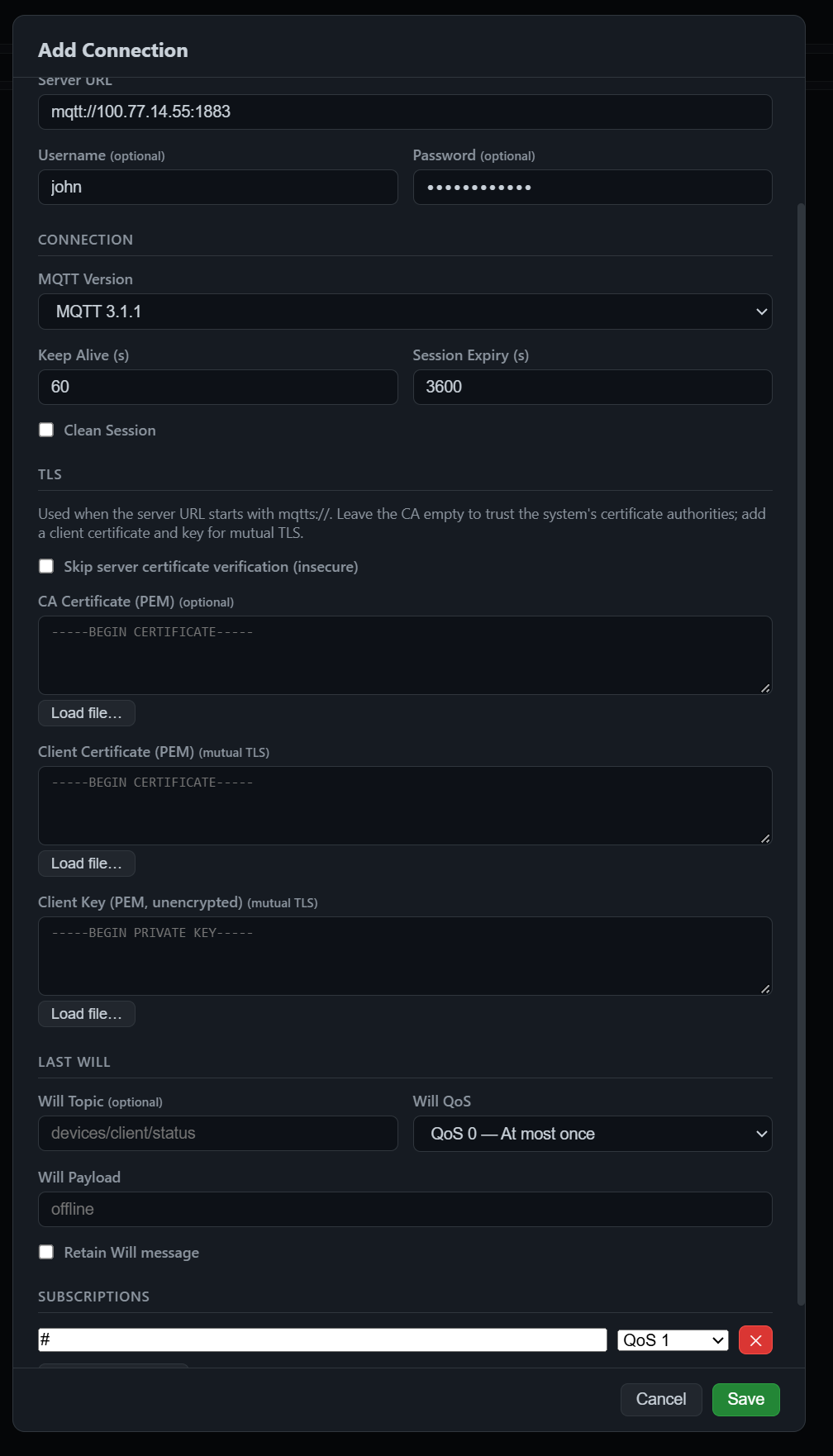
And either click the circle adjacent to the name you provided or client Connect All to connect to your (broker/brokers).

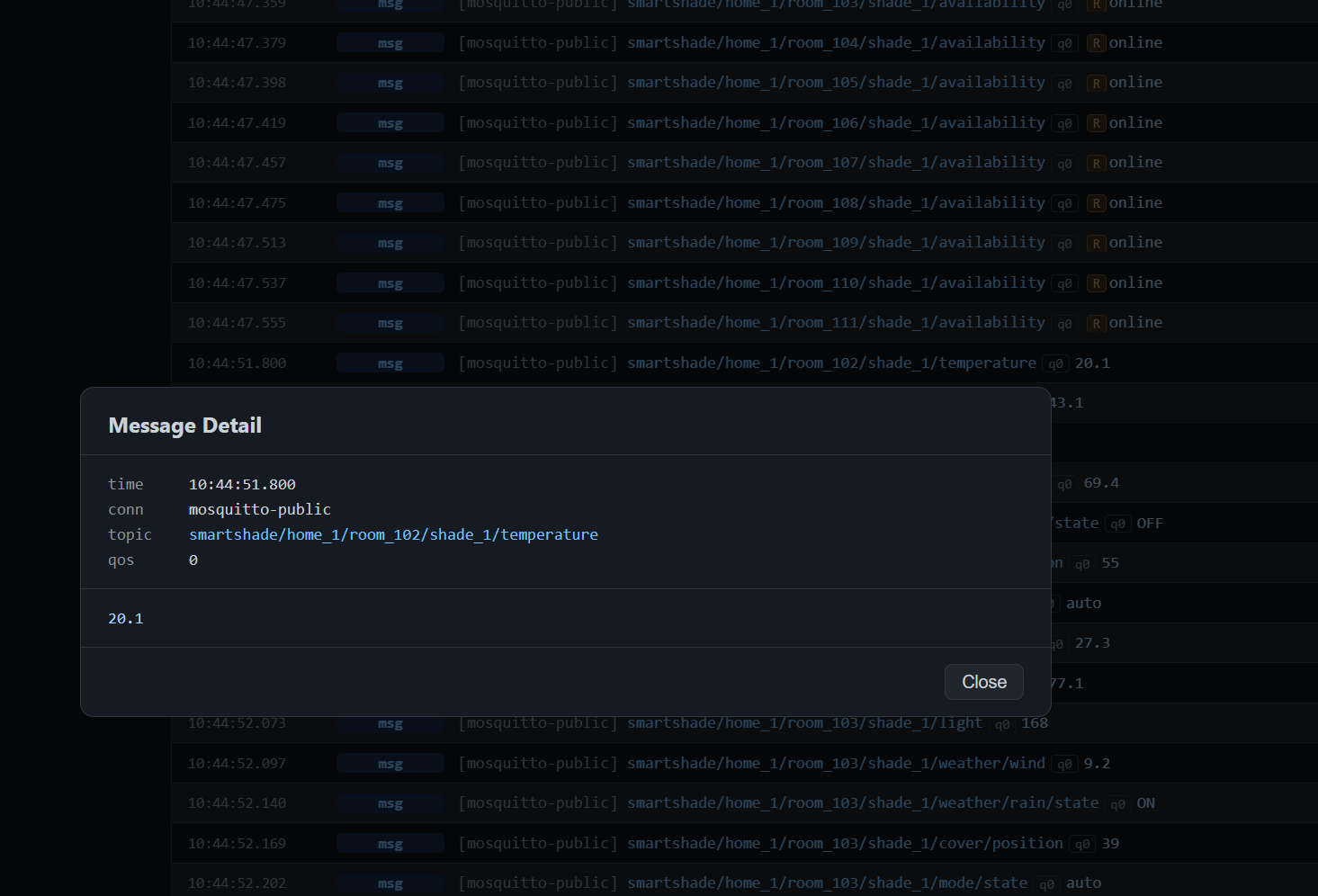
You may click on a message for details.
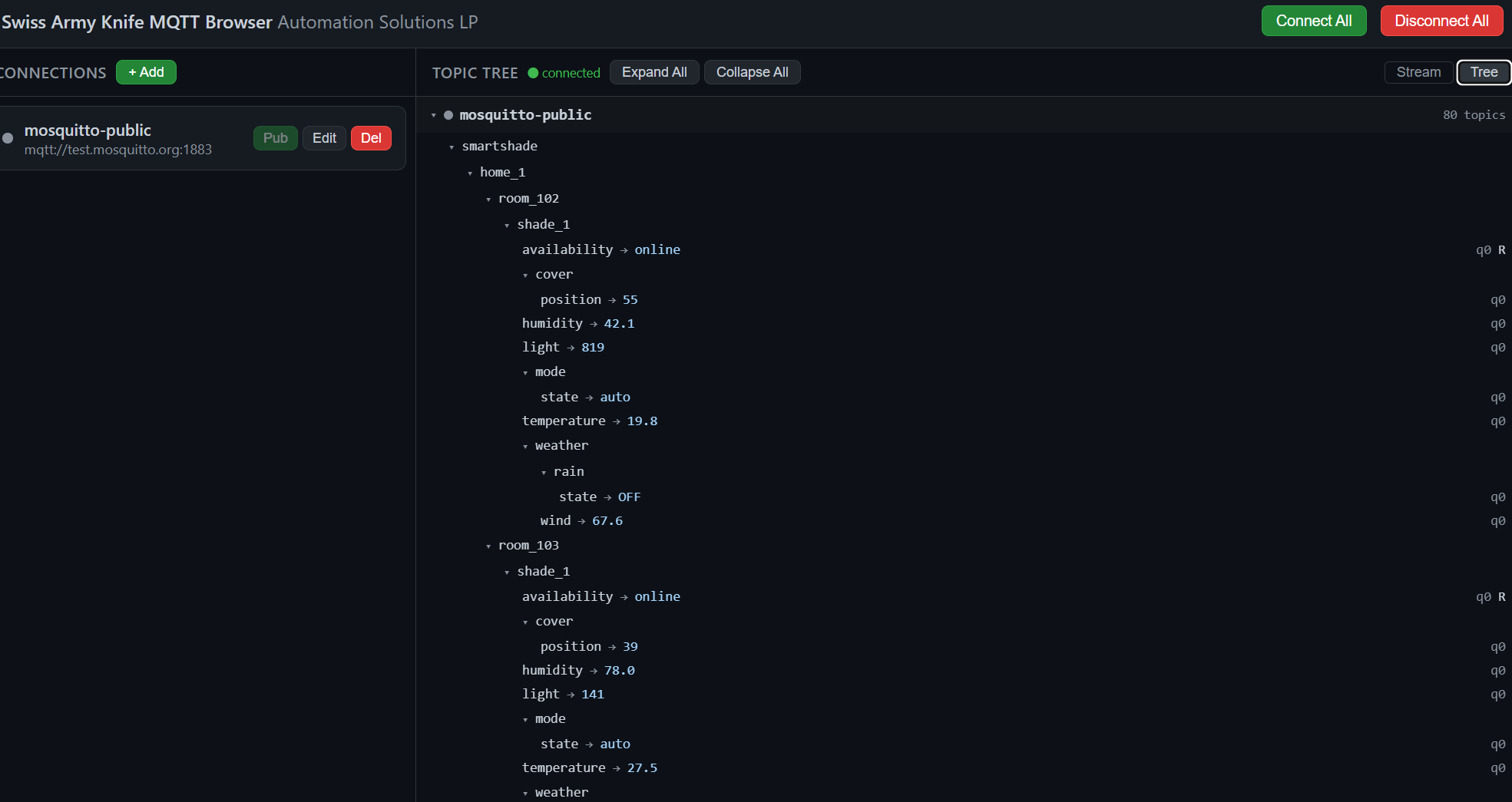
Toggle Tree for a tree view or Stream for a stream view in the top right corner.
TLS
Use an mqtts:// server URL (default port 8883) to connect over TLS. In the connection's TLS section you can:
- paste or load a CA certificate (PEM) to trust a private CA; leave it empty to use the system's trusted CAs,
- add a client certificate and unencrypted private key (PEM) for mutual TLS,
- tick "Skip server certificate verification" for brokers with self-signed certificates (insecure).
With -state, connection settings, including passwords and TLS private keys, are saved in plain text in the state file (created with owner-only permissions, 0600). Keep it somewhere private.
Similar repos


Languages
HTML
64.9%
Go
35.1%
See what people are saying
README
swarmy-mqtt
Swiss Army Knife MQTT Browser
A web-based MQTT v5 and v3.1.1 client tool well suited for tracking clusters.
How to
$ go build -o ./build/
$ cd build
$ ./swarmy-mqtt -h
$ ./swarmy-mqtt -state ./conns.json -db ./msgs.sqlite
Append the -port PORTNUM argument if you want to use a different port than 6080.
Browse to http://localhost:6080 or http://YOURIP:6080 and connect to 1 or more brokers at the same time.
Add a connection ...
And either click the circle adjacent to the name you provided or client Connect All to connect to your (broker/brokers).
You may click on a message for details.
Toggle Tree for a tree view or Stream for a stream view in the top right corner.
TLS
Use an mqtts:// server URL (default port 8883) to connect over TLS. In the connection's TLS section you can:
- paste or load a CA certificate (PEM) to trust a private CA; leave it empty to use the system's trusted CAs,
- add a client certificate and unencrypted private key (PEM) for mutual TLS,
- tick "Skip server certificate verification" for brokers with self-signed certificates (insecure).
With -state, connection settings, including passwords and TLS private keys, are saved in plain text in the state file (created with owner-only permissions, 0600). Keep it somewhere private.
Similar repos
Languages
HTML
64.9%
Go
35.1%