Small offensive network toolkit for Raspberry Pi (+ Waveshare 1.44″ LCD HAT) and Cardputer Zero inspired by pager and sharkjack fonctionnalities. For redteam and educational purposes only.
Python
1,286
456 commits
updated Oct 15, 2026





Portable Raspberry Pi offensive toolkit with LCD control, payload launcher, WebUI, and Payload IDE.
RaspyJack is for authorized security testing, research, and education only.
EXTENSIONS/ work area for reusable trigger and dispatch helpersCheck the WIKI for more ! https://github.com/7h30th3r0n3/Raspyjack/wiki
| Item | Description | Buy |
|---|---|---|
| Waveshare 1.44" LCD HAT (128x128) | SPI TFT ST7735 + joystick + 3 buttons |
Buy Buy |
| Waveshare 1.3" LCD HAT (240x240) | SPI TFT ST7789 + joystick + 3 buttons | Buy |
| Raspberry Pi Zero 2 WH | Quad-core 1 GHz, 512 MB RAM – super compact | Buy |
| RPI 0W + Waveshare Ethernet/USB HUB HAT | 3 USB + 1 Ethernet | Buy |
| Alternative: Dual Ethernet/USB HUB HAT | 2 USB + 2 Ethernet | Buy |
Note: Raspyjack on RPI 0w1/2 can run headless trough WebUi, but need an ethernet module at least.
| Item | Description | Buy |
|---|---|---|
| Raspberry Pi 3 Model B | Almost same specs as RPI 0w2 | Buy |
| Raspberry Pi 4 Model B (4 GB) | Quad-core 1.5 GHz, full-size HDMI, GigE LAN | Buy |
Important: The onboard Raspberry Pi WiFi (Broadcom 43430) cannot be used for WiFi attacks.
| Dongle | Chipset | Monitor Mode |
|---|---|---|
| Alfa AWUS036ACH | Realtek RTL8812AU | ✅ Full support |
| TP-Link TL-WN722N v1 | Atheros AR9271 | ✅ Full support |
| Panda PAU09 | Realtek RTL8812AU | ✅ Full support |
The onboard Pi WiFi chipset is limited for monitor/injection workflows. For WiFi attack payloads, use a compatible external USB WiFi adapter.
Examples commonly used:
From a fresh Raspberry Pi OS Lite install:
sudo apt update
sudo apt install -y git
sudo -i
git clone https://github.com/7h30th3r0n3/raspyjack.git Raspyjack
cd Raspyjack
chmod +x install_raspyjack.sh
./install_raspyjack.sh
reboot
After reboot, RaspyJack should be available on-device.
sudo -i
cd /root
rm -rf Raspyjack
git clone https://github.com/7h30th3r0n3/raspyjack.git Raspyjack
cd Raspyjack
chmod +x install_raspyjack.sh
./install_raspyjack.sh
reboot
Before major updates, back up loot/config you care about.
RaspyJack includes a browser UI and IDE in web/.
web/README.mdhttps://<device-ip>/ (or fallback http://<device-ip>:8080)https://<device-ip>/ide (or http://<device-ip>:8080/ide)./scripts/check_webui_js.sh
This validates syntax for:
web/shared.jsweb/app.jsweb/ide.jsRaspyjack now includes a vendored port of
PierreGode/Ragnar.
Payload -> Utilities -> Ragnarhttp://<device-ip>:8091vendor/ragnar/./scripts/install_ragnar_port.sh
| Control | Action |
|---|---|
| UP / DOWN | Navigate |
| LEFT | Back |
| RIGHT / OK | Enter / Select |
| KEY1 | Context/extra action (varies) |
| KEY2 | Secondary action (varies) |
| KEY3 | Exit / Cancel |
RaspyJack supports two LCD screens from the same codebase. The installer asks which screen you have.
| Display | Chip | Resolution | Config value |
|---|---|---|---|
| 1.44" (original) | ST7735S | 128x128 | ST7735_128 |
| 1.3" | ST7789 | 240x240 | ST7789_240 |
To switch screens, change "type" in gui_conf.json and reboot:
"DISPLAY": { "type": "ST7789_240" }
payloads/examples/_payload_template.py into the appropriate category folderScaledDraw and scaled_font() so it works on both screensKEY3 as exit buttonmenu_icons.json#!/usr/bin/env python3
import os, sys, time
sys.path.append(os.path.abspath(os.path.join(__file__, '..', '..', '..')))
import RPi.GPIO as GPIO
import LCD_1in44, LCD_Config
from PIL import Image, ImageDraw, ImageFont
from payloads._display_helper import ScaledDraw, scaled_font
from payloads._input_helper import get_button
PINS = {"UP": 6, "DOWN": 19, "LEFT": 5, "RIGHT": 26,
"OK": 13, "KEY1": 21, "KEY2": 20, "KEY3": 16}
GPIO.setmode(GPIO.BCM)
for pin in PINS.values():
GPIO.setup(pin, GPIO.IN, pull_up_down=GPIO.PUD_UP)
LCD = LCD_1in44.LCD()
LCD.LCD_Init(LCD_1in44.SCAN_DIR_DFT)
WIDTH, HEIGHT = LCD.width, LCD.height
font = scaled_font()
try:
while True:
btn = get_button(PINS, GPIO)
if btn == "KEY3":
break
img = Image.new("RGB", (WIDTH, HEIGHT), "black")
d = ScaledDraw(img)
d.text((6, 6), "Hello Payload", font=font, fill="#00FF00")
LCD.LCD_ShowImage(img, 0, 0)
time.sleep(0.05)
finally:
LCD.LCD_Clear()
GPIO.cleanup()
Payloads can also import shared helpers from EXTENSIONS.api when they need a reusable gate or action.
from EXTENSIONS.api import WAIT_FOR_PRESENT, REQUIRE_CAPABILITY

try:
    REQUIRE_CAPABILITY("binary", "bluetoothctl")
    WAIT_FOR_PRESENT(name="TestRJ", timeout_seconds=30)
    while True:
        btn = get_button(PINS, GPIO)
        if btn == "KEY3":
            break
finally:
    LCD.LCD_Clear()
    GPIO.cleanup()
These helpers do not change the display model. If a payload draws to the LCD, it should still use ScaledDraw and scaled_font() so the same code works on both supported screens.
Edit menu_icons.json and add your payload name in the payloads section:
"payloads": {
    " my_payload": "\uf002",
}
Icons are FontAwesome 6 Solid. Browse available icons at https://fontawesome.com/v6/search?o=r&s=solid
ScaledDraw with 128-base coordinates (0-127). Never use WIDTH/HEIGHT in draw calls.ImageDraw.Draw, then resize to (WIDTH, HEIGHT) before showing.Raspyjack/
├── raspyjack.py # Main UI engine
├── gui_conf.json # Display type, colors, pins, lock
├── menu_icons.json # FontAwesome icons for menus
├── LCD_1in44.py # LCD driver (ST7735 + ST7789)
├── LCD_Config.py # SPI/GPIO config
├── web_server.py # WebUI HTTP server
├── device_server.py # WebSocket device server
├── rj_input.py # Input handler
├── install_raspyjack.sh # Installer
├── web/ # WebUI frontend
├── payloads/
│ ├── _display_helper.py # ScaledDraw + scaled_font
│ ├── _input_helper.py # GPIO + WebUI input
│ ├── reconnaissance/ # Nmap, Shodan, OSINT, AP/client stats, flock detection, Norse recon suite, pwnagotchi
│ ├── wifi/ # Deauth, evil twin, CIW Zeroclick (SSID injection), beacon flood, BLE spam, pwnagotchi
│ ├── network/ # ARP MITM, DNS spoof, handshake hunter with auto-upload, WPA cracking
│ ├── credentials/ # Responder, credential capture, hash harvesting
│ ├── bluetooth/ # Scanner, spam, beacon flood, MITM, replay, audio inject, DoS
│ ├── usb/ # DuckyScript generator, USB attacks
│ ├── exfiltration/ # HTTP, DNS, BLE, Discord, SMB, FTP, USB, Dropbox
│ ├── evasion/ # Evasion techniques
│ ├── remote_access/ # Reverse shell, Discord C2, HTTPS stealth shell
│ ├── ai/ # Offline voice journal, speech-to-text, object/bird detection
│ ├── evil_portal/ # Captive portal with 84 templates, whitelist, SSID editor, credential capture
│ ├── dead_drop/ # WiFi file sharing with dashboard
│ ├── utilities/ # Weather, IRC, morse, translator, video player, interface manager, system monitor
│ ├── hardware/ # Hardware interaction payloads
│ ├── games/ # 25 games including Pac-Man, Tetris, Tron, LLM adventure, labyrinth
│ └── examples/ # Payload templates
├── loot/ # Captured data
├── config/ # Payload configs
├── DNSSpoof/
├── Responder/
└── wifi/ # WiFi manager
PRs are welcome.
If you submit UI changes, please include:
./scripts/check_webui_js.sh.Videos made by the community about RaspyJack (Thanks to all of you💕):

RaspyJack Makes the Cardputer Zero INSANE! Flipper One is left in the DUST
Talking Sasquach

RASPYJACK - A Network Swiss Army Toolkit Based on the Raspberry Pi 2W
Zeek

Raspyjack - Small Offensive Network Toolkit for Raspberry Pi
HackedExistence
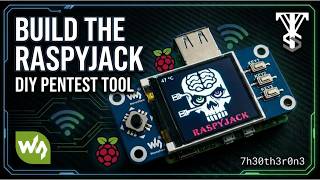
Raspyjack DIY Pentesting - Full Guide
Valleytech Custom Solutions
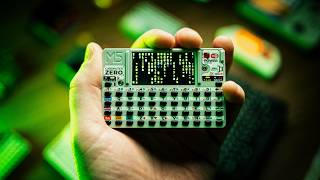
Linux in your palm / CardputerZero prototype sneak peek
Sn0ren
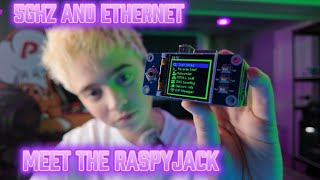
Meet The RaspyJack, WiFi 5 GHz And Ethernet!
Adventures of Illya
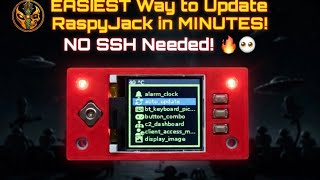
How to Auto Update Your RaspyJack + 135 Brand New Payloads
UAgain Shadow
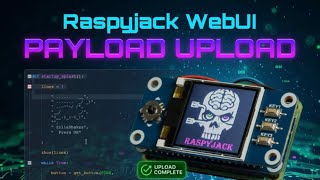
Raspyjack WebUI Payload Upload SUPER EASY
UAgain Shadow

RaspyJack Just Got a MASSIVE Update... 135 NEW Payloads?!
UAgain Shadow

How to Build a RaspyJack - Complete Guide Pi Zero 2W Setup
UAgain Shadow
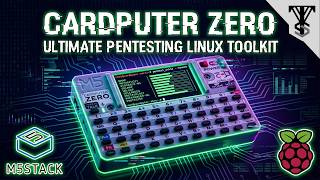
The M5Stack Cardputer Zero is INSANE For Pentesting
Valleytech Custom Solutions
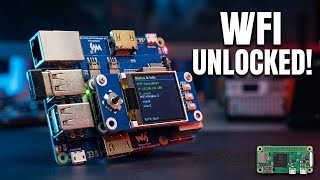
This $22 Adapter Unlocks Hidden Potential in Your RaspyJack
Anubis Darkwatch (The Anubis Project)
RaspyJack - A Full Featured Network Testing Multi-tool
Anubis Darkwatch (The Anubis Project)

RaspyJack project - Watch as I build!
Hackazillarex
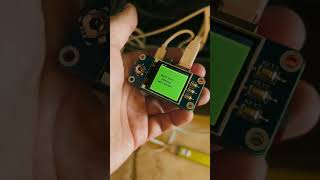
RaspyJack offensive tool kit. - m0usem0use
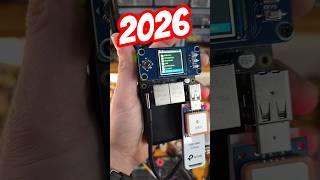
Best Linux Pentesting Tool 2026 - Valleytech Custom Solutions
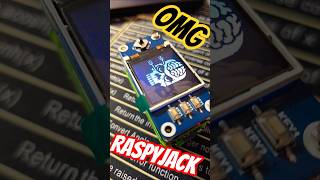
Raspyjack Pentest Tool - Valleytech Custom Solutions
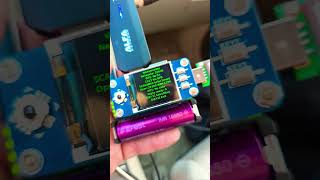
Raspyjack Wardriving - Valleytech Custom Solutions
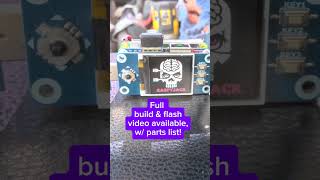
Wardriving 2 - Full Build Vid Available Now - Valleytech Custom Solutions
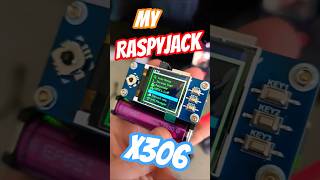
My Raspyjack Build - Valleytech Custom Solutions
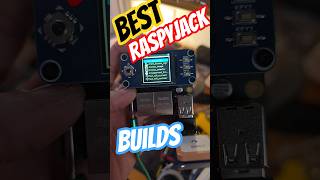
RaspyJack X305 & X306 - Valleytech Custom Solutions

RaspyJack Cardputer Zero - Valleytech Custom Solutions

M5stack Cardputer Zero - Valleytech Custom Solutions
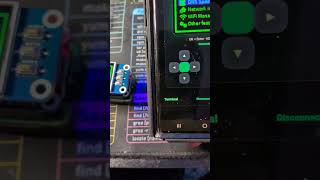
Raspy Jack Is Flashed - WebUI feature! - Valleytech Custom Solutions

Major Raspyjack Update - Valleytech Custom Solutions

How to Auto Update Your RaspyJack + 135 Payloads - UAgain Shadow

RaspyJack CCTV Viewer - Valleytech Custom Solutions
RaspyJack MAJOR Update! - Valleytech Custom Solutions
📹 Made a video about RaspyJack? Open an issue or PR to get featured here!
637 followers · starred Jun 2025
193 followers · starred Aug 2025
147 followers · starred Mar 2026
120 followers · starred Jun 2025
Small offensive network toolkit for Raspberry Pi (+ Waveshare 1.44″ LCD HAT) and Cardputer Zero inspired by pager and sharkjack fonctionnalities. For redteam and educational purposes only.
Python
1,286
456 commits
updated Oct 15, 2026
Portable Raspberry Pi offensive toolkit with LCD control, payload launcher, WebUI, and Payload IDE.
RaspyJack is for authorized security testing, research, and education only.
EXTENSIONS/ work area for reusable trigger and dispatch helpersCheck the WIKI for more ! https://github.com/7h30th3r0n3/Raspyjack/wiki
| Item | Description | Buy |
|---|---|---|
| Waveshare 1.44" LCD HAT (128x128) | SPI TFT ST7735 + joystick + 3 buttons |
Buy Buy |
| Waveshare 1.3" LCD HAT (240x240) | SPI TFT ST7789 + joystick + 3 buttons | Buy |
| Raspberry Pi Zero 2 WH | Quad-core 1 GHz, 512 MB RAM – super compact | Buy |
| RPI 0W + Waveshare Ethernet/USB HUB HAT | 3 USB + 1 Ethernet | Buy |
| Alternative: Dual Ethernet/USB HUB HAT | 2 USB + 2 Ethernet | Buy |
Note: Raspyjack on RPI 0w1/2 can run headless trough WebUi, but need an ethernet module at least.
| Item | Description | Buy |
|---|---|---|
| Raspberry Pi 3 Model B | Almost same specs as RPI 0w2 | Buy |
| Raspberry Pi 4 Model B (4 GB) | Quad-core 1.5 GHz, full-size HDMI, GigE LAN | Buy |
Important: The onboard Raspberry Pi WiFi (Broadcom 43430) cannot be used for WiFi attacks.
| Dongle | Chipset | Monitor Mode |
|---|---|---|
| Alfa AWUS036ACH | Realtek RTL8812AU | ✅ Full support |
| TP-Link TL-WN722N v1 | Atheros AR9271 | ✅ Full support |
| Panda PAU09 | Realtek RTL8812AU | ✅ Full support |
The onboard Pi WiFi chipset is limited for monitor/injection workflows. For WiFi attack payloads, use a compatible external USB WiFi adapter.
Examples commonly used:
From a fresh Raspberry Pi OS Lite install:
sudo apt update
sudo apt install -y git
sudo -i
git clone https://github.com/7h30th3r0n3/raspyjack.git Raspyjack
cd Raspyjack
chmod +x install_raspyjack.sh
./install_raspyjack.sh
reboot
After reboot, RaspyJack should be available on-device.
sudo -i
cd /root
rm -rf Raspyjack
git clone https://github.com/7h30th3r0n3/raspyjack.git Raspyjack
cd Raspyjack
chmod +x install_raspyjack.sh
./install_raspyjack.sh
reboot
Before major updates, back up loot/config you care about.
RaspyJack includes a browser UI and IDE in web/.
web/README.mdhttps://<device-ip>/ (or fallback http://<device-ip>:8080)https://<device-ip>/ide (or http://<device-ip>:8080/ide)./scripts/check_webui_js.sh
This validates syntax for:
web/shared.jsweb/app.jsweb/ide.jsRaspyjack now includes a vendored port of
PierreGode/Ragnar.
Payload -> Utilities -> Ragnarhttp://<device-ip>:8091vendor/ragnar/./scripts/install_ragnar_port.sh
| Control | Action |
|---|---|
| UP / DOWN | Navigate |
| LEFT | Back |
| RIGHT / OK | Enter / Select |
| KEY1 | Context/extra action (varies) |
| KEY2 | Secondary action (varies) |
| KEY3 | Exit / Cancel |
RaspyJack supports two LCD screens from the same codebase. The installer asks which screen you have.
| Display | Chip | Resolution | Config value |
|---|---|---|---|
| 1.44" (original) | ST7735S | 128x128 | ST7735_128 |
| 1.3" | ST7789 | 240x240 | ST7789_240 |
To switch screens, change "type" in gui_conf.json and reboot:
"DISPLAY": { "type": "ST7789_240" }
payloads/examples/_payload_template.py into the appropriate category folderScaledDraw and scaled_font() so it works on both screensKEY3 as exit buttonmenu_icons.json#!/usr/bin/env python3
import os, sys, time
sys.path.append(os.path.abspath(os.path.join(__file__, '..', '..', '..')))
import RPi.GPIO as GPIO
import LCD_1in44, LCD_Config
from PIL import Image, ImageDraw, ImageFont
from payloads._display_helper import ScaledDraw, scaled_font
from payloads._input_helper import get_button
PINS = {"UP": 6, "DOWN": 19, "LEFT": 5, "RIGHT": 26,
"OK": 13, "KEY1": 21, "KEY2": 20, "KEY3": 16}
GPIO.setmode(GPIO.BCM)
for pin in PINS.values():
GPIO.setup(pin, GPIO.IN, pull_up_down=GPIO.PUD_UP)
LCD = LCD_1in44.LCD()
LCD.LCD_Init(LCD_1in44.SCAN_DIR_DFT)
WIDTH, HEIGHT = LCD.width, LCD.height
font = scaled_font()
try:
while True:
btn = get_button(PINS, GPIO)
if btn == "KEY3":
break
img = Image.new("RGB", (WIDTH, HEIGHT), "black")
d = ScaledDraw(img)
d.text((6, 6), "Hello Payload", font=font, fill="#00FF00")
LCD.LCD_ShowImage(img, 0, 0)
time.sleep(0.05)
finally:
LCD.LCD_Clear()
GPIO.cleanup()
Payloads can also import shared helpers from EXTENSIONS.api when they need a reusable gate or action.
from EXTENSIONS.api import WAIT_FOR_PRESENT, REQUIRE_CAPABILITY

try:
    REQUIRE_CAPABILITY("binary", "bluetoothctl")
    WAIT_FOR_PRESENT(name="TestRJ", timeout_seconds=30)
    while True:
        btn = get_button(PINS, GPIO)
        if btn == "KEY3":
            break
finally:
    LCD.LCD_Clear()
    GPIO.cleanup()
These helpers do not change the display model. If a payload draws to the LCD, it should still use ScaledDraw and scaled_font() so the same code works on both supported screens.
Edit menu_icons.json and add your payload name in the payloads section:
"payloads": {
    " my_payload": "\uf002",
}
Icons are FontAwesome 6 Solid. Browse available icons at https://fontawesome.com/v6/search?o=r&s=solid
ScaledDraw with 128-base coordinates (0-127). Never use WIDTH/HEIGHT in draw calls.ImageDraw.Draw, then resize to (WIDTH, HEIGHT) before showing.Raspyjack/
├── raspyjack.py # Main UI engine
├── gui_conf.json # Display type, colors, pins, lock
├── menu_icons.json # FontAwesome icons for menus
├── LCD_1in44.py # LCD driver (ST7735 + ST7789)
├── LCD_Config.py # SPI/GPIO config
├── web_server.py # WebUI HTTP server
├── device_server.py # WebSocket device server
├── rj_input.py # Input handler
├── install_raspyjack.sh # Installer
├── web/ # WebUI frontend
├── payloads/
│ ├── _display_helper.py # ScaledDraw + scaled_font
│ ├── _input_helper.py # GPIO + WebUI input
│ ├── reconnaissance/ # Nmap, Shodan, OSINT, AP/client stats, flock detection, Norse recon suite, pwnagotchi
│ ├── wifi/ # Deauth, evil twin, CIW Zeroclick (SSID injection), beacon flood, BLE spam, pwnagotchi
│ ├── network/ # ARP MITM, DNS spoof, handshake hunter with auto-upload, WPA cracking
│ ├── credentials/ # Responder, credential capture, hash harvesting
│ ├── bluetooth/ # Scanner, spam, beacon flood, MITM, replay, audio inject, DoS
│ ├── usb/ # DuckyScript generator, USB attacks
│ ├── exfiltration/ # HTTP, DNS, BLE, Discord, SMB, FTP, USB, Dropbox
│ ├── evasion/ # Evasion techniques
│ ├── remote_access/ # Reverse shell, Discord C2, HTTPS stealth shell
│ ├── ai/ # Offline voice journal, speech-to-text, object/bird detection
│ ├── evil_portal/ # Captive portal with 84 templates, whitelist, SSID editor, credential capture
│ ├── dead_drop/ # WiFi file sharing with dashboard
│ ├── utilities/ # Weather, IRC, morse, translator, video player, interface manager, system monitor
│ ├── hardware/ # Hardware interaction payloads
│ ├── games/ # 25 games including Pac-Man, Tetris, Tron, LLM adventure, labyrinth
│ └── examples/ # Payload templates
├── loot/ # Captured data
├── config/ # Payload configs
├── DNSSpoof/
├── Responder/
└── wifi/ # WiFi manager
PRs are welcome.
If you submit UI changes, please include:
./scripts/check_webui_js.sh.Videos made by the community about RaspyJack (Thanks to all of you💕):
RaspyJack Makes the Cardputer Zero INSANE! Flipper One is left in the DUST
Talking Sasquach
RASPYJACK - A Network Swiss Army Toolkit Based on the Raspberry Pi 2W
Zeek
Raspyjack - Small Offensive Network Toolkit for Raspberry Pi
HackedExistence
Raspyjack DIY Pentesting - Full Guide
Valleytech Custom Solutions
Linux in your palm / CardputerZero prototype sneak peek
Sn0ren
Meet The RaspyJack, WiFi 5 GHz And Ethernet!
Adventures of Illya
How to Auto Update Your RaspyJack + 135 Brand New Payloads
UAgain Shadow
Raspyjack WebUI Payload Upload SUPER EASY
UAgain Shadow
RaspyJack Just Got a MASSIVE Update... 135 NEW Payloads?!
UAgain Shadow
How to Build a RaspyJack - Complete Guide Pi Zero 2W Setup
UAgain Shadow
The M5Stack Cardputer Zero is INSANE For Pentesting
Valleytech Custom Solutions
This $22 Adapter Unlocks Hidden Potential in Your RaspyJack
Anubis Darkwatch (The Anubis Project)
RaspyJack - A Full Featured Network Testing Multi-tool
Anubis Darkwatch (The Anubis Project)
RaspyJack project - Watch as I build!
Hackazillarex
RaspyJack offensive tool kit. - m0usem0use
Best Linux Pentesting Tool 2026 - Valleytech Custom Solutions
Raspyjack Pentest Tool - Valleytech Custom Solutions
Raspyjack Wardriving - Valleytech Custom Solutions
Wardriving 2 - Full Build Vid Available Now - Valleytech Custom Solutions
My Raspyjack Build - Valleytech Custom Solutions
RaspyJack X305 & X306 - Valleytech Custom Solutions
RaspyJack Cardputer Zero - Valleytech Custom Solutions
M5stack Cardputer Zero - Valleytech Custom Solutions
Raspy Jack Is Flashed - WebUI feature! - Valleytech Custom Solutions
Major Raspyjack Update - Valleytech Custom Solutions
How to Auto Update Your RaspyJack + 135 Payloads - UAgain Shadow
RaspyJack CCTV Viewer - Valleytech Custom Solutions
RaspyJack MAJOR Update! - Valleytech Custom Solutions
📹 Made a video about RaspyJack? Open an issue or PR to get featured here!
637 followers · starred Jun 2025
193 followers · starred Aug 2025
147 followers · starred Mar 2026
120 followers · starred Jun 2025



